I’m making progress with my Home Assistant setup. Have the Green working and have the Voice Assistant PE connected and actually able to have me tell it to turn on/off the one light that I have - yeah
Next step it to get it to be able to answer general queries - even simple things like what date/time is it aren’t available - or I missed it. So I’ve been reading and I think the way to go is to run my own instance of Ollama - and do I need Open Web UI too???
The plan is to run Ollama on my desktop PC which has a GPU and enough space (both drive and RAM) so what I’m looking for from this group is instructions - for a full novice - to connect the two. I’ve seen lots of instructions on how to create my own entire pipeline but nothing on how to connect the Voice Assistant PE to it. And if I connect it to my own Ollama, does it then forget how to “turn on the light”?
Im not trying to discourage you but don’t expect an LLM tk be a magic bullet.
To find out what works you can use a cloud llm and not have to set everything up. You can slide everything to a local install (ollama etc.) after you build.
Short version ollama or whatever you’re running inference on is only part. You need a machine capable of running a suitable model (llama3.2, qwen, gpt-oss:20 [my personal choice]) that means at least 16g vram on a modern card. The the software to support it
THEN you need to build a good prompt and install tools (LLMs need tools to get and do things)
The only thing turning me off from using cloud systems is they - the ones built into Home Assistant at least - aren’t free so I figured, I’d just start local and small and work my way up. I’m not trying to control the world, just be able to manage whatever devices I end up with in the house as well as basic internet search and maybe music or something.
Completely understand the hardware requirements and as I said, the desktop PC I’m planning on using used to be my old game machine so it’s beefy enough for a start - not to mention the pretty decent GPU.
Again though, thanks for the advice/warnings
So first, I just want to get Ollama installed and running with a suitable model - probably something in the 7-10B range - and connect the existing Voice Assistant PE to it so it can still turn on the lights as well as tell me what the weather is today.
Small and local with capability are diametrically opposed…
For that range you need at LEAST 16g vram modern card. (better than 3xxx series) 12g may work with a quantized model… Or small param model but you won’t have a great experience.
For best experience target a model that
Released within the last year
Uses tools
Has a context window over 8000 tokens
Prefer a reasoner so you can get recursive and chained tool calls…
But I’d also try a cloud model (paid oai is what I did for months and part of Friday os still paid oai) because you need a contrast to tell…
I appreciate the advice Nathan but I still don’t have any instructions on how to tell the Voice Assistant in Home Assistant to use my instance of Ollama instead of itself and then connect Ollama back so that it can turn on the lights.
Not sure what you mean by Q4 Super but thanks! I did get both Ollama and Openweb UI installed and running on my windows desktop and pulled a few of the models in and tested both from the ollama command line and the web ui and both worked - yeah. I’ll play around with them a bit and then work on getting it integrated with Home Assistant.
Q4 (Q4_K_M to be precise) is a quantization of the model down to 4 bit in order to run it faster/have it fit on the GPU (with a bit of loss in quality).
There are different quantizations for the models, usually from Q2 to Q8.
for ollama, the models are usually Q4 by default. so nothing for you to worry about if it fits and works.
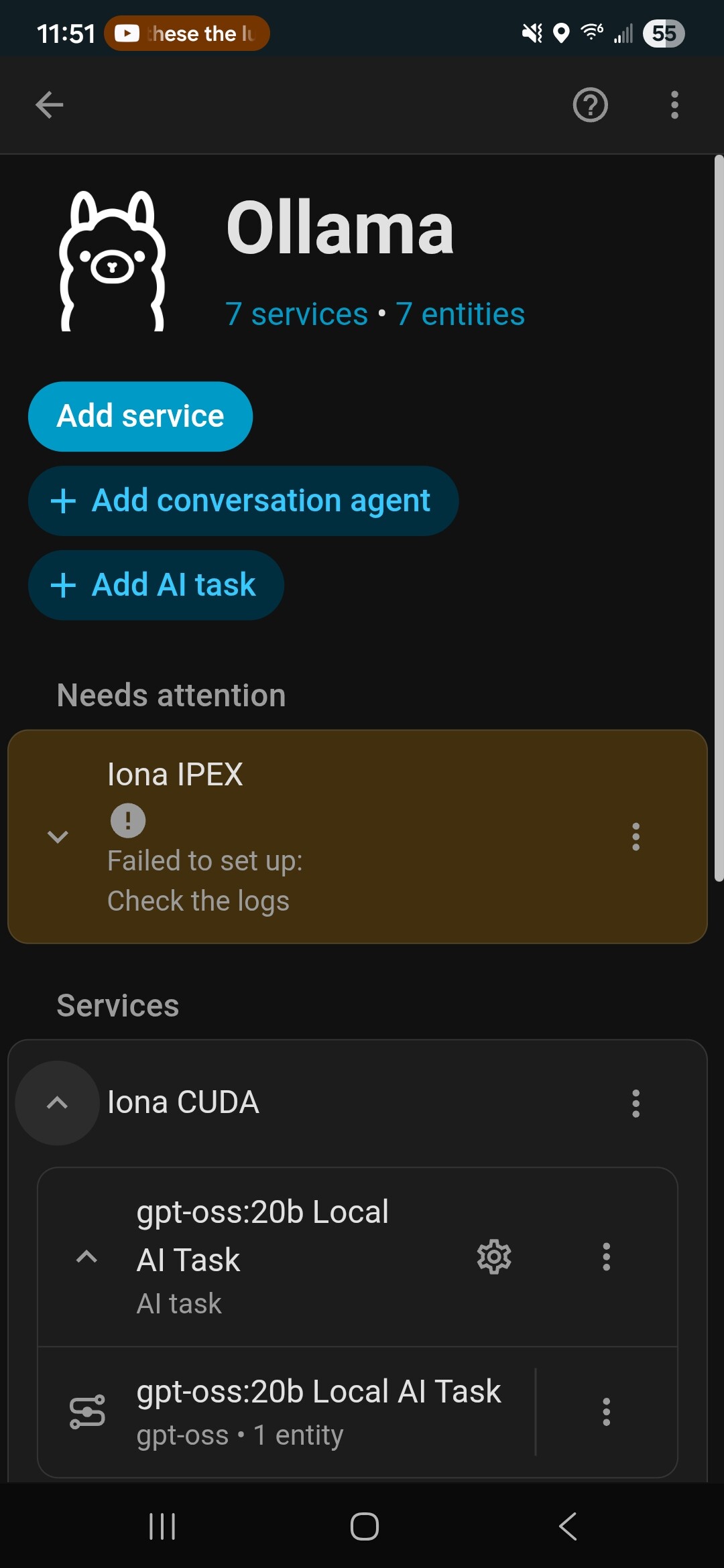
So for anyone else who finds this and needs some help, I’m making progress. I used any number of online instructions for getting Ollama running on my Windows desktop - did that as it’s my old game machine with a pretty decent GPU.
For testing and such, I also setup OpenWeb UI and connected those together. They seemed to work as expected. I could query about goofy things like telling me a joke about a clown, a juggler and a magician or how would I get to the moon. It even made up a great bedtime story but it can’t tell me the weather for tomorrow - guess I’m missing some simple setup but that can come later.
So next, I wanted to be able to use it to control the single light I have in the system - for now. Looking at some other online sources, I managed to find one (A Step-by-Step Guide to Using Local AI with Home Assistant - Kiril Peyanski's Blog) that had some really good information on the final steps of connecting the two together.
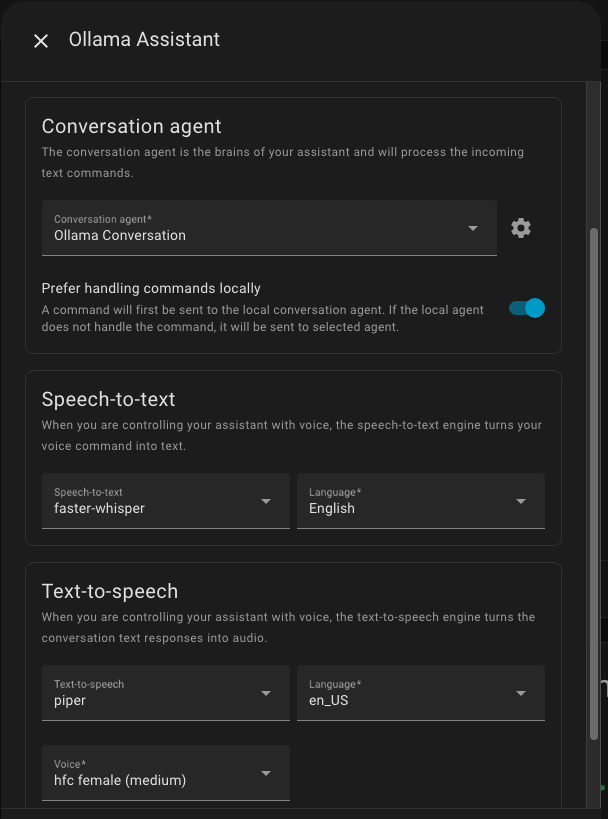
So I setup a new Assistant and configured it as suggested - actually followed the existing assistant that was probably created when I added in the Voice Assistant PE.
Now with that in hand, I can verify that it’s working. If I use the built in Home Assistant assistant and ask it how for it is to the moon, it has no clue. If I swap to the Ollama assistant, it correctly tells me
According to NASA, the average distance from the Earth to the Moon is approximately 384,400 kilometers (238,900 miles).
Success. One step at a time. Now trying to get it to actually speak the answers. When I setup the assistant I used the Try Voice button and that worked so I’m missing something but I think that’s a good step for now.
Appreciate that but I don’t know what tools are yet in reference to this. Right now, I’d just like my Voice Assistant to be able to use the Ollama assistant so I can “Hey Jarvis” rather than just typing.