Voice Assistant, Wake Word - Customer is crap, built in fair, can I train on windows no GPU?

I have a M5 Echo (not S3, those are coming) and a Voice Preview Edition.

I wanted a custom wakeword (OK Hal), and found a place I could buy one (OpenWakeWord) and had it train and downloaded and it’s functional, but…

On both the Echo and the VPE, the Hey Mycroft (for example) is vastly superior to the one I had trained.

I am running on-device wake word via micro wake word.

The actual STT process is actually quite reliable, I am not having issues with that, it’s purely the wake word that is throwing me.

Note that it did NOT train on my voice, which is what I expected. I’ve followed a lot of theads in that regard and all appear to require I set up a GPU enabled docker to train on my voice, plus many I followed (including the official documentation, to google colab, though I think that’s not on my voice) simply did not work.

I’m glad to see Nabu Casa did a nice job on the ones it shipped (though even then “fair” is about all I get for recognition reliability), but…

Is there a current, online (even if not free) way to train on MY voice? Note I’m not asking it to NOT recognize other people, I just want it to do better?

If not online, is there a technique that will allow me to train without a GPU? I have lots of CPU hardware on linux (native, and HyperV) and Windows available, and don’t care if it runs for many hours, but the only decent GPU I have is my desktop running Windows and none of the tutorials seem aimed at windows native.

For that matter, is there one that is fairly complete and current – so many are posted, and now give 404 errors or otherwise have become obsolete. I can’t find a “train on your voice” in the official docs?

Yes: GitHub - TaterTotterson/microWakeWord-Trainer-Nvidia-Docker: Train microWakeWord for use with ESPHome Voice · GitHub
Or for anyone with an Apple Silicon based Mac: GitHub - TaterTotterson/microWakeWord-Trainer-AppleSilicon: Train microWakeWord models on Apple Silicon Macs (M1, M2, M3...) with full GPU acceleration via Metal (MPS). For use on ESPHome Voice. · GitHub

I’m not very smart…

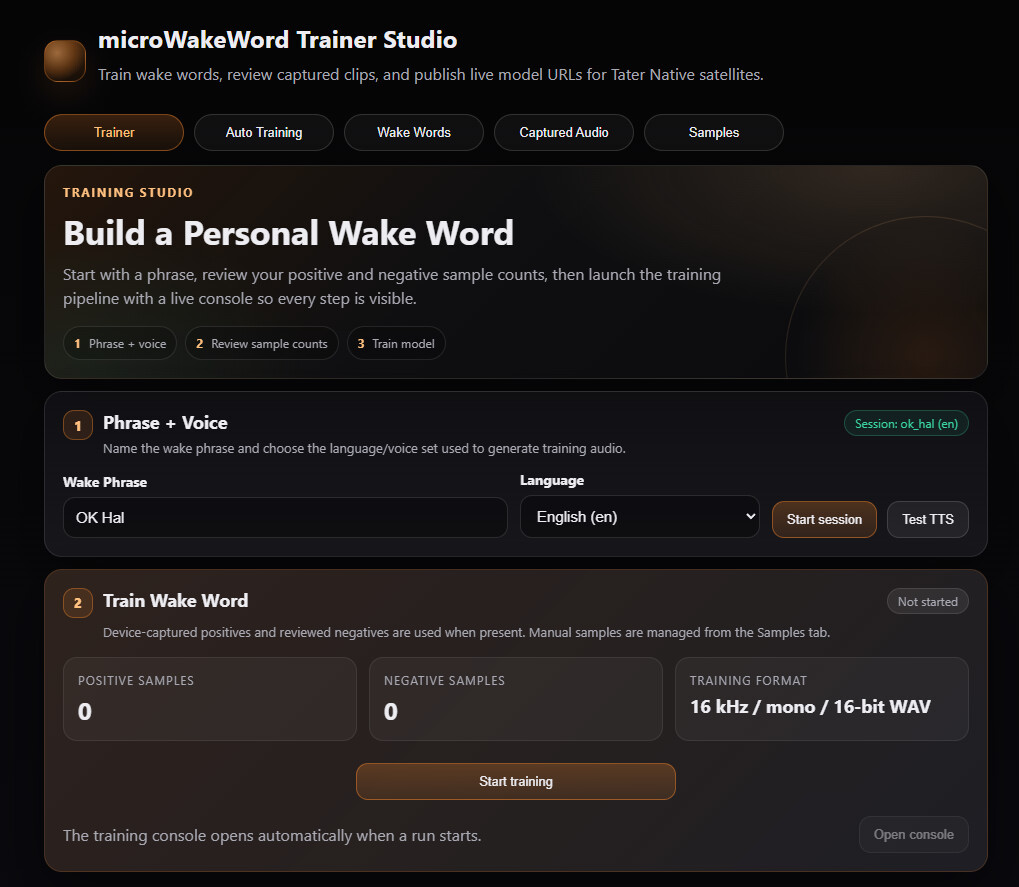
A couple hours later I have WSL installed and that docker is running and I can see the web page. It appears to want to capture data by

I’m not sure what “older” means here, as it also offers only “tater native” satellites. I have a Voice Preview Edition (and an M5 Echo). I don’t see any mechanism for capturing the wake word and sending it to a trainer. Searching for “capture wake audio” didn’t seem to yield anything useful.

Am I just dense or is this aimed at different hardware/environment?

I’m not sure, to be honest. I’ve never actually tried this on Windows. I use a Mac and last time I did it properly was at least a coupe of years ago now. I recommend posting an issue in the repo on GitHub and asking the developer this question directly.

When you did it though, WHAT did it do? Specifically, how do you capture your voice and feed it in? The mac vs windows vs whatever aspects may not be so different as I may just not understand the overall expectations?

It opens a Web UI that allows you to specify the wake word you want to train, then it lets you record your voice saying that wake word at least 10 times, then it uses TTS to generate a lot of different voices saying the wake words, then it trains a model on that wake word.

In the end, you get a tflite file that is microWakeWorld model.

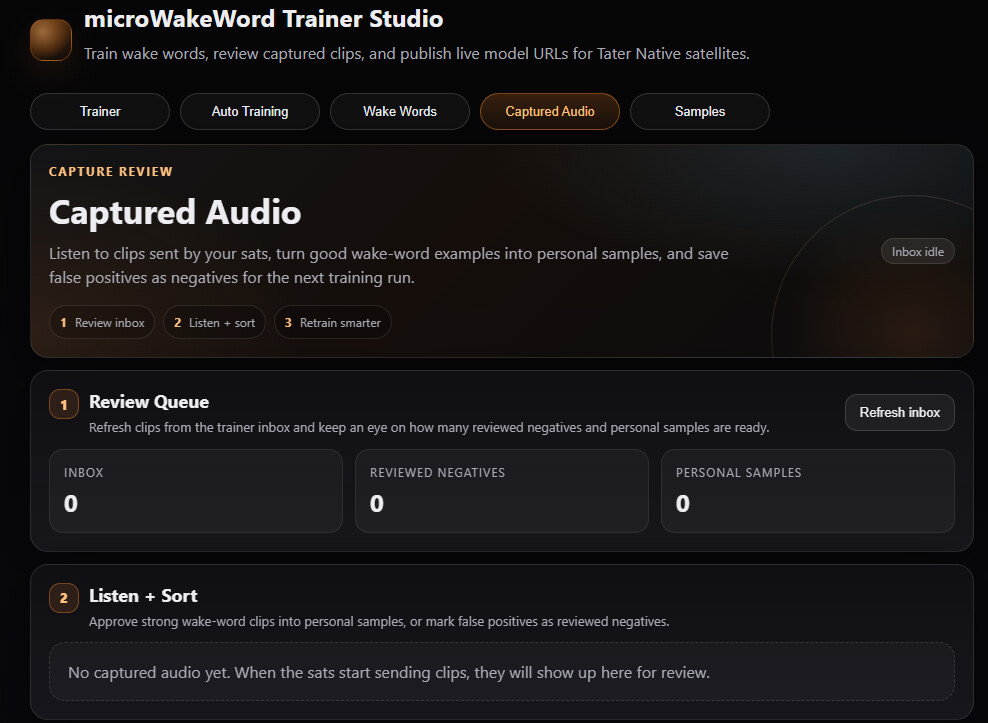
Yes, that’s what I hoped. I get the web page. I can’t find anywhere on it (numerous tabs) to record. The closest is this screen but they appear to expect they are sent to the inbox by a cooperating satellite.

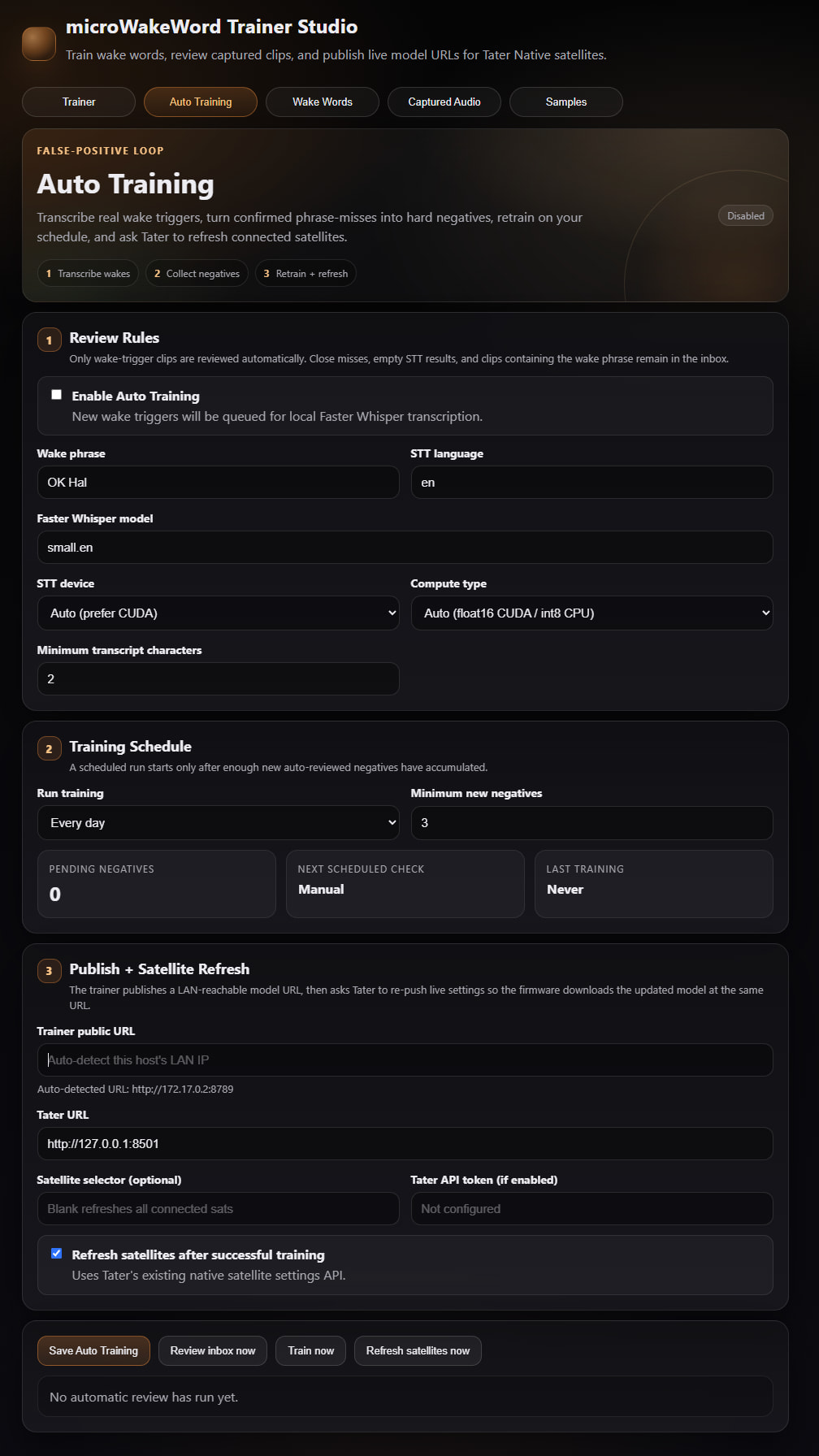
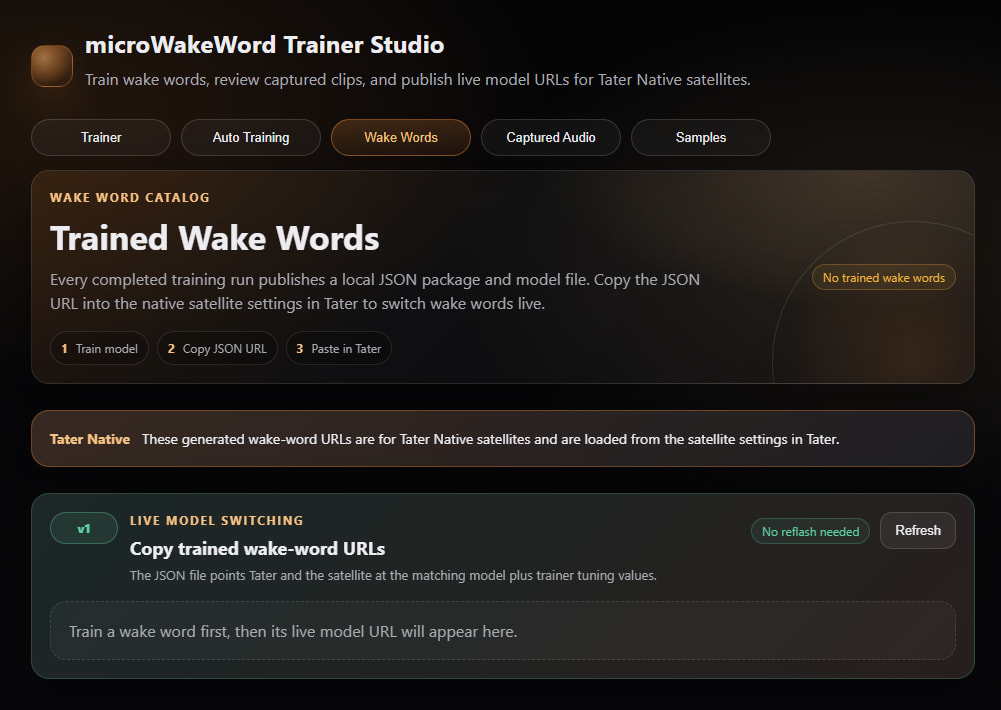
What’s on the “Trainer” and the “Wake Words” tabs?

The trainer works like another I tried online, it will generate an artificial voice.

2nd appears like it can automatically do something with suitable satellites.

Here’s the third.

I get the feeling that there’s supposed to be software running on the satellites that pass copies of any detected (or failed) wake word audio up to this devices inbox. I just don’t see what that mechanism is. I was expecting, literally, to speak into the browser mic.

Yeah, certainly the version I used back on the Mac did exactly that. Depending on what the wake word you want is, it may already be trained for you: GitHub - TaterTotterson/Tater-Wake-Words · GitHub

I’ve used a bunch of wake words from there, including gladdus i.e. GLaDOS from Portal and claude and both work very well even without being trained specifically on my voice.

Also, you might be able to run this on your HAOS device: apps/assist_satellite at main · OHF-Voice/apps · GitHub

The latter I don’t think I can do as my HA instance runs in a Hyper-V and so external devices are limited to network and disk. THe former – I’ve tried a few, none work as well as the ones that ship with it. I made one called “OH, Hal” (just so I could open the pod bay doors and have it decline) just doesn’t work well at all in comparison, on either the preview edition or the M5. I assume that originates with the artificially generated voice it used to train.

What’s strange about it, is that the actual TTS for the command that follows the wake word is interpreted very reliably. It’s the wake word that doesn’t… well, wake. Except that if I’m watching TV about every 5 minutes it wakes up for reasons unclear (with the wake word limited to Hey Mycroft and OK Hal – I’m guessing the OK Hal is actually too common a sound phrase in other sentences, so maybe that’s pointless.

I suggest trying Tater’s “Okay Hal” wake word model :Tater-Wake-Words/microWakeWordsV1/okay_hal.json at 43d7b1980f125fea5e72fa91b9419e2e8ad5ce3e · TaterTotterson/Tater-Wake-Words · GitHub

The ESPhome docs explain how to reference a model on GitHub: Micro Wake Word - ESPHome - Smart Home Made Simple

Also, try USB-IPD: GitHub - dorssel/usbipd-win: Windows software for sharing locally connected USB devices to other machines, including Hyper-V guests and WSL 2. · GitHub – I use this on Windows with WSL2 and it works great. I have used it under Hyper-V thought not as much, but it defintely works.

THank you. I’ll try that okay hal model, I had not seen it, I found a model sharing site that had a “hey hal” if I recall.

Just downloaded and will try it in a few minutes, replacing the one I had.

I’m aware of some of the device sharing for Hyper-V, but I have done so much client support for Hyper-V that I’m really paranoid about those kind of workarounds. If you just let hyper-v do it’s thing, it’s incredibly reliable, but some of the hacks I’ve seen make it fragile. I’ve got things working well with remote esp and rpi devices for what would normally be usb connections. And actually like i t better – faster reboots and I can put these RF antennae in multiple and better places. But it is limiting whenever something just presumes you have a USB. I do have several unused system, I could load HAOS on those and run another instance for some of these things, I guess.

… (time passing… jeopardy music playing…)

It’s definitely much better, seems up there with Mycroft. I tried both Echo (old style, new ones coming tomorrow) and Voice Preview Edition.

I’m going to put the TV back on and see if I start getting false positives again, but definitely better on correct positives.

Thank you.

If anyone else shows up here and wants to try this on an old Echo M5 (not sure on newer ones), with Mycroft and this okay_hal it gives this error:

Not enough free bytes in ring buffer to store incoming audio data. Resetting the ring buffer. Wake word detection accuracy will temporarily be reduced.

At least in some brief testing removing the three default phrases seems to fix the error. So far. I couldn’t find a buffer size increase (i.e. time length) for the microphone. Maybe I just missed it. But if removing models fixes it, I’m not certain that it’s the buffer length anyway.

Code below if useful. I actually didn’t know about !remove vs !extend before.

micro_wake_word:
         models:
           - model: ./WakeWords/okay_hal.json
             id: okay_hal
           - id: !remove okay_nabu 
           - id: !remove hey_jarvis 
           - id: !remove hey_mycroft