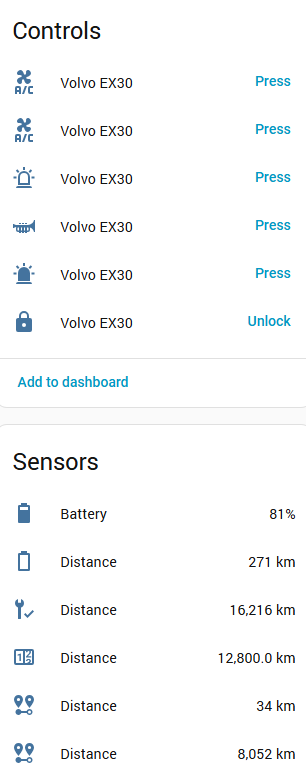
No issues here when locking my car from the core integration.
Could you provide additional debug logs please?
No issues here when locking my car from the core integration.
Could you provide additional debug logs please?
It looks like your vehicle is not sending updates to Volvo since 10th of November. All API calls return that timestamp.
Does that date ring a bell? Maybe you can try to sign out and sign in again to your Volvo account from within the car.
2025-12-08 17:41:57.527 DEBUG (MainThread) [volvocarsapi.api] Request [engine-status] response: {'data': {'engineStatus': {'value': 'STOPPED', 'timestamp': '2025-11-10T14:58:38.556Z'}}}
Only lines on log related to volvo integrations when pressing button was the ones that I posted here. Is there an easy way to force a reauth and get data from begining without removing and adding again ?
Or just restarting and getting all log entries can give you any hint ?
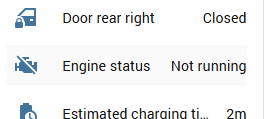
Thanks! I can see the engine status now:

Weirdly though, applying this update has caused some of my entities to be identically renamed in weird and bizarre ways:
They weren’t all the same name before I applied this, so something weird has happened. I can’t test more fully right now as I’m at work, but I’ll do a bit more of a controlled test later tonight to see if it’s definitely caused by this update.
FYI, as I normal do for testing integration updates, I extracted the components/volvo folder into my custom_components path and updated manifest.json to add a version so that it loads as a custom component. This is reported correctly as “overriding a core component” by HA so definitely loaded OK.
@thomas_be I did not made anything and reauth need happened few minutes ago, after reauth the commands worked.
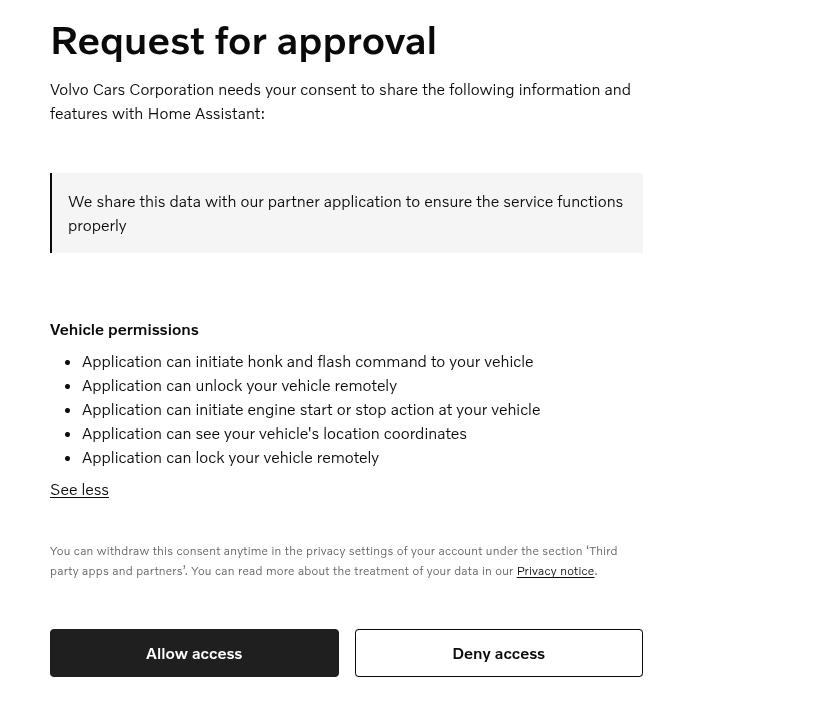
Now I checked what was requested and are all related to commands, maybe my previous auth was before the buttons entered on HA and thats why I get FORBIDDEN before ?
That’s some weird behaviour right there! I haven’t changed anything related to entity ID’s or names. It looks like the translations are not loaded correctly and all the entities use their default name. Did you try a hard refresh (CTRL+F5) or to reboot HA?
I think Volvo had some outage or something, because I had to re-auth too on both the custom and core integration. Another user has also created an issue about this.
You were indeed missing the required scopes.
Yeah, both. Bugger knows what’s going on!
I’ll reset it all later and see if I can reproduce it properly later tonight. It’s not the first weirdness I’ve seen with entity names over the years, so leave it with me for now.
And yes, I also had auth issues too - wonder if I just timed the update very badly with Volvo’s outage and it caused things to go nuts as a result!
For me only core required reauth, HACS version still working without reauth.
Volvo API doing weird again 
Also been asked to re-auth core and can’t complete as getting an error from the Nabu Casa page…
Oops... an error occured
Unexpected response Forbidden
You can follow up on this issue here: Not able to login into Volvo Integration · Issue #158467 · home-assistant/core · GitHub
Please see this issue: Add volvo images · Issue #158430 · home-assistant/core · GitHub
I’ve swapped to local auth for now so I can test this fix. Working well and I can see engine state now:
Thanks for sorting this so promptly and look forward to the next patch release for the fix and hopefully Volvo will sort their auth problems soon as well.
(My previous issue was caused by some differences deploying as custom components. strings.json needs to be also copied to translations/en.json to be loaded. This still doesn’t work perfectly, but it’s good enough to test.)
Were you able to swap to local auth without deleting and reinstalling the integration? If yes, can you please explain how?
@joaocbatista
Are you already on the CORE integration (without HACS)?
No. Just delete the integration completely and then re-add it.
You first need to create and publish the app in the Volvo portal first, and make sure you use the right oauth callback URL (https://my.home-assistant.io/redirect/oauth). Note down the clientID and secret that it gives you.
Now add the credentials manually in HA (Settings → Devices → … → Application Credentials) using the oauth clientID and secret that volvo gave you when you created the app above.
Once done, you should now be able to re-add the integration, select the local credentials option and when prompted, enter an API key which you can find in the Volvo API portal against your newly published app. At this point, all of your entities should reappear with the same names as they had before (so nothing should break).
Just FYI, you don’t even need to remove and re-add the CORE integration. You can just click re-authenticate and it will ask you how you would like to re-authenticate. After choosing the “local credentials” it will be “fixed”.
thanks for the help. I was already on the Core integration, however I still didn’t had the application credentials added. After adding these and clicking the reauthenticate, it asked me to choose which mode I wanted to use. I was able to configure it using the custom application credentials.
Now I am seeing the thread in github and apparently the standard auth is also working as expected. I guess I now should try to understand how to return to the standard auth  bad timing for me!!!
deleted the integration, added it again using the standard auth and everything is working as expected. thanks again for your help