Unfortunately, this fix doesn’t look to have made the cut for today’s 2025.12.3, which is a little annoying  Oh well, maybe the next one.
It will be included with the next (patch) release.
1 Like
Will you add the old images of the car also like you had done in the old HACS solution?
1 Like

Any Australians had any update on Volvo blessing us with access to the API? I miss having my car in Home Assistant for charge level notifications and charging automations 
Hi - I’ve just migrated from the HACS integration to HA Core.
The units are coming through in metric and i wold prefer to have then in imperial miles and gallons as the HACS integration allowed.
Is there a way to set this in the config or does this require an enhancement?
Thanks for the excellent work on this integration!
Hi! Metrics are handled by HA. Go to Settings > System > General and set the unit system to US.
Thanks for that. I can’t see the units now as I’m also affected by: Not able to login into Volvo Integration #158467
Best,
Jeff
What did you pick from the API when publishing your application? I keep on getting an invalid scope.
I’m in the process of migrating the HACS Volvo integration to the one that is now bundled with Home Assistant.
In the HACS version we had easy control over the update interval (via a number input that was part of the integration), besides the “Force update data” action.
None of these two options seem to be available in the bundled integration, so I wonder how can I readjust the update interval.
And BTW, is it possible to customize the update interval for each category as described on the documentation, or you can only set a single update interval for all categories?
Hi,
Almost the same question has been asked on GitHub. After some investigation it turns out that you can use custom update intervals out-of-the-box. It’s explained on Common tasks - installation independent - Home Assistant.
However, in recent versions of HA, the entity picker has been changed, and now you can only select one or more entities (and no more devices as seen in the screenshot).
If you want to change the interval per category, then you’ll need to provide at least one entity of said category. This example will update all entities in the “15 minute” interval.
action: homeassistant.update_entity
metadata: {}
data:
  entity_id:
    - sensor.volvo_xc40_odometer
Add entities of different categories if you want them to update at the same time.
Please assure that you have disabled automatic polling (as explained in the docs), otherwise you’ll probably hit the API request limits.
(I’ll add this to the GitHub issue as well.)
Hi,
Anyone having issues adding car number 2?
I added the first car with no issues but when trying to add our second car although I give the client id and secret from that car, it says that it is already authenticated and shows the information for the first car.
My idea to solve it so to remove the first and the integration and start over by adding two client id and secret id and after that re-add the integration
Best way?
Thanks in advance
agron
Hi!
I’m guessing your cars are on two different accounts? So in car A, you’ve used another account to sign in with than in car B. Or, when using the official app, you have two different accounts.
If that is the case, then you might want to open your home assistant in a private browser window before trying to add your second car. Then there is no caching of the credentials for your first car.
Hi,
thanks will try that, have two volvo id:s
Both cars and apps are connected to my wifes mail but mine was initially connected to my volvocars.com adress (still is) and that I don’t want to use since that gives access to other things and makes it complicated.
thanks
I have just switched over from the old Volvo Cars integration to the official Volvo integration.
Everything works well, except that I can’t get an image of the car. I can see that there was a merged pull request to add a service for the images, and a get_image_url action is now described in the docs. But how to actually use this?
I cannot see an action - am I doing something silly?
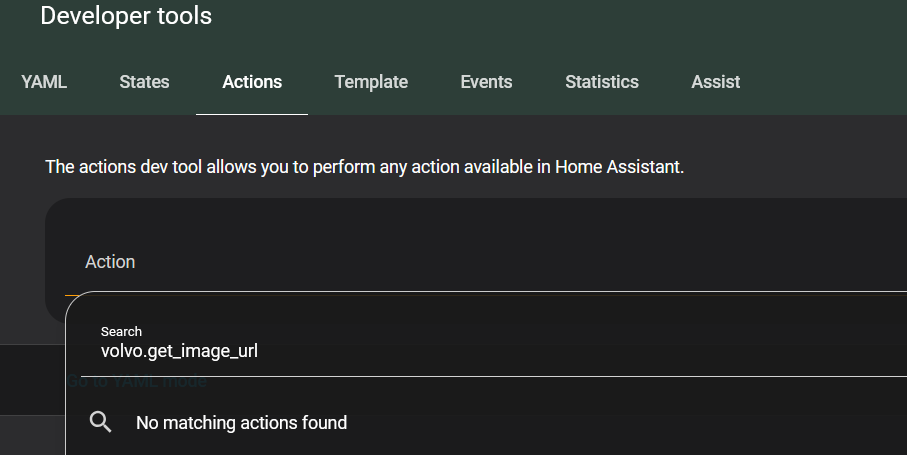
Hi! I haven’t upgraded to v2026.3.0 yet, but on my dev container it looks like this:
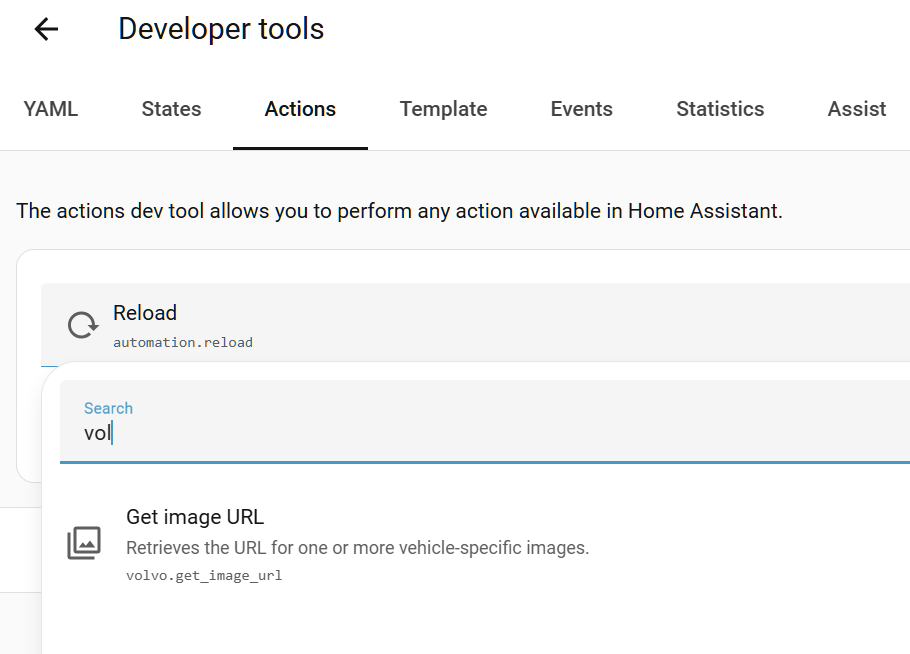
Did you restart after the upgrade? Or maybe you need to hard refresh the frontend?
I don’t see that option in “Actions”.
Does this only appear after upgrading Home Assistant itself? I had assumed that installing the Volvo integration freshly (which I did only today) would be enough to include this get_image_url action feature.
I am only running Home Assistant 2026.1.2 (core) and 2026.02.3 (supervisor).
Yeah, you need v2026.3.0 to have that action. Core integrations are not released separately, it always goes together with core itself.
Helle, since a while the integration doesn’t update anymore the battery level, either on my EX90 and EX40.
The range is updated, but not the level,
Does anyone has observed the same behavior ?
Version : 1.5.7
HA: 2026.2.1
Hi! The problem only occurs in the HACS version, which has been archived some time ago. The problem does not exist in the official core version.
Make sure to delete the HACS version when installing the core version.