@gingermist thank you for all the declarations. that is a great help.
these things happen because I did only copy and paste, not knowing what It realy does.
1 Like
somehow I have problems to use specified colors.
I cant get a purple for example, but basic colors like cyan it shows. as well pictures look strange colored.
what is the limitation on this display?
or what do I have to adjust to get more colors?
image:
  - id:...
    file:...
    type: RGB565
thats in real:
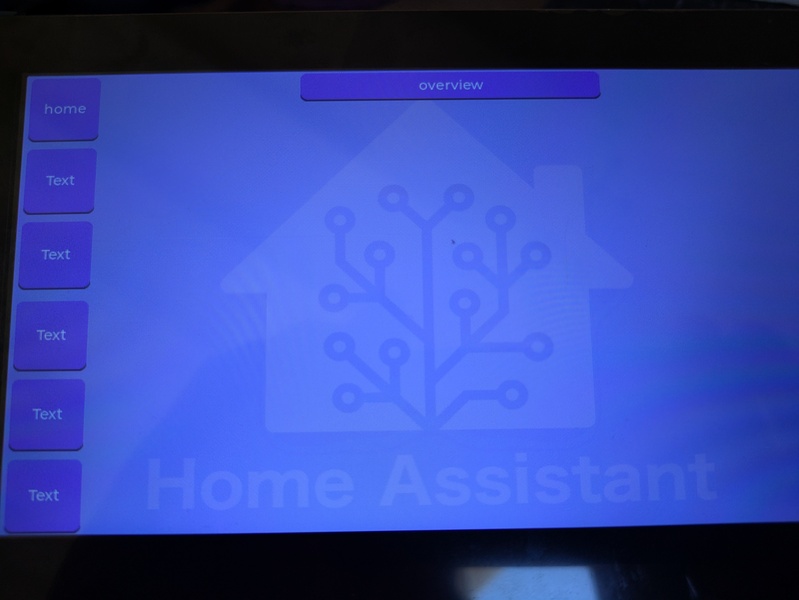
and that is on the editor:
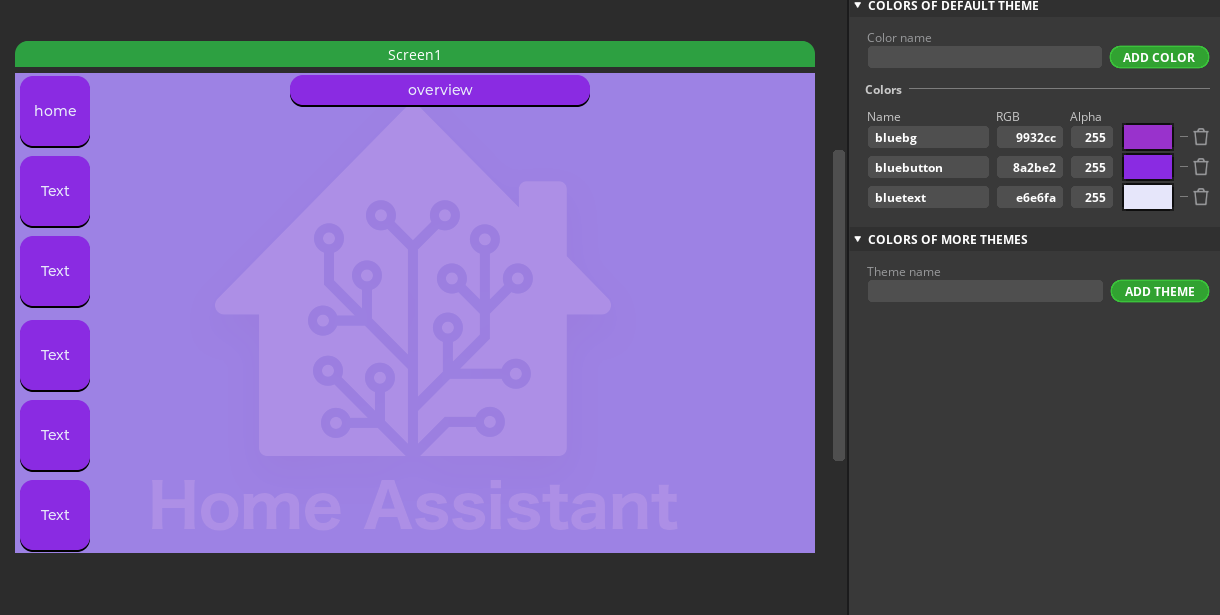
Edit: Rewrite - it’s been a long week!
That does look quite funky! It’s great to see the progress you’re making. What’s the editor you’re using, btw? It looks like Squareline Studio that I had mixed results using in the past.
If you could share your yaml, or point us to a repo if it’s checked in, it’ll make troubleshooting a lot easier.
The screenshots are great to show the problems, though.
I’ve never had issues with colours like this - and have tweaked them a lot in the past.
Thanks,
Charlie
Short answer: 65K colours type: RGB565
I got these from the product site and saw a new one (to me at least!) so listed all three:
- ESP32-S3 7″ LCD Model 7: 7inch LCD display, 800×480 resolution, 65K color [RGB565]
- ESP32-S3 7" LCD Model 7B: 7inch LCD display, 1024 × 600 resolution, 65K color [RGB565]
- ESP32-P4 WIFI6 Touch Model 7B: 7inch LCD 1024 × 600, 16.7M color [RGB565, RGB666, RGB888]
The last one looks interesting as it comes with two esp32s:the main dual-core ESP32-P4-Core with a secondary ESP32-C6-MINI for WiFI6 and Bluetooth 5 (LE). It also has a camera as an optional component.
Thanks,
Charlie
1 Like
soory I didn’t answer yet, had no time.
the .yaml from your project helps allready to compare to mine.
today I try to find the time to test only colors or pictures.
about the editor I use, maybe have a look here:
1 Like
edit: (about my color case)
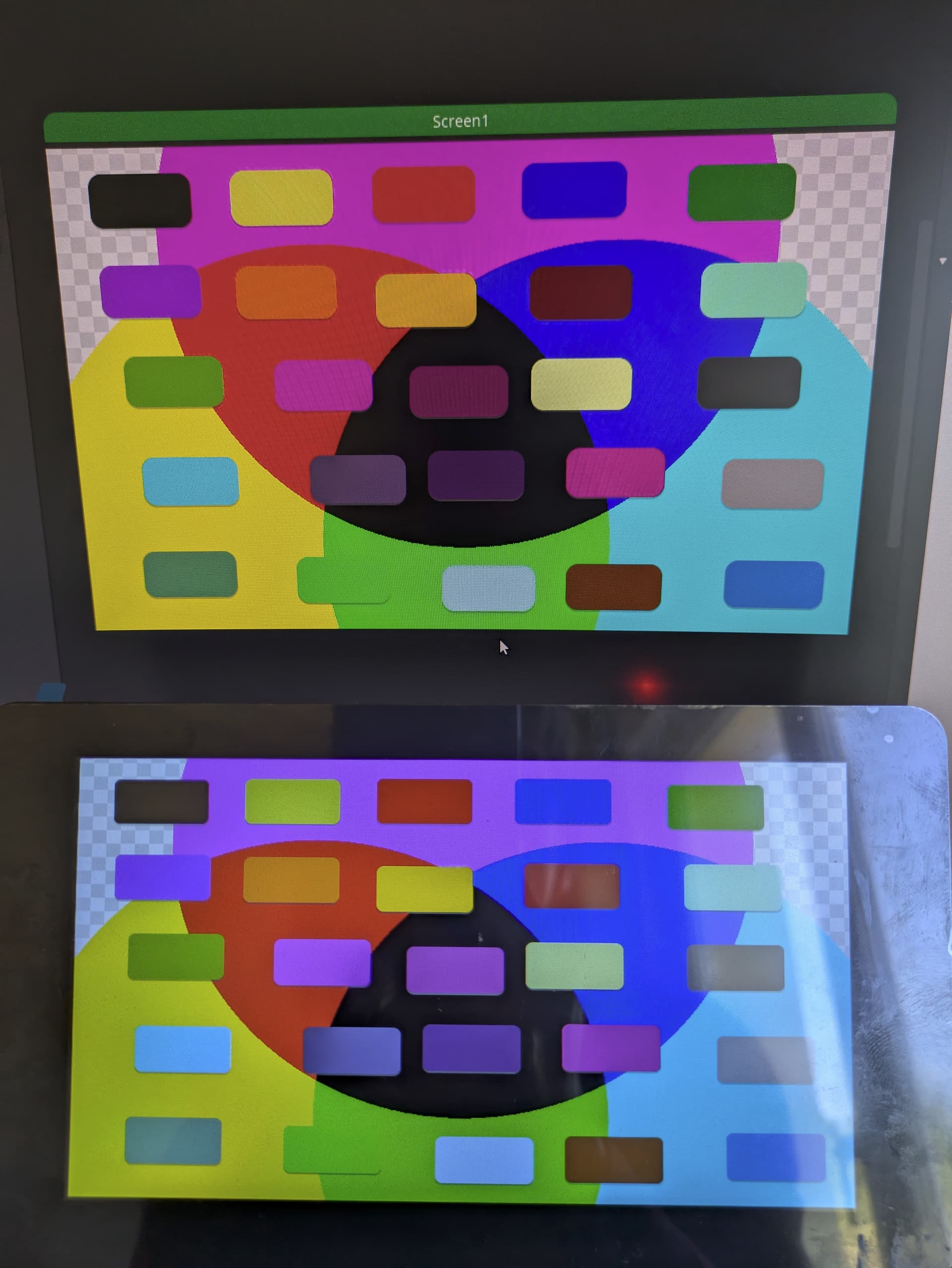
on a testscreen I realised that it must be a calibration thing. red, green and blue are not pure, so purple or pink wont be eighther.
I will try to find a way to calibrate the display a little bit more to the right colors.
(screenshot with mobile phone; top is at SquarelinStudio and bottom the display itself)
main-display.yaml:
esphome:
  name: main-display
  friendly_name: Main-Display
  platformio_options:
    board_upload.maximum_ram_size: 524288

psram:
  mode: octal
  speed: 80MHz   # 120MHz may work again in future

esp32:
  variant: esp32s3
  flash_size: 16MB
  cpu_frequency: 240MHz
  framework:
    type: esp-idf
#    advanced:
#      enable_idf_experimental_features: true   # to allow 120MHz psram

logger:

api:
  encryption:
    key: !secret api_encryption_key

ota:
  - platform: esphome
    password: !secret ota_password

wifi:
  ssid: !secret wifi_ssid
  password: !secret wifi_password

  manual_ip:
    static_ip: 192.168.1.87
    gateway: 192.168.1.1
    subnet: 255.255.255.0
    dns1: 192.168.1.1
    dns2: 192.168.1.40

#  ap:
#    ssid: "Main-Display Fallback Hotspot"
#    password: !secret wifi_ap_password

#captive_portal:

i2c:
  sda: GPIO08
  scl: GPIO09
  scan: True
  id: bus_a

ch422g:
  - id: ch422g_hub

output:
  - platform: gpio
    id: lcdbacklight_output
    pin:
      ch422g: ch422g_hub
      number: 2
      mode:
        output: true
      inverted: false
### Brightness ###
  - platform: ledc
    pin: GPIO16
    id: backlight_brightness_output
    min_power: "0.07"
    zero_means_zero: true

light:
  - platform: binary
    output: lcdbacklight_output
    id: lcdbacklight
    internal: true
    icon: mdi:wall-sconce-flat-outline
    disabled_by_default: true
    restore_mode: ALWAYS_ON
    on_turn_off:
      - script.execute: start_antiburn
    on_turn_on:
      - script.execute: stop_antiburn
  - platform: monochromatic
    output: backlight_brightness_output
    id: lcdbacklight_brightness
    name: LCD Backlight
    icon: mdi:wall-sconce-flat-outline
    disabled_by_default: true
    restore_mode: ALWAYS_ON
    initial_state:
      brightness: "0.8"
    on_turn_off:
      - script.execute: start_antiburn
    on_turn_on:
      - script.execute: stop_antiburn

script:
  - id: start_antiburn
    then:
      - delay: 5min
      - logger.log: Starting automatic antiburn.
      - switch.turn_on: switch_antiburn
  - id: stop_antiburn
    then:
      - script.stop: start_antiburn
      - switch.turn_off: switch_antiburn

switch:
  - platform: template
    name: Antiburn
    id: switch_antiburn
    icon: mdi:television-shimmer
    optimistic: true
    entity_category: "config"
    disabled_by_default: true
    turn_on_action:
      - logger.log: "Starting Antiburn"
      - if:
          condition: lvgl.is_paused
          then:
            - lvgl.resume:
            - lvgl.widget.redraw:
      - lvgl.pause:
          show_snow: true
    turn_off_action:
      - logger.log: "Stopping Antiburn"
      - if:
          condition: lvgl.is_paused
          then:
            - lvgl.resume:
            - lvgl.widget.redraw:

### Display ##
display:
  - platform: mipi_rgb
    model: ESP32-S3-TOUCH-LCD-7-800X480
    id: waveshare_display
    update_interval: never
    auto_clear_enabled: false
    color_order: RGB
    pclk_frequency: 16MHZ
    dimensions:
      width: 800
      height: 480
    enable_pin:
      ch422g:
      number: 2
    de_pin:
      number: 5
    hsync_pin:
      number: 46
      ignore_strapping_warning: true
    vsync_pin:
      number: 3
      ignore_strapping_warning: true
    pclk_pin: 7
    pclk_inverted: true
    hsync_back_porch: 8
    hsync_front_porch: 8
    hsync_pulse_width: 4
    vsync_back_porch: 8
    vsync_front_porch: 8
    vsync_pulse_width: 4
    data_pins:
      red:
        - 1         #r3
        - 2         #r4
        - 42        #r5
        - 41        #r6
        - 40        #r7
      blue:
        - 14        #b3
        - 38        #b4
        - 18        #b5
        - 17        #b6
        - 10        #b7
      green:
        - 39        #g2
        - 0         #g3
        - 45        #g4
        - 48        #g5
        - 47        #g6
        - 21        #g7

### Touchscreen ###
touchscreen:
  platform: gt911
  id: waveshare_touch
  interrupt_pin: GPIO4
  reset_pin:
    ch422g: ch422g_hub
    number: 1
    mode: OUTPUT


########################
###  DISPLAYCONTENT  ###
########################

lvgl:
  pages:
  - id: Screen1
    scrollable: false
    pad_left: 0
    pad_right: 0
    pad_top: 0
    pad_bottom: 0
    bg_image_src: testbild2_png
    widgets:
    - button:
        id: Button1
        align: CENTER
        x: -313
        y: -192
        scrollable: false
        width: 100
        height: 50
        pad_left: 0
        pad_right: 0
        pad_top: 0
        pad_bottom: 0
        bg_color: '0x010000'
        bg_opa: 1.0
    - button:
        id: Button2
        align: CENTER
        x: -175
        y: -193
        scrollable: false
        width: 100
        height: 50
        pad_left: 0
        pad_right: 0
        pad_top: 0
        pad_bottom: 0
        bg_color: '0xecf650'
        bg_opa: 1.0
    - button:
        id: Button3
        align: CENTER
        x: -37
        y: -194
        scrollable: false
        width: 100
        height: 50
        pad_left: 0
        pad_right: 0
        pad_top: 0
        pad_bottom: 0
        bg_color: '0xfc0202'
        bg_opa: 1.0
    - button:
        id: Button4
        align: CENTER
        x: 108
        y: -195
        scrollable: false
        width: 100
        height: 50
        pad_left: 0
        pad_right: 0
        pad_top: 0
        pad_bottom: 0
        bg_color: '0x2003f6'
        bg_opa: 1.0
    - button:
        id: Button5
        align: CENTER
        x: 265
        y: -190
        scrollable: false
        width: 100
        height: 50
        pad_left: 0
        pad_right: 0
        pad_top: 0
        pad_bottom: 0
        bg_color: '0x1d9f18'
        bg_opa: 1.0
    - button:
        id: Button6
        align: CENTER
        x: -310
        y: -108
        scrollable: false
        width: 100
        height: 50
        pad_left: 0
        pad_right: 0
        pad_top: 0
        pad_bottom: 0
        bg_color: '0xc409f9'
        bg_opa: 1.0
    - button:
        id: Button7
        align: CENTER
        x: -175
        y: -106
        scrollable: false
        width: 100
        height: 50
        pad_left: 0
        pad_right: 0
        pad_top: 0
        pad_bottom: 0
        bg_color: '0xf88803'
        bg_opa: 1.0
    - button:
        id: Button8
        align: CENTER
        x: -36
        y: -97
        scrollable: false
        width: 100
        height: 50
        pad_left: 0
        pad_right: 0
        pad_top: 0
        pad_bottom: 0
        bg_color: '0xf4c904'
        bg_opa: 1.0
    - button:
        id: Button9
        align: CENTER
        x: 116
        y: -102
        scrollable: false
        width: 100
        height: 50
        pad_left: 0
        pad_right: 0
        pad_top: 0
        pad_bottom: 0
        bg_color: '0x7f0303'
        bg_opa: 1.0
    - button:
        id: Button10
        align: CENTER
        x: 282
        y: -102
        scrollable: false
        width: 100
        height: 50
        pad_left: 0
        pad_right: 0
        pad_top: 0
        pad_bottom: 0
        bg_color: '0x9df9cf'
        bg_opa: 1.0
    - button:
        id: Button11
        align: CENTER
        x: -285
        y: 80
        scrollable: false
        width: 100
        height: 50
        pad_left: 0
        pad_right: 0
        pad_top: 0
        pad_bottom: 0
        bg_color: '0x57eff5'
        bg_opa: 1.0
    - button:
        id: Button12
        align: CENTER
        x: -110
        y: 79
        scrollable: false
        width: 100
        height: 50
        pad_left: 0
        pad_right: 0
        pad_top: 0
        pad_bottom: 0
        bg_color: '0x664f74'
        bg_opa: 1.0
    - button:
        id: Button13
        align: CENTER
        x: 13
        y: 75
        scrollable: false
        width: 100
        height: 50
        pad_left: 0
        pad_right: 0
        pad_top: 0
        pad_bottom: 0
        bg_color: '0x50225e'
        bg_opa: 1.0
    - button:
        id: Button14
        align: CENTER
        x: 156
        y: 73
        scrollable: false
        width: 100
        height: 50
        pad_left: 0
        pad_right: 0
        pad_top: 0
        pad_bottom: 0
        bg_color: '0xd70bae'
        bg_opa: 1.0
    - button:
        id: Button15
        align: CENTER
        x: 313
        y: 84
        scrollable: false
        width: 100
        height: 50
        pad_left: 0
        pad_right: 0
        pad_top: 0
        pad_bottom: 0
        bg_color: '0xaeadad'
        bg_opa: 1.0
    - button:
        id: Button16
        align: CENTER
        x: -293
        y: 179
        scrollable: false
        width: 100
        height: 50
        pad_left: 0
        pad_right: 0
        pad_top: 0
        pad_bottom: 0
        bg_color: '0x6db681'
        bg_opa: 1.0
    - button:
        id: Button17
        align: CENTER
        x: -129
        y: 186
        scrollable: false
        width: 100
        height: 50
        pad_left: 0
        pad_right: 0
        pad_top: 0
        pad_bottom: 0
        bg_color: '0x02fc34'
        bg_opa: 1.0
    - button:
        id: Button18
        align: CENTER
        x: 26
        y: 195
        scrollable: false
        width: 100
        height: 50
        pad_left: 0
        pad_right: 0
        pad_top: 0
        pad_bottom: 0
        bg_color: '0xb1eaf3'
        bg_opa: 1.0
    - button:
        id: Button19
        align: CENTER
        x: 158
        y: 193
        scrollable: false
        width: 100
        height: 50
        pad_left: 0
        pad_right: 0
        pad_top: 0
        pad_bottom: 0
        bg_color: '0x834804'
        bg_opa: 1.0
    - button:
        id: Button20
        align: CENTER
        x: 322
        y: 188
        scrollable: false
        width: 100
        height: 50
        pad_left: 0
        pad_right: 0
        pad_top: 0
        pad_bottom: 0
    - button:
        id: Button21
        align: CENTER
        x: -294
        y: -21
        scrollable: false
        width: 100
        height: 50
        pad_left: 0
        pad_right: 0
        pad_top: 0
        pad_bottom: 0
        bg_color: '0x79cf2a'
        bg_opa: 1.0
    - button:
        id: Button22
        align: CENTER
        x: -142
        y: -16
        scrollable: false
        width: 100
        height: 50
        pad_left: 0
        pad_right: 0
        pad_top: 0
        pad_bottom: 0
        bg_color: '0xf608da'
        bg_opa: 1.0
    - button:
        id: Button23
        align: CENTER
        x: -4
        y: -9
        scrollable: false
        width: 100
        height: 50
        pad_left: 0
        pad_right: 0
        pad_top: 0
        pad_bottom: 0
        bg_color: '0x7f1761'
        bg_opa: 1.0
    - button:
        id: Button24
        align: CENTER
        x: 119
        y: -15
        scrollable: false
        width: 100
        height: 50
        pad_left: 0
        pad_right: 0
        pad_top: 0
        pad_bottom: 0
        bg_color: '0xe3f89f'
        bg_opa: 1.0
    - button:
        id: Button25
        align: CENTER
        x: 283
        y: -15
        scrollable: false
        width: 100
        height: 50
        pad_left: 0
        pad_right: 0
        pad_top: 0
        pad_bottom: 0
        bg_color: '0x4b4949'
        bg_opa: 1.0
image:
- id: testbild2_png
  file: /config/esphome/my_components/testbild2_RGB565.png
  type: RGB565
  transparency: alpha_channel
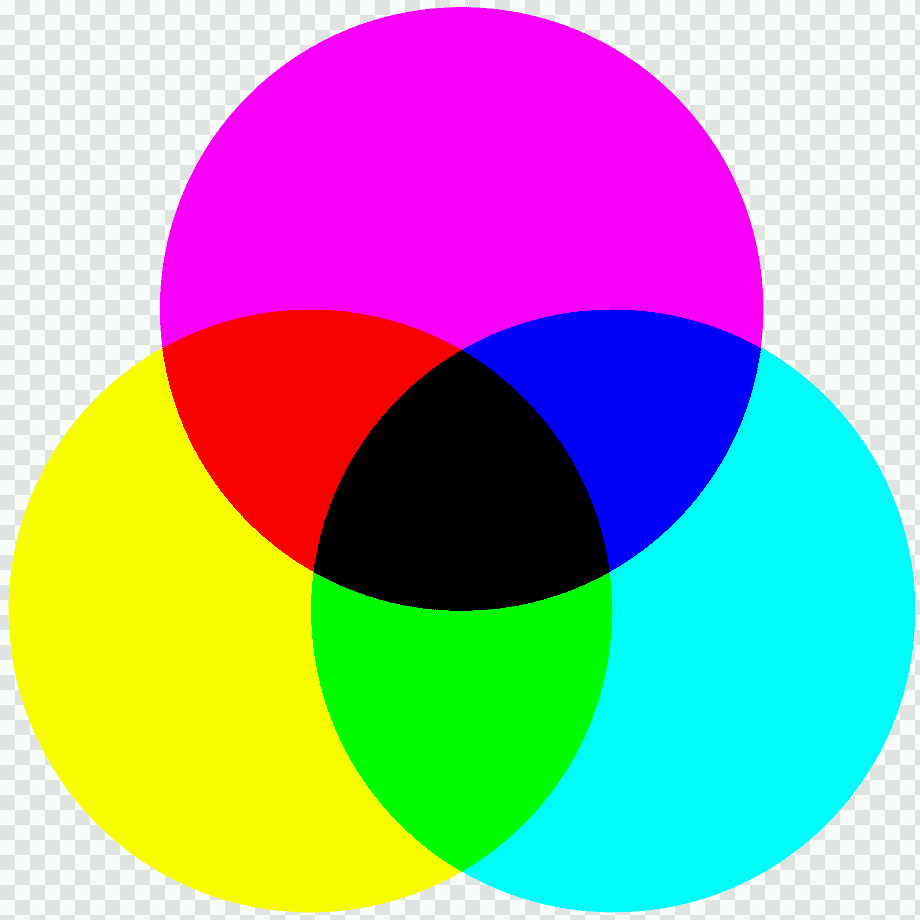
background picture I used in .yaml:
If somebody knows a way to calibrate colors, please let us know. 
1 Like
Thanks for posting the yaml.
- The screen colour format is only 16-bit (RGB565) so limited to 5 bits for the red and blue, and 6 bits for green. The colours look different because the bits are truncated from 8 to 5 or 6.
When using a 24 bit display to design it, and using 8 bits for the RGB values gives a range of colours that exceeds the number of colours available on the display on the device. - If it helps - here’s a RGB565 colour picker so that you only use colours the display is capable of.
If it helps, purple is 0x9400ff and pink is 0xffc2ce.
I’ve gone through the rest of the YAML - and would encourage you to use TRANSP or COVER for the opacity values (just for readability) rather than 0% or 100%. For the colours like 0xfc0202 change to 0xff0000 as that’s the closest the display can do; or use the colour picker above.
Full transparency (no-pun intended) after reading up on this I’ll be changing my config too - thanks for the TIL.
I was expecting something much worse when looking at the blue/green images used originally, but more than likely didn’t read an update from you.
Edit: You can use the dither: entry for the background image, which is off by default; with it on, you’ll get a closer colour match (but more pixely):
image:
- id: testbild2_png
  file: /config/esphome/my_components/testbild2_RGB565.png
  type: RGB565
  transparency: alpha_channel
  dither:  # NONE (default) or FLOYDSTEINBERG
Thanks,
Charlie
3 Likes
this information is excellent, thank you so much for your great help!
looks like I was choosing the most problematic color range. 
I will try it later and let you know.
1 Like
As it happens, calibrating display colours is also another hobby - using a colorimeter, lol. 
I’ll get a reading when I have some time for the background picture colours (just out of curiosity) and see how close they are.
One thing to try for free is to have a background with a white bar at the top, then a 90% bar etc until black at the bottom. If there’s no tint, then that’s a decent indicator that the RGB primaries are the correct colour and brightness.
1 Like
Thank you.
Looking forward to your in-gamut results.
I just realised that this is an LCD screen - so no colour LEDs involved.
The above about three primary LEDs should read as three coloured gels / filters and the white is coming from a white light. D’oh.
1 Like
with your help, finally I can see the problem with the different color-types and codes.
but it did not help to resolve the problem I have on my display.
purple is allways light-blue, doesn’t matter if I programm bg_color: '0x9400ff' or bg_color: 'purple, it endsup beeing light-blue.
1 Like
tl;dr: try: e669ff. ff00ff.e600ff or 9400c5
I see what you mean - that colour picker isn’t matching the display very accurately.
So going back to basics, 9400ff is just 100% blue, 58% red. ff00ff would be 100% red, 100% blue which is magenta which is too much red.
I tried increasing the red and found a soft spot around e600ff - so red seems to be less intense than blue. Or by turning down the blue 9400c5 works.
Seeing as my cyans we really vibrant, adding a bit of green by using e669ff made the purple a little brighter.
I’ll have another look at RGB565 to see if it’s that or the waveshare is really bad at reds.
Edit: So Back to ff00ff looks more purple than magenta - go figure!e600ff after cough changing opacity from 40% to COVERP
So yes - this display is very uncalibrated, with blue being far brighter than red.
thanks for spotting to the problem.
e600ff is already much closer then every colour before.
finally it’s good to know that it is not a broken device I’ve got.
but I think it would be needed to be calibrated, or I leave it better like it is and go with the blue colour theme. because the background pictures will always be wrong coloured.
another thing:
I checked the Guition ESP32-P4 1024x600 touch display and was thinking to have a try with it, but then I was reading that people arguing about the bad quality. And there is no informations from the producer guition at all. Maybe I will get one, when its on sale. Or better leave it?
Glad you got a better colour match - you can always change the red component up or down to see if you get a perfect match.
Heh - great minds and all that - I’ve got a Waveshare ESP32-P4-WIFI6 7inch on the way which sounds very similar. Will let you know if the waveshare is worth it. They always have good documentation.
I haven’t looked up the Guition ESP32-P4 1024x600 thread, but it’ll make a nice comparison to this waveshare and also if it has same quality issues as the Guiton one - thanks for the pointer.
Totally different subject but after reading the docs got my display down to:
display:
  - platform: mipi_rgb
    model: ESP32-S3-TOUCH-LCD-7-800X480
    id: my_display
    rotation: 90
I always love deleting unnecessary yaml  Sorry @andrew_NH - you were spot on earlier with the same approach.
Thanks,
Charlie
the guition is on sale now for €38.50 if somebody wants to try.
https://aliexpress.com/item/1005010425193499.html
1 Like
Damn you!
It’s on the way lol.

would be interesting to know more about these two new devices with EPS32-P4.
could you give a short feedback? or open a specific thread? would be great
1 Like
good to know to keep it simple.
1 Like
That thing is amazing. They put the P4 and C6 into one chip AND it has a connection for an external antenna. On top of that it has a built in camera and Ethernet port.
I started a new thread so the community can discuss it.
2 Likes
Thanks for all your help. Learned a lot, now ready to present my result
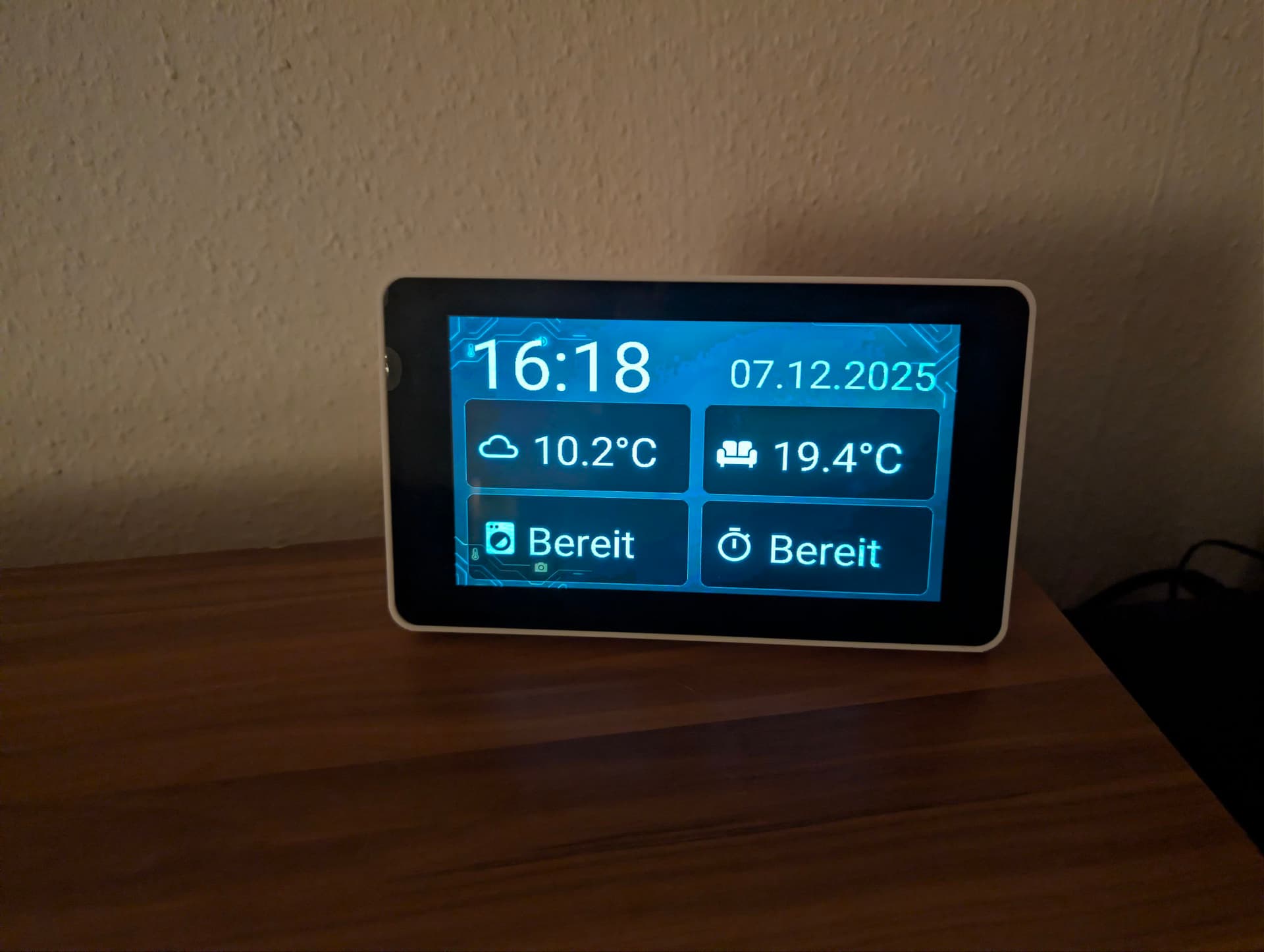
Code is on github: GitHub - AliceDmaus/esphome-waveshare-7inch
4 Likes