I’d like to share a Home Assistant app I’ve been building, and I’m looking for feedback before I take it further.
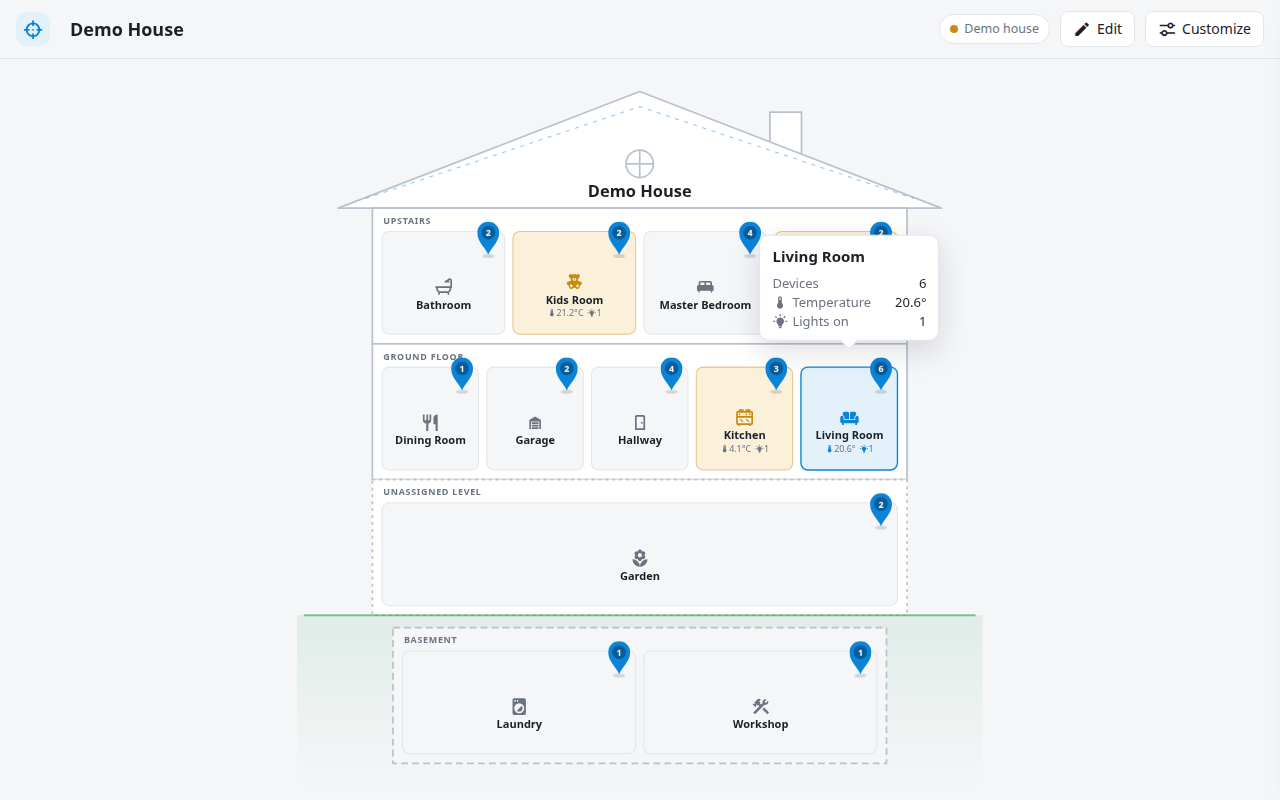
Weapon Wheel Dashboard shows your home as a house. Every room is a card on the house. Tap one and its devices fan out as a weapon wheel, like in a video game: point at a device to aim, tap to select, and you’re at its controls.
How it works
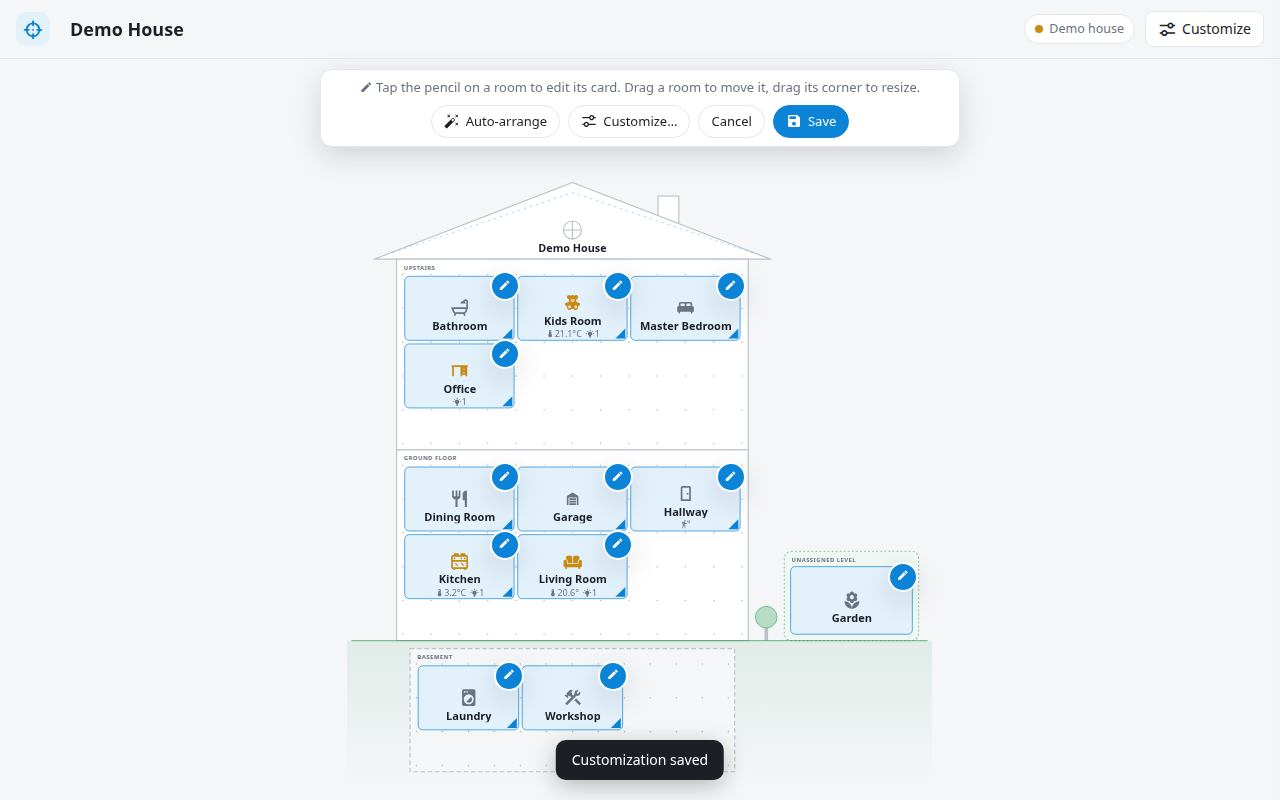
- The house is built automatically from your floors and areas: upstairs at the top, basements under the ground line, outdoor areas in a garden next to the house. Each room card shows live status, such as the temperature, lights on and motion, or whatever you choose.
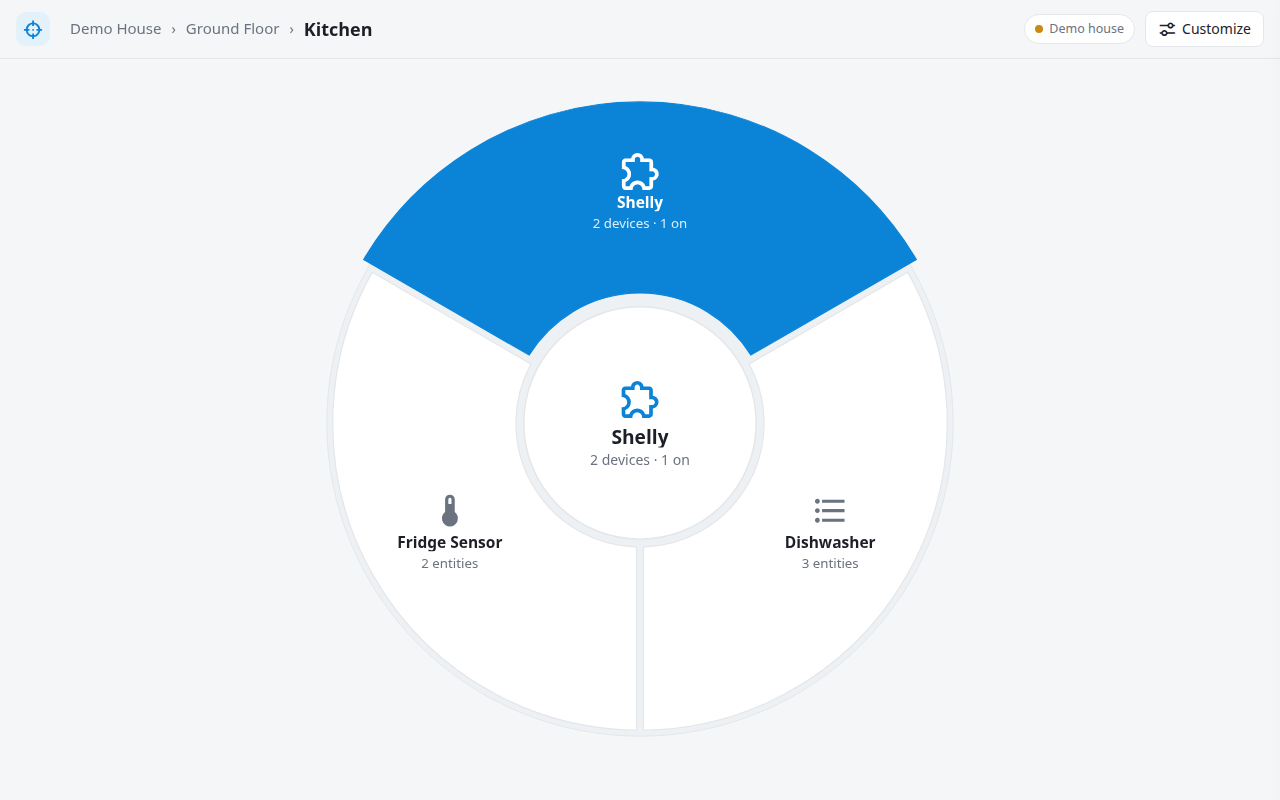
- Tap a room and its devices open as a wheel. Devices from the same integration are grouped into one slice, for example all the Shelly devices in your kitchen.
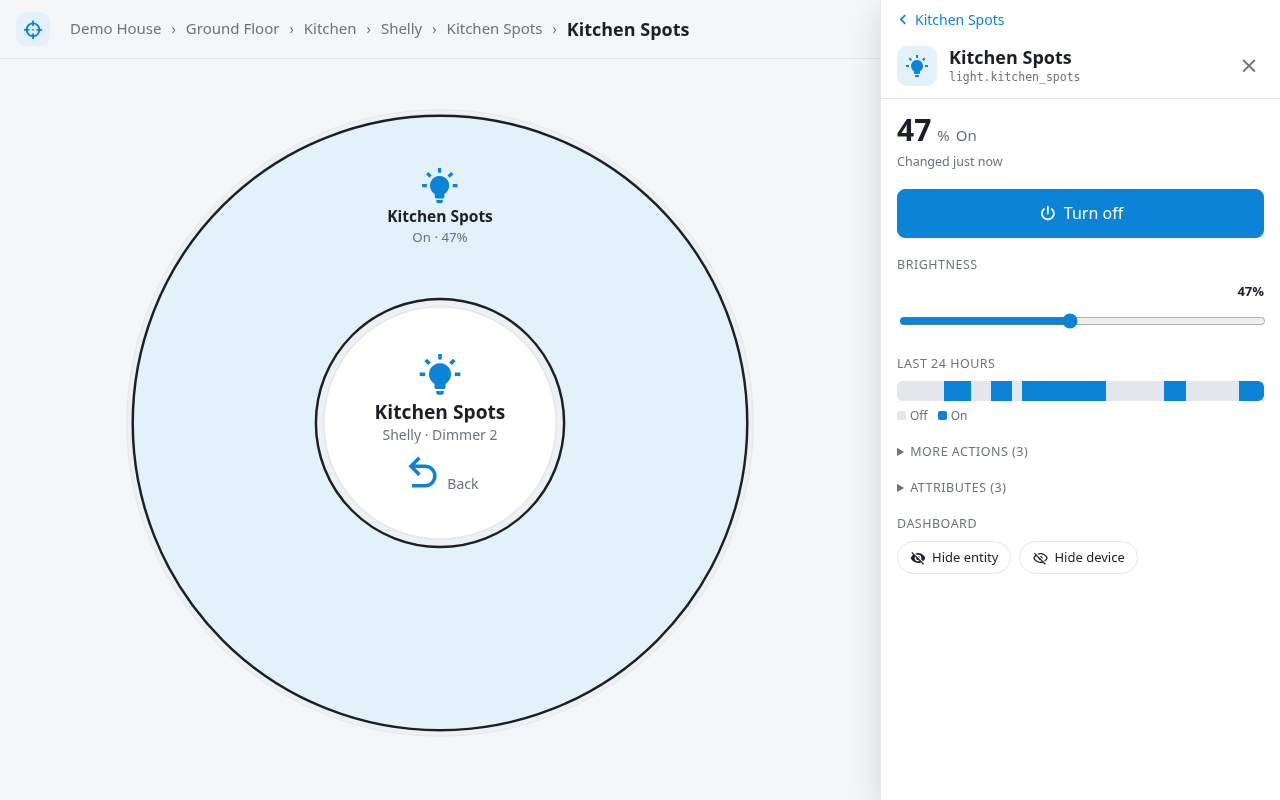
- Pick a device and the wheel folds and reopens with only the things you can control. Its sensors, settings and diagnostics appear in a side panel.
- Pick a control to operate it: lights (brightness, colour), climate, covers, media players, locks, vacuums, alarm panels, cameras with live video and more, each with a 24-hour history chart.
Make it yours
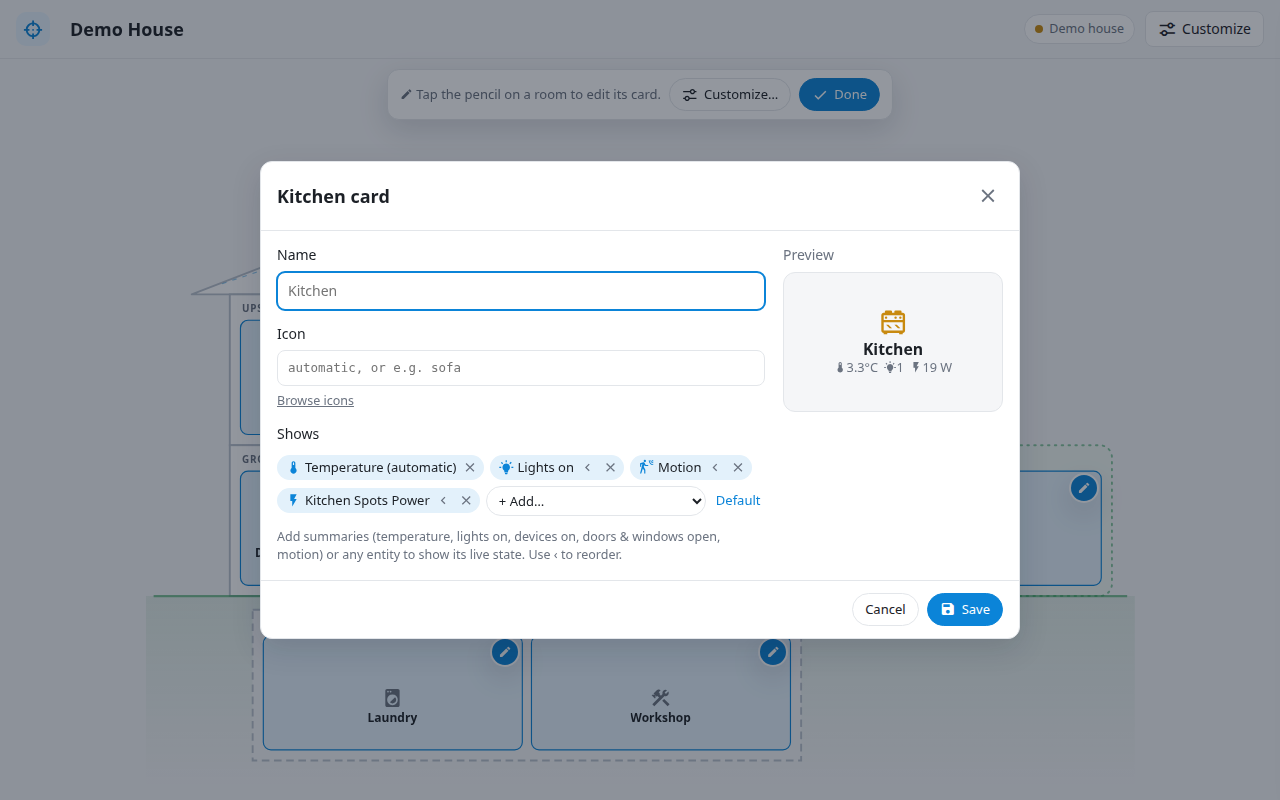
- Edit mode, like a normal dashboard: a pencil on each room card sets its name, icon and what it shows (pick a specific temperature sensor, a door, a humidity sensor, a count of lights on and so on).
- Customize: hide, rename or reorder anything, move rooms between floors, mark a floor as outdoor, rename groups.
- Custom home: if your areas don’t match your real home, design your own levels, rooms and groups with any device or entity, then drag the rooms around on a floor plan.
Good to know
- Works on desktop, tablet and phone, including the Companion app, in light and dark mode.
- Runs locally: it’s only reachable through Home Assistant’s login (Ingress), has its own AppArmor profile and needs no internet at runtime. Camera video goes straight from Home Assistant to your screen.
- It never changes anything in Home Assistant. Hiding, renaming and the custom home only affect this dashboard.
Install

Or add https://github.com/abmina/ha-weapon-wheel under Settings → Apps → Install app → ⋮ → Repositories. It needs Home Assistant OS or Supervised.
The user manual covers setup, everyday use, room cards and custom homes.
Feedback I’m looking for
It’s early (version 0.3), so I’d love to hear:
- Does the automatic house look right with your floors and areas? Screenshots are very welcome.
- Are there device types with missing or wrong controls?
- How does it feel on your phone, in the Companion app on iOS or Android?
- How does it cope with a large home, with many rooms or many devices in one room?
- Does live video work with your cameras (it uses HLS, with MJPEG as a fallback)?
- Is the custom home editor easy to understand?
Known limitations: long-press to hide a wheel item only works on Android (on iPhone, use Hide in the sidebar); outdoor gardens arrange themselves rather than following the floor plan.
Bugs and ideas are welcome here or as GitHub issues. Thanks for taking a look!