WeeChat Add-on + Integration: A Perpetual IRC Client with DCC Support for Home Assistant
Hey everyone!
I’m excited to share a project I recently developed to scratch a very specific itch: running a headless, always-on IRC client with DCC file transfer capabilities directly within Home Assistant.
 The Problem
I wanted a perpetually running IRC client that I could access remotely whenever needed, with the ability to automatically accept DCC downloads. While there are other IRC solutions available for Home Assistant (like The Lounge), I couldn’t find any addon that supported DCC transfers, which was essential for my use case.
 The Solution: Two Components
I built this as a two-part system:
1. WeeChat Add-on (GitHub)
A headless WeeChat IRC client that runs as a Home Assistant add-on, featuring:
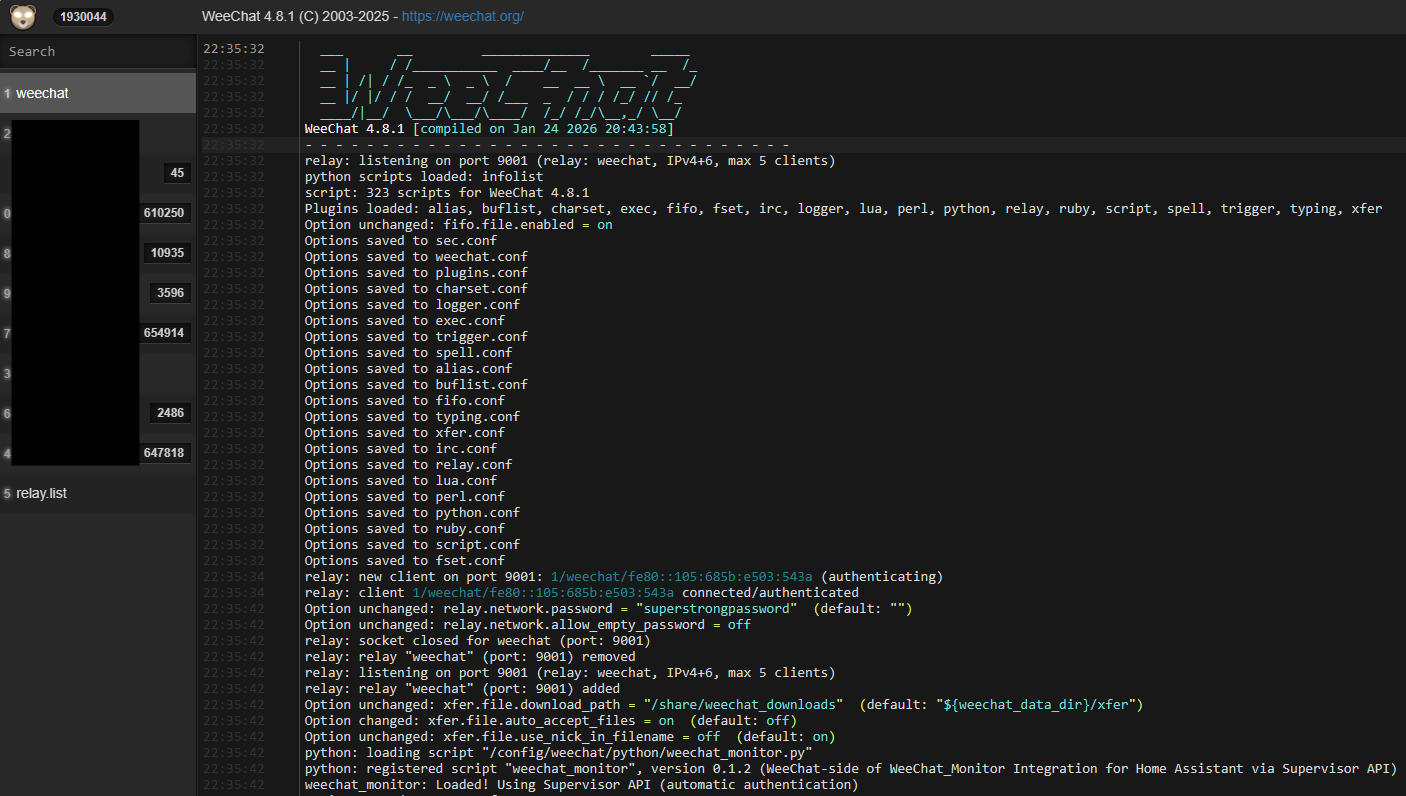
- WeeChat Relay Server - Access your IRC sessions remotely via Glowing Bear (web), mobile apps, or another WeeChat terminal
- Automatic DCC Downloads - Configure auto-accept rules for incoming file transfers
- Persistent Sessions - Your IRC connections stay alive 24/7
- Multi-architecture Support - Works on aarch64, amd64, and armv7
2. WeeChat Monitor Integration (GitHub)
A lightweight custom integration that bridges WeeChat activity into Home Assistant:
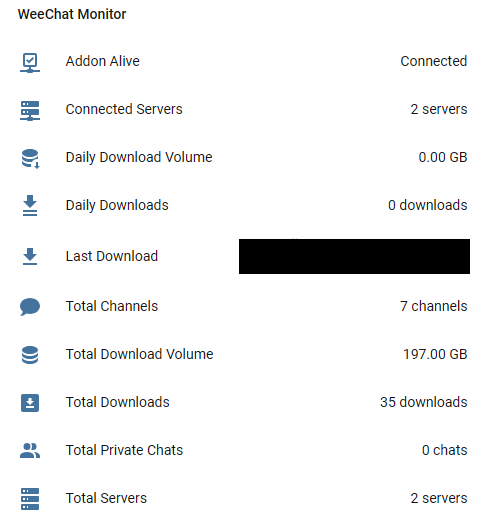
- Download Statistics - Track daily and total download counts/volumes
- Last Download Sensor - See the most recent file, size, and “time ago”
- IRC Connection Stats - Monitor connected servers, channels, and private chats
- Services - Register downloads and update metrics via Home Assistant services
- Notifications - Optional built-in notifications when downloads complete
- Automation Ready - Build complex workflows based on download activity
 Screenshots
WeeChat running with relay active:
Home Assistant integration sensors:
 Key Features
- Remote Access: Connect via Glowing Bear (web interface), mobile IRC apps, or terminal from anywhere
- DCC File Transfers: Automatically accept and manage file downloads
- Home Assistant Integration: Full visibility of your IRC activity and downloads
- Automation Support: Create notifications, track bandwidth usage, or trigger actions based on downloads
- Simple Setup: Standard add-on and HACS installation process
 Installation
Add-on Installation
-
Add my add-on repository to Home Assistant:
https://github.com/Stullemon/hassio-addonsOr use this button:

-
Install the WeeChat add-on from your Add-on Store
-
Configure your relay settings (port, password)
-
Start the add-on
Integration Installation (HACS)
-
Add this as a custom repository in HACS:
https://github.com/Stullemon/hassio-weechat-integrationCategory: Integration
-
Install “WeeChat Monitor” from HACS
-
Restart Home Assistant
-
Add the integration via Settings → Devices & Services
-
Enable the monitoring script option in the WeeChat add-on configuration
Full documentation is available in both repositories.
 Use Cases
This setup is particularly useful if you:
- Want a persistent IRC presence without running a separate machine
- Need automatic DCC file downloads (think media sharing communities, software repositories)
- Want Home Assistant to track and notify you about IRC activity
- Prefer accessing IRC through modern web/mobile clients rather than traditional terminals
- Want to automate actions based on downloads (e.g., notifications, file processing)
 Example Automation
Here’s a simple automation that notifies you when a large download completes:
trigger:
  - platform: state
    entity_id: sensor.last_download
condition:
  - condition: template
    value_template: "{{ state_attr('sensor.last_download', 'size_bytes') | int > 1073741824 }}"
action:
  - service: notify.mobile_app
    data:
      message: "Large file downloaded: {{ trigger.to_state.state }} ({{ state_attr('sensor.last_download', 'size_formatted') }})"
Who Is This For?
This is definitely a niche solution aimed at IRC users who want:
- A perpetually running, DCC-capable IRC client
- Integration with their Home Assistant ecosystem
- Remote access to IRC sessions from any device
- Automated tracking of download activity
If you’re just looking for a general IRC client without DCC support, The Lounge addon might be simpler for your needs.
 Current Status
Both projects are in beta/early release. They work well for my use case, but I’d love feedback from the community to help improve them. I’m planning to submit the integration to the official HACS default repositories once I get some user testing and feedback.
 Feedback Welcome!
This is my first public Home Assistant project, so I’d really appreciate any feedback, bug reports, or feature suggestions. Feel free to open issues on GitHub or comment here.
- Add-on Repository: GitHub - Stullemon/hassio-addons: Stulle's Home Assistant Addons · GitHub
- Integration Repository: GitHub - Stullemon/hassio-weechat-integration: Stulle's Home Assistant Custom components · GitHub
 License
Both projects are MIT licensed and open source.
Disclaimer
- These projects are not directly or indirectly affiliated with the official WeeChat project. I merely make use of their software for this use case.
- I employed ChatGPT and Claude Sonnet LLMs to create these projects. It helped me get into a bunch of technology I hadn’t used before. I reviewed the code to the best of my abilities and also did some adjustments where I thought they’d be necessary. I also used Claude to craft this initial posting because I felt it was more efficient.
Thanks for reading! Let me know if you have any questions or run into any issues. I’m happy to help get you set up. 

