N00b here. Just curious when HA will allow Matter devices to be added? I see / use the apps, etc., but none of them work. Are they still in beta phase?
“It doesn’t work” is not horribly helpful. I have provisioned multiple Matter devices with and to HA with no problem, so it’s definitely something that works.
Matter support is available today, but the exact experience depends on the device, Thread or Wi-Fi transport, and which Matter controller is being used. On a Raspberry Pi 4, it is worth confirming that the Matter integration is configured and that the device has completed commissioning rather than only appearing in its vendor app. The specific device model and any error shown during pairing would help narrow this down. Which Matter device are you trying to add, and what happens when you start the pairing flow?
Thank you for the response. My apologies, as - yes - my initial inquiry was rather vague, however, I’d rather not waste a lot more time trying to get something to work that is not even “working” in the first place. Hence, the brevity. The details:
The device: THIRDREALITY Matter Smart Color Night Light
Transport: Wi-Fi
Matter Controller: Home Assistant (Open Home Foundation) Matter Server v9.2, Matter Server Version:matter-server/1.4.0 (matter.js/0.17.9) with Matter Hub integration
The device (Smart Light) never completes commissioning. My steps (WiFi credentials have been set):
Plug in the light and wait for pairing mode (it is new so it defaults to pairing mode on power-up)
Enter in to Matter Server and click Commission node
Select Commission new WiFi device
Enter Pairing code and wait
About 1 minute later, I receive an error: “Error commissioning node
Commission failed: discovery of node with discriminator 3 failed: No commissionable device was discovered”
Open the Matter Hub (Again - WiFi credentials are set) and select “Add Device” where I am prompted to use an app (which I do not wish to do)
Instead, I click Options and Add manually
Enter the pairing code and wait. Nothing ever comes back.
I download the HA app to my phone.
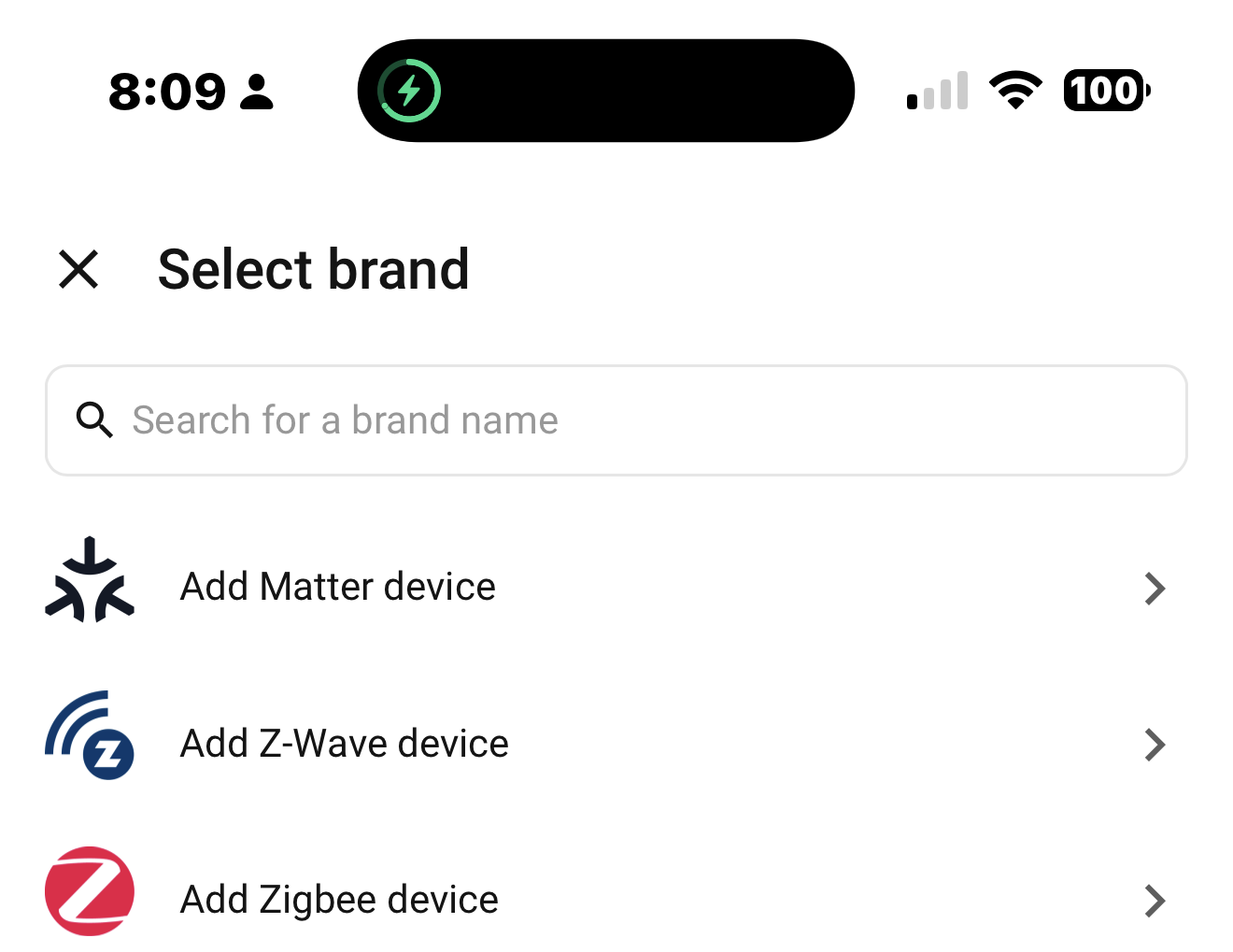
I select the Matter Server and add device.
I am prompted to click when ready to use my camera to scan the QR code
I click the camera and approach the QR code and the screen goes to the next screen where it tells me to ensure my phone is connected to the same wifi network as my device and to clock proceed when ready.
I click proceed and I am informed that my phone is not connected to WiFi.
I click the “Check WiFi settings” button and I am taken to my WiFi status page that shows I am connected to WiFi.
The WiFi SSID in question is a 2.4Ghz radio and the router is IPv6 enabled as per ThirdReality’s support mandate.
Thank you and yes, I agree. “It’s not working” is not much of a start. My apologies. I am simply frustrated with this device. I’ve spent days attempting to get a simple light bulb to turn on and it eludes me. I’ve researched videos, read manuals, enabled bluetooth, disabled bluetooth, been told I need a Thread dongle, I don’t need a thread dongle, I can’t use WiFi, I have to use WiFi, I can commission the device without the app, the device can not be commissioned without the app, etc.
Hence - I simply wanted to know - is this protocol still in beta phase or am I simply not reading the right manual?
I must say, I was completely spoiled by Sonoff. I unpackaged a brand new sensor from the wrapper and it is enabled and sending readings in less than 10 seconds. Matter? Several days later and I am ready to smash it with a hammer.
If I understand this correctly, you are trying to use the Matter Server App/AddOn UI to directly commission a device instead of a mobile device. This method is not really recommended, to some extent because its not been officially documented. Having said that, users (myself included) do use the App/AddOn UI to commission Matter over Thread devices because of the Thread credential management issues that the mobile devices cause.
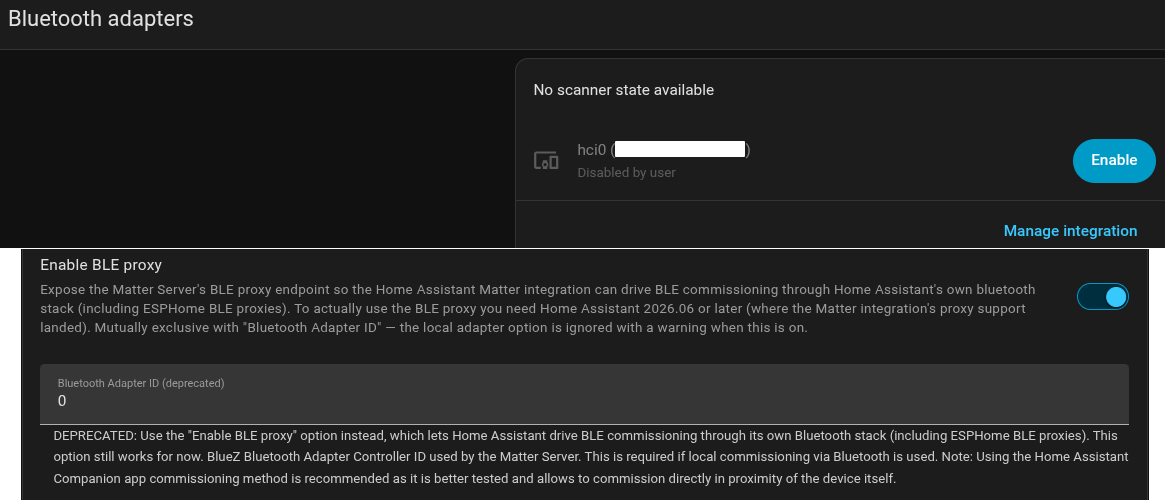
If you want to use this method (in this case for WiFi), you first must have either a dedicated Bluetooth adapter or must have an ESPHome BLE Proxy that the Matter Server can use to commission the device and you must configure Matter Server for that. Also, when you use the Matter Server to set the WiFi credentials, make sure you are setting it to a WiFi that uses 2.4GHz (as you have already mentioned); and make sure when commissioning, that the MatterOverWiFi device is near the bluetooth adapter/proxy. And regarding IPv6, make sure it is enabled in HA, and make sure the WiFi network the MoW device is using has direct access to HA.
Yes sir - you are correct. I am trying to use the Matter Server App/AddOn UI to directly commission a device instead of using a mobile device. When you say that I must have a dedicated Bluetooth adapter, is this different than when I disable the built-in BT adapter on the Raspberry Pi4? “HowTo’s” that I watched and read, stated I must disable this bluetooth device in Home Assistant so that the Matter Server app can have sole access to it - and then enable the BLE Proxy setting - both of which, I did do.
I did, indeed set the WiFi credentials to my 2.4Ghz radio and set the Matter device approximately 1 foot away from the Raspberry Pi (containing the built-in bluetooth) and approximately 5 feet from my WiFi router. However, up until now, I was not aware that there was an IPv6 setting to enable in HA. I will research this and verify it is enabled. The Matter Server, HA, WiFi router, etc. are all on the same network and can see one another. Update to follow.
There are two differences: There are Bluetooth adapters and there are BLE Proxy devices both of which the HA Bluetooth Integration can use. If you disable your built-in BT adapter from HA Bluetooth integration, and want to use it in Matter, you need to configure the Matter Server’s “Bluetooth Adapter ID (deprecated)” with the “number” of your adapter’s hci. If its hci0, then enter 0 and the Matter Server will use it.
Thank you. I have turned off the “Enable BLE Proxy” setting and have restarted Matter Server. Should I now, re-enable my (built-in) Bluetooth adapter or leave it disabled?
I have no idea what Bluetooth has to do with Matter.
BTW there are two kind of Matter devices, those that connect through Wifi and those that connect through Thread, The latter need a Thread dongle.
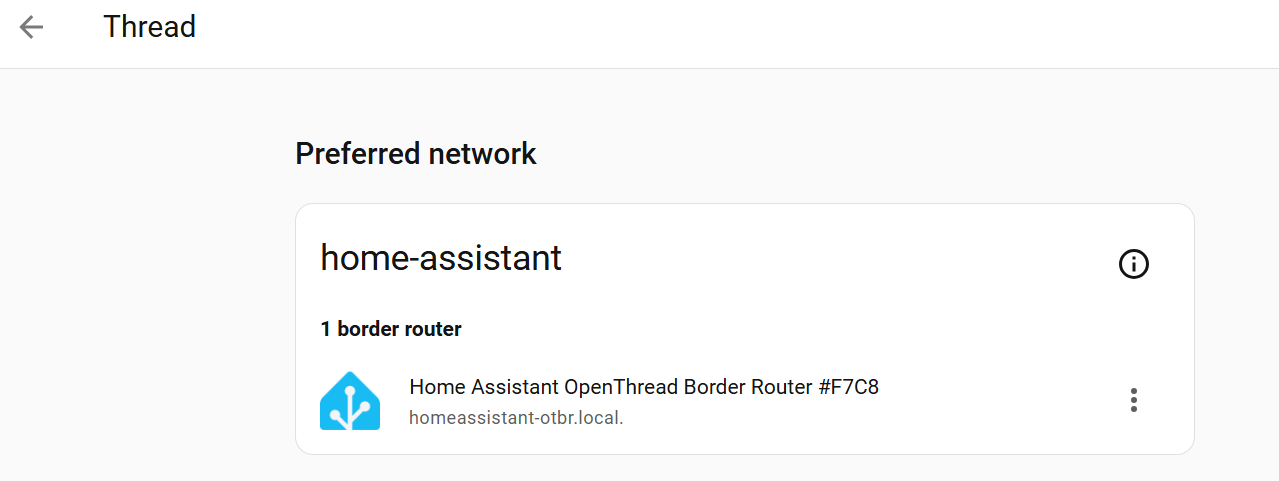
Thank you for the reply. No, I do not currently have the OpenThread Border Router application installed. However, I have tried installing it and commissioning the Matter device, prior to posting to this forum and I was still unable to add the device as I did not have a Thread device to associate it with.
I do have a Zigbee Thread dongle on the way, however, but I am being told by multiple people that I do not need a Thread router - only Bluetooth and WiFi.
This has been what has led to my frustration. It appears no one truly knows how these Matter devices work. Understandably, there are millions of possible hardware / software combinations and no one can know them all. Perhaps, I am simply being impatient. Again - I was very spoiled by the ease and simplicity of the Sonoff setup. 10 seconds after unwrapping the sensor - it’s taking readings. No fuss - no muss.
From what I understand, one can use Bluetooth to initiate the commissioning of a WiFi / Thread device.
My particular device is a WiFi device, so this is why I - initially - did not purchase a Thread dongle. However, after the device failed to connect, no matter what I tried? I decided to try anything - including a Thread dongle for a WiFi device. Again, I am quite frustrated at this point and appreciate all the help I can get.
I am not the most technical person to help you.
Do your Matter devices work through wifi and you do not have Matter devices that use Thread ? If so, you only need the Matter integration and it is best to use the HA App on your phone to add the devices.
Again I have never heard about Bluetooth needed/working with Matter.
Thank you for the reply. Yes - my single device is a WiFi Matter device. I suppose I am quite odd in that, I loathe using mobile applications to add devices onto my home network - especially when they insist on knowing my gps location - simply to add a device. There is no need for that - especially when I have declined that option in my HA Mobile app setup.
Again - thank you for even attempting to help - it is much appreciated.