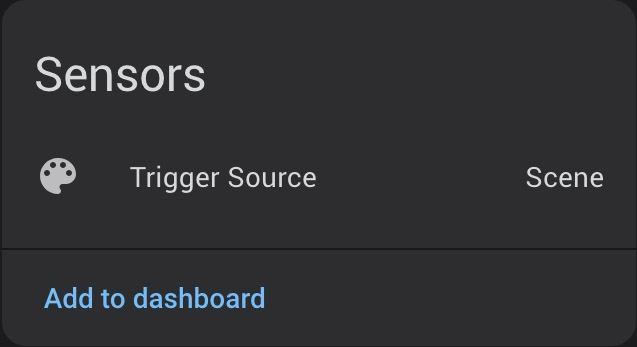
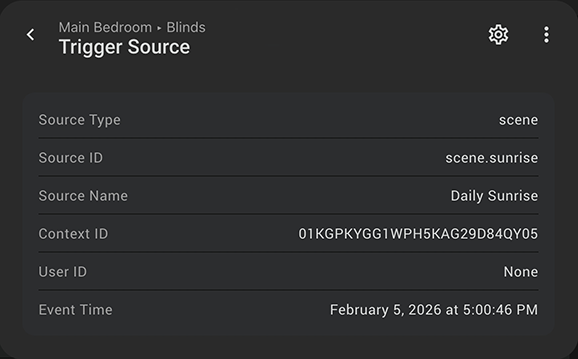
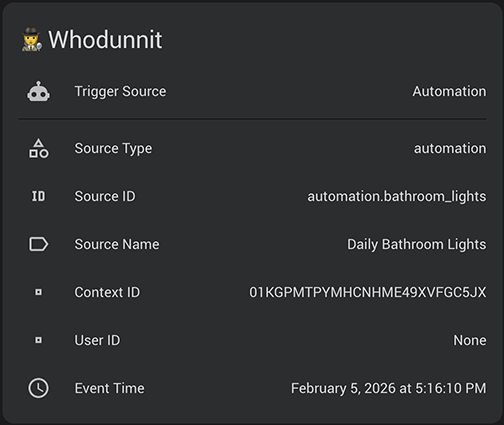
Whodunnit lets you know what actually triggered your devices. It creates a sensor that will tell you whether the device was changed by an automation, a script, a scene, the dashboard, or a physical switch, as well as the user who did it.
Nice work, sir. This will come in handy immediately.
I have a stupid number of automations - organized chaos, I promise - and I feel like my wife and kids just screw with me these days. Just tonight my youngest told me her colour-changing bulb didn’t do the right-before-bed-time-to-get-ready disco thing. And that’s because the button she presses to activate had it’s automation turned off. Which I bet was done by my oldest since they can reach the hallway dashboard and my youngest can’t. Happens frequently and pinpointing which device/source/when is sometimes annoying.
Today I’ve released version 1.2 of Whodunnit and it’s packed full of new features and improvements. Big thanks to the HA community for your support.
New Event: whodunnit_trigger_detected. It is fired on the HA event bus after every classification. Solves the repeated-state trigger problem (e.g. same script runs twice, light toggled on then off) where the sensor’s native_value doesn’t change and a standard state trigger would not fire. Payload carries all classification fields.
When a Script is called by an Automation, Whodunnit can now identify the true source
Added support for more domains : climate, water_heater, valve, number, select, button, input_button, input_number, input_select, input_text, alarm_control_panel, timer
Added attribute changes as a trigger source (such as when a light is dimmed)
Added support for ESPHome devices
Added support for multiple entities on a single device
Added service status for API events such as Node-RED
Unfortunately yes, the author got some very negative feedback on social media (Reddit) about their HA work, and has chosen to pull all their integrations offline from the public on GitHub. I believe someone else was planning to get copies before they went offline; I’m not sure if anyone has taken over maintenance of the forked project.
I’ve been meaning to do search on GitHub, because I also was interested in Whodunnit.
My automations critically depend on Whodunnit, as it is the only reliable solution I have found so far to figure out whether a change in state is due to having pushed a button on an NSPanel Easy or due to something else.
There is a forked version of Whodunnit 1.0.0 on GitHub, and I have a local copy of Whodunnit 1.3.2 in case that would be helpful.
@tim.plas Could you please point to the relevant thread on Reddit? I am curious to see what actually happened.
@jditte - I’m afraid I don’t have a link to the Reddit thread. It was mentioned by the author when they posted here about the situation, before they left. And I don’t seem to be having much luck in locating that thread here.
In that thread, the author had said they’d be leaving this forum and GitHub, and said they’d give us a day or two to access the code before it went away. Someone volunteered to get a copy and keep it available; that appears to be at sfox38-archive · GitHub
Would be nice if we could find someone to take ownership of that repo. (Unfortunately, I’m not qualified.)
Thanks for the archive, I’ve forked it, updated the docs and published a new release so I can reintegrate it with HACS
I’m not a python dev, nor do I fully understand how this project works so consider this a stop gap until we find someone knowledgeable to take over. Failing that I can use Claude.
I currently have the original version of Whodunnit installed via HACS. Is there an easy way to replace it with your version without losing any of the configurations, e.g., is it possible to simply replace the original repository URL with the one of your repository (if so, how)?