WLED More-Info: the WLED controls in Home Assistant’s own more-info
Hi everyone! Following up on More-Info Popup Card, I moved its WLED card into its own integration: WLED More-Info.
I’ve always wanted to control my WLED lights in a way that is simple and complete, but also well integrated into Home Assistant, with its native look. With Claude I could finally make that idea real. This integration replaces the native more-info dialog of a WLED light with one that is just as native, but lets you control every aspect of a WLED light: native-looking, simple, and at the same time powerful and complete.
 GitHub:
 Full disclosure: this project was vibe-coded. I described what I wanted, reviewed every step and tested it on a real Home Assistant 2026.10 with a real WLED (MoonModules 14.7, 4 segments), but the code was written with an AI assistant (Claude).
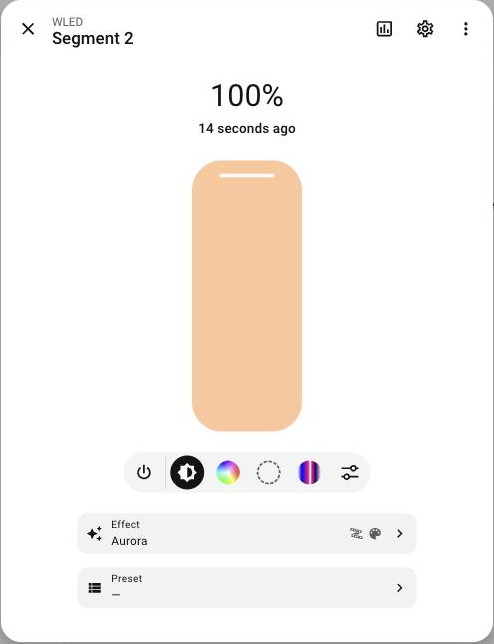
What it does
Install it and every WLED light’s more-info shows the WLED controls, wherever you open it: any dashboard, the search, the history, the app. You don’t need to add a card. Only the light controls change: the header, history, settings and ⋮ menu stay native, and so does every other entity.
On top of the native light controls (brightness, color wheel, color temperature), you get what the WLED integration doesn’t show:
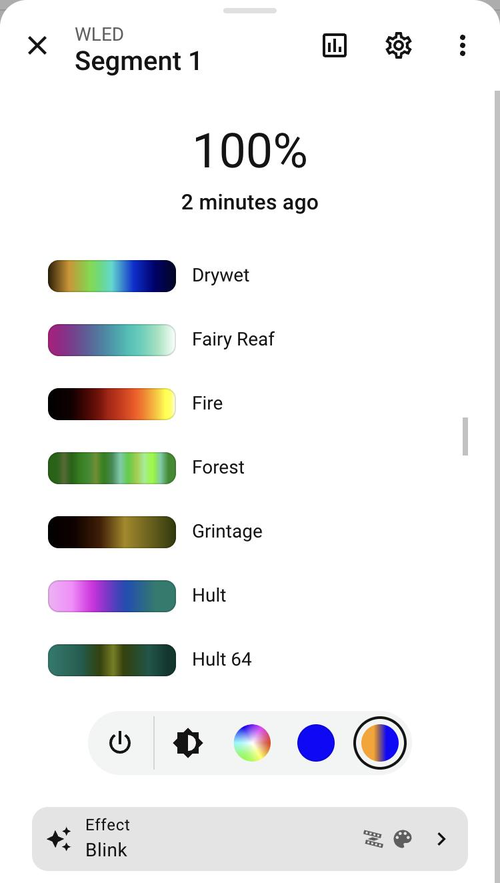
- Secondary color (and tertiary, when the effect uses it), as a new button in the light’s button bar
- Palettes with their previews, like in WLED’s own UI; the
*palettes are drawn from the segment’s colors - Effect settings as another button: speed, intensity and the effect’s own sliders and options, with WLED’s names (“Duty cycle”, “Clouds”, “Cozy”…), only the ones the effect uses
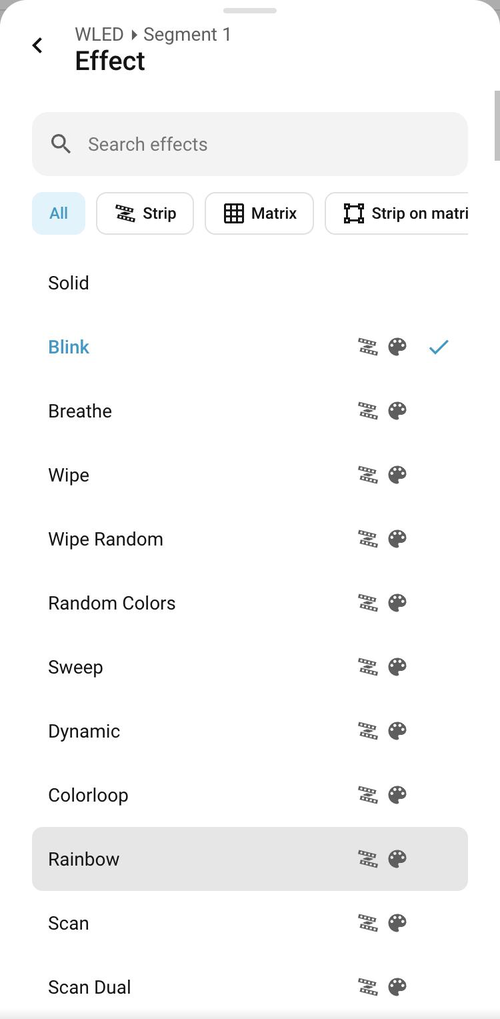
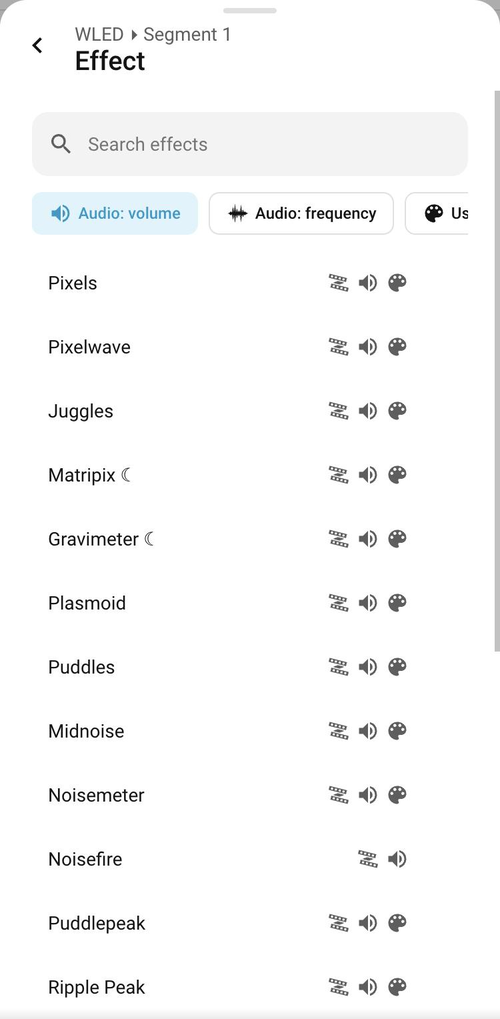
- A searchable effect list grouped like WLED’s: strip, matrix, strip on matrix, audio reactive (volume / frequency), uses palette
- Presets in the same searchable list
- Light groups: a group made only of WLED segments (even from different devices) gets the same controls. Effect, colors, palette, speed, intensity and options go to every member at once, and the members are still listed below, like in the native dialog


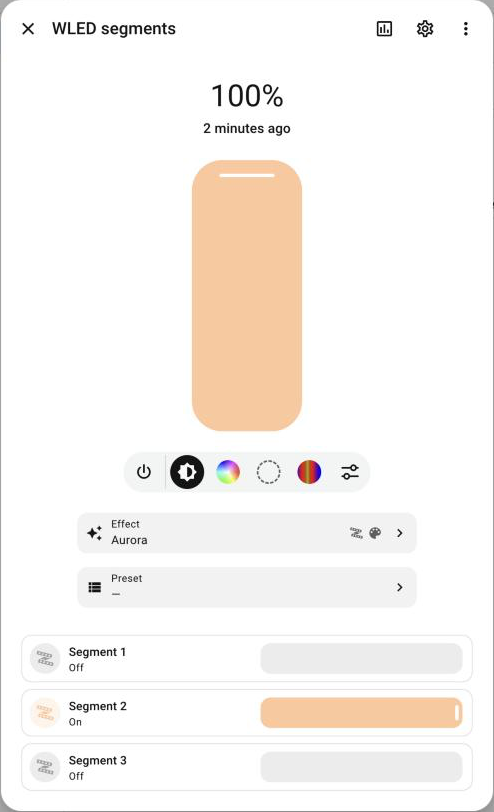
Why an integration?
The secondary color, palette previews and effect metadata only exist in WLED’s JSON API. A card can’t reach an http:// device from Home Assistant opened over https:// (Nabu Casa, a reverse proxy, the app away from home). The integration talks to the device from Home Assistant, through the WLED integration’s own connection, so it works everywhere. Effects and palettes are cached per device and firmware, so opening it is instant.
Install
- HACS → custom repository →
https://github.com/Cheerpipe/Home-Assistant-WLED-More-Info(type Integration) → install → restart Home Assistant - Settings → Devices & services → Add integration → WLED More-Info
- Reload the browser (in the app, close and reopen it)
That’s it. The option can be turned off in the integration’s Configure, if you’d rather use it only as a card.
As a card
type: custom:more-info-wled-state-card
entity: light.wled_segment_1   # a WLED segment light, or a group of them
Or inside a More-Info Popup Card popup, for your own WLED popup with other cards around it:
type: custom:more-info-popup-card
popup_id: wled_lights
replace_more_info: true
match:
  integration: wled
  domain: light
cards:
  - type: custom:more-info-wled-state-card
    entity: this
If you used the WLED card from More-Info Popup Card 0.5 / 0.6, update that card to 0.7 (it no longer includes it). Your dashboards keep working because the type is the same.
Feedback and ideas are very welcome!