For multi‑VLAN to become a first‑class experience, the platform must move beyond its flat‑network assumptions.
Home Assistant was fundamentally designed for a flat network. Today, multi‑VLAN support is possible but fragile, relying on manual workarounds and community‑contributed fixes rather than native features. The community has identified several critical areas where the platform falls short — these point directly to what developers should prioritize.
Provide a GUI for Network & VLAN Management
The most immediate gap is the lack of a user‑friendly interface for network configuration. Users currently must resort to command‑line tools to create VLAN interfaces — a major barrier for most. Developers should build a network configuration UI that allows users to:
Create and manage VLAN interfaces directly from the Home Assistant frontend.
Assign static IPs and manage gateways for each interface without touching the CLI.
Visually map which interfaces are connected to which network segments.
Restore Granular Interface Binding for Services
The recent deprecation of the http.server_host option is a significant step backward for multi‑VLAN security. It removed the ability to restrict the web interface to a specific trusted interface, forcing it to bind to all interfaces (including the untrusted IoT VLAN) by default. Developers must:
Reinstate or provide a supported alternative to bind core services (like the HTTP server) to specific interfaces or IP addresses. This is a fundamental security control, not an optional feature.
Allow users to designate a default interface for outbound internet requests, preventing Home Assistant from attempting to route traffic through an interface that is blocked from the internet (a common IoT VLAN setup).
Make Discovery Protocols Interface‑Aware
Discovery is the backbone of a smart home platform, but Home Assistant’s discovery mechanisms are largely unaware of multiple interfaces.
Fix mDNS Advertisement Collisions: Home Assistant currently “collides” with itself when it attempts to advertise its services across multiple VLANs simultaneously, creating a loop of spinning mDNS advertisements. Developers need to implement logic to advertise only on the interface(s) a user designates, or handle multiple advertisements gracefully.
Extend DHCP Discovery: The built‑in DHCP discovery currently only listens on the first network interface it finds. This must be updated to use the Network integration’s configuration to listen on all relevant interfaces, so devices on secondary VLANs can be discovered via DHCP.
Utilize the Network Helper API for All Discovery: While a helper API for network interface preferences exists in the developer documentation, its adoption is inconsistent. Developers should mandate that all integrations using broadcast/multicast discovery (SSDP, mDNS, etc.) use this helper API to respect the user’s interface choices, rather than defaulting to a single interface or all interfaces indiscriminately.
Give Integrations Interface Selection Capabilities
Integrations that communicate with devices often need to know which network to use. Currently, they have no standard way to ask the user or the system. Developers should:
Expose the user’s interface preferences to integrations through a stable API. This would allow a user to say, for example, “Use the IoT VLAN interface for all Unifi, TP‑Link and ESPHome communication.”
Allow integrations to explicitly request an interface for their sockets, ensuring they bind to the correct network segment for discovery and communication.
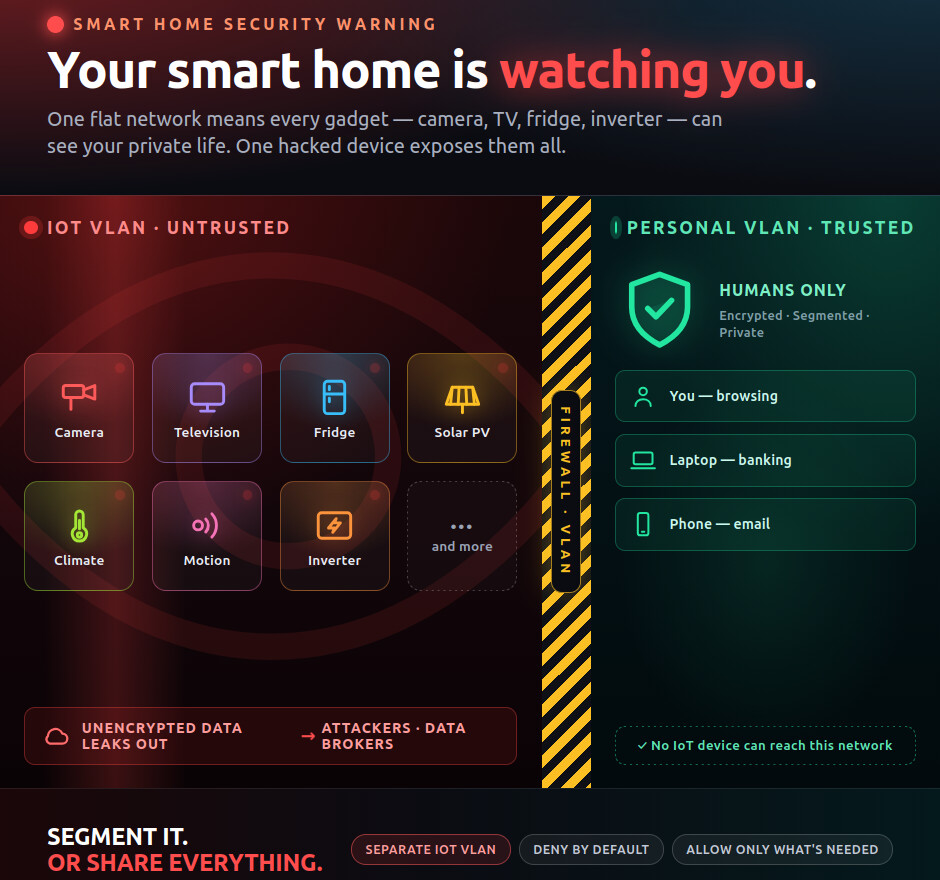
By now, in 2026, everyone should have a separate IoT network, isolated from the main network. This feature has been available in most ISP-provided routers for years. However, Home Assistant is running years behind. Those who run Home Assistant and have a smart home should not dump all of it in one network — it goes against ALL security recommendations. Don’t even ask stupid questions like ‘why is it needed?’
I have done it the hard way, setting it up on my own, but I am the tiny minority and it will be like that until the developers add this support.
And if someone is asking why, I recommend googling a bit and doing some research — they will understand why IoT network isolation is a must now. Sorry, no offence.
I’ve only recently set up a VLAN in my home, with three VLANs: trusted, local-only IoT devices and IoT with internet access.
I haven’t experienced any problems with Home Assistant. I am not much of a networking expert, but I had Claude help me set it up. All the setup was done in my routers and access points (they run OpenWRT) , all I had to do in HA was change the IP addresses of some of the devices that were moved over to a different subnet.
It is therefore not clear to me why you want things changed and what needs to change. In the process of configuring my VLAN, I had to add some rules to the firewall to allow specific traffic (eg mqtt or sendspin) between HA and devices in the iot network. And I had to set up an Avahi reflector for discovery. Are the changes you propose going to make it that such things are no longer necessary? I guess that would be useful for those who cannot set up their routers as specifically, and maybe it would even be safer?
Not criticizing, just asking questions from a relatively noob standpoint.
No, this is about adding multiple network interfaces (on different VLANs) to HA. If properly done, this would, for example, allow HA to access an IoT VLAN even while the router is rebooting, improving availability of devices.
Ah ok. Not quite sure how this would work but I believe you . Does this mean you have multiple ethernet cables to your instance or use ethernet and wifi simultaneously, or are these ‘interfaces’ virtual?
It is a HA problem, because HA misbehaves when it is multi-homed.
per OP:
Fix mDNS Advertisement Collisions: Home Assistant currently “collides” with itself when it attempts to advertise its services across multiple VLANs simultaneously, creating a loop of spinning mDNS advertisements. Developers need to implement logic to advertise only on the interface(s) a user designates, or handle multiple advertisements gracefully.
HA will also attempt to discover devices on VLANs/Segments that don’t (or will never) have devices.
it can be done with multiple physical interfaces, but also, multiple virtual interfaces can be configured and tagged with a specified VLAN.
Nice thing about multi-homing is that there’s no need to create any rules to allow any IoT traffic across the VLAN boundaries and it also eliminates any issues caused by protocols that don’t easily travel across subnet/VLAN boundaries.
I guess I’m confused. HAOS is an end device, not a router. I have five VLANs and that’s all set up on my network controller and on the switch ports. Is the idea to have a way to add tags to packets leaving different interfaces? Again, wouldn’t that be on the switch ports HAOS is connected to?
If you have more than one interface can you currently leave one default gateway blank? Then is the issue is sitting up the routing tables?
Seems like having vlan capable network equipment is much more flexible.
It’s already possible to set up interfaces that tag the packets with the correct VLAN id.
It is not possible to configure HA, apps, or integrations to use the expected/desired interface for various types of traffic.
There’s no way to tell HA “Always use this interface as default”, “use this interface to advertise mDNS”, “do/do not do discovery on this interface”, “bind this app to this interface”.
The ask is not to make HAOS a router, the ask is to be able to tell HA what to do when there are multiple active network interfaces, VLAN tagged or not.
The other ask is to be able to configure (add, remove, etc) these VLAN interfaces from the GUI.
If you have more than one interface can you currently leave one default gateway blank? Then is the issue is sitting up the routing tables?
This doesn’t solve the problem of HA not sending traffic to the desired VLAN (or those assignments not being stable across reboots.)
I don’t have HAOS on a machine with two interfaces. But, for the simple case, when there are two interfaces, can you currently set eth0 at 192.168.0.5/24 and with a gateway, and eth1 in 192.168.10.1/24 and leave default gateway blank and will HAOS build the routing table for those? And eth1 would need another DCHP or all static.
If you are tagging doesn’t that mean your network equipment is VLAN-aware?
I have an IoT VLAN with mDNS reflection to my HA VLAN for discovery. I have another for devices that can get out to the internet but have and ACL that allows some to connect to HA (media players). I have another where I run z-wave js and mosquitto and ACLs to just alllow connections there. And another for Internet only “smart” devices that cannot get anywhere else on my LAN. Doesn’t that all need to be done with whatever network equipment you are running?
I’m just wondering how much HAOS could really accomplish on its own.
Multihomed setup will never be the way you ask for here, because the issue is not HA, but instead the way the protocols are designed.
You have an idea about how it could work, but lack the knowledge about how the protocols works and therefore suggest impossible solutions.
Solving the mDNS issues are only part of the problem. HA needs to solve all the issues with both the open and the closed discovery protocols or there will be an outcry when an user buys a new device and then is told he will have to ditch his multihomed setup.
VLAN setups are already possible, because there is really nothing HA should do different than a flat LAN setup.
VLAN setup just require the right gear and of course knowledge about how VLAN works.
Whenever people start to talk about firewalls and ACLs in relation to VLANs, then they do not have that knowledge, because VLANs in relation to discovery protocols is about routing of protocols that are not meant to be routed through normal IP routing.
my equipment is VLAN aware, but HAOS is not, and there’s no way to tell it what to do or what interface is for what.
All my devices are on VLANs which are properly isolated. This ask is not about getting the non-HA devices onto the right VLAN or network segment, it’s about making sure that HA has UI for setting up the interfaces tagged for each VLAN (this all has to be done in the HAOS command line, and IIRC, current versions have deprecated/removed the tooling needed to even set it up that way!) and also being able to tell it what to do with each interface (expose to an app/add-on, use for integration traffic, etc, etc.)
Removing a default gateway doesn’t do anything useful like stopping it from trying to do mDNS advertisements on each interface (and then go into a loop of “fixing” the collisions by infinitely generating new mDNS advertisements with increasing postfixes), it doesn’t stop it from trying to do device discovery across all interfaces, etc.
 Provide a GUI for Network & VLAN Management
 Restore Granular Interface Binding for Services
 Make Discovery Protocols Interface‑Aware
 Give Integrations Interface Selection Capabilities
 . Does this mean you have multiple ethernet cables to your instance or use ethernet and wifi simultaneously, or are these ‘interfaces’ virtual?