Alarm Status (is always off) → that is ok, only on a real alarm it changes
Mute Status (is always on) → i dont know
Garage Smoke Alarm (is always on) → must be the MQTT
I triggered the smoke alarm by blowing smoke into it and I get a notification of alarm from the X-Sense app on my phone, but nothing changes in HA.
It should be work, please reaload the Integration and do a new test
I can only strongly recommend accessing Home Assistant via WireGuard. That way, you’ll always have direct and secure access to your Home Assistant and can bypass the cloud. If you like, I can link you to the video about it.
Has anyone tried a MITM on the base station itself to see if we can get the base station to talk directly to HA instead of going through the xsense cloud servers?
I just received my base station and smoke detectors yesterday and when I have some time I can try this, the hard part would just be to figure out what encryption is used if it uses encryption.
Not yet. I had plans to have a look at that as well, but never actually did it. So many plans, so little time.
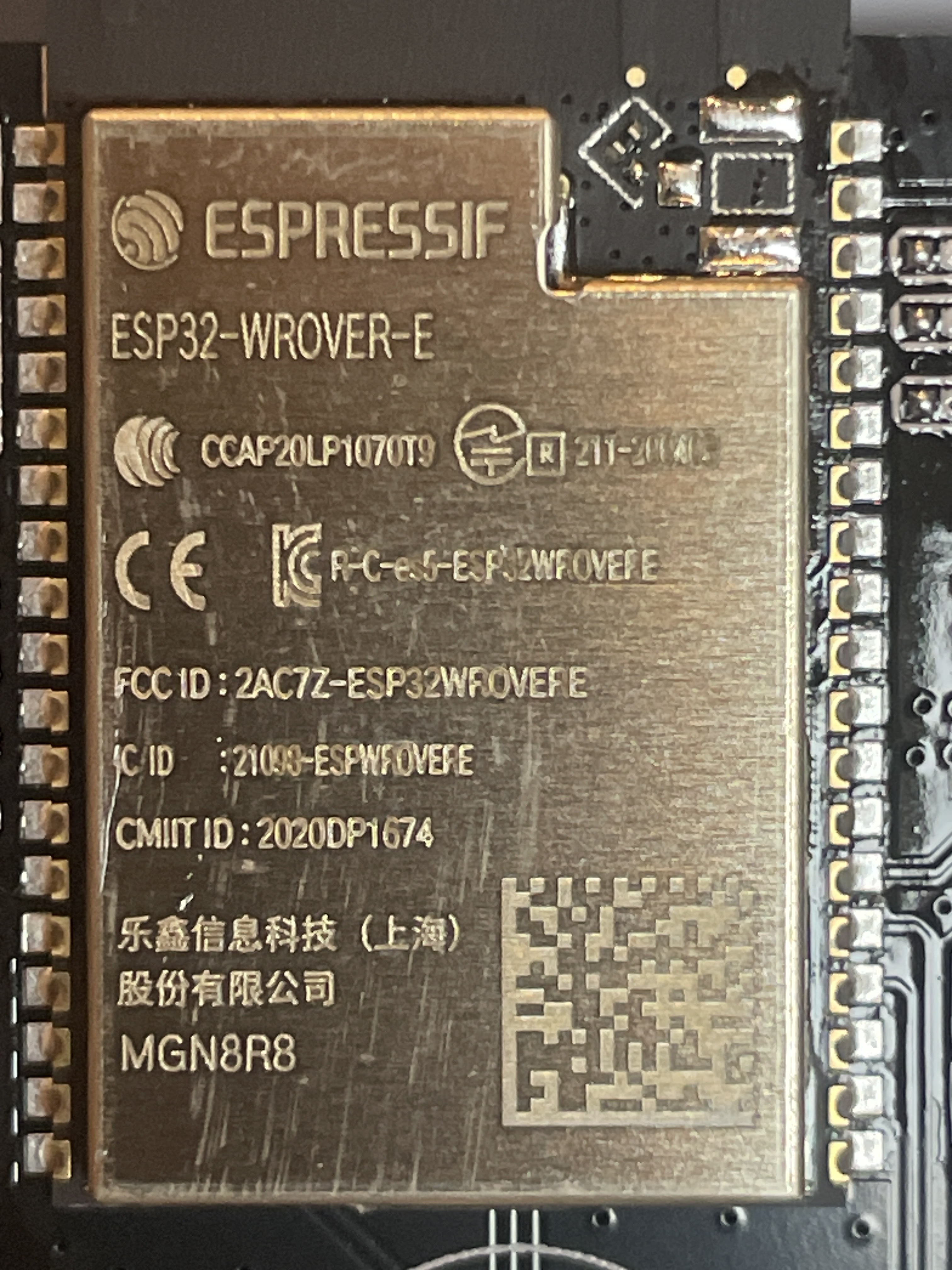
Internally it is an esp32, I don’t know if the CA-certificates can be altered. I do have a spare base station laying around that I would like to open. Maybe there is interesting information on the serial port.
If you really want you could try to flash the esp with a custom firmware.
If it does use a CA certificate we might not get around opening one, but if its based on an esp32 then there are at least many resources on how to extract the firmware.
I dont have a spare base station (yet), so I will start by inspecting the network traffic first and see what I can learn.
Hardware Requirements:
1. USB-to-Serial Adapter (e.g., FTDI FT232RL or CP2102)
2. Jumper Wires (male/female)
3. ESP32-WROVER-E Base Station
4. Soldering Tools (if pads require soldering)
5. Breadboard (optional for easy connections)
Relevant Pins on CN3 (ESP32 UART Interface):
• 3V3: 3.3V Power Supply
• GND: Ground
• TX: Transmit (Connect to RX on adapter)
• RX: Receive (Connect to TX on adapter)
• GPIO0: Boot Mode Activation (pull to GND for Bootloader)
Software Requirements:
• esptool.py: A tool for reading and flashing firmware to the ESP32.
• Serial Monitor Tools: Such as PuTTY, TeraTerm, or Arduino IDE (optional for testing).
Steps for Extraction:
1. Connection Setup:
• Connect the CN3 Pins (3V3, GND, RX, TX) to the corresponding pins on the USB-to-Serial adapter.
• Ensure GPIO0 is connected to GND to enable Bootloader mode.
2. Bootloader Activation:
• Power on the ESP32 while GPIO0 is grounded to start in Bootloader mode.
3. Extract Firmware:
• Use esptool.py to read the flash memory and save the firmware as a .bin file.
Summary:
You need a USB-to-Serial adapter, jumper wires, and the esptool.py software. Connect the UART pins (3V3, GND, TX, RX) on the ESP32 base station to the adapter. Pull GPIO0 to GND to start the Bootloader and then extract the firmware using esptool.py.
If there arent any protections to stop you from dumping the firmware then thats how you would do it. The pictures of the board you showed are great, it looks like it will be easy to work with.
I hope it will be that simple, but unfortunately I won’t get around to it until the new year. Would any of you be able to get to it sooner? Or should I take it on myself?
not yet, currently working on the xsense-module. I’ve messed up the repo when I rebased on the latest upstream version. I really need to fix that before I can continue developing.
I try to resist starting other things before this is finished
Hi,
I just pushed some small changes.
First of of all, I cleaned my own mess and started a new branch in my git-repo. Still called xsense, but it is a new branch. I had to do some force-pushes, I hope I didn’t break anything.
It should fix the issues reported with the buttons, as well as a few other small things.
I also added status-support the door snesor SDS01. It just reports if the sensor is opened or closed. Hopefully it will work for the SES01 as well. @edent Would you be able to check?
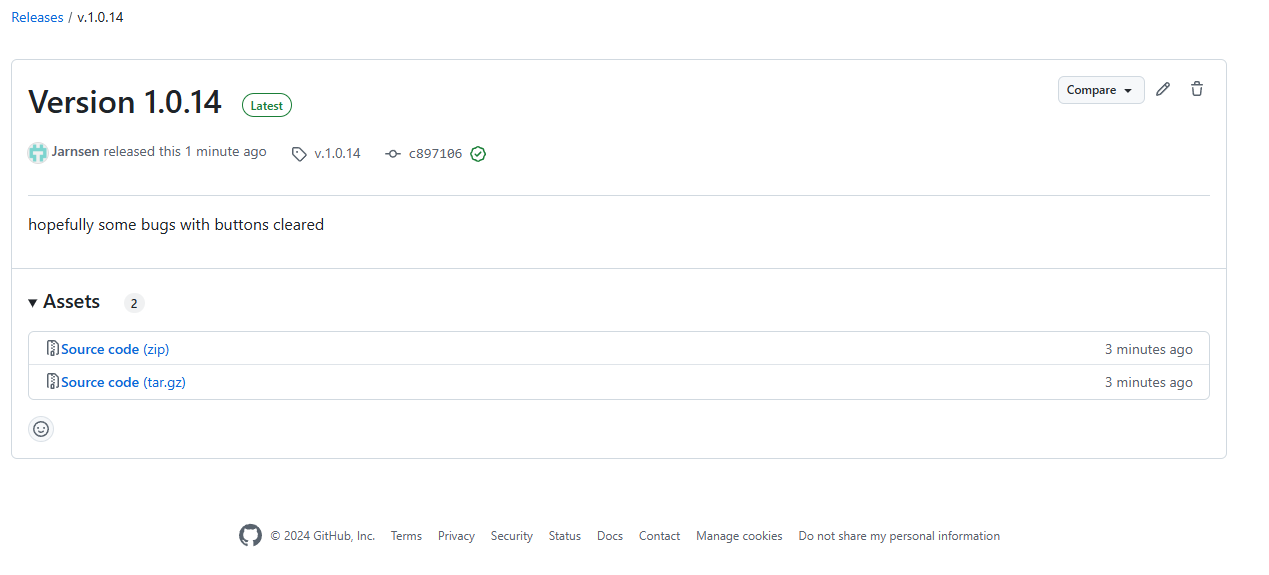
@Jarnsen Can you build a new hacs module? The library is at 0.0.14 now
My next goal is probably the alarm-status / keypad
I need to replace my old smoke detectors (EI 650 with RF-Link) with new ones. I have round about 20 of them and now I would like to use smart ones that I could integrate with Home Assistant.
But I also would like to use ones that interconnects with each other using an independent wireless connection (868MHz RF-Link). This is for extra security, if everything fails, one detector will still activate the alarm of all detectors.
If I understand the website of XSense correctly, it uses either the connection to the base-station OR a connection between the detectors, but not both?!
It would be very nice, if someone could explain this to me and what detector-model I should use or recommend a different solution.
Thanks!
Jan
Hello,
I’m new to the topic.
I just installed XP0A-MR sensors, which work fine within the App.
Unfortunatley I can’t install the HA integration at all, because I always end up with “an unknown error occured”. I do have two App account, logging in with the shared.
What does “partly supported” mean with my devices? Is there a perspective for improvement?
Which version of Home Assistant are you currently using? Please note that “Partly” means not all sensor data captured by the device is transmitted to or processed by Home Assistant. For example, if your device measures humidity, temperature, and air pressure, Home Assistant may only process temperature and humidity. In the long term, however, it is expected that all devices shared with Theo will be fully supported. Therefore, it is advisable to share your device with Theo to ensure optimal functionality coverage.



 at this time, you can trigger the testalarm.