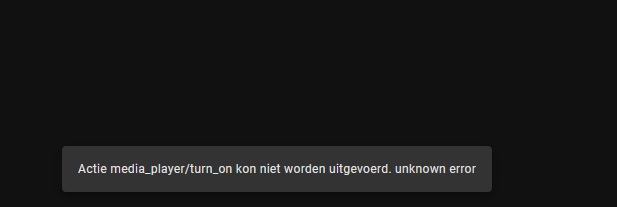
when I click on the enable zone button I get this error message
Thanks for the additional info @IRATT
Out of curiosity, did you test a USB to Serial cable prior?
When you say “you configured 9600 baud rate using the Dragon software”, does this mean that default setting on the MRAUDIO8X8 is not 9600?
I didn’t know that this unit had some user configurable parameters via Dragon software, maybe related to my issues, I will check this weekend.
The Dragon Software allows you to configure the COM port on the back of the unit. note there are 2 COM ports on the back. the port you should use is the top-most port. from memory by default the baud rate is 115200. you can confirm this by connecting to it (using PuTTY or similar) and entering in some of the commands to the device such as !1PT+ which will toggle the power on channel one. even if you receive the word ERROR, thats good- because you can read it in English. if youve got the wrong com port settings - you wont be able to connect or it will be scrambled letters. If you want to know more of the commands (unnecessary due to this AWESOME HACS plugin) do a search for MRC88 RS232 “DIGITAL” INTERFACE and you should be able to find the PDF document that lists them all. theyre the same for the MRC88 as the MRAUDIO8x8. cheers Wayne.
I’ve got 2x MRAudio8x8 connected to RPIs running SER2NET (Serial 2 Network). the RPI has USB-Serial adaptors on them, and ser2net exposes the serial ports as telnet ports. then in the hacs plugin i connect to it as a telnet port. I will be changing these to dedicated IP-Serial dongles shortly. The rPi’s have been great, but I like knowing that i wont have to deal with a dying rPi one day.
1 Like
Bingo!
Finally, after months of hardware/software troubleshooting  and almost giving up, I’ve managed to get my MRAUDIO8X8 working!
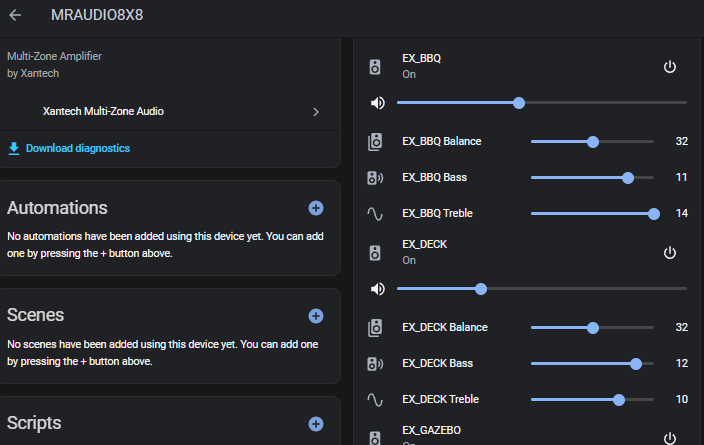
Thanks to recent posts from other users, I was able to identify the missing links.
I’m posting my findings below for future reference and to help others avoid the same painstaking process (sorry for the long post).
Download Universal Dragon Drop-IR
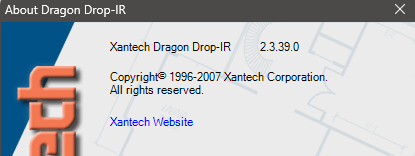
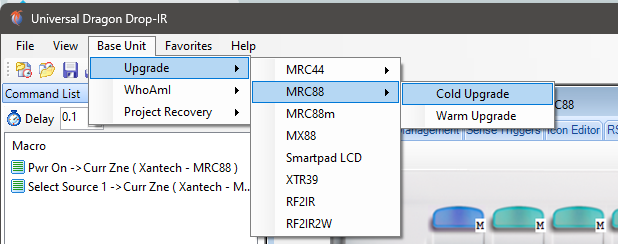
1 - Connect your cable (I used USB to Serial) to the front RS232 port and upgrade firmware to latest version (not sure if it made a difference but worth doing I guess) “Protect” switch needs to be turned off (front panel)
2- This was the first missing piece of information:
The front port is designed for Programming/Flashing the unit while the Rear RS232 Port (DB9) is designed for control. the Rear COM Port on the MRC88 remains disabled until a Universal Dragon Drop-IR project file activates that rear port (File - Project options - RS232). Then uploaded (File - Transfer project)
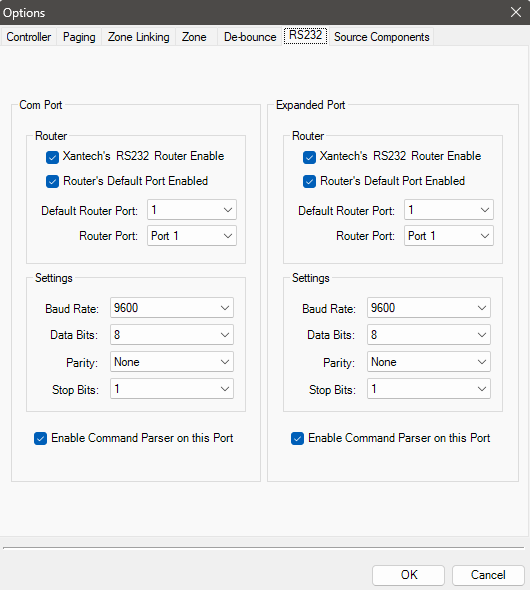
3- Second missing piece of information:
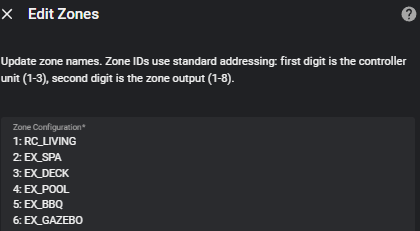
Zones (at least on my unit) are not defined with 2 digits but a single digit:
Product Code: MRA88m
Version: 3.17
Zone Controller Version: 1.09
MRIP Version:  N/A
IR Library version: 47554C314755423100
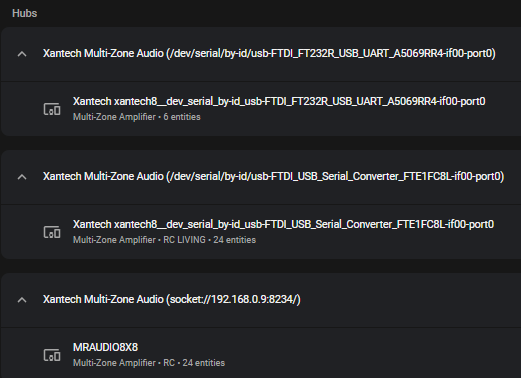
Note: I suggest using the “long” port address (USB to serial cable) as /dev/tty ports are not always “static”
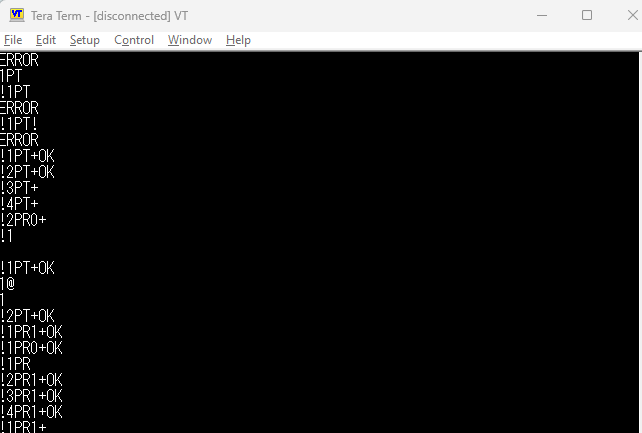
4- Using a terminal software (Hercules or Tera Term) was very useful in confirming the data was flowing to the rear port and control possible (before I found out about the single digit zone numbering )
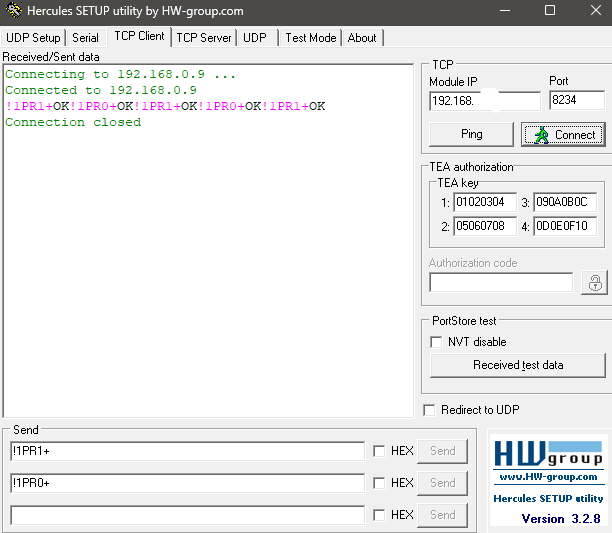
5- I can also confirm that all cables I have previously ordered for testing do work fine:
Cheap USB to serial from Aliexpress
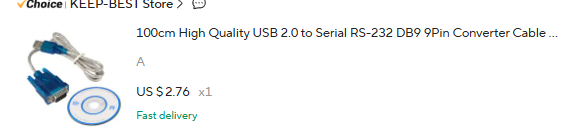
Recomended Cable from documentation (OIKWAN) OIKWAN USB to RS232, USB Serial Adapter with FTDI Chipset,USB 2.0 to Male DB9 Serial Cable for Windows 11,10, 8, 7, Vista, XP, 2000, Linux and Mac OS(6ft) : Amazon.ca: Electronics
Ethernet to serial combo suggested by @IRATT
I just purchased a second MRC88 for 50$.
Such a great value, once it works!
Setting it up should now take 10minutes. Phew.
Cheers,
It works for me too, Thank you
Hi @mrellifant, @IRATT
I have one issue remaining with my MRAUDIO8X8m
Source selection doesn’t work.
Do you use the recommended format for sources ? IE:
1: Source1
2: Source2
3: Source3
4: Source4
5: Source5
6: Source6
Since I had to change the Zone syntax to
1: Zone1
2: Zone2
etc. (Did you have to ?)
I see the drop down menu for sources and currently selected source but can’t change it.
I suspect something maybe wrong with the underlying code vs what my unit expects (ex: “!1SS2+”) processed incorrectly in the code logic because of the zone being 1 (vs11)
Hello, my source selection previously worked and now it stopped working. I am not sure if it is because of the most recent Home assistant update?
I am using the source configuration:
1: Source 1
2: Source 2
should I change something to get it working again?
Ok something is wrong with the code for this model.
Did you use :
1: Zone1
2: Zone2
etc.
or
11: Zone1
12: Zone2
etc.
Hi @ryans , see previous posts above. Is it possible that using single digit zones breaks the code for Source selection commands?
I suspect the source selection commands in the code are derived from the zone data and expects double digits (11,12,13 etc )
If this is the root cause, can the code be adapted?
For reference, everything else works as expected (power,volume,treble,bass,balance,mute)
Ref2: I can change source via terminal (ex: !1SS4+)
Thanks!
Anyone else experiencing the issues with not being able to select another source with the MRAUDIO8x8?
I tried to remove the device and readd it and the issues still exists. All other controls are working.
Thanks for V0.3.2 adressing MRAUDIO8x8 source selection and command failures
However it doesn’t seem to work (Current zone displayed but no reaction on source change - same as previously)
Do I have to reinstall from scratch and/or change from Single-digit (1-8) zones to Two-digits (11-18)?
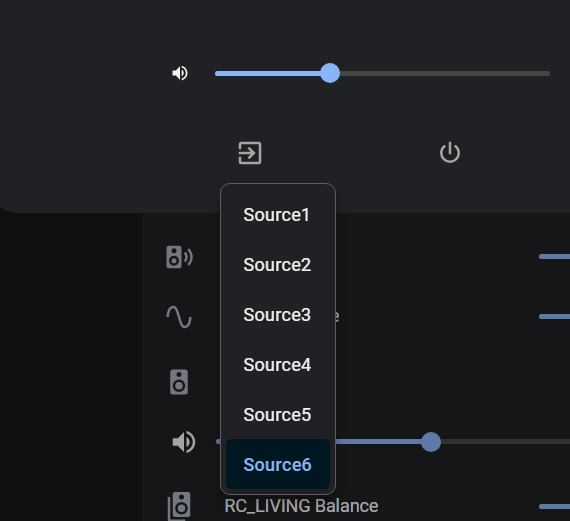
Hello, after installing the recent update, I am still not able to adjust the source selection as well. any one has recommendations on how to fix this?
Edit: It now works, not sure what made the difference, maybe a recent HA upgrade, thanks!
Hi @ryans, just wondering if you had a chance to look into the issue above (source selection issue).
Thank you for your assistance, much appreciated!