For a LOT of my Z-Wave nodes, the device is controllable within Z-Wave JS UI but the relevant entities are broken elsewhere in HA.
As a representative example: my node #67 is a Z-Wave light switch. If I open Z-Wave JS UI, click on node 67 and expand “binary switch v2”, I see a 1/0 switch. Clicking on this turns the light on and off. yay. However, if I go to Home Assistant Settings > Devices and services > Z-wave and then click on the corresponding device, then “Controls” section’s switches are grayed out. (I also note that the “last seen” value under “Diagnostic” is saying “11 hours ago” despite having showing a few minutes ago in Z-Wave JS UI. (And FWIW, I have confirmed that if I expand the “Z-Wave info” section of the device’s detail page, it shows “ID: 67”.)
As a result of this, I can’t seem to control the device in any dashboards or automations, etc.
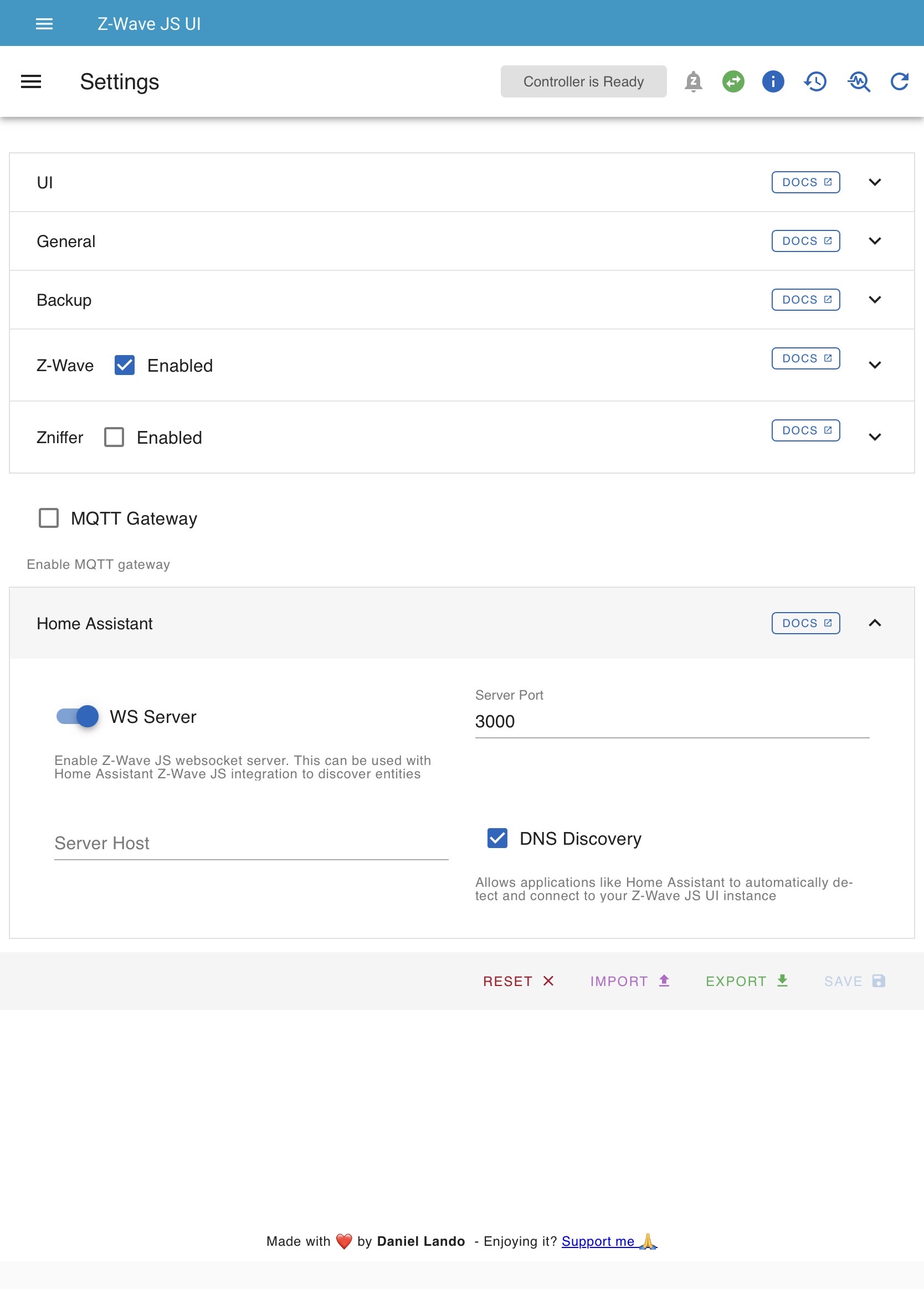
In zwavejsui there is setting. I think in a homeassistant tab to turn on/off websocket use. Sorry for poor detail but you’ll find it and really you should verify all settings.
You are not using MQTT for zwavejsui are you?
Also, do you use Silicon Labs Multiprotocol add-on? Saw a lot of people saying that was cause of 16 problem. Some said 2nd reboot solved. I expect it is an addon so kinda curious about addons you are using although unrelated to your zwave issue I expect.
In the Z-Wave integration configuration page, what is the value of the Server URL? Let’s make sure you aren’t accidentally using the core add-on.
On the device page, what is the value of “Ready” under the Z-Wave info panel? It needs to be “Yes” to be usable in HA. If not “Yes”, try a re-interview.
On the Z-wave integration configuration page (note: this is NOT in Z-Wave JS UI!), it says Server URL is “ws://XXX-zwavejs2mqtt:3000/” (with “XXX” replaced by an alphanumeric string).
Hmmm… it’s now seeming like the problem I’m describing is intermittent: many of the nodes that were disabled now appear to be enabled(!). And they are showing usable = yes in their “Z-wave info” section.
I seem to notice Z-Wave problems starting about 1/2 - 2 days after shutting down, waiting, then restarting my Home Assistant. I’ll keep an eye out and confirm that the non-availability I mentioned in this post follows the same pattern.
OK, then you’re configured correctly. FYI the XXX is not unique nor is it secret, it is the exact some URL for everyone, ws://a0d7b954-zwavejs2mqtt:3000, unless you are running a custom repository.
Mike. Did this issue come back for you? I am having the exact same problem with my new HA Green. Devices are fully discovered and controllable in the Z-Wave JS UI, but in HA, the switch control shows as “not available”. No amount of Excluding and Rediscovering fixes it. My wall switches are all working, but this is happening with all of my plug-in switches.
 )
)