Z2M - Aqara Rotary Knob H1 – Adjustable Brightness & Color Temperature (Z2M)

I’m excited to introduce a blueprint for controlling lights with the Aqara H1 Knob connected via Zigbee2MQTT!
It works with the latest Zigbee2MQTT versions, including 2.0.0 and above.
I’m a newbie, so I’d really appreciate it if you enjoy this! :blush::tada:

Supporting

  • Aqara Rotary Knob H1 (wireless) ZNXNKG02LM

  • Supports Zigbee2MQTT versions, including 2.0.0 and later updates. (It is expected to work on lower versions as well.)

Prerequisites

  • Requires at least Home Assistant Core 2024.08 version.

  • The knob only works when connected via Zigbee2MQTT.

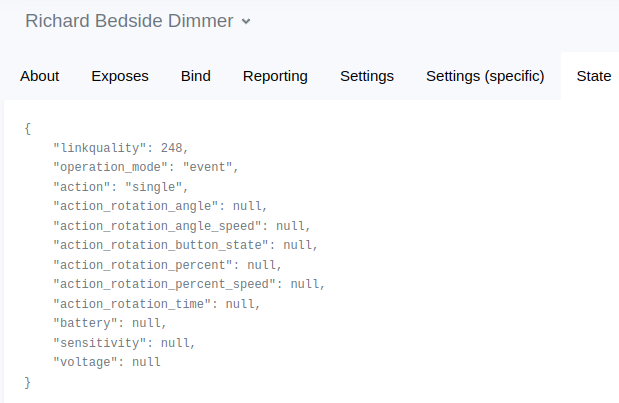
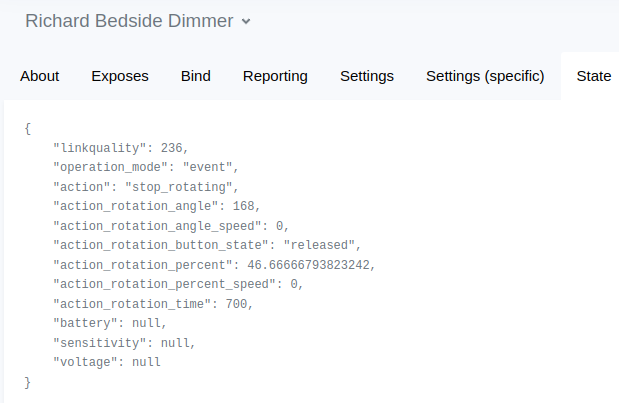
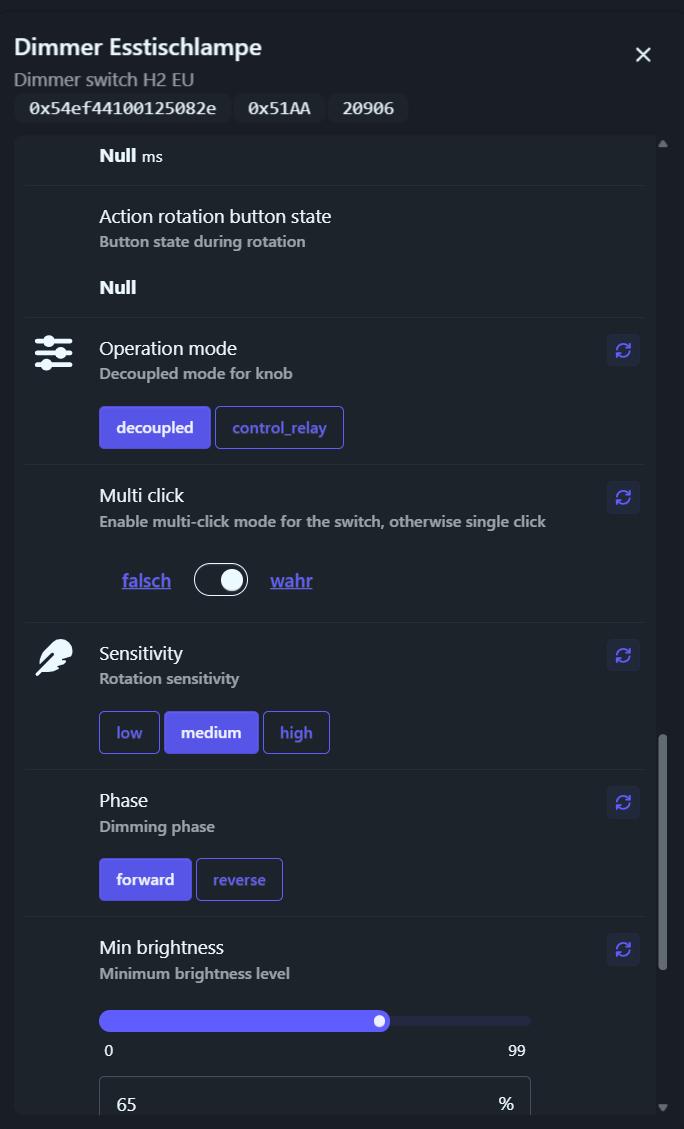
  • The operation mode of the knob must be set to event. It is unknown whether it works in command mode.

  • The controlled lights can be connected through any platform. (Color temperature adjustment in Kelvin must be supported.)

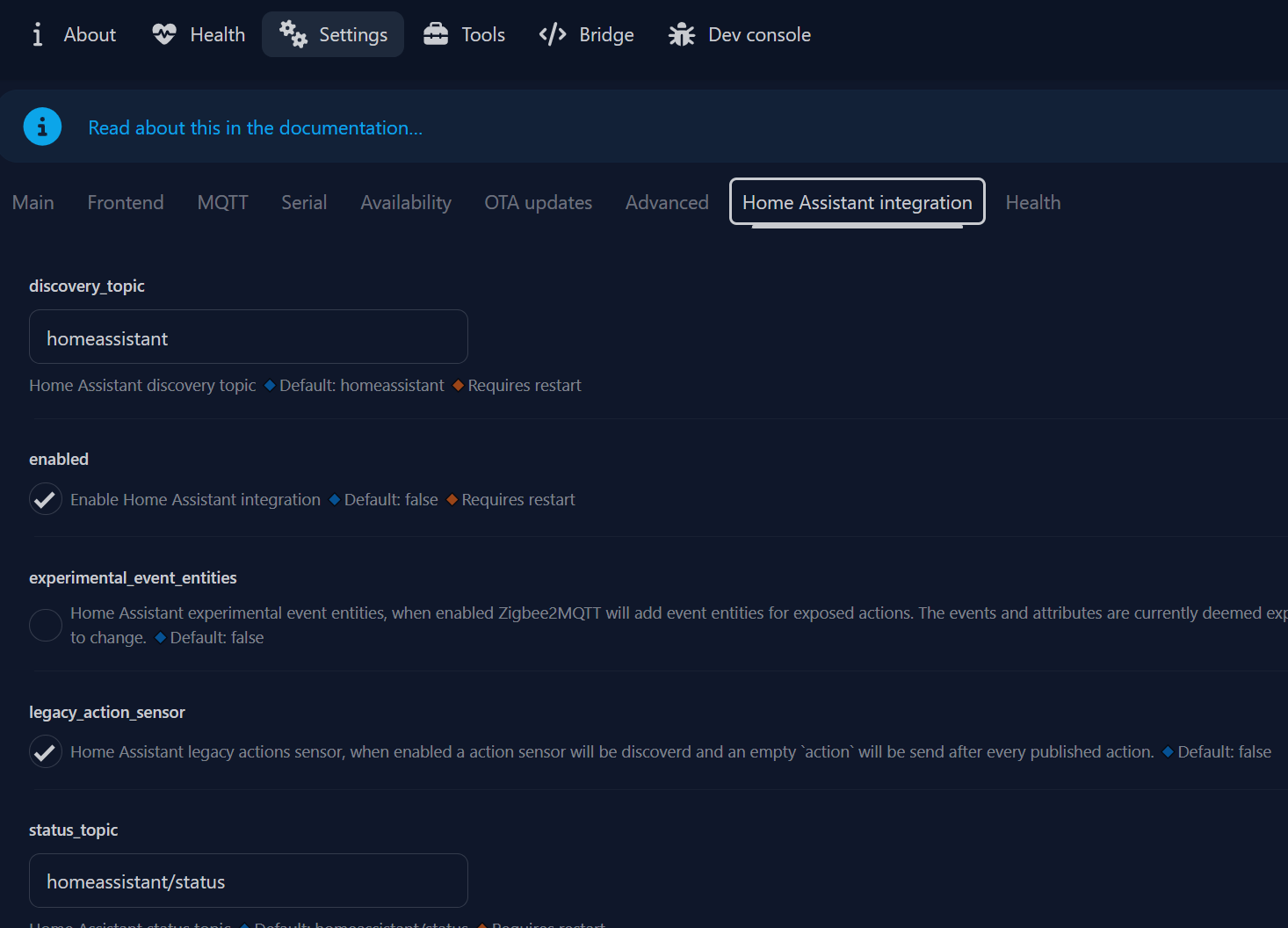
  • The MQTT integration must be installed in Home Assistant.

  • The default entity_id of the H1 Knob must not be manually modified.
    For example, if the friendly name of the H1 Knob in the Zigbee2MQTT UI is “Aqara Knob”, the related entities should remain as:

    sensor.aqara_knob_action_rotation_button_state
    sensor.aqara_knob_action_rotation_percent
    sensor.aqara_knob_action_rotation_angle
    

    These entity_id must be preserved for proper functionality.
    If you have manually modified the entity_id, this blueprint will NOT WORK.
    Please revert them to their original values for proper functional

Customizing Options

  • It’s a bit unfortunate to forgo the UI dropdown to support Jinja2 templates, but this allows setting target_light dynamically, such as using the state of an input_select or other flexible configurations.
    If you don’t need a template, simply enter the entity_id of the light directly. (Example: light.my_bulb)

  • If Restore Brightness is disabled (default), turning the knob right to turn on the Target Light will start at the minimum brightness and increase based on the knob rotation.

  • If the Restore Brightness option is enabled, turning the knob right to turn on the Target Light while it is off will restore its previous brightness state (if supported by the light).

  • You can set the transition time for smooth brightness and color temperature adjustments. The default value is 0.4s, as it matches the default transition time of my Hue bulbs.

  • You can adjust the amount of color temperature change per tick of the knob.

  • You can adjust the brightness percentage change per tick of the knob.

  • You can set the minimum and maximum color temperature values to limit the physically adjustable range. If you don’t want any restrictions, you can ignore this setting.

User Manual

  1. If you haven’t changed the topic in Zigbee2MQTT, you don’t need to modify the base topic. Leave it as the default value

  2. Type in the friendly name of the knob exactly as it appears in the Zigbee2MQTT Web UI
    Ensure that uppercase letters, spaces, and underscores match the exact formatting used in Zigbee2MQTT.

  3. Ensure that all prerequisites are fully met before proceeding.

  4. Adjust the Knob Action Config settings according to your needs, following the options listed in Customizing Options.

How It Works

Press Action

  • Single, Double, and Hold actions can all be customized in the press action section.
  • The Release action DOES NOT work in this blueprint.

Knob Action

  • Turning the knob right without pressing increases brightness (+), Turning the knob left without pressing decreases brightness (-).
  • Turning the knob right while pressing increases the color temperature (cooler), Turning the knob left while pressing decreases the color temperature (warmer).

Blueprint

Open your Home Assistant instance and show the blueprint import dialog with a specific blueprint pre-filled.

If something seems off, please check my GitHub. Thank you! :blush:

blueprint:
  name: Aqara Rotary Knob H1 – Adjustable Brightness & Color Temperature (Z2M)
  description: |-
    ## Supporting
      - Aqara Rotary Knob H1 (wireless) [ZNXNKG02LM](https://www.zigbee2mqtt.io/devices/ZNXNKG02LM.html)
      - Supports Zigbee2MQTT versions, including 2.0.0 and later updates. (It is expected to work on lower versions as well.)

    ## Prerequisites
      - The knob only works when connected via `Zigbee2MQTT`.
      - The operation mode of the knob must be set to `event`. It is unknown whether it works in `command` mode.
      
      - The controlled lights can be connected through any platform. (Color temperature adjustment in Kelvin must be supported.)
      - The MQTT integration must be installed in Home Assistant.
      
      - The default `entity_id` of the H1 Knob must not be manually modified.
        For example, if the friendly name of the H1 Knob in the Zigbee2MQTT UI is "`Aqara Knob`", the related entities should remain as:
            
            sensor.aqara_knob_action_rotation_button_state
            sensor.aqara_knob_action_rotation_percent
            sensor.aqara_knob_action_rotation_angle
        These `entity_id` must be preserved for proper functionality.
        If you have manually modified the `entity_id`, this blueprint will **NOT WORK**.
        Please revert them to their original values for proper functional

    ## Customizing Options

      - It's a bit unfortunate to forgo the UI dropdown to support Jinja2 templates, but this allows setting `target_light` dynamically, such as using the state of an `input_select` or other flexible configurations.
        If you don't need a template, simply enter the `entity_id` of the light directly. (Example: light.my_bulb)

      - If Restore Brightness is disabled (default), turning the knob `right` to turn on the Target Light will start at the `minimum brightness` and increase based on the knob rotation.
      
      - If the Restore Brightness option is enabled, turning the knob `right` to turn on the Target Light while it is off will restore its previous brightness state (if supported by the light).

      - You can set the `transition time` for smooth brightness and color temperature adjustments. The default value is `0.4s`, as it matches the default transition time of my Hue bulbs.

      - You can adjust the amount of color temperature change per tick of the knob.
      
      - You can adjust the brightness percentage change per tick of the knob.

      - You can set the minimum and maximum color temperature values to limit the physically adjustable range. If you don’t want any restrictions, you can ignore this setting.

    ## User Manual
      1. If you haven’t changed the topic in Zigbee2MQTT, you don’t need to modify the base topic. Leave it as the `default` value

      2. Type in the `friendly name` of the knob exactly as it appears in the `Zigbee2MQTT Web UI`
         Ensure that uppercase letters, spaces, and underscores match the exact formatting used in Zigbee2MQTT.

      3. Ensure that all prerequisites are fully met before proceeding.

      4. Adjust the Knob Action Config settings according to your needs, following the options listed in Customizing Options.

    ## How It Works
    *Press Action*
      - `Single`, `Double`, and `Hold` actions can all be customized in the press action section.
      - The `Release` action DOES NOT work in this blueprint.

    *Knob Action*
      - Turning the knob right without pressing increases brightness (+), Turning the knob left without pressing decreases brightness (-).
      - Turning the knob right while pressing increases the color temperature (cooler), Turning the knob left while pressing decreases the color temperature (warmer).


  domain: automation
  input:
    base_topic:
      name: Base Topic
      description: The base topic configured in Zigbee2MQTT.
        <br>If you haven't changed this, leave the default here `Zigbee2MQTT`
      default: zigbee2mqtt
    knob:
      name: Knob Name
      description: The `FRIENDLY NAME` of the Zigbee device you want to control.
        <br> (as set in `Zigbee2MQTT web UI`;).
      selector:
        text: {}

    target_light:
      name: Target Light
      description: Select the light entity to control brightness and color temperature.
      selector:
        template: {}

  # Restore Brightness option
    restore_brightness:
      name: Restore Brightness
      description: When "`TRUE`";
        <br>If the Target light is `OFF` and you turn the knob to the right, it first restores the brightness level from before the light was turned off, and then adjusts the brightness.
        <br>When "`FALSE`";
        <br>If the Target light is `OFF` and you turn the knob to the right, the brightness is adjusted starting from 0%.
        <br>The default setting is "`FALSE`".
      default: false
      selector:
        boolean:

##### Press Action
    press_action:
      name: Press Action
      description: Set the action to be triggered when the knob is pressed.
      icon: mdi:gesture-tap-button
      collapsed: false
      input:
        
        action_single:
          name: Single Action
          description: Action to take when `tapped`
          default: []
          selector:
            action: {}
        action_double:
          name: Double Action
          description: Actions to take when `double-tapped`
          default: []
          selector:
            action: {}
        action_hold:
          name: Hold Action
          description: Actions to perform when `hold`
          default: []
          selector:
            action: {}

##### Knob Action
    knob_action:
      name: Knob Action Config
      description: Adjust the settings required for knob operation.
      icon: mdi:knob
      collapsed: true
      input:
      
        transition_time:
          name: TRANSITION TIME
          description: Set the transition value for smooth brightness and color temperature adjustments.
            <br>The default value is `0.4`
          default: 0.4
          selector:
            number:
              min: 0.0
              max: 20.0
              step: 0.1
              unit_of_measurement: s
              mode: slider

        brightness_stepsize:
          name: Brightness Stepsize
          description: Set the step size for brightness adjustment when moving the knob by one tick.
            <br>If set to the default value of `4`, each tick adjusts the brightness by approximately `2%`.
            <br>Adjust as needed after testing.
            <br>If you want to increase brightness by approximately `1%` per tick, set the value to `+2`.
            <br>The default value is `4`
          default: 4
          selector:
            number:
              min: 1
              max: 100
              step: 1
              unit_of_measurement: /2 = %
              mode: slider

        color_temp_stepsize:
          name: Color Temp Stepsize
          description: Set the step size for adjusting the color temperature when turning the knob while pressing it.
            <br>The default value is `5.0`.
          default: 5.0
          selector:
            number:
              min: 1
              max: 20
              step: 0.1
              unit_of_measurement: num
              mode: slider

        color_temp_min:
          name: Min Color Temp Kelvin
          description: Set the minimum color temperature within the target light's operational range. (Use Kelvin values)
            <br>`NOTE!`
            <br> The color temperature will not go lower than the set value.
            <br> This value MUST BE LOWER than `Max Color Temp Kelvin`
          default: 1000
          selector:
            number:
              min: 1000
              max: 10000
              unit_of_measurement: "K"

        color_temp_max:
          name: Max Color Temp Kelvin
          description: Set the maximum color temperature within the target light's operational range. (Use Kelvin values)
            <br>`NOTE!` 
            <br> The color temperature will not go higher than the set value.
            <br> This value MUST BE HIGHER than `Min Color Temp Kelvin`.
          default: 10000
          selector:
            number:
              min: 1000
              max: 10000
              unit_of_measurement: "K"

####################
mode: parallel
max: 100
max_exceeded: silent
trace:
  stored_traces: 20
####################

trigger_variables:
  base_topic: !input base_topic
  knob: !input knob
trigger:
  trigger: mqtt
  topic: '{{ base_topic }}/{{ knob }}/action'
action:
  - variables:
      ACTION: '{{ trigger.payload }}'
      DEVICE_LOWER: "{{ knob | lower | regex_replace('[ .,@^-]', '_') }}"
      
      TARGET_LIGHT: !input target_light

      SENSOR_PRESSED: "sensor.{{ DEVICE_LOWER }}_action_rotation_button_state"
      SENSOR_BRIGHT_SIZE: "sensor.{{ DEVICE_LOWER }}_action_rotation_percent"
      SENSOR_TEMP_SIZE: "sensor.{{ DEVICE_LOWER }}_action_rotation_angle"

      BRIGHTNESS_STEPSIZE: !input brightness_stepsize
      TEMP_STEPSIZE: !input color_temp_stepsize
      RESTORE_BRIGHTNESS: !input restore_brightness

      STATES_PRESSED: "{{ states(SENSOR_PRESSED) }}"
      STATES_BRIGHT_SIZE: "{{ ((states(SENSOR_BRIGHT_SIZE) | float(1) / 3) * BRIGHTNESS_STEPSIZE * 2.54) | round(0) }}"
      STATES_TEMP_SIZE: "{{ states(SENSOR_TEMP_SIZE) | float(0) * TEMP_STEPSIZE }}"

      TEMP_MIN: !input color_temp_min
      TEMP_MAX: !input color_temp_max

      TRANSITION_TIME: !input transition_time

  - choose:
      - conditions: "{{ ACTION != 'stop_rotating' }}"
        sequence: 
          - choose:
              - conditions: "{{ ACTION in ['single'] }}"
                sequence: !input action_single
                
              - conditions: "{{ ACTION in ['double'] }}"
                sequence: !input action_double
        
              - conditions: "{{ ACTION in ['hold'] }}"
                sequence: !input action_hold
        
              - conditions: "{{ ACTION in ['start_rotating', 'rotation'] }}"
                sequence: 
                  - choose:
                      - conditions: "{{ STATES_PRESSED == 'released' }}"
                        sequence: 
                          - if:
                              - condition: template
                                value_template: "{{ states(TARGET_LIGHT) == 'off' and RESTORE_BRIGHTNESS and STATES_BRIGHT_SIZE > 0 }}"
                            then:
                              - action: light.turn_on
                                target:
                                  entity_id: "{{ TARGET_LIGHT }}"
                                data:
                                  transition: "{{ TRANSITION_TIME }}"
                            else:
                              - action: light.turn_on
                                target:
                                  entity_id: "{{ TARGET_LIGHT }}"
                                data:
                                  transition: "{{ TRANSITION_TIME }}"
                                  brightness_step: "{{ STATES_BRIGHT_SIZE }}"

                      - conditions: "{{ STATES_PRESSED == 'pressed' }}"
                        sequence: 
                          - if:
                              - condition: template
                                value_template: "{{ states(TARGET_LIGHT) == 'off' and STATES_TEMP_SIZE > 0 }}"
                            then:
                              - action: light.turn_on
                                target:
                                  entity_id: "{{ TARGET_LIGHT }}"
                                data:
                                  transition: "{{ TRANSITION_TIME }}"
                            else:
                              - variables:
                                  CURRENT_TEMP: "{{ state_attr(TARGET_LIGHT, 'color_temp_kelvin') | int }}"
                              - action: light.turn_on
                                target:
                                  entity_id: "{{ TARGET_LIGHT }}"
                                data:
                                  transition: "{{ TRANSITION_TIME }}"
                                  kelvin: >-
                                    {% set COLOR_TEMP_MIN = max(TEMP_MIN, state_attr(TARGET_LIGHT, 'min_color_temp_kelvin')) %} 
                                    {% set COLOR_TEMP_MAX = min(TEMP_MAX, state_attr(TARGET_LIGHT, 'max_color_temp_kelvin')) %}

                                    {{ min(COLOR_TEMP_MAX, max(COLOR_TEMP_MIN, CURRENT_TEMP + STATES_TEMP_SIZE)) }}

Setup

1 Like

I know him
He is a great musician

1 Like

wow, very very thank you.
So sexy brain man.

This is working great! thanks so much.

Just a q.q. is there any way to set a minimum brightness to avoid turn off the light when reducing brighness?

Of course, it’s possible through the blueprint. If I have a chance to revisit this blueprint soon, I’ll try updating it.

1 Like

Thanks for your effort, i must probably be doing something wrong as the “hold + rotate” is not changing the color temperature.

Also been trying to change the blueprint minimum brightness to avoid turn off without any luck.

Did the new update 2026.3.0 broke the automation? Double and Hold action seem broke.