ZBT-2 breaks with update 7.5.1.0

I did update my ZBT-2 through Home Assistant to 7.5.1.0 and it returned error and break everything.
When I did re-flashed it with Install Firmware – Device Toolbox to 7.4.4.6 it works again.

My understanding from this is that Home Assistant can’t install 7.5.1.0 and I have been searching for the installation file for 7.5.1.0 so I can upload it to the toolbox and update the zbt-2 manually but I can’t find the file.

Do anyone know where to download it?

I’ve had exactly the same issue.

Hi,
Strange, I got the opposite behaviour:

  • ZBT-2 running EmberZNet Zigbee upgraded fine from 7.4.4.6 to 7.5.1.0.
  • ZBT-2 running OpenThread RCP fails repeatedly going from 4.4.0 to 7.2.0:
    Failed to perform the action update/install. Failed to flash firmware

EDIT: I use ZHA. Z2M needs to be manually stopped for the update (see other posts)

All updates were from the HA maintenance issue GUI. The Thread integration upgrade route to the same update also fails.

Both firmware images seem to be here:

1 Like

Same here. 55 devices unreachable. I’ll try your re-flash. Glad I found this comment.

I’ve got your opposite. My OT ZBT-2 works fine after the update. My EN ZBT-2 failed.

The mix of failure might suggest the HA GUI flasher has problems.

I’ve tried restarting HA, several attempts, so the next action is to connect to a PC.

Oh, and with two ZBT-2 (Zigbee and Thread), which one is which? :man_shrugging: :grin:

Feature request: Different ZBT-2 LED colours per protocol!

It appears both Matter/Thread and Zigbee are down. Only good old RF is working. This makes the score 70 devices down/10 up.

I’ve just labeled the USB port, the cable, and the Zigbee device to understand which is which. I better add the device address too. :grinning:

1 Like

Try using a coloured rubber band on the antena or tape. Works for Me :slight_smile:

That assumes you knew which was which from the start… I plugged both into a hub, and used HA to switch firmware on one! :man_facepalming:

Both are now on my desk… with a label machine!

No I didn’t know. I just pulled plugs and kept looking at the Zigbee log while it was restarting. When I pulled the right plug, the error changed. :joy:

1 Like

I’ve tried to re-flash the ZBT-2, but that doesn’t work.

The device is there: plugged in, visible in the OS.

Thread fix for failed ZBT-2 firmware updates (but the method likely also works for Zigbee):

  • Try using the HA GUI - Failed to perform the action update/install. Failed to flash firmware (OpenThread 4.4.0 => 7.2.0)
  • Disconnect the ZBT-2 and move to a PC (Linux + Chrome Canary here)
  • Download the firmware
    Release v2026.02.23 · NabuCasa/silabs-firmware-builder · GitHub
    (I used zbt2_openthread_rcp_2.7.2.0_GitHub-fb0446f53_gsdk_2025.6.2.gbl)
  • Use the OHF web-flasher:
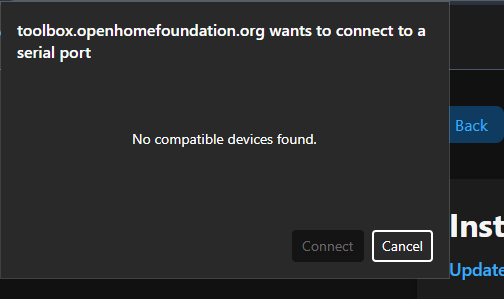
    Install Firmware – Device Toolbox
  • Reconnect to your HA box
  • Restart HA (to be sure hardware detection has completed…)
  • BUG: HA still reports device as requiring an update from 4.4.0 to 7.2.0!
    May be a difference in bootloader version, but definitely NOT v4.4.0!
  • BUG: confirm the HA upgrade to 7.2.0 (which it already has from the web-flasher…)
  • Upgrade worked this time, HA shows no repairs!

Note: The HA GUI showed OpenThread 7.2.0, but the firmware is labelled 2.7.2.0 (OpenThread (RCP) SL-OPENTHREAD/2.7.2.0_GitHub-fb0446f53).

1 Like

That sounds great! I’m afraid to proceed with my Zigbee ZBT-2. If the network address changes for some reason, I have to re-connect 55 devices.

BTW I’ve dropped a question in the HA Discord.

Firmware flash failed on Home Assistant Connect ZBT-2

I am trying to update the Zigbee firmware on my Home Assistant Connect ZBT-2, but the flash fails with the following error.

Error details

Logger: homeassistant.components.homeassistant_hardware.firmware_config_flow
Source: components/homeassistant_hardware/firmware_config_flow.py:203
Integration: Home Assistant Hardware

First occurred: 10:15:34 (2 occurrences)
Last logged: 12:59:16

Full traceback

Failed to flash firmware

Traceback (most recent call last):
  File "/usr/src/homeassistant/homeassistant/components/homeassistant_hardware/util.py", line 421, in async_flash_silabs_firmware
    await flasher.enter_bootloader()

  File "/usr/local/lib/python3.13/site-packages/universal_silabs_flasher/flasher.py", line 358, in enter_bootloader
    await self.probe_app_type()

  File "/usr/local/lib/python3.13/site-packages/universal_silabs_flasher/flasher.py", line 329, in probe_app_type
    raise RuntimeError("Failed to probe running application type")

RuntimeError: Failed to probe running application type


The above exception was the direct cause of the following exception:


Traceback (most recent call last):
  File "/usr/src/homeassistant/homeassistant/components/homeassistant_hardware/firmware_config_flow.py", line 203, in _install_firmware_step
    await self.firmware_install_task

  File "/usr/src/homeassistant/homeassistant/components/homeassistant_hardware/firmware_config_flow.py", line 310, in _install_firmware
    self._probed_firmware_info = await async_flash_silabs_firmware(
        ...
    )

  File "/usr/src/homeassistant/homeassistant/components/homeassistant_hardware/util.py", line 430, in async_flash_silabs_firmware
    raise HomeAssistantError("Failed to flash firmware") from err


homeassistant.exceptions.HomeAssistantError: Failed to flash firmware

I had a similar problem with the Zigbee part. I reflashed the stick to 7.4.4.6 , then closed off HA, switched off my VM in Synology, restarted the lot and everything started to work again. Back on 7.4.4.6 and the update 7.5.1.o shows up again in HA. Will not touch it hahahaha.

Had the same issue with my ZBT-2. Tried to flash with the new firmware via HA, failed, and brought my entire Zigbee network down. I moved the ZBT-2 to my Windows PC and used the web firmware installer at Install Firmware – Device Toolbox then re-plugged it into my HA box. Rebooted the VM and everything came back to normal.

HA still wants me to update to 7.5.1.0 though. No thanks!

2 Likes

Good plan to increase dev visibility. :+1:

I’ve also added to a GitHub issue with a link here, and my detailed issue report:

I can understand the concern over network address / keys.

There is a Download Backup option in the Zigbee Home Automation / ZHA settings page which gives a JSON with all of the network settings which looks pretty comprehensive in case something gets erased:

{
    "version": 1,
    "backup_time": "2026-02-24T12:11:35.631415+00:00",
    "network_info": {
        "extended_pan_id": "REDACTED",

        "network_key": {
            "key": "REDACTED",
        },
        "tc_link_key": {
            "key": "REDACTED",
        },
        "key_table": [],
        "children": [
           REDACTED
        ],
        "route_table": {
           REDACTED
        },
        "tx_power": 10,
           REDACTED
    },
    "node_info": {
           REDACTED
        "logical_type": "coordinator",
        "model": "Home Assistant Connect ZBT-2",
        "manufacturer": "Nabu Casa",
        "version": "7.5.1.0 build 0 (20260224005837)"
    }
}
1 Like

A PC with a Chrome-based browser (web-serial) should give a fix, like I did here…

If you can get the firmware to install (HA GUI or WebSerial), Zigbee 7.5.1.0 seems to work. I can understand a certain hesitation though!

I will wait until the devs come back with an all-clear. Right now my setup is working so I have no desire to risk downtime again.

2 Likes