I’ve been running a Zendure SolarFlow 3000 Mix AC+ in Home Assistant for a few months, controlled entirely over the local zenSDK HTTP API — no cloud account, no MQTT broker, no YAML packages to copy. It has grown into a full integration, now on HACS.
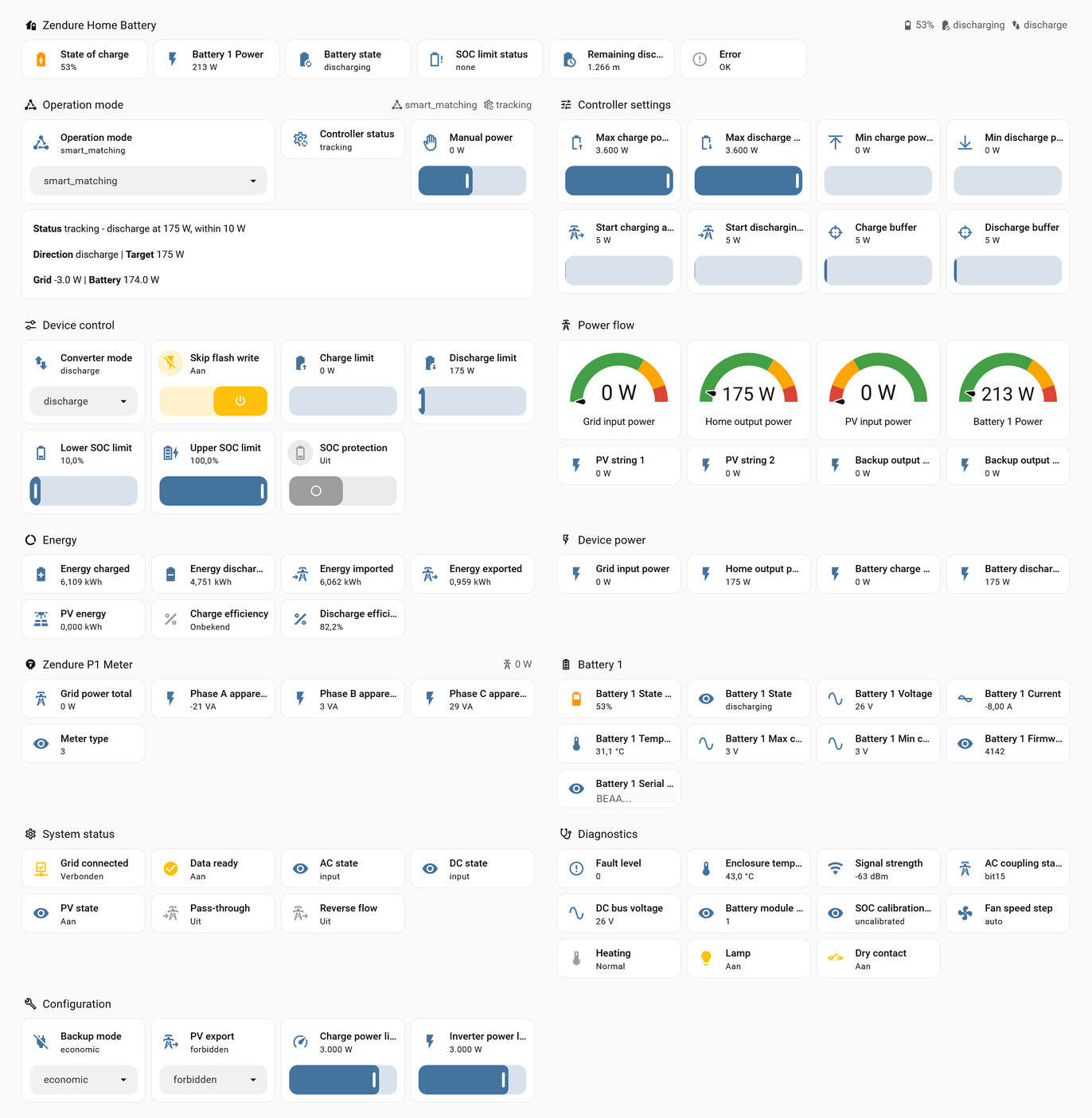
What it does
- 100% local. Talks straight to the battery’s own HTTP server. Keeps working when the internet or the Zendure cloud does not.
- Zero-export control, once a second. A fast loop follows your P1 meter every second; a slower one handles direction and safety.
- Seven operation modes —
standby,smart_matching, smart charge-only / discharge-only, quick charge / discharge and manual. One select, so your own price automation can drive it. - Your own meter. HomeWizard P1 (found automatically), YouLess LS120, Zendure P1 / Smart Meter 3CT, EcoTracker, Shelly Pro 3EM — or any power sensor Home Assistant already has.
- Low standby draw, measured. Hands the battery back to its low-power state when there is nothing to do: about 5 W instead of 29–36 W.
- Spares the flash memory. The smart modes write their limits to RAM, not flash.
- Leaves a full battery alone. At the device’s own SOC bounds nothing is ordered into the closed direction, and the status says why.
- Everything visible. Ready-made dashboard, a controller status with the reason behind every decision, charge and discharge efficiency as sensors, and an optional per-second CSV trace.
- Eleven languages for setup screens and states.
Every change to the control loop is replayed against recorded per-second runs before release. The measurements behind it — meter delay, efficiency, standby draw, and where the device differs from Zendure’s documentation — are in the technical reference (README2) in the repository.
Supported devices
| Device | Status |
|---|---|
| SolarFlow 3000 Mix AC+ | tested daily |
| SolarFlow 4000 Mix AC+ · 2400 AC · 2400 AC+ · 1600 AC+ | supported — same AC-coupled layout |
| SolarFlow 800 / 800 Plus / 800 Pro / 800 Pro 2 · 2400 Pro · 4000 Mix Pro | works; smart modes experimental (solar on the device) |
| Hyper 2000 · Hub 1200/2000 · AIO 2400 · Ace 1500 | no local API on these models |
Getting started
- Enable the local API. Under EN 18031 it is off by default: in the Zendure app, add HEMS, then close the app.
- Install via HACS. The submission to the HACS default list is pending; until then: HACS → ⋮ → Custom repositories → add the repository above, category Integration. Install Zendure RestAPI and restart Home Assistant.
- Add the battery. It is usually discovered under Settings → Devices & services. Set Operation mode to
smart_matching.
Looking for testers
Only the 3000 Mix AC+ has been run by me. If you have any other SolarFlow model, a New model report issue with the diagnostics download attached (device page → ⋮ → Download diagnostics; serial numbers and addresses are redacted) is enough to move a model from experimental to supported — whether it works or not.
Questions and feedback welcome here or as a GitHub issue.
 to
to  .
.