We have some battery-powered Christmas decorations dotted around the place, and I’ve made it my mission to automate them.
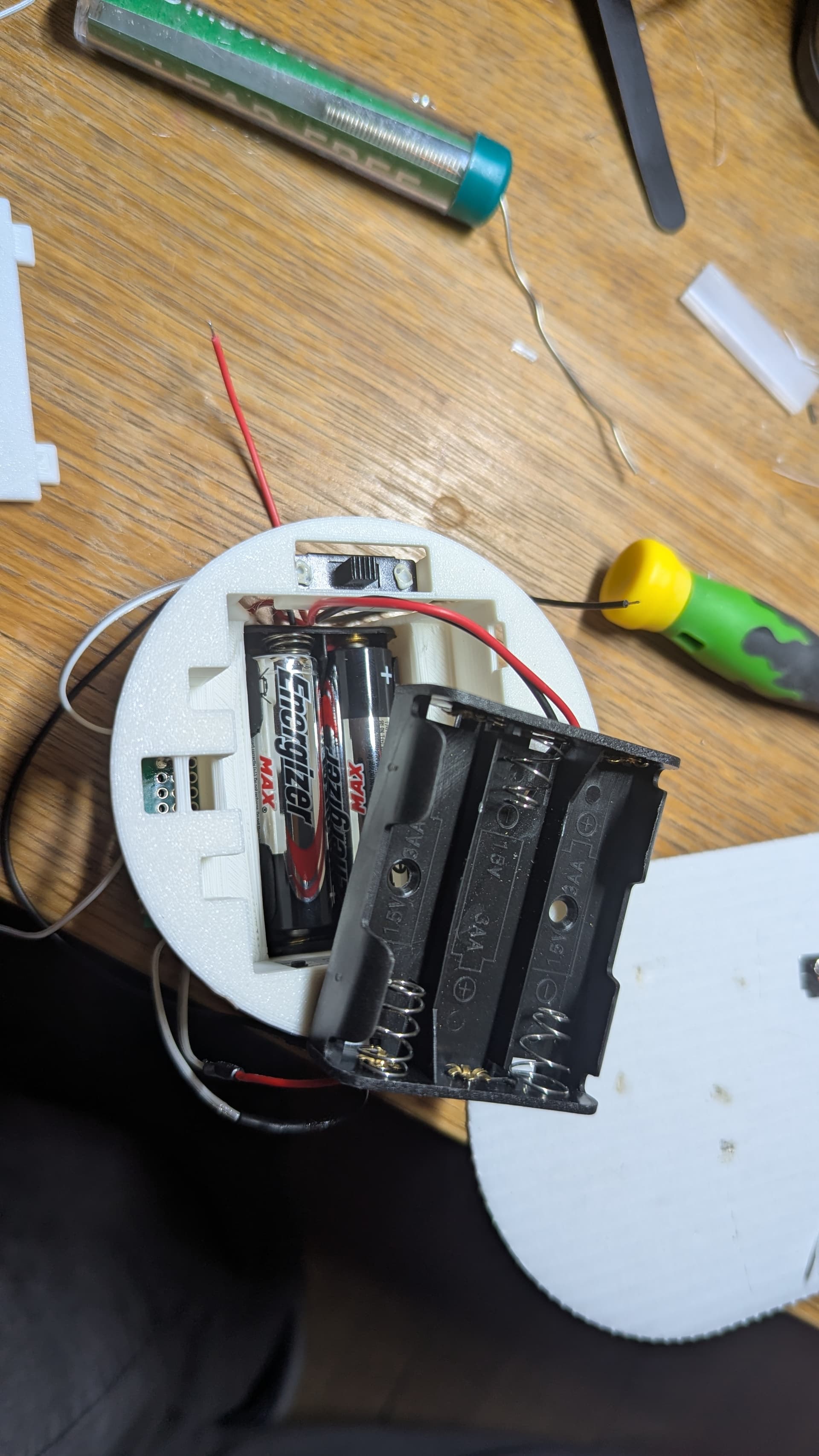
They each run on 3 x AA batteries.
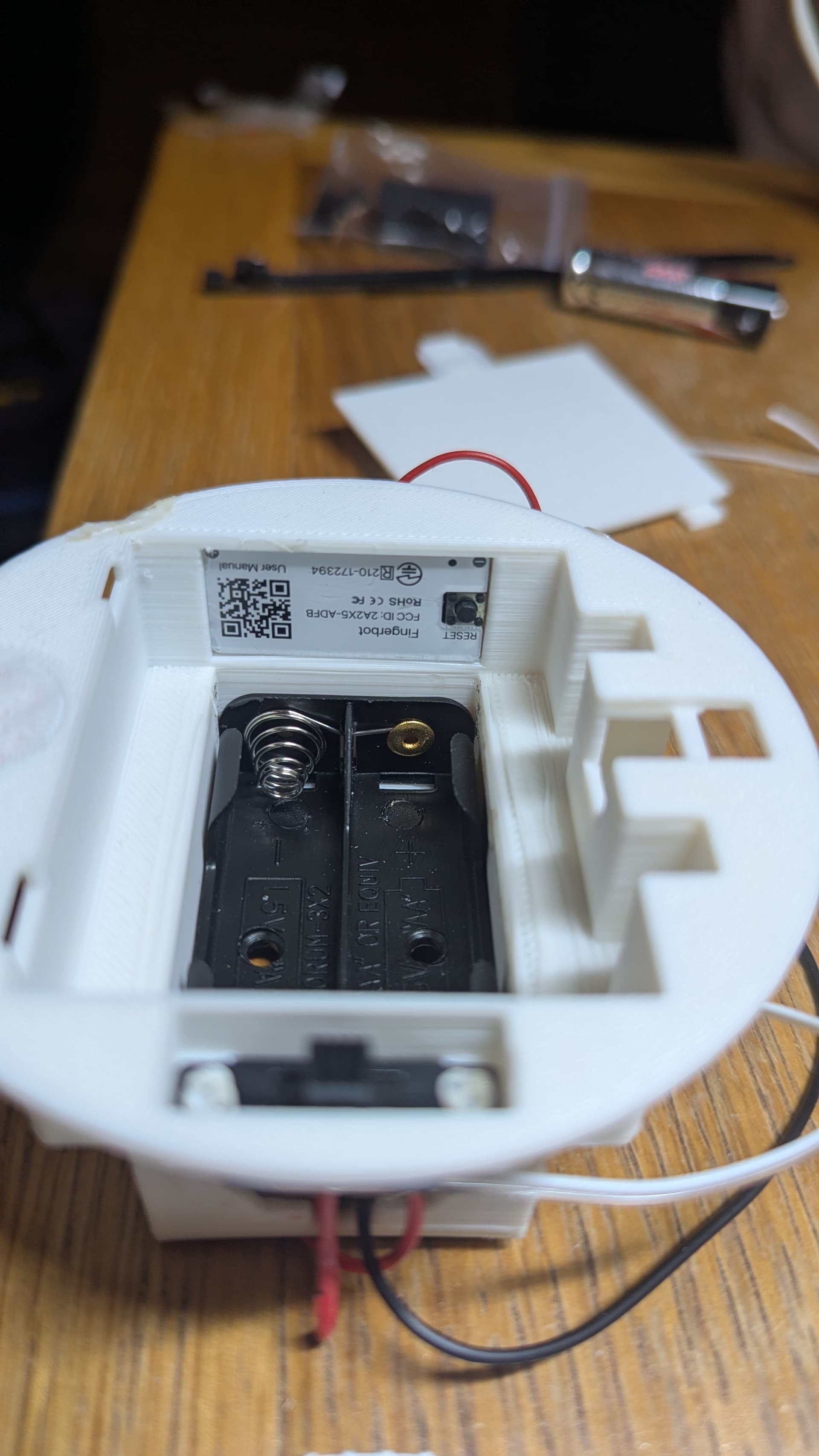
I’ve previously used the PCB from a ZigBee Fingerbot to make my bathroom air freshners ‘smart’. So I thought why not use the same thing to make my battery-powered Christmas lights smart, too.
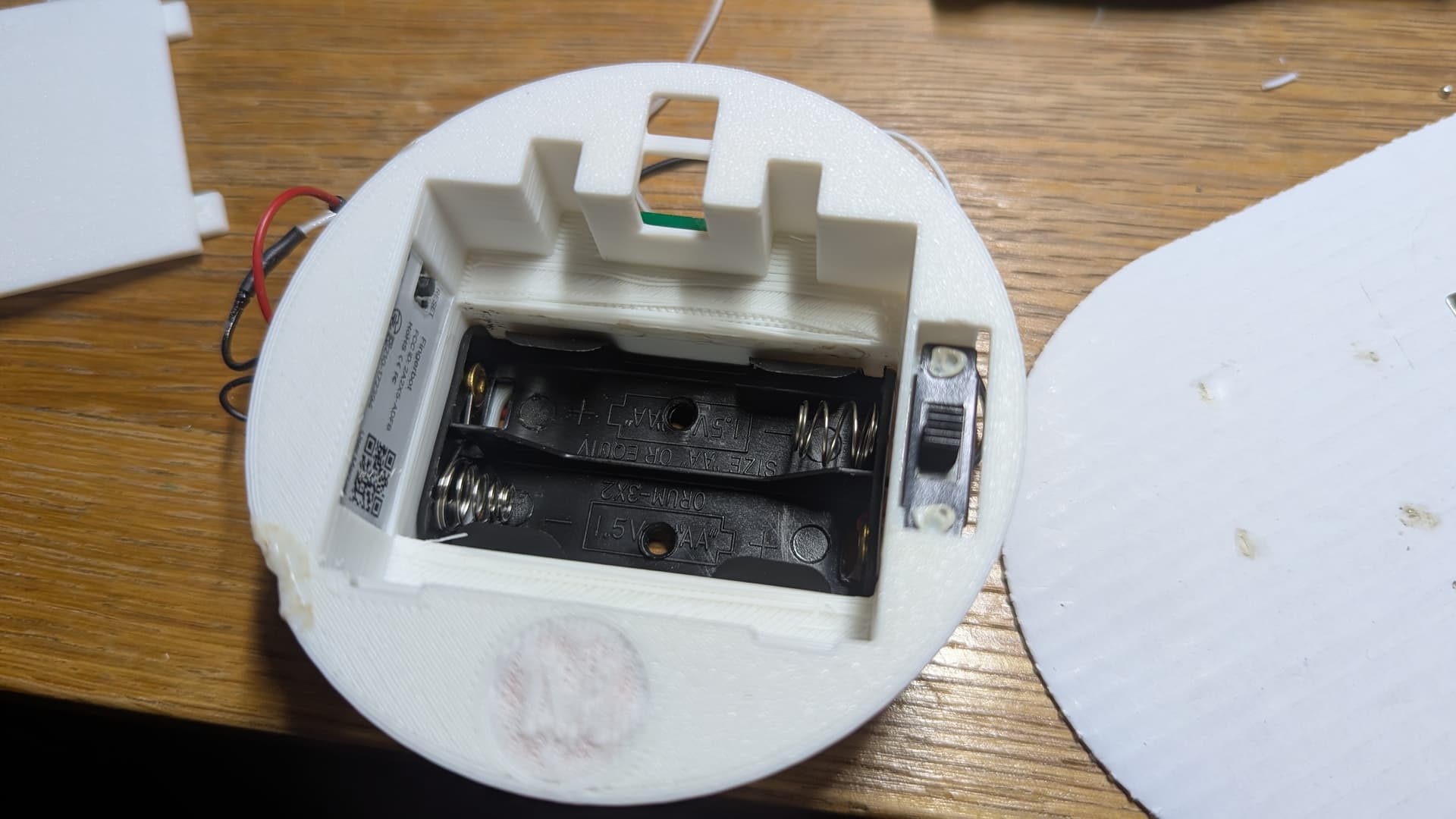
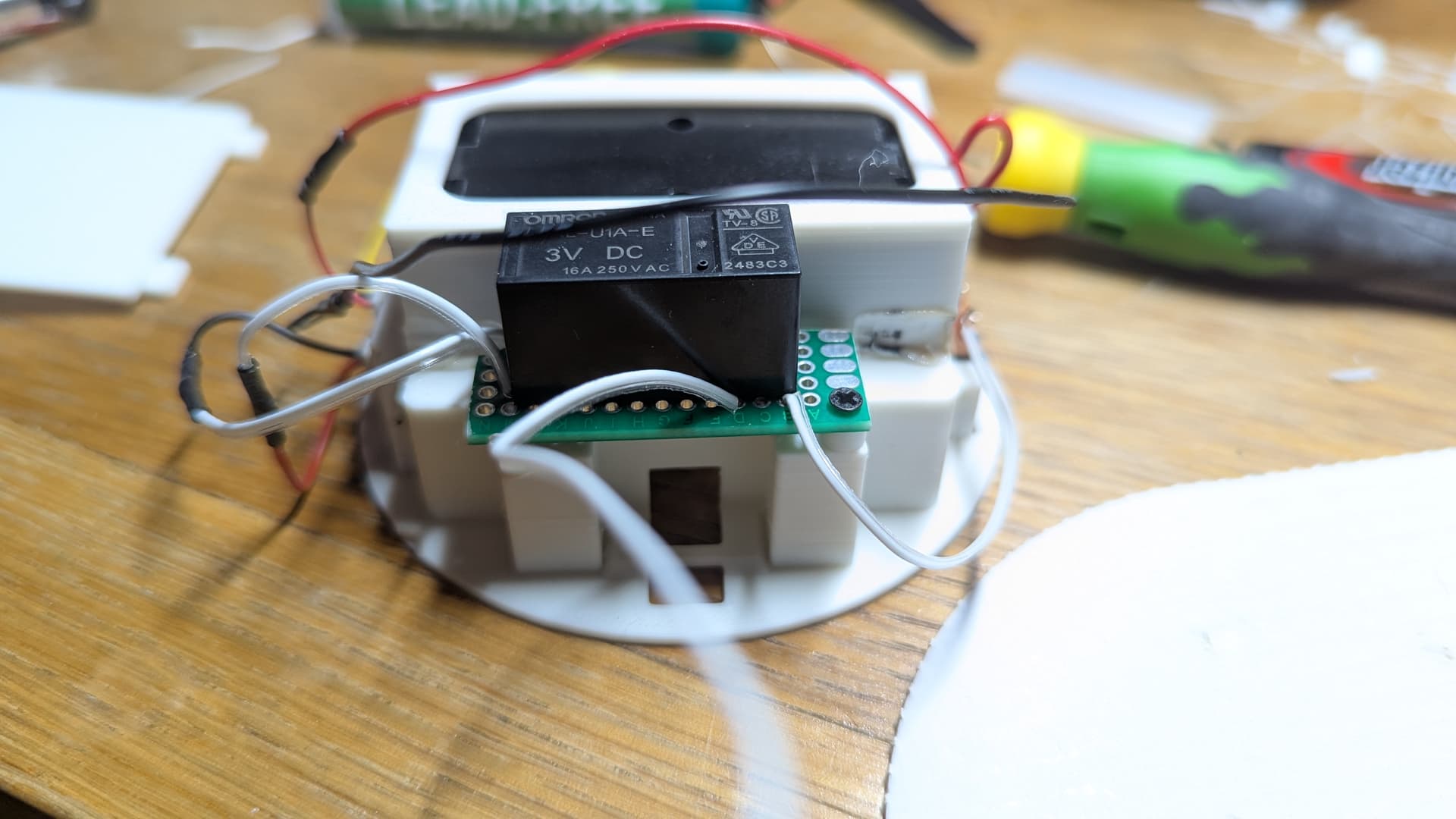
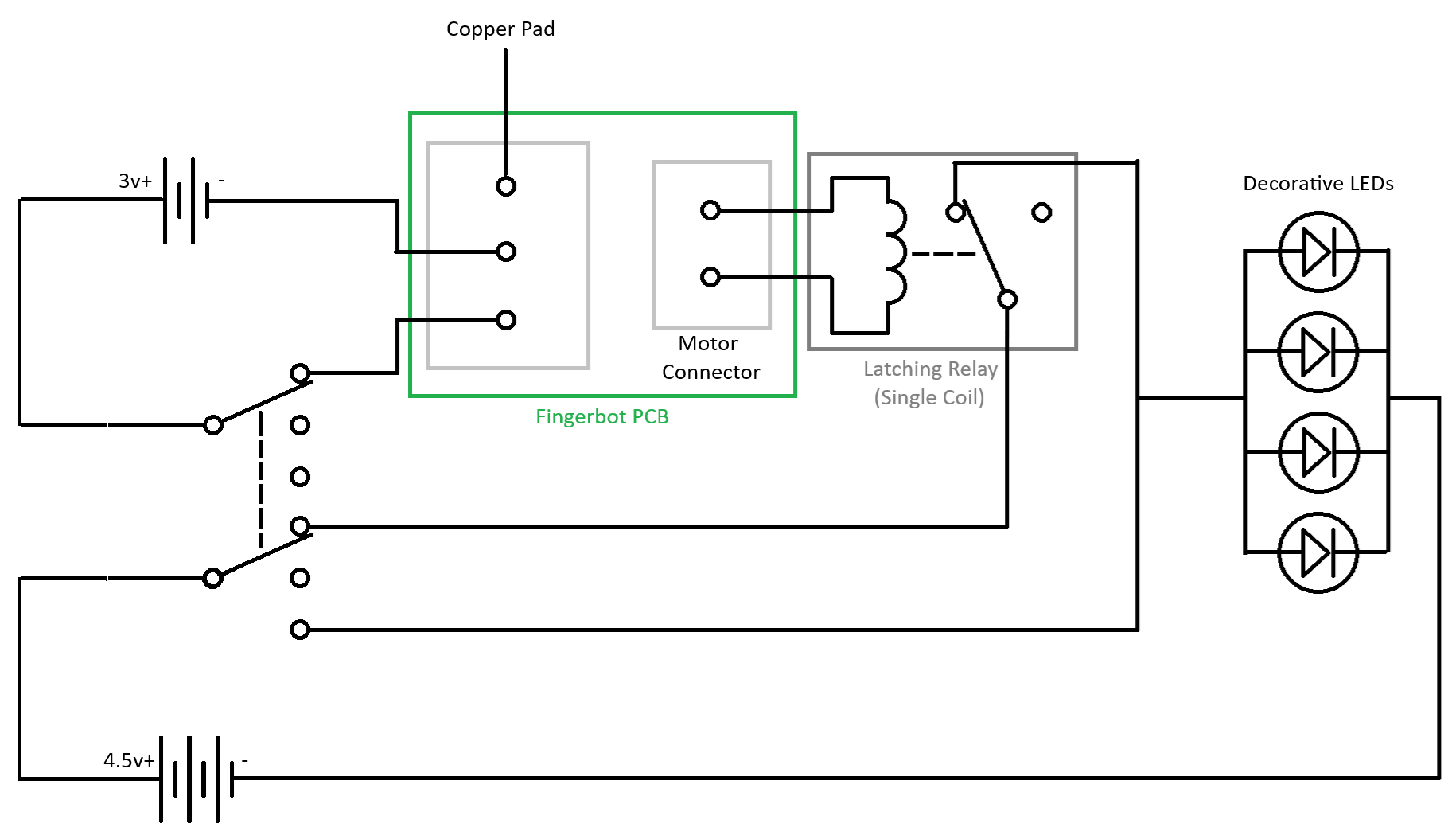
So what I’ve done is create my own replacement battery compartment, and I’ve changed out the Fingerbot’s motor for a single-coil latching relay (which does not require the coil to be energized the whole time to remain on/off). I felt this was a neater solution than trying to actuate a switch with a motor.
This is really easy to do. You don’t need any tools to take apart the Fingerbot, or extract the PCB (it’s just stuck inside with sticky pads). Then, snip the wires that go to the motor (leaving enough wire on the connector to extend later on) and the battery terminals, and un-stick the copper touch pad from the inside.
I’ve made my compartment so that it accommodates both a 3 x AA battery box, and a 2 x AA battery box. The 3 AAs power the decoration, the 2 AAs power the Fingerbot PCB/relay (I wanted to use a single battery type, and AA holders are inexpensive). I’m using a double pole triple throw switch, which gives me three switch positions; Auto, Off and Manual On. I’ve retained the copper pad from inside the Fingerbot that enables manual operation of the relay. The Fingerbot is configured to use ‘switch’ mode in Z2M. The compartment houses the batteries, switch, Fingerbot PCB and relay.
Disclaimer: I am still very much learning how to use OnShape (which I’ve used to design my battery compartment), and I’m not great at soldering. I also broke the print squeezing the battery holder in, and repaired it with a soldering iron, hence it looks a bit of a mess.
Anyway, the upshot is that these battery-powered decorations are now automated, and the batteries powering the Fingerbot will likely last multiple years (obviously they’ll be fully off whilst in storage for 11 months of the year). I can’t say the same for the batteries powering the LEDs though.
Here they are in action!: https://youtu.be/LS7vmaPo5PM?si=_gVT1hLbGmedjDOY
Here’s the relay I’m using, selected because it’s latching, and because it has a 3V coil (the voltage used by the Fingerbot): https://uk.rs-online.com/web/p/power-relays/8276283?gb=a
Onshape document: Onshape