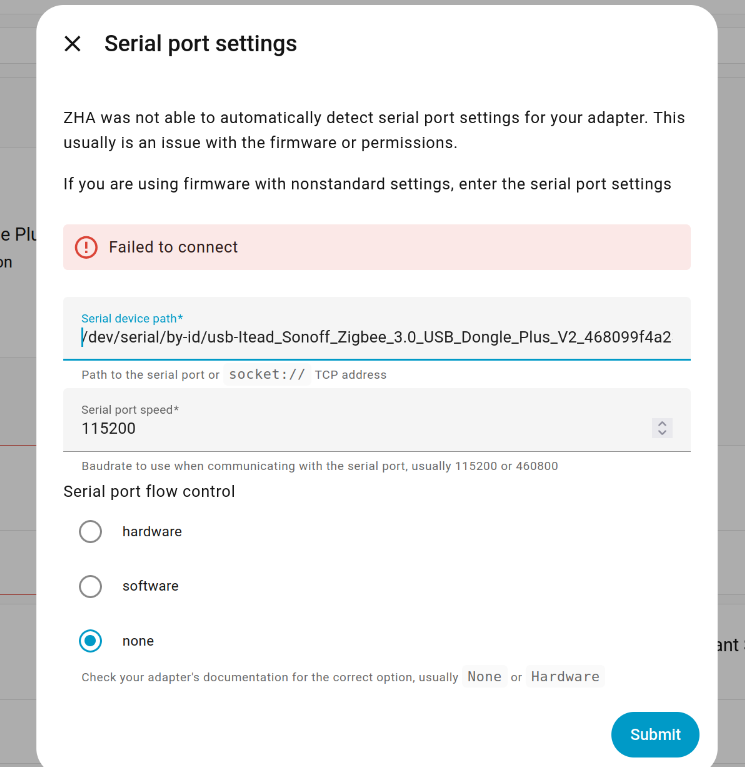
strobes
December 18, 2025, 2:46am
1
Hi, it is Sonoff Zigbee 3.0 USB Dongle Plus V2.
It was working some time ago when I test it.
strobes
December 18, 2025, 3:04am
2
Updated FW to latest, the same error…
Sir_Goodenough
December 18, 2025, 6:51am
4
strobes:
/dev/ttyUSB0
If you have another Dongle running something else, the tty address could be getting confused./serial/by-id/ URL that always talks to your dongle by serial so it is always right.
and looking for it under all hardware, something like this:
Once you have the long URL use that instead of the ttyxxx one.
If you are using a Container installation, this is how to see the /serial/by-id/ URL:ls -l /dev/serial/by-id
strobes
December 18, 2025, 6:39pm
5
I’m new to this. At the moment trying to complete integration to add 3d reality bulbs.
strobes
December 18, 2025, 6:46pm
6
Here is what I got after selecting Manual, entered Zigbee type:
EZSP = Silicon Labs EmberZNet protocol: Elelabs, HUSBZB-1, Telegesis
and this for Dev path : > /dev/serial/by-id/usb-Itead_Sonoff_Zigbee_3.0_USB_Dongle_Plus_V2_468099f4a23aef11a5bd321455516304-if00-port0
under Hardware:
>
> ttyUSB0
> Subsystem: tty
> Device path:
> /dev/ttyUSB0
> ID:
> /dev/serial/by-id/usb-Itead_Sonoff_Zigbee_3.0_USB_Dongle_Plus_V2_468099f4a23aef11a5bd321455516304-if00-port0
> Attributes:
>
> DEVLINKS: >-
>   /dev/serial/by-id/usb-Itead_Sonoff_Zigbee_3.0_USB_Dongle_Plus_V2_468099f4a23aef11a5bd321455516304-if00-port0
>   /dev/serial/by-path/pci-0000:00:14.0-usb-0:3:1.0-port0
>   /dev/serial/by-path/pci-0000:00:14.0-usbv2-0:3:1.0-port0
> DEVNAME: /dev/ttyUSB0
> DEVPATH: /devices/pci0000:00/0000:00:14.0/usb1/1-3/1-3:1.0/ttyUSB0/tty/ttyUSB0
> ID_BUS: usb
> ID_MODEL: Sonoff_Zigbee_3.0_USB_Dongle_Plus_V2
> ID_MODEL_ENC: Sonoff\x20Zigbee\x203.0\x20USB\x20Dongle\x20Plus\x20V2
> ID_MODEL_ID: ea60
> ID_PATH: pci-0000:00:14.0-usb-0:3:1.0
> ID_PATH_TAG: pci-0000_00_14_0-usb-0_3_1_0
> ID_PATH_WITH_USB_REVISION: pci-0000:00:14.0-usbv2-0:3:1.0
> ID_REVISION: '0100'
> ID_SERIAL: Itead_Sonoff_Zigbee_3.0_USB_Dongle_Plus_V2_468099f4a23aef11a5bd321455516304
> ID_SERIAL_SHORT: 468099f4a23aef11a5bd321455516304
> ID_TYPE: generic
> ID_USB_DRIVER: cp210x
> ID_USB_INTERFACES: ':ff0000:'
> ID_USB_INTERFACE_NUM: '00'
> ID_USB_MODEL: Sonoff_Zigbee_3.0_USB_Dongle_Plus_V2
> ID_USB_MODEL_ENC: Sonoff\x20Zigbee\x203.0\x20USB\x20Dongle\x20Plus\x20V2
> ID_USB_MODEL_ID: ea60
> ID_USB_REVISION: '0100'
> ID_USB_SERIAL: Itead_Sonoff_Zigbee_3.0_USB_Dongle_Plus_V2_468099f4a23aef11a5bd321455516304
> ID_USB_SERIAL_SHORT: 468099f4a23aef11a5bd321455516304
> ID_USB_TYPE: generic
> ID_USB_VENDOR: Itead
> ID_USB_VENDOR_ENC: Itead
> ID_USB_VENDOR_ID: 10c4
> ID_VENDOR: Itead
> ID_VENDOR_ENC: Itead
> ID_VENDOR_ID: 10c4
> MAJOR: '188'
> MINOR: '0'
> SUBSYSTEM: tty
> TAGS: ':systemd:'
> USEC_INITIALIZED: '53565759669'
strobes
December 18, 2025, 6:54pm
7
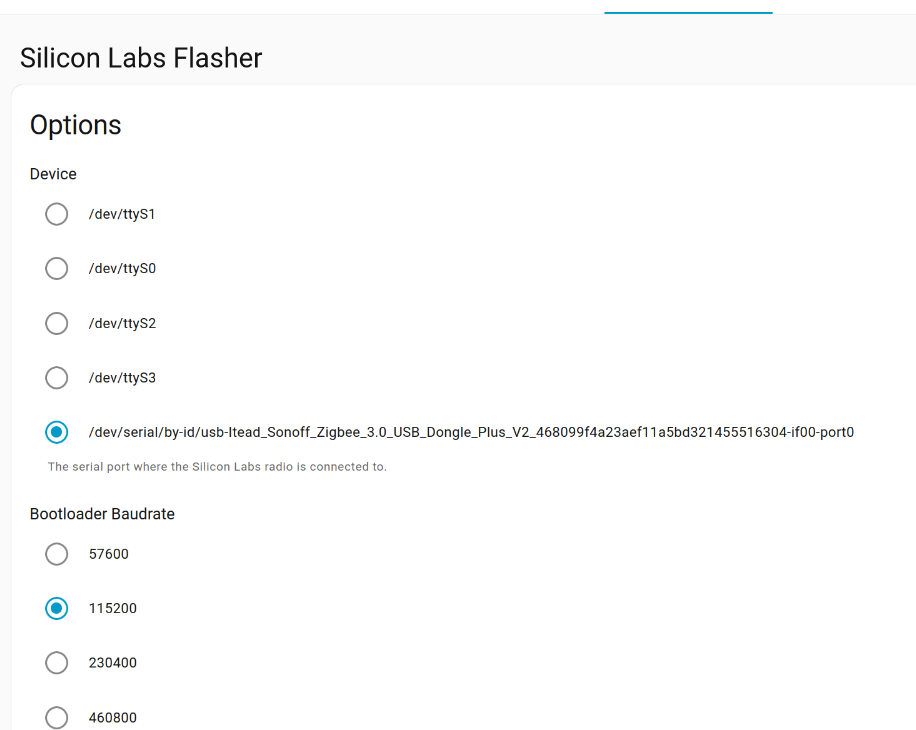
just to mention. I installed Silicon Labs Flasher add-on.
The message here is confusing :
[21:08:51] INFO: The selected serial port is not a USB device.
Add-on: Silicon Labs Flasher
Silicon Labs firmware flasher add-on
Add-on version: 0.4.0
You are running the latest version of this add-on.
System: Home Assistant OS 16.3 (amd64 / generic-x86-64)
Home Assistant Core: 2025.12.3
Home Assistant Supervisor: 2025.12.3
Please, share the above information when looking for help
or support in, e.g., GitHub, forums or the Discord chat.
s6-rc: info: service banner successfully started
s6-rc: info: service universal-silabs-flasher: starting
[21:08:51] INFO: The selected serial port is not a USB device.
[21:08:51] WARNING: No firmware found for the selected device, assuming firmware is installed.
[21:08:51] INFO: universal-silabs-flasher-up script exited with code 0
s6-rc: info: service universal-silabs-flasher successfully started
s6-rc: info: service legacy-services: starting
In case you weren’t aware, the Flasher addon and ZHA can’t both be running at the same time or it will lead to conflicts because both are trying to claim your device.
Stop the addon or disable ZHA if you want the other program to connect to your device.
strobes
December 18, 2025, 7:41pm
9
Yes. Thank you. I was reading about this. It is not running.
strobes
December 18, 2025, 8:12pm
10
strobes
December 20, 2025, 12:24am
11
All is well after updating to the latest HassOs and HA Core yesterday,