So lately I’ve been having more and more headaches as my Zigbee network has grown.
I have 41 devices currently with a mix of sensors, remotes and lights.
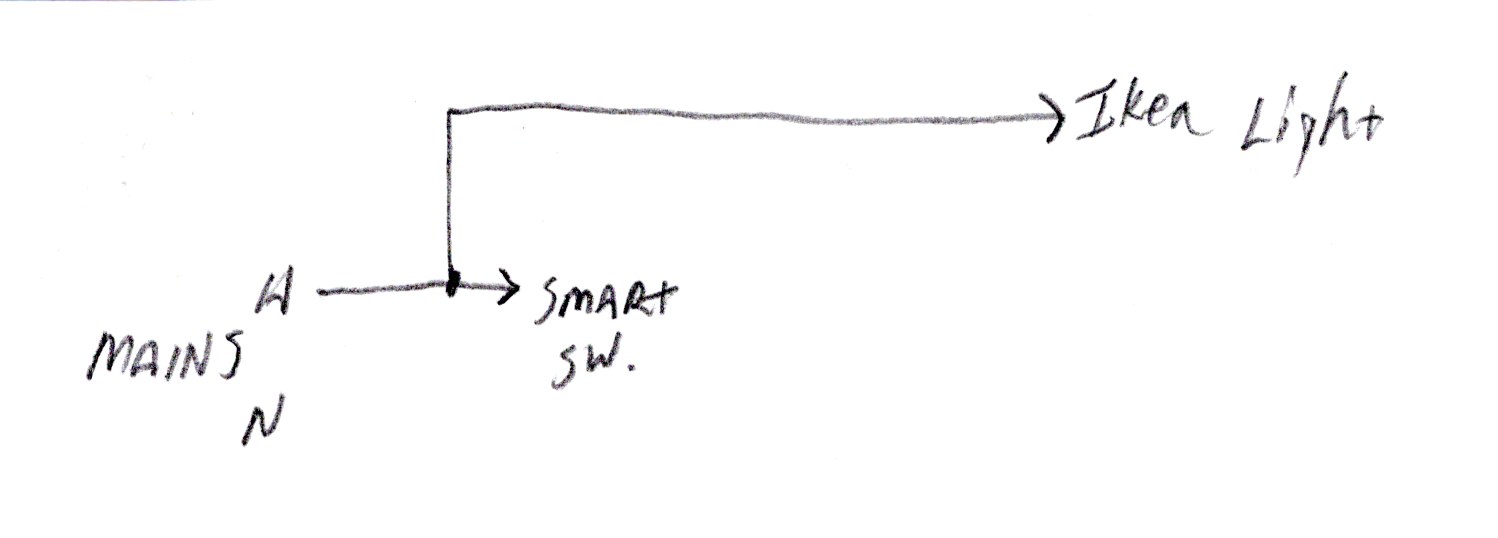
The issues I seem to have the most with are 3 light bulbs (IKEA bulbs) and a combo PIR/mmwave combo sensor that are powered on all the time, but are swtiched solely via home assistant (nodered).
But I also randomly have issues with other things like remotes and sensors.
I “feel” like it’s due to some devices (like zigbee lights/bulbs) that are turned off from mains power via a switch, this constantly fills the logs with errors MAC no ack, over, and over, and over many times a second because the zigbee network can’t reach them because well, they’re physically powered off!
My other guess (feeling) is that maybe due to the dynamic if of these lights/bulbs being on and offer during various points of the day which are obviously also routers that this sometimes breaks the networks routing.
I have no idea how dynamic the network is this headache is really starting to make me second guess my expansion/use of Zigbee at all.
That being said, I’m looking for a good way to start/attempt to ti diagnose the issue as me resetting/repairing the devices that give me a headache every month is really getting old.
There are some battery devices that don’t cope well with losing the router they’re connected to. Why are you cutting power to some devices?
But yeah, Zigbee doesn’t live up to the hype a lot of the time. It would be nice if you could mark some powered devices as “not routers”. I have a repeater in every room and my preference would be if they were the only routers, not the lights that visitors might turn off.
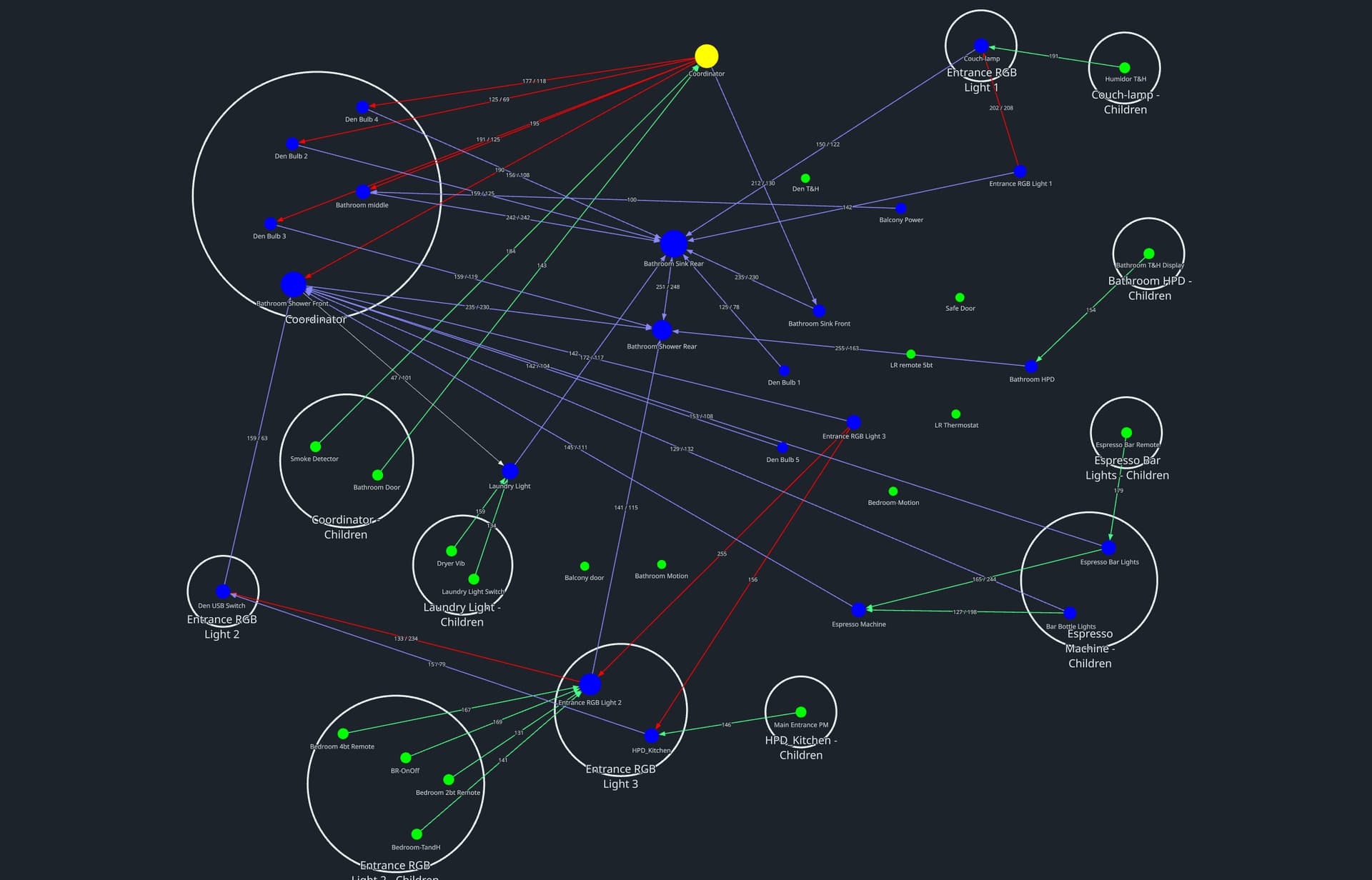
I’ve spent the last little while trying to get the network map to load and study it.
I can see that the lights that are on the primary routes are the same that I am cutting power to, so at that point I think my headaches are stemming from the network attempting alternate routes - when this happens I see a lot og ‘lag’ in the responce of devices which creates a bunch of other headaches (obviously).
Having these lights off also basically prevented the network map to load - so it’s clear they are part of the problem.
So yes, you’re right being able to block/choose router devices (especailly on a primary route) would be a neat thing to have I think.
For the reason of why I am cutting power, well they’re pot lights. And for certain areas (like these pot lights which are in the bathroom) I want to make sure that even when the smart home is down/acting stupid, the lights can always be turned on and off manually via the normal switch.
I think I will have to investigate moving the coordinator more central and hope the routing is a little more ‘robust’ after doing that.
The Zigbee network map is practically useless as the connections are always changing. Even just walking through a room with Zigbee devices will cause some route changes. The map is only a snapshot at that moment. Wait a few minutes and it will be different.
There are no Zigbee Repeaters. There are routers that market as repeaters but there is no Zigbee Repeater in the Zigbee definition. What is marketed as a repeater is a router with no other function.
Your big mistake is switching off the power to a mains-powered Zigbee device. Every time you do that your Zigbee network scrambles to repair the broken routes.
That would defeat the strongest feature of the Zigbee network- the ability to dynamacilly map the network routes.
The solution is simple. Do not turn off Zigbee Routers.
Not for nothing, but it seems like that is a flawed system and if anything is more of a reason to be able to designate or at least deprioritize devices as primary route(s).
As an example (and I’m not saying IKEA does Zigbee right) the IKEA light bulbs like a GU10 is such a device in my home. Not being able to turn them off from mains power is an unlikely scneario for just about any implementation of a bulb like that beacuse of it’s design.
So either IKEA expects people to throw out their light switches and use stupid remotes for their lights or it can’t (shouldn’t?) be as big of an issue as it is.
Either case, I understand what you’re saying and it might actually be the case - however if it is true then Zigbee is a terrible solution for lights and I can basically just rip them all out.
Zigbee and Wi-fi light bulbs sell because most people think it’s an easy fix. Now you know why it’s not so simple
hang on … smart bulbs do have their uses , but usually as part of a solution, rather than being the solution by themselves. The problem isn’t so much with the bulb as with the switch.
Rather than turn the light on/off by automating the bulb, the better solution is to automate the switch, with say a Shelly 1 mini or Sonoff ZBMINI device behind the wall switch panel, and a regular bulb. The switch stays powered on whether the bulb is on or off; and people can flip (or press) the switch, which both toggles the light bulb, and sends that info so Home Assistant can stay in sync. Unfortunately this may legally require a licenced electrician to make changes to the fixed wiring (in the wall), and hence be much more costly.
Alternatively you could place a zigbee switch (eg SONOFF SNZB01 or IKEA RODRET or STYRBAR) next to the current wall light switch and persuade people to use it instead. For instance I have used a Styrbar to add a second switch for my living room light in a much more convenient location.
IKEA have some neat products, but I can’t find GU10 on their catalog to see why it cannot be powered off.
Neutral is common to everything; the switch is a cheap WiFi switch. Ikea is always powered, and the wall switch is seen as an entity in Home Assistant. Toggling the wall switch toggles the light using an automation.
Again, the point of having these particular lights NOT powered by a smart switch is to make sure they keep working when something goes wrong.
I have plenty of lights that are only controlled by HA and mains are always supplied (also IKEA GU10’s).
I just wasn’t aware that it would cause so many headaches to the network having a few lights physically being removed.
The smart part of the lights (either dimmering, RGB or white balance) is why they’re used in the first place.
I can in both rooms easily leave them connected to mains just by changing the way my Zooz wall switches work and I do this elsewhere or just rewire as required. But that wasn’t the intended purpose for above reasons.
Add some smart plugs, one or 2 each room. They are mains powers all the time and will route your mesh properly. Don’t rely on bulbs, battery devices do not route at all.
Look into binding. I have two in-wall dimmers only controlled by a separate, wireless zigbee dimmer and I can control the lights with HA / Z2M turned off.
Just chiming in to say I feel your pain and I lived it for a few years. I had about 40 Eaton Halo Zigbee lights that were all routers. They NEVER failed. They did, however, not play well with Sengled bulbs that were not routers. It’s almost like they purposely ignored them constantly causing the Sengled bulbs to go offline. Also, caused SmartThings Buttons and Aqara devices to lose connections.
Moved to a different house and left the Halos behind. Found the devices were much better without Halo. Over time I found all Centralite plugs (routers) were silently failing as well. Replaced those and issues went down again.
I now have a fairly stable network, but as Sengled bulbs fail I replace them with non-Zigbee devices. I invested heavily and have slowly pulled back.
Yes I can see how this is unfolding for myself - my network was pretty straight forward previously. In a high rise building there is a lot of 2.4 Ghz interference so once in a while I’d have to let a battery powered device unpair and repair and/or deal with some switching delays.
My Zwave network on the otherhand is probably the best smart network I have (and was my first when I started many years ago). Next most reliable I think will be ESPhome/wifi devices. Last place goes to Zigbee.
The addtion of mains powered zigbee lights which are turned on and off, it seems the network isn’t built nor smart enough to cope with that. The network is fine until it’s not - it’s really completely random. I can have no issues with my setup for days/weeks at a time but any time I do it certainly seems to be related to the nodes/routers (on primary routes) that cause the breakdown.
What I assumed to be a no brainer (buying GU10 replacement bulbs with smart capability) is what ultimately is just not a good idea if you want any type of reliable Zigbee system in place.
You were close… The bulbs are (likely) also routers. Works great if always powered on.
I have one or in some rooms two of these plugged in to the AC outlet. No Zigbee device is more than two meters from a router. Sometimes the answer to an unreliable Zigbee network is more routers.
“Interference” is widely misunderstood. The Zigbee and the WiFi protocols expect to have collisions with other devices in their vicinity. (Google Clear Channel; Assessment and CSMA/CD). Zigbee listens to the channel and when there is no activity the router jumps in with its transmission. Sometimes it doesn’t get an ACK from the destination, and it repeats: Wait for an opening, transmit, listen for an ACK returned by the receiver. In a crowded environment this presents to the user as interference because it could take a second or two to complete a successful transmission. This is not interference; this is channel congestion. Changing the channel might help.
Interference is when the receiver simply can’t hear the sender because there is another sender or device also using the 2.4 GHz RF band close to the receiver that overwhelms the receiver’s ability to hear anything. Sort of like trying to have a conversation with the person in the seat next to you and the players on the field score a goal. The person you are talking to can’t hear you because of the noise of the crowd. That’s interference.
Interference is why you are recommended to not use USB3 on your Zigbee controller and to separate the controller from the computer. (Computers are especially noisy with harmonic interference). The harmonics of USB3 data fall right in the middle of the 2.4 GHz frequency band and could be “louder” than the signal a router or end-device is trying to send.
Not a great option, but it may get you out of a jam, some ** Zigbee bulbs are end-device only (not routers) if you must cut power to them you may want to try using them for this use case. Since they are not routers the rest of the network shouldn’t change when you cut power to them (or restore power).
** - I have a few Sengled bulbs and other than them not being routers, I am pretty happy with them, they have decent color reproduction and are fairly cheap.