I’m running Zigbee2MQTT and am using the SLZB-06 as my Zigbee coordinator. Z2M connects to the SLZB-06 over the network and both are connected to the network via Ethernet.
At least once a week (but sometimes even more often), all my Zigbee devices stop responding. The only thing that helps is that I reboot the SLZB-06 and the Zigbee chip on the SLZB-06. After that, I often have to reboot Z2M too. Do other people have similar experiences?
Try a different Ethernet cable
Try a different port on the switch
Try a different switch.
Are the HA host and the SLZB-06 using static IP addreses?
Is there some kind of WIFI bridge between them that might be causing problems like an AP or a mesh router?
Try a different Ethernet cable
Try a different port on the switch
Try a different switch.
I can use the web interface of the SLZB-06 just fine. If one of the parts of the ethernet-network were failing, I’d expect the web-interface to be problematic as well, right?
Are the HA host and the SLZB-06 using static IP addreses?
I’ve marked them static in the DHCP server, so they will get the same address via DHCP all the time.
Is there some kind of WIFI bridge between them that might be causing problems like an AP or a mesh router?
Not the latest firmware but it should work.
Perhaps the coordinator it too far away, and you dont have enough routers in your network for the devices that disconnect?
At this point z2m should be able to create you a network map.
It’s the latest stable version for Core. For the Zigbee radio, there is one more recent build, but that one has a warning on it that there’s a potential issue that could cause the network to be lost and you need to re-pair all devices. That’s why I didn’t update to that version.
Maybe I should try upgrading the Core firmware to the latest dev version?
Perhaps the coordinator it too far away, and you dont have enough routers in your network for the devices that disconnect?
The Zigbee network is operating just fine the most of the time. Only occasionally (roughly once a week, but not on a set time) Z2M will loose the connection to the SLZB-06 and nothing will work anymore until I reboot the SLZB. (Oftentimes I also need to restart Z2M afterwards.)
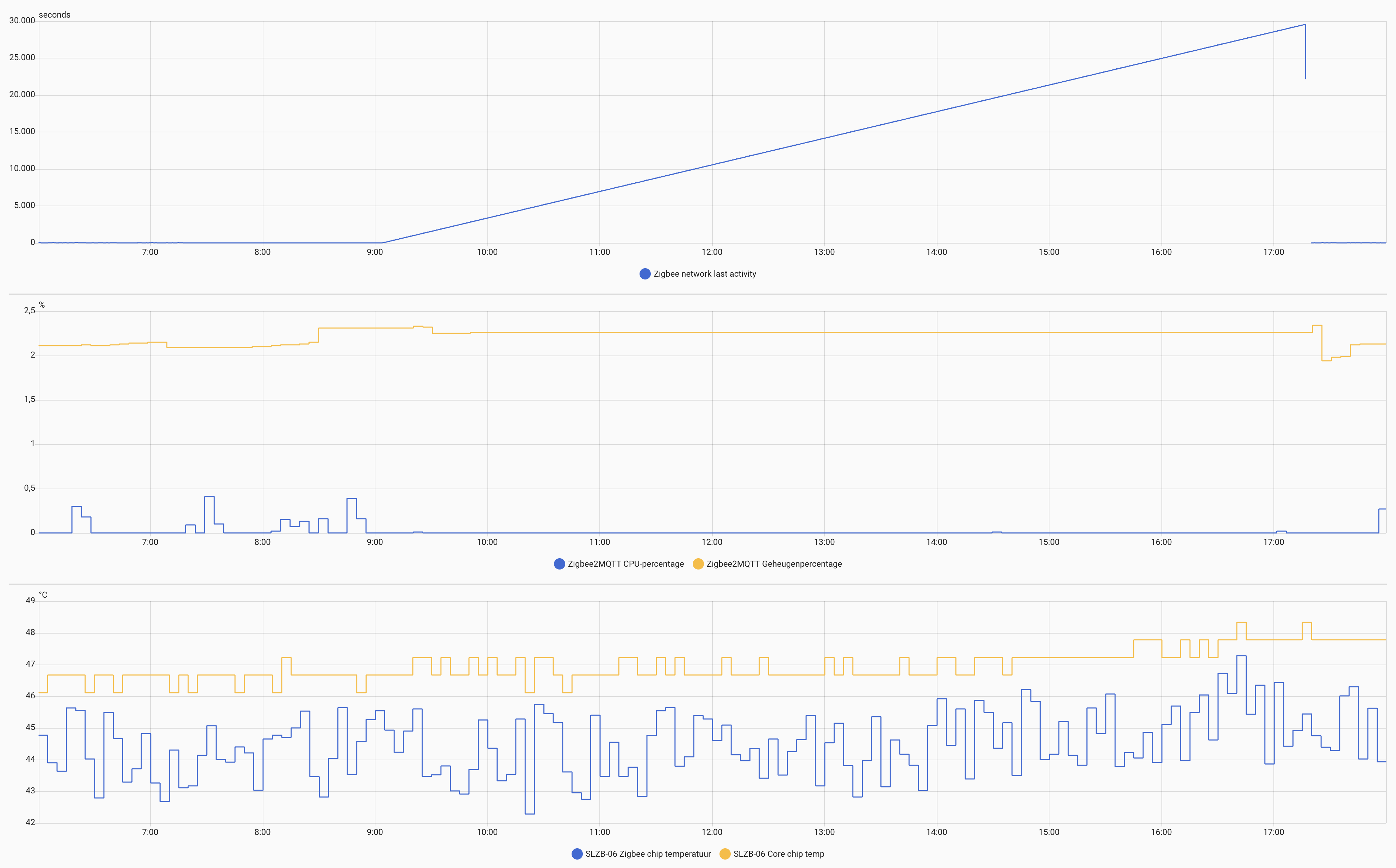
The top graph shows the time since any Zigbee device was “seen last”, as reported by Zigbee2MQTT. As you can see, at some point, this time starts to increase, in other words: no device updates come through anymore.
The middle graph shows the CPU and memory usage of Zigbee2MQTT, that’s running as an add-on on my HA installation. As you can see, as soon as the Zigbee updates stop coming, CPU and memory of Z2M become a flat line, which makes sense. It at least shows that the problem is not that Z2M goes out of memory or something like that.
The bottom graph shows the temperature of the SLZB-06 chips. As you can see, nothing interesting happens with the temperatures.
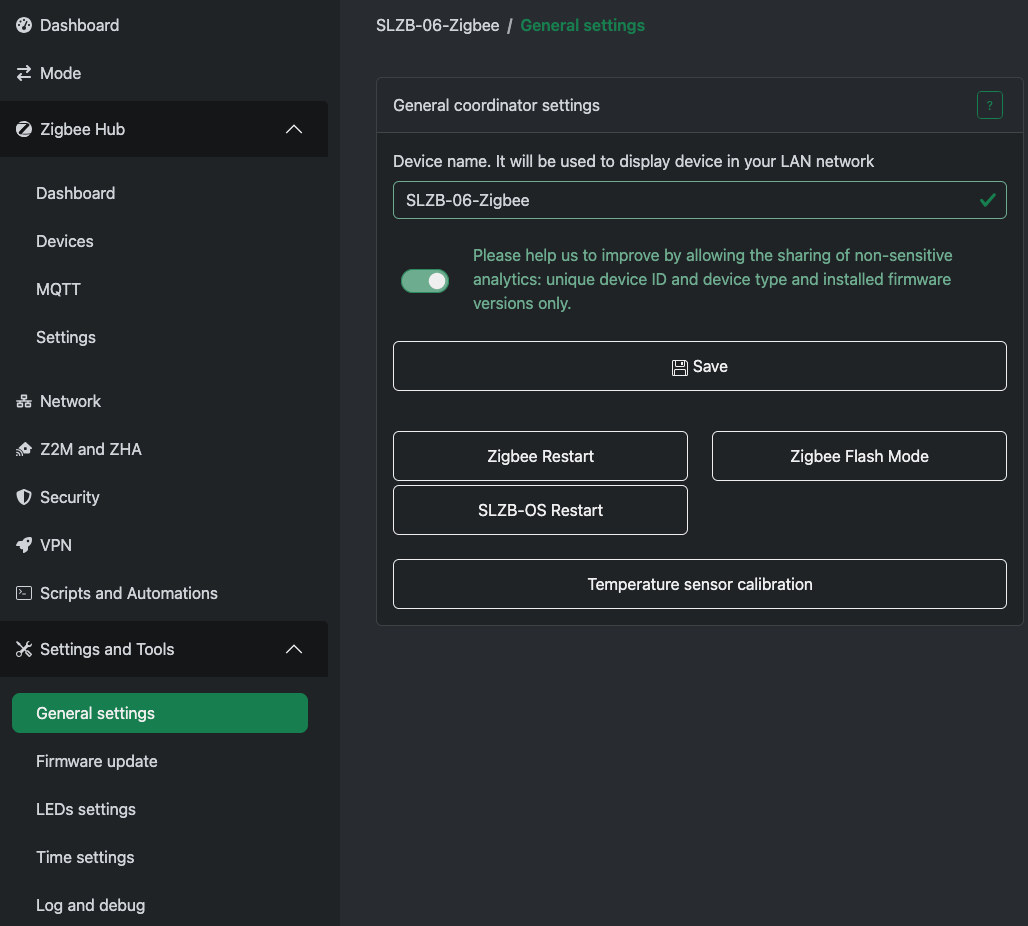
Mine is also PoE-powered. I usually need to restart both the Core/SLZB-OS and Zigbee. I tried restarting only one of those several times, but that usually doesn’t solve the problem.
At this point I think a good option is to re flash the device from scratch using a chrome based browser with “fresh” firmware and hope it resolves that way.
Else I fear a fresh device will have to do. But I hate to throw “new” hardware at it just for the sake of trying to see if that fixes it… (which it probably will)
Personally, I think it is some software/firmware bug. Firmware doesn’t “wear out”, so I don’t think “fresh” firmware will make a difference. Hardware also doesn’t “wear out”, but breaks sometimes. But usually when hardware breaks, the consequences are a lot less subtle.
I think what we should try is see if we can find the trigger that causes this behavior. It could be some combination of factors that is not handled well by either Zigbee2MQTT or the SLZB-06.
I’m not entirely sure that it’s the SLZB-06 causing the issue, to be honest. As far as I can tell, the problem occurs somewhere in the communication between Z2M and SLZB. So then the bug could be on either side.
Any updates on your problem ? Yesterday I had to set the availability pinging from z2m to 120min as the zigbee chip is not super happy with all the traffic that gets generated. Now my devices don’t seem to go offline any longer.