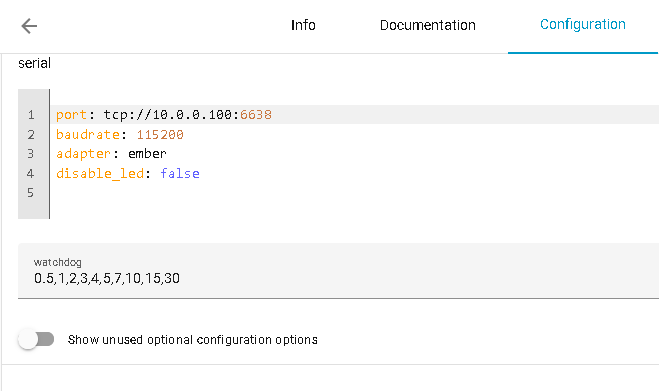
Hi, I’m new to HA (since may 2025) and I’m using a slzb-06m zigbee coördinator together with zigbee2mqtt. I had it working fine, but since the new update the z2m constantly stops working on regulair basis (2-3 times a day). It helps to stopt to add-on and then turn in on again, but I did not had this problem before the update. Does somebody know how to fix this?
I use HA on a virtual machine. Before the SLZB I used the sonoff dongle, which constantly failed due to the port being lost. That’s why I switched to WiFi, which didn’t showed problems until the update.
many reasons to this, if update bug cause this, more have trouble. look at log, this will give you info. and try with lan cable, then you see on same happen
Look for any firmware upgrade to the slzb. They released a firmware update recently to address a lockup on the device which caused zigbee2mqtt to crash.
That being said, after the update I still get lockups and the way to restore it is to restart the zigbee coordinator (don’t need to restart the whole slzb device) and then start back zigbee2mqtt.
I actually created an automation to monitor zigbee2mqtt and if it goes down to do those 2 tasks and notify me.
I got watchdog enabled with default settings. In the logs I see that it also reboot by watchdog sometimes. However, I also noticed that some devices turned to unavailable. I got the newest version of the slzb and I rebooted it a few times by cutting the power on and off. I will try it now with de reboot buttong.
I made a few days ago also an automation which turns of the z2m, reboots the slzb and turns back on the z2m. however, even then it does not always works afterwards
For wifi I use a TP-link Deco, which is connected to my router. I have the slzb connected by wifi to the TP-link deco. I have the IP reserved on the deco.
I also just noticed that some devices don’t work, I have an aqara W100 and it does not recognize buttons being pushed. However, other devices do work, like the Philips hue remote.
I did a factory reset on the slzb, reconected every device (not by forgetting the device, but by setting the device in pairing mode) and I had to manually change the settings of every device again. It works for now. Most of the problems are gone.
Z2M stops multiple times a day, but it restarts immediately. I changed to ethernet as recommended by someone above.