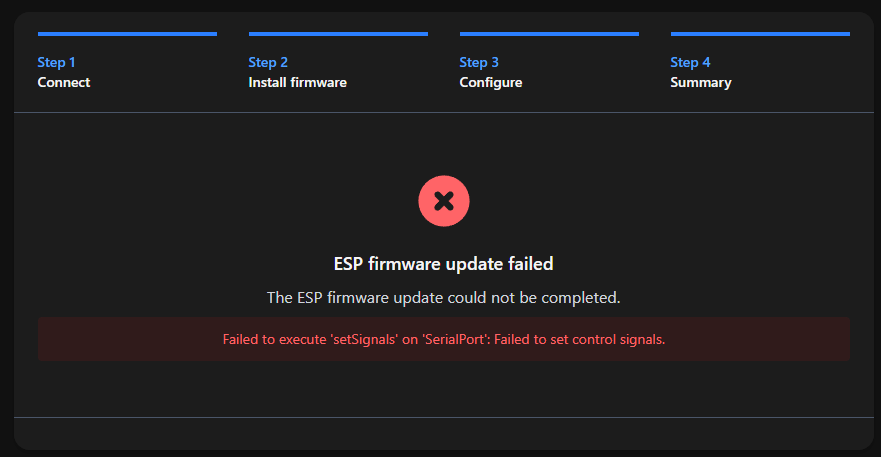
I bought a second zwa-2 to test with so I could leave my original zwa-2 as is. I have tried to install the portable zwave through chrome on my macbook and my windows box and it connects to the zwa-2 and goes into bootloader but after that step it always errors and says "ESP firmware update failed
The ESP firmware update could not be completed.
Failed to execute ‘setSignals’ on ‘SerialPort’: Failed to set control signals."
I have tried multiple usb-c cables and clearly multiple machines, I realized it was on the old firmware so I updated it to 1.1 and that worked just fine. Anyone have any tips?
Well it’s nice to know I’m not insane or an idiot but I do wish someone from HA would be able to chime in and have a fix. Thankfully I took a week off for the holiday but wanted to work on this while I had the time off too.
Quick question for all of y’all… were you using Windows to flash these ZWA-2? Is it possible to try to use Mac or Linux to flash these - some early firmwares have an issue with being flashed with Windows. A VM, WSL, or Linux Live CD should probably work.
I don’t have access to Windows. I’d love to use Linux … better yet, directly from HA-OS or ESPHome Builder … but that seems to need a GUI and all of my linux boxes are headless.
My (failed) attempts have been with the latest MacOS (Apple Silicon) using both Chrome and Safari.
Try these steps out, there’s something going on with your ZWA-2 that’s preventing it from allowing the ESP to be flashed. Bridging some pins inside the device should allow flashing (and means you shouldn’t have to take it apart the next time you flash it).
Unplug the USB cable. Take off the antenna, take out the rubber feet, and unscrew the four screws on the base.
Take the board out, then using a short piece of wire, bridge GPIO0 (pin zero) and GND (ground). See the attached picture.
Plug it back into a device capable of running the toolkit website and flash the latest firmware (or portable Z-Wave). Follow the steps provided by the flasher (connecting to Wi-Fi etc).
Remove short piece of wire, and reassemble once it appears on your Wi-Fi.
Anyone have any other info? I have been trying to get this to work for a few days now and it just wont work. I took the thing apart to do the pins, and this allowed the device to take the firmware, but it fails every single time when trying to configure Wi-Fi. I have tried Chrome, I have tried Edge, I have tired multiple PC’s, I have tired reverting back to the original firmware then trying to update again. If anyone has any tips on how to get this to work, I would be very grateful. Hopefully the author can fix all these issues and update the install page.
EDIT: After almost giving up, I decided to just try the Wi-Fi configuration 10 times over and over. Eventually, the error went away, and it was able to configure.
Just adding my note here that I needed to jump the pins, and the wifi setup worked for me on the 3rd (or so) try.
It’s worth noting that I first tried jumping the pins to install the regular firmware, but it failed to install the wifi firmware after I had removed the jumper. Firmware flashed fine to wifi once I had reinstalled the jumper wire.
Would really be nice if there was a way to flash this thing without needing to dismantle the device.