15 Likes
Wold be nice if someone would repair Android TV Remote not launching apps witch is broken from 2026.8
3 Likes
That is not Home Assistant, we’ve adjusted the documentation to reflect this:
- Launching apps by their application ID (as opposed to a deep link) currently doesn’t work for many apps due to a Google Play Store change. Use a deep link instead when one is available.
../Frenck


Blogging my personal ramblings at frenck.dev
7 Likes
Great release! Can’t wait to put my hands on Modbus!
Thanks for all your efforts 
Nice release.
Love the new maps!
1 Like
2 Likes
Our friends at Nabu Casa are testing a new speech-to-text engine for Home Assistant Cloud, and it significantly improves the three common places voice processing gets tripped up: accents, background noise, and non-English languages.
I am interesting in background noise improvements for local offline speech-to-text.
3 Likes
New tile card features
You can now hide mute button! 
The best new feature!!
But volume buttons would become wider. A small issue to fix in the next release 
1 Like
Still having the issue of CPU spiking and staying elevated when pre-load is enabled for cameras.
Never had an issue in 2021.7.x - pre-load enabled for 2 cameras, CPU avg. 9%.
After 2026.8.0 with pre-load enabled - CPU 88%. Once pre-load is disabled, CPU returns to the usual 8-9%.
Beware this update breaks many components and integrations, including LLM Vision, Hubitat Integration, some helper implementations, Alexa Media Player.
and possibly more.
The key issue seems to be a new approach on enumerating device registry. Will update after restoring to previous version !!
6 Likes
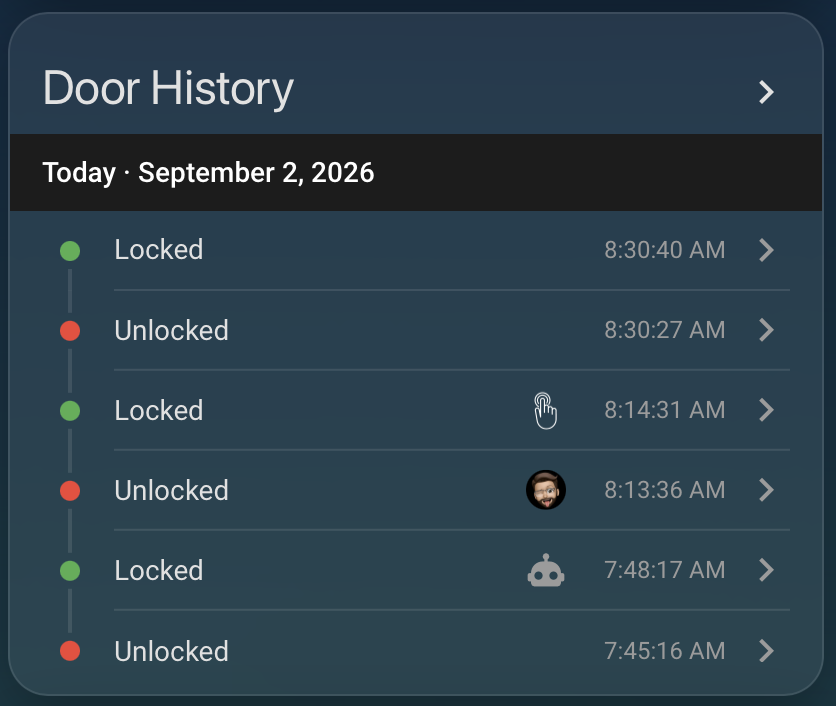
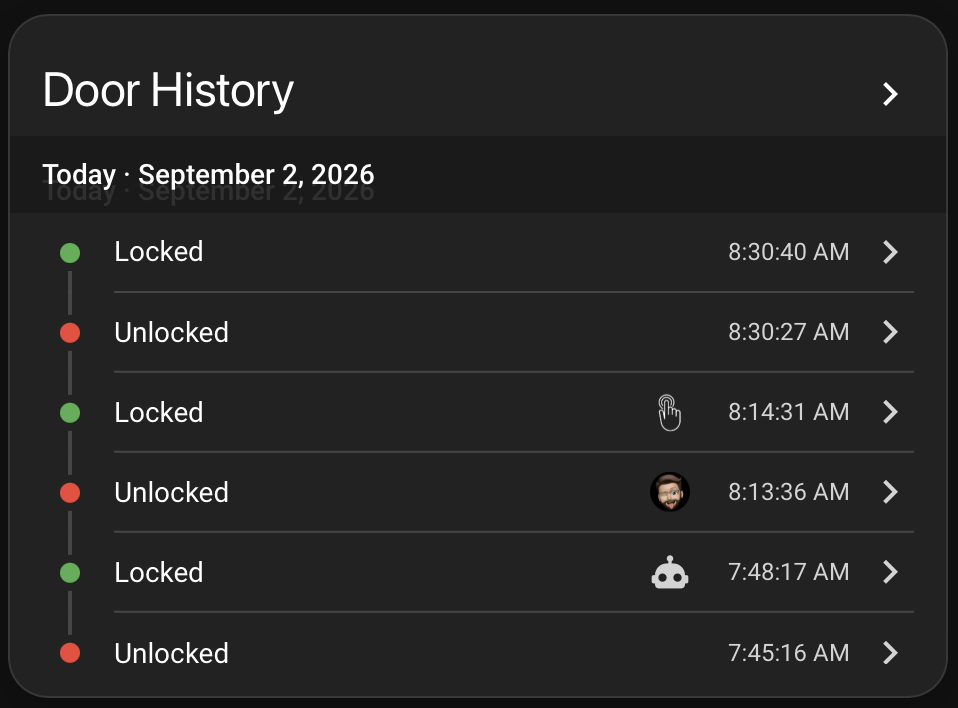
Is there a way to hide the highlighted date bar on the Activity card? Themes that adjust opacity cause a ghosting effect due to the same text being displayed behind the bar.
1 Like
Glad to see the new Connectivity section in Settings. Good to see that these have been put under a sub-section. No more scrolling to get to System that has been annoying me for a while now.
3 Likes
AMP working fine for me on RPi4.
Although I only tested it with txt to speech.
Not sure about the rest of your warnings
I concur on Hubitat failure - rolled back to 2026.8.3 container image and hubitat integration worked again.
3 Likes
Logger: homeassistant.helpers.frame
Source: helpers/frame.py:305
First occurred: 23:32:50 (2 occurrences)
Last logged: 23:32:50

Detected that custom integration 'xiaomi_miot' sets an entity ID with wrong domain: 'xiaomi_miot.roidmi_v60_029d_robot_cleaner'. Expected domain is 'vacuum'. This will stop working in Home Assistant 2027.5.0, please create a bug report at https://github.com/al-one/hass-xiaomi-miot/issues
Detected that custom integration 'xiaomi_miot' sets an entity ID with wrong domain: 'xiaomi_miot.xiaomi_v20_aed7_kettle'. Expected domain is 'water_heater'. This will stop working in Home Assistant 2027.5.0, please create a bug report at https://github.com/al-one/hass-xiaomi-miot/issues
Well, it’s not 2027 yet, but after the update to 2026.9, it stopped working… 
I like the new maps. It would be great to have two zone options: the existing default circle, and a new option that allows you to draw a custom zone using straight lines.
With the custom zone option, you could click points on the map to create the boundary, then return to the starting point to close and complete the zone. This would allow us to create zones of virtually any shape and enable much more precise and useful automations based on location.
Blacky 
2 Likes
The new Map is ok (thou still not a detailed one, if one lives on the countryside)
Beside the new Map seems to use other “measurement”, … Or it doesn’t Respect the Radius of Zones settings in configuration.yaml, which is kind of “odd”
Does this causes issues with trackers ?
hmmm,wait,or did it actually wiped 1(My Manually Added) of my Zones ?
Now i only have 1 Zone(the automatically added with the 2 cordinance
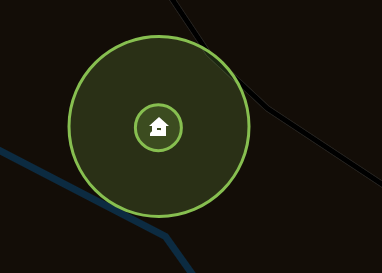
Seems like i can’t have a Zone of My Property, Covering the Automatically added Home Zone ( No Zone’s in A Zone ? )
Use.case , im in and around my house Home-Zone, or im at the outer premises of my property(out of reach of i.e my Wifi etc), but actually still " Home at the Property "
Which surrounding my house
Map Shows
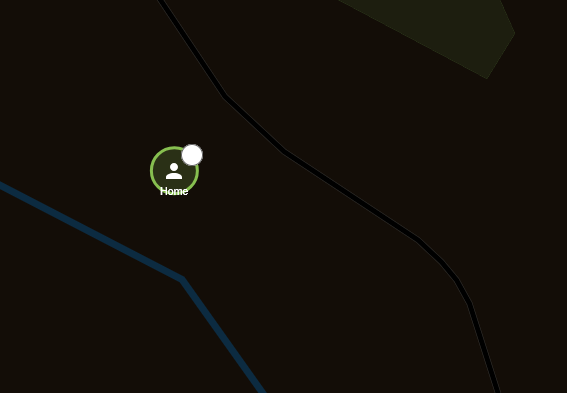
Ok, Got it working again ( i hope ) … to late to test, bed time
Huge news with the Sofar integration!
I got an Azzurro ZCS inverter. Those are rebranded Sofar inverters. Does the integration already work with those, too? Or if not, are there any plans to integrate them, too? The Modbus and the registers should work exactly the same.
Seems like Tile card - possibility to mix vertical and horizontal for additional functions and an option to disable name/icon · home-assistant · Discussion #1339 · GitHub was addressed by @JulianHock thanks!
1 Like