2026: Cleaning up 5-years of slop

This is a bit of a re-do from my original project that was kicked off during COVID. key goals that have been on the current focus have been to keep it simple and finish what I start.

Here is the original post of chaos: My Home (Google home + Unifi + Rainbird + Tuya)

This is moderately successful as this was a clean-up of a live project that has been chopped and changed from VirtualPC, Raspberry Pi 3, 4, ESXi and now finally Proxmox.

Use case:
Typical family with 2 kids and a wife with a low tolerance for change or things not working. Expensive power bills and a busy life. The general goals of this project are;

  • Automate as much as that's practical
  • Allow for dumb/manual overrides wherever possible
  • Try not to overcomplicate things, with simple logic
  • Leave useful notes for future changes and to be able to diagnose issues

Key dashboards for mobile usage

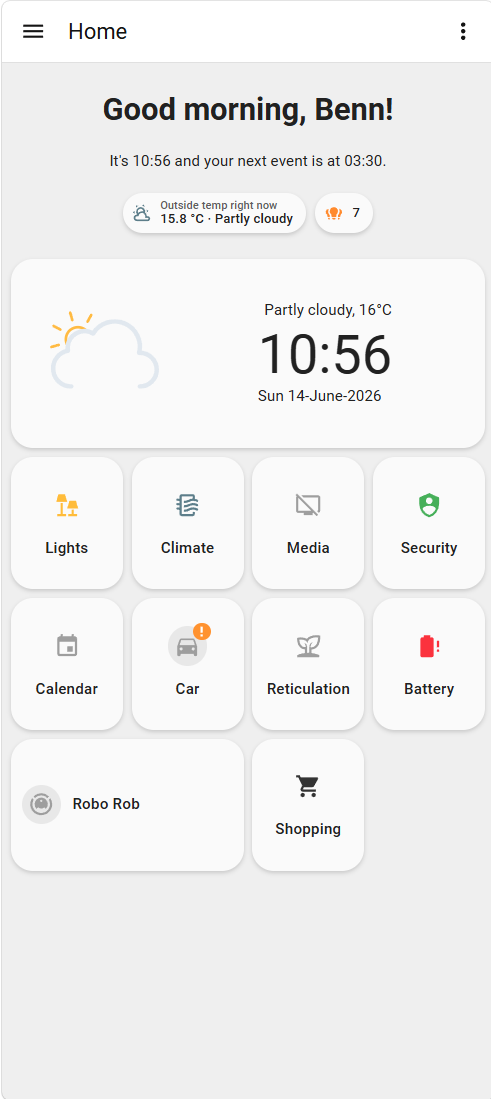
  • Home Page. Navigation to sub-pages (go to direct content)
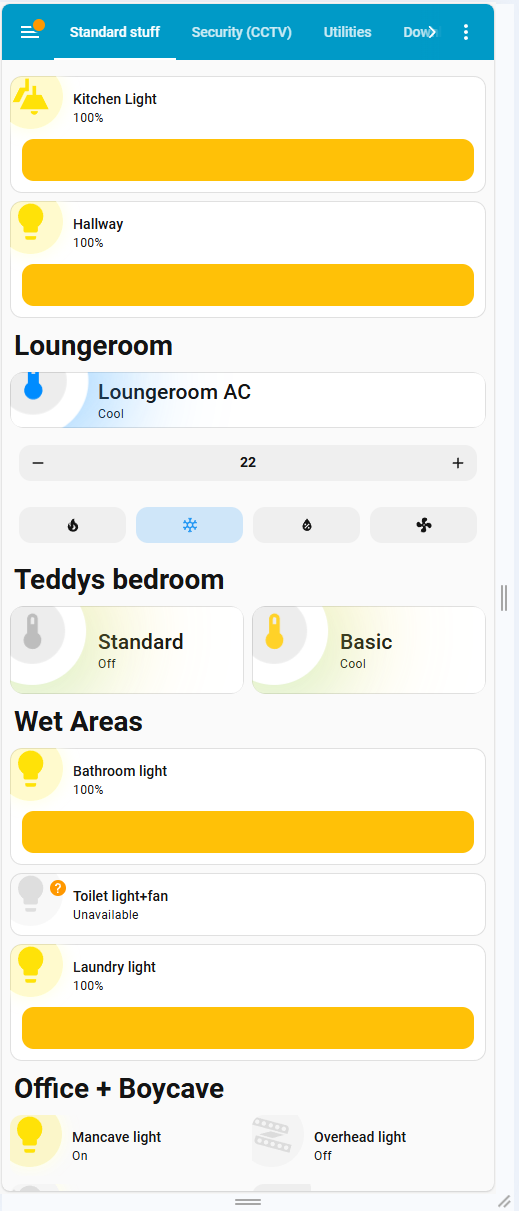
  • Standard stuff: lights, air conditioners, fans (go to direct content)
  • Security: CCTV super basic setup
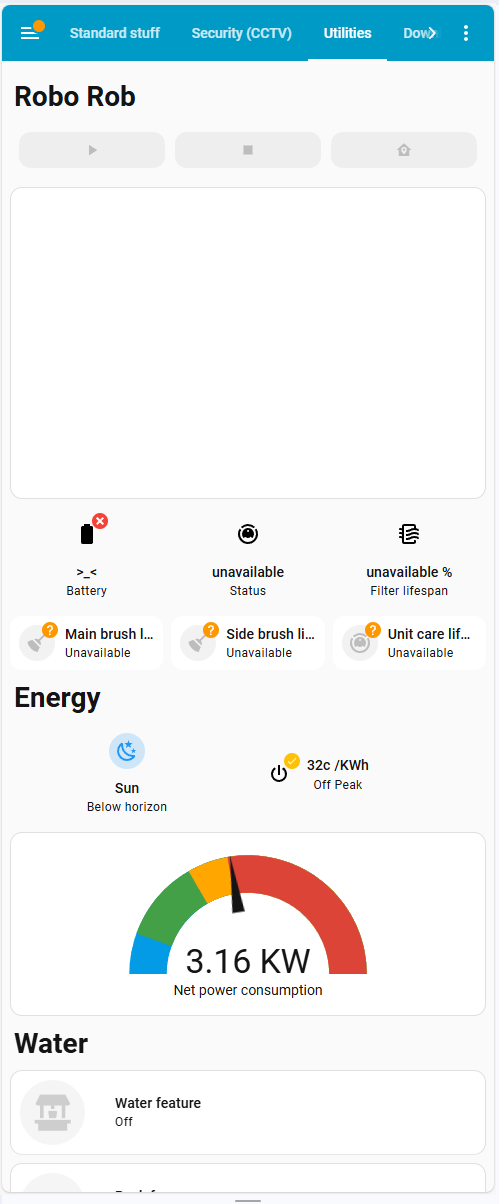
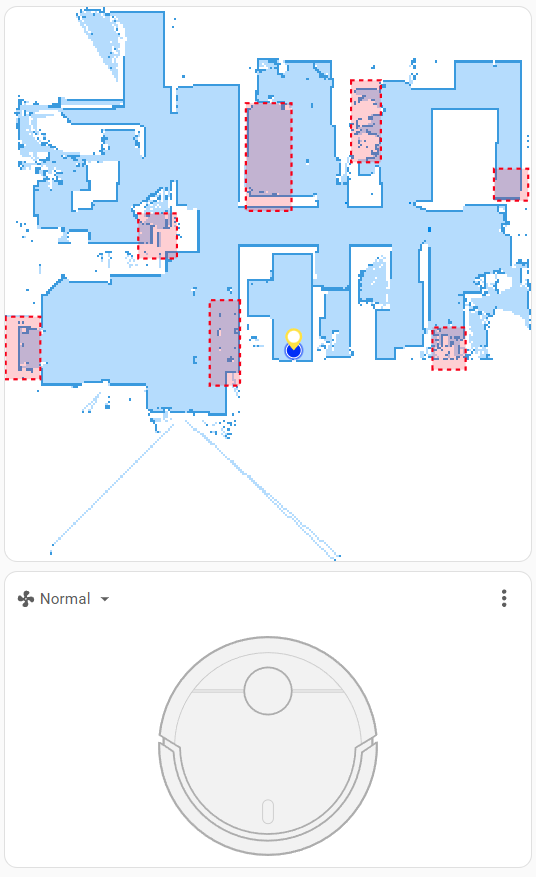
  • Utilities: Robo vacuum, Network power monitoring, reticulation
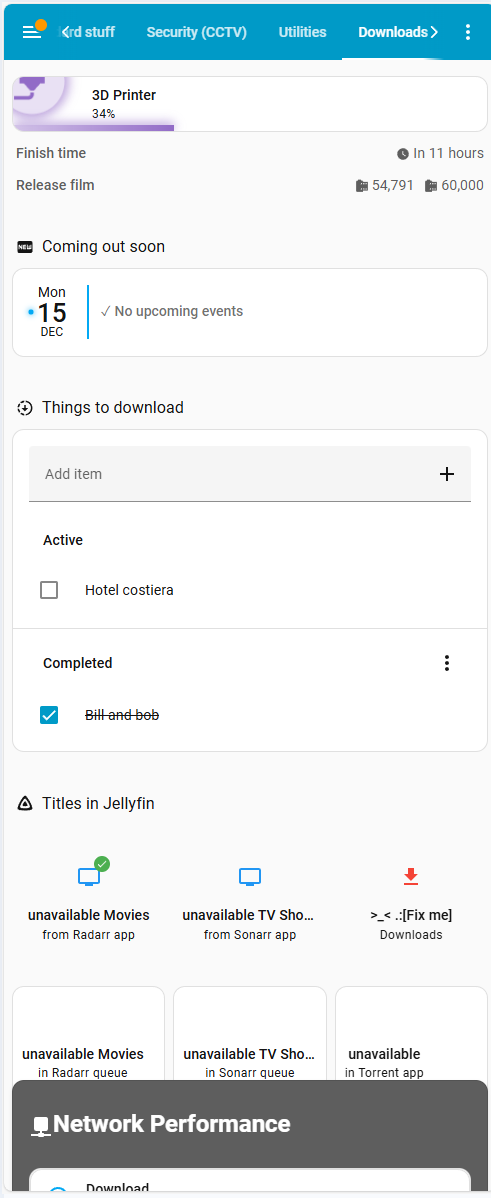
  • Nerd Labs: 3D Printer, Jellyfin, Unifi system monitoring and HA system monitoring
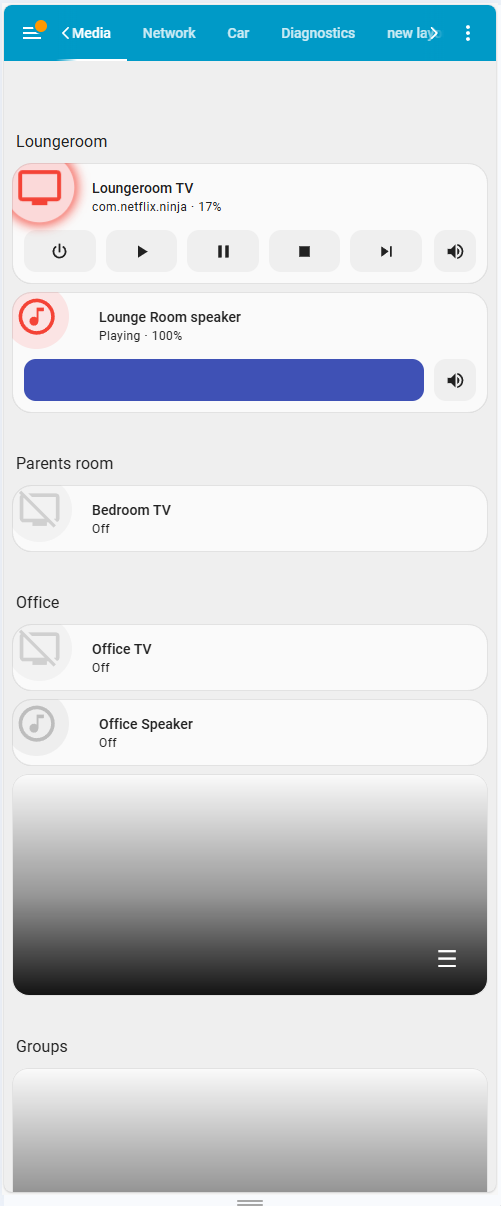
  • Media: Android TV, Google Home Speakers
  • Network: topology map, SSID, floorplan, offline diagnostics
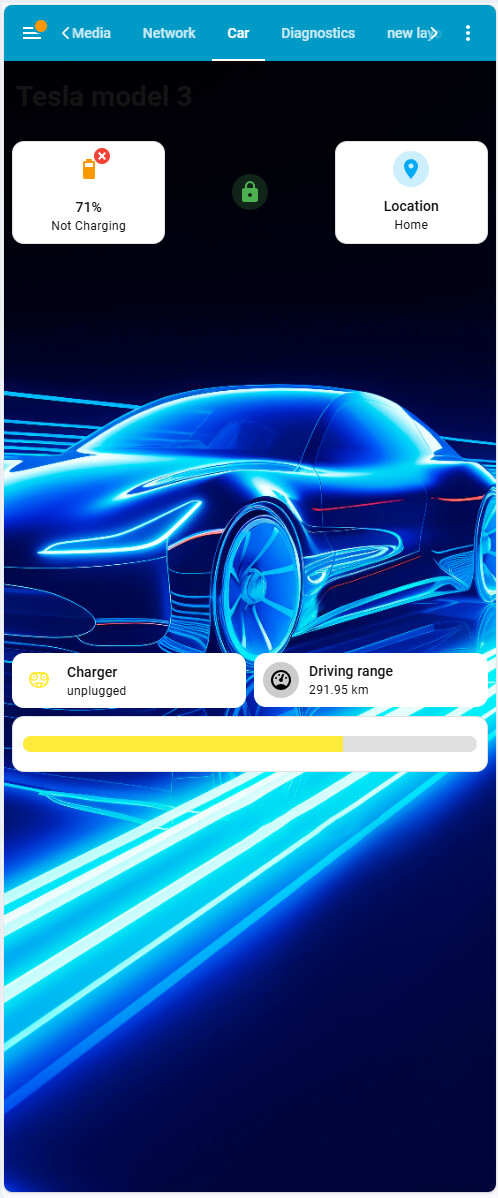
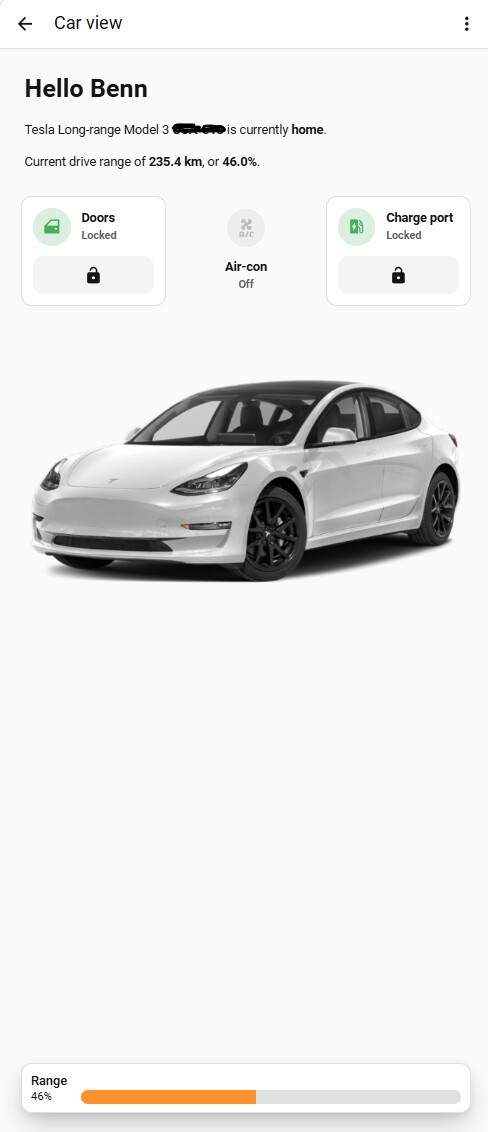
  • Car: Tesla

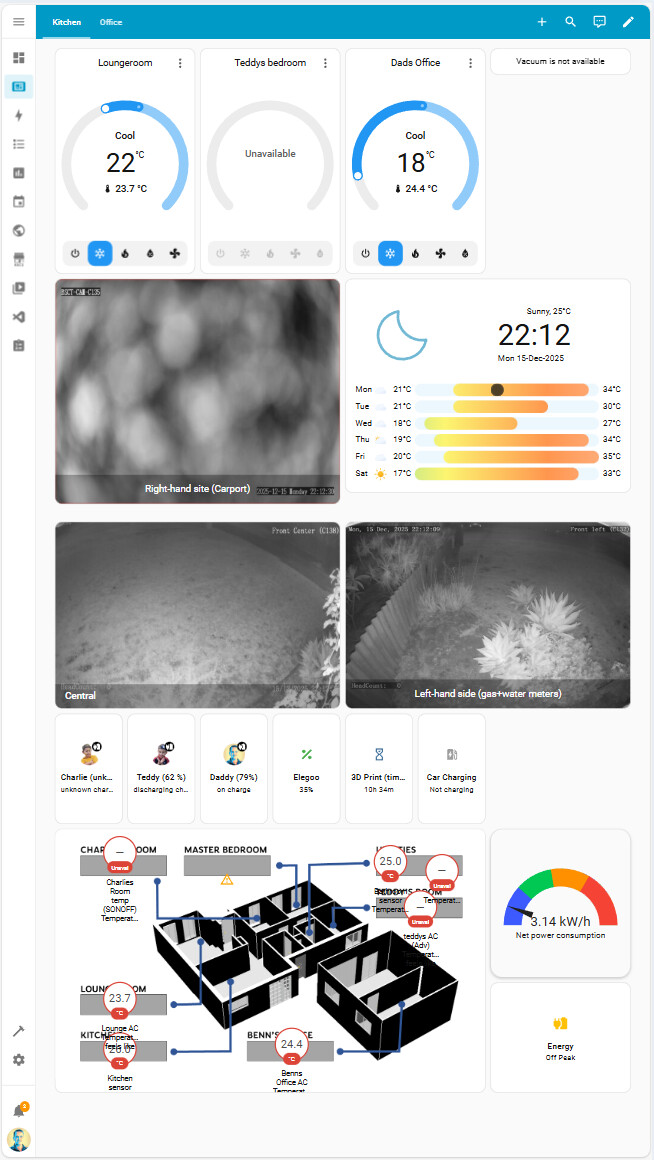
Dashboards for 27" 1K landscape display in kitchen

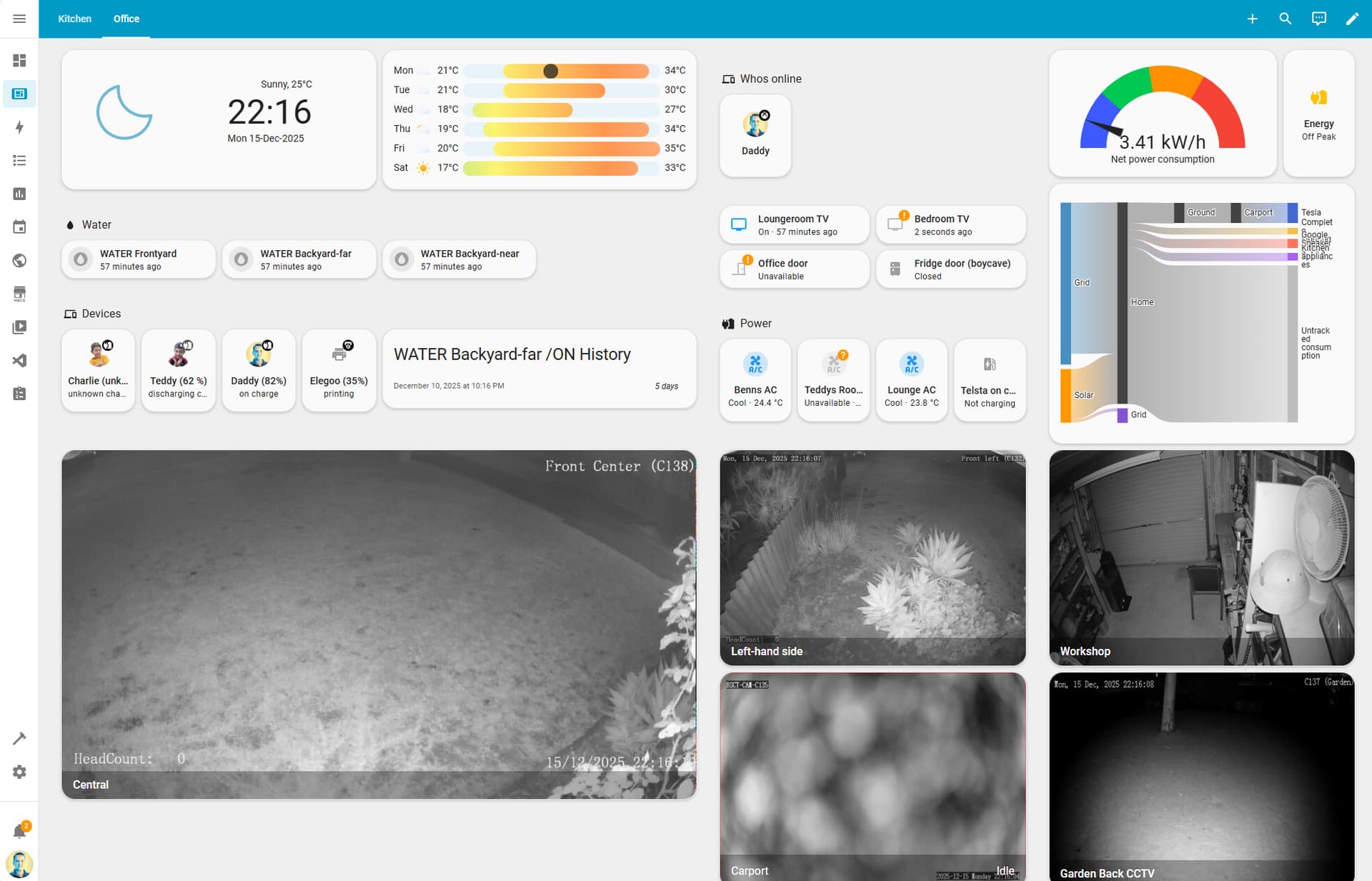
Dashboards for 40" 4K TV/horizontal display in Office


Automation:

  • 76 automations down from an original ~90. I got brutal removing over-engineered conditions, duplications
  • 4 scenes as a regrettable initial part of the implementation paired with automations. was originally 12. aiming to completely remove
  • 0 Scripts Have used automations in parallel or with delays
  • 2 Blueprint What to add existing and stable blueprints from the community. Feel like what i need isn't unique and most likely some other nerd has already done the hard work to make an automation I can leverage.

Power Management:
I found power management to be a massive ballache. Given the shifting landscape, I've kept this as a separate post How to add multi-tarrif into HA using CT clamp #shelly #pv #tarrif

  1. Central management from CT Clamps on the 3-Phase meter board using Shelly EM3. This is expressed as net consumption/generation.
  2. Solar PV generation is effectively ignored. Due to the redundancy of relying on any generation.
  3. Device monitoring is done with an array of TUYA energy monitoring smart switches using the PowerCalc app to enrich raw data into meaningful per-device energy monitoring.
  4. Car/EV monitoring is done using the HACS Tesla app, relying on source data from the Telstra API.

The host “Server”
Old-ass PC from Facebook Marketplace. i7-Gen7 32GB memory running Proxmox. You can pretty much use anything here. I used a Docker container from tteck.

I originally planned to do a lot more with this than I did. This will most likely get replaced with something smaller and more efficient in late 2026

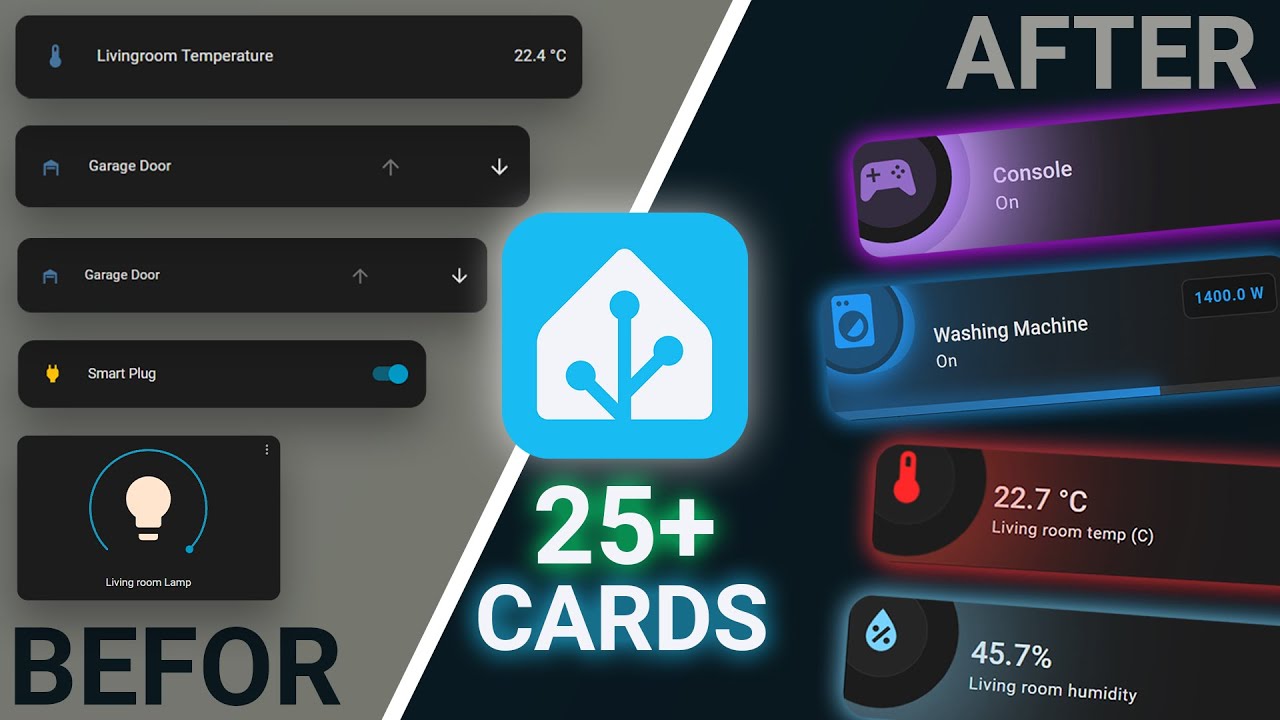
The standard stuff is using a design combination of mushroom cards, mushroom themes and card mods. Which are all from the HACS store using some very customer CSS from Anas Box.

Here' his YouTube video, this contains all the reference material you will need to get started.

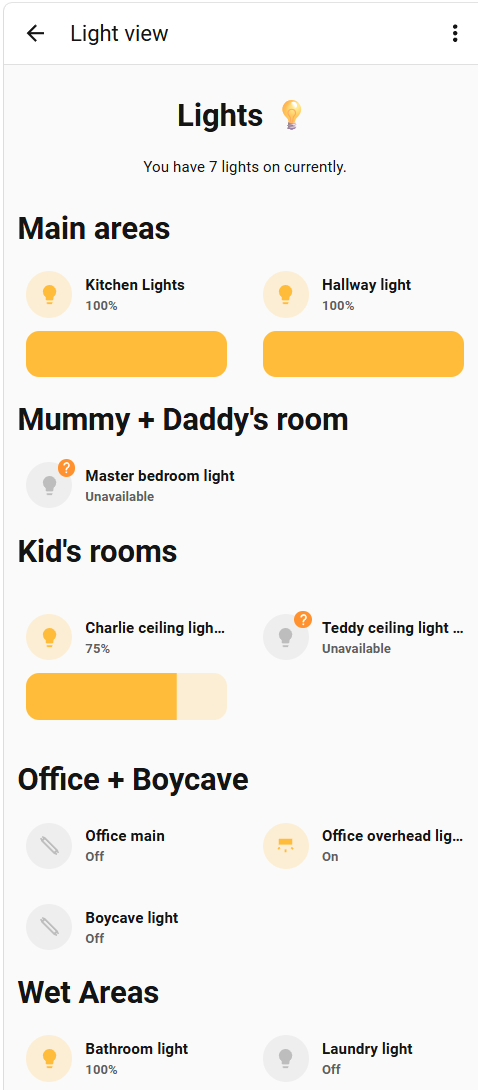
Lights are typically Philips Hue E27 bulbs. While I am not a fan of Hue as I find they are rather dim as an actual light. Saying that I have installed and removed Tuya equivalent Wi-Fi bulbs and Shelly 1L relays, due to the stability of Hue's bulbs and locally controlled ZigBee bridge.

Original 1-page:

Simplified single page to copy Google Home Layout. While this worked, I found the page was a bit too busy, trying to do too many functions.

Modular 3-pages:

As I found myself looking for a single function, I split this to be consistent with my other dashboards into a Lights and Climate function.

![image|220x500] (upload://ApCqP4poL3KWeKNzW6WbBZNVGr2.png)

Temperature cards:

Work in progress trying to combine the following sensors:

  • Temperature (From a temp/hum sensor)
  • Battery (From a temp/hum sensor)
  • Presence (From a MMwave sensor)

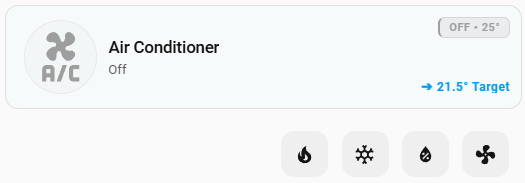
Thermostat cards
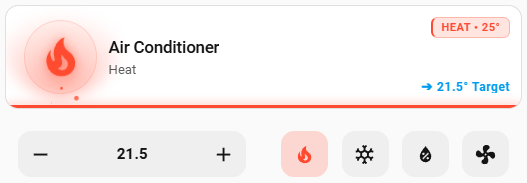
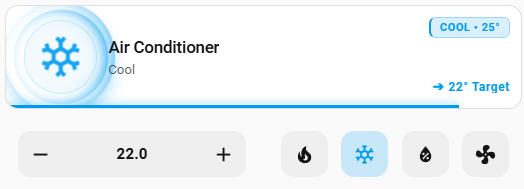
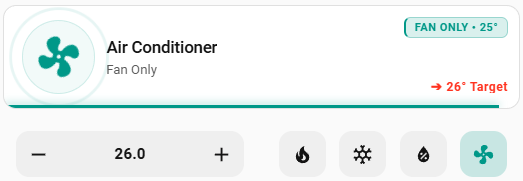
These are really cool, with animations and nested sensors.

These are a grid card of a custom button card and a second grid with 2x mushroom-climate-card

Heat

Cool

Dry

Fan

Off

Footer card

As heating/cooling was a major consideration for power management, I have added a single progress bar for my live new consumption.

image

Requirements:

Code:

type: custom:sensor-bar-card-plus
label_position: left
label_width: 0
animated: true
entity: sensor.main_power_powersensor
height: 18
min: -1
max: 8
unit: kW
target: 2
peak: 5
colors:

from: -1
to: 1.1
color: "#0000FF"

from: 1.11
to: 3
color: "#008000"

from: 3
to: 5
color: "#FFFF00"

from: 3.1
to: 8
color: "#FF0000"

100%. The Entity Notes integration is great for this.

The app I didn’t know I needed. Thanks @jackjourneyman

/frantically installs

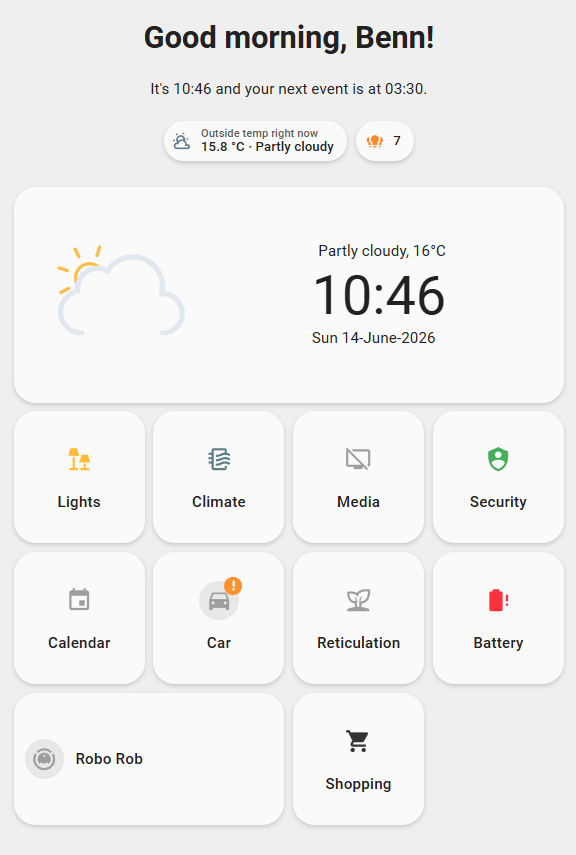
Home Page

Header using Markdown card + grouped badges (not 100% in love with the badges)

{% set time = now().hour %}
{% if time >= 5 and time < 12 %}
  {% set greeting = 'Good morning' %}
{% elif time >= 12 and time < 17 %}
  {% set greeting = 'Good afternoon' %}
{% elif time >= 17 and time < 24 %}
  {% set greeting = 'Good evening' %}
{% elif time >= 0 and time < 5 %}
  {% set greeting = 'You should be sleeping' %} 
{% endif %}

{% if state_attr('calendar.family', 'start_time') == None %}
  {% set cal_message = "you have no upcoming events, enjoy 🥳"%}
{% else %}
  {% set start_time = state_attr('calendar.family', 'start_time') | as_timestamp | timestamp_custom("%H:%M", false) %}
  {% set cal_message = "your next event is at " + start_time %}
{% endif %}

# {{greeting}}, {{user}}!

It's {{now().hour}}:{{now().minute}} and {{cal_message}}.

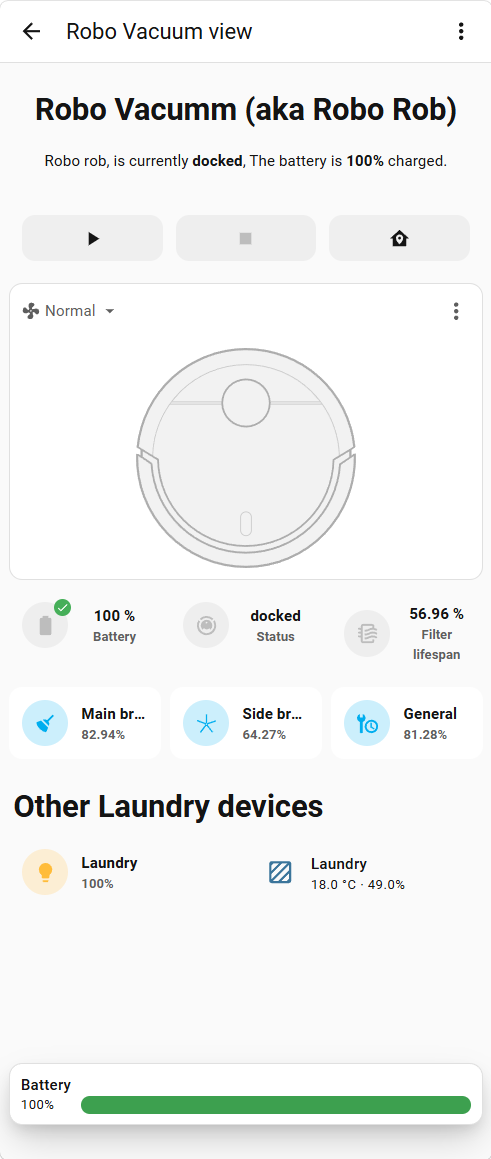
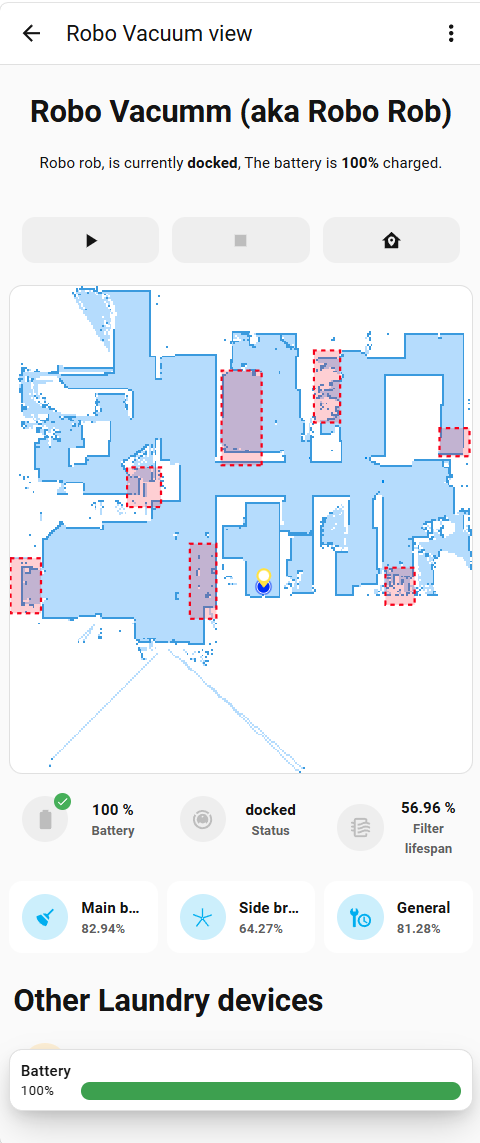
Vacuum view

Docked/cleaning/returning

Error (so I can go looking for where it got stuck)

Header

Code
# Robo Vacumm (aka Robo Rob)
Robo rob,  is currently **{{ states('vacuum.robo_rob') }}**, {% if is_state('sensor.laundry_vac_robo_rob_battery', 'unavailable') %}
  >_< Oh no im lost can you find me?
  {% else %} The battery is **{{ states('sensor.laundry_vac_robo_rob_battery') }}%** charged.
  {% endif %}

Footer

image

Code
type: custom:entity-progress-card
entity: sensor.laundry_vac_robo_rob_battery
min_value: 0
bar_size: large
theme: optimal_when_high
layout: horizontal
tap_action:
  action: none
hold_action:
  action: none
double_tap_action:
  action: none
icon_tap_action:
  action: none
icon_hold_action:
  action: none
icon_double_tap_action:
  action: none
name: Battery
max_value: 100
hide:
  - icon
grid_options:
  columns: full

Navigation
image

Code
type: custom:mushroom-vacuum-card
entity: vacuum.robo_rob
commands:
  - start_pause
  - return_home
  - stop
primary_info: none
icon_animation: false
icon_type: none
fill_container: false
grid_options:
  columns: 12
  rows: 1
layout: vertical
secondary_info: none
card_mod:
  style: |
    ha-card {
      background: transparent !important;
      border: none !important;
      box-shadow: none !important;
      text-align: center !important;
    }

Picture/vacuum card

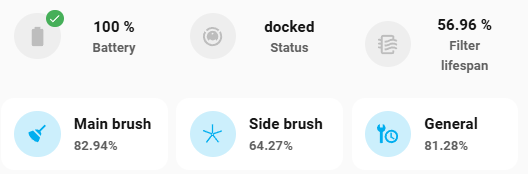
Maintenance stack of cards

Code
square: false
type: grid
cards:
  - square: false
    type: grid
    cards:
      - type: custom:mushroom-template-card
        icon: mdi:battery
        tap_action:
          action: perform-action
          perform_action: unifi.reconnect_client
          target: {}
          data:
            device_id: 8ebe2713a594ad1a63c617f19bf603f6
        hold_action:
          action: none
        double_tap_action:
          action: none
        secondary: Battery
        primary: >-
          {% if is_state('sensor.laundry_vac_robo_rob_battery', 'unavailable')
          %}

          >_<

          {% else %}
            {{ states('sensor.laundry_vac_robo_rob_battery') }} %
          {% endif %}
        features_position: bottom
        multiline_secondary: true
        color: black
        vertical: true
        icon_tap_action:
          action: none
        entity: sensor.laundry_vac_robo_rob_battery
        badge_icon: >-
          {% if is_state('sensor.laundry_vac_robo_rob_battery', 'unavailable')
          %}
            mdi:close-thick
          {% else %}
            mdi:check
          {% endif %}
        badge_color: >-
          {% if is_state('sensor.laundry_vac_robo_rob_battery', 'unavailable')
          %}
            red
          {% else %}
            green
          {% endif %}
        card_mod:
          style: |
            ha-card {
              background: transparent !important;
              border: none !important;
              box-shadow: none !important;
              text-align: center !important;
            }
            .: |
            mushroom-state-info$: |
              .container {
                font-size: clamp(16px, 2.5vw, 20px) !important;
                font-weight: 700 !important;
                color: white !important;
                text-align: center !important;
                text-shadow: 0 0 10px rgba(255, 255, 255, 0.3) !important;
            }
      - type: custom:mushroom-template-card
        icon: mdi:robot-vacuum
        tap_action:
          action: perform-action
          perform_action: vacuum.return_to_base
          target: {}
        hold_action:
          action: none
        double_tap_action:
          action: none
        secondary: Status
        primary: "{{ states('vacuum.robo_rob') }}"
        features_position: bottom
        multiline_secondary: true
        color: black
        vertical: true
        icon_tap_action:
          action: none
        entity: vacuum.robo_rob
        card_mod:
          style: |
            ha-card {
              background: transparent !important;
              border: none !important;
              box-shadow: none !important;
              text-align: center !important;
            }
            .: |
            mushroom-state-info$: |
              .container {
                font-size: clamp(16px, 2.5vw, 20px) !important;
                font-weight: 700 !important;
                color: white !important;
                text-align: center !important;
                text-shadow: 0 0 10px rgba(255, 255, 255, 0.3) !important;
            }
      - type: custom:mushroom-template-card
        icon: mdi:air-filter
        tap_action:
          action: none
        hold_action:
          action: none
        double_tap_action:
          action: none
        secondary: Filter lifespan
        primary: "{{ states('sensor.laundry_vac_robo_rob_filter_lifespan') }} %"
        features_position: bottom
        multiline_secondary: true
        color: black
        vertical: true
        icon_tap_action:
          action: none
        entity: sensor.laundry_vac_robo_rob_filter_lifespan
        card_mod:
          style: |
            ha-card {
              background: transparent !important;
              border: none !important;
              box-shadow: none !important;
              text-align: center !important;
            }
            .: |
            mushroom-state-info$: |
              .container {
                font-size: clamp(16px, 2.5vw, 20px) !important;
                font-weight: 700 !important;
                color: white !important;
                text-align: center !important;
                text-shadow: 0 0 10px rgba(255, 255, 255, 0.3) !important;
            }
  - square: false
    type: grid
    cards:
      - type: custom:mushroom-entity-card
        entity: sensor.laundry_vac_robo_rob_main_brush_lifespan
        secondary_info: state
        icon_type: icon
        tap_action:
          action: none
        hold_action:
          action: none
        double_tap_action:
          action: none
        fill_container: false
        icon_color: light-blue
        icon: mdi:broom
        name: Main brush
        card_mod:
          style: |
            ha-card {
              box-shadow: none;
              border: none;
            }
      - type: custom:mushroom-entity-card
        entity: sensor.laundry_vac_robo_rob_side_brush_lifespan
        secondary_info: state
        icon_type: icon
        tap_action:
          action: none
        hold_action:
          action: none
        double_tap_action:
          action: none
        fill_container: false
        icon_color: light-blue
        icon: phu:vac_sbrush
        name: Side brush
        card_mod:
          style: |
            ha-card {
              box-shadow: none;
              border: none;
            }
      - type: custom:mushroom-entity-card
        entity: sensor.laundry_vac_robo_rob_unit_care_lifespan
        name: General
        secondary_info: state
        icon_type: icon
        tap_action:
          action: none
        hold_action:
          action: perform-action
          perform_action: ""
        double_tap_action:
          action: none
        fill_container: false
        icon_color: light-blue
        icon: mdi:wrench-clock
        card_mod:
          style: |
            ha-card {
              box-shadow: none;
              border: none;
            }
columns: 1

The car was another one that I moved towards a monochrome style.

Original

When i changed car's from a blue to a boring white unit, I matched style

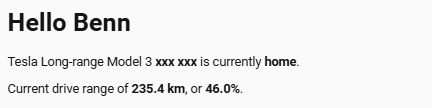
Header

Code
# Hello {{ user }}
Tesla Long-range Model 3 **xxx xxx** is currently **{{ states('device_tracker.tesla_model_3_location_tracker') }}**. 

Current drive range of **{{ states('sensor.tesla_model_3_range')|float|round(1) }} km**, or **{{ states('sensor.tesla_model_3_battery')|float|round(1) }}%**.
Footer
image

Body

[details="Summary"]

type: custom:entity-progress-card
entity: sensor.tesla_model_3_battery
min_value: 0
bar_size: large
theme: optimal_when_high
layout: horizontal
tap_action:
action: none
hold_action:
action: none
double_tap_action:
action: none
icon_tap_action:
action: none
icon_hold_action:
action: none
icon_double_tap_action:
action: none
name: Range
max_value: 100
hide:

  • icon
    attribute: raw_soc
    grid_options:
    columns: full
[/details]


[details="Code"]

type: vertical-stack
cards:

  • square: false
    type: grid
    cards:
    • type: custom:mushroom-lock-card
      entity: lock.tesla_model_3_doors
      tap_action:
      action: toggle
      fill_container: false
      name: Doors
      icon: mdi:car-door
      grid_options:
      columns: 4
      rows: auto
    • type: custom:mushroom-entity-card
      entity: climate.tesla_model_3_hvac_climate_system
      icon: mdi:air-conditioner
      layout: vertical
      icon_color: light-blue
      tap_action:
      action: more-info
      hold_action:
      action: more-info
      double_tap_action:
      action: none
      icon_type: icon
      fill_container: true
      name: Air-con
      card_mod:
      style: |
      ha-card {
      background: transparent !important;
      border: none !important;
      box-shadow: none !important;
      text-align: center !important;
      }
      grid_options:
      columns: 4
      rows: auto
    • type: custom:mushroom-lock-card
      tap_action:
      action: toggle
      fill_container: false
      icon: mdi:ev-station
      entity: lock.tesla_model_3_charge_port_latch
      name: Charge port
      grid_options:
      columns: 4
      rows: auto
  • type: picture
    image:
    media_content_id: media-source://image_upload/a3dec4d7c3508d4afa1618d102222eba
    media_content_type: image/png
    metadata:
    title: tesla-2022-white.png
    thumbnail: /api/image/serve/a3dec4d7c3508d4afa1618d102222eba/256x256
    media_class: image
    children_media_class: null
    navigateIds:
    - {}
    - media_content_type: app
    media_content_id: media-source://image_upload
    tap_action:
    action: none
    card_mod:
    style: |
    ha-card {
    background: transparent !important;
    border: none !important;
    box-shadow: none !important;
    text-align: center !important;
    }
[/details]