Okay - been playing with Claude on this and got a rough solution
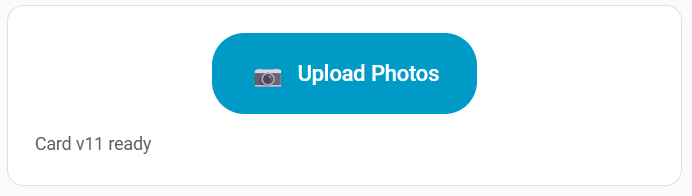
I built a small custom Lovelace card. It POSTs directly to HA’s /api/media_source/local_source/upload endpoint, which is the same endpoint the built-in Add Media dialog uses.
Setup:
-
Save the JS below as
/config/www/upload-card.js -
Add it as a resource: Settings, Dashboards, three-dot menu, Resources, Add Resource. URL
/local/upload-card.js, type JavaScript Module. -
Hard refresh your browser (Ctrl+F5)
-
Add to your dashboard:
type: custom:upload-card
label: Upload Photos
icon: 📷
target_path: media-source://media_source/local/.
The target folder must already exist. Adjust the path for subfolders, e.g. media-source://media_source/local/family-photos/. (note the trailing dot, that’s important).
The card:
javascript
class UploadCard extends HTMLElement {
  setConfig(config) {
    this.config = config || {};
    this._render();
  }

  set hass(hass) {
    this._hass = hass;
  }

  _render() {
    if (this._rendered) return;
    this._rendered = true;

    const buttonLabel = this.config.label || 'Upload Photo';
    const buttonIcon = this.config.icon || '📷';
    const targetPath = this.config.target_path || 'media-source://media_source/local/.';

    this.innerHTML = `
      <ha-card>
        <div style="padding: 20px; text-align: center;">
          <label id="uploadLabel" style="
            position: relative;
            display: inline-flex;
            align-items: center;
            gap: 8px;
            background: var(--primary-color, #03a9f4);
            color: var(--text-primary-color, white);
            padding: 14px 28px;
            border-radius: 24px;
            font-size: 16px;
            font-weight: 500;
            cursor: pointer;
            overflow: hidden;
          ">
            <span style="font-size: 20px;">${buttonIcon}</span>
            <span>${buttonLabel}</span>
          </label>
          <div id="status" style="
            margin-top: 12px;
            min-height: 20px;
            font-size: 13px;
            color: var(--secondary-text-color);
            word-break: break-word;
          ">Ready</div>
        </div>
      </ha-card>
    `;

    this._uploadLabel = this.querySelector('#uploadLabel');
    this._status = this.querySelector('#status');
    this._targetPath = targetPath;

    this._attachInputHandler();
  }

  _attachInputHandler() {
    const oldInput = this.querySelector('#fileInput');
    if (oldInput) oldInput.remove();

    const newInput = document.createElement('input');
    newInput.type = 'file';
    newInput.id = 'fileInput';
    newInput.accept = 'image/*';
    newInput.setAttribute('capture', 'environment');
    newInput.style.cssText = `
      position: absolute; top: 0; left: 0;
      width: 100%; height: 100%;
      opacity: 0; cursor: pointer; font-size: 0;
    `;
    newInput.addEventListener('change', (e) => this._handleFiles(e));
    this._uploadLabel.appendChild(newInput);
  }

  _setStatus(msg, color) {
    this._status.textContent = msg;
    this._status.style.color = color || 'var(--secondary-text-color)';
  }

  _getToken() {
    let token = this._hass?.auth?.data?.access_token;
    if (token) return token;
    return this._hass?.connection?.options?.auth?.data?.access_token;
  }

  async _handleFiles(e) {
    const files = Array.from(e.target.files || []);
    if (files.length === 0) {
      this._attachInputHandler();
      return;
    }

    const token = this._getToken();
    if (!token) {
      this._setStatus('Auth missing - reload the page', 'var(--error-color, red)');
      this._attachInputHandler();
      return;
    }

    const file = files[0];
    this._setStatus(`Uploading ${file.name}...`);

    const formData = new FormData();
    formData.append('media_content_id', this._targetPath);
    formData.append('file', file);

    try {
      const response = await fetch('/api/media_source/local_source/upload', {
        method: 'POST',
        headers: { 'Authorization': `Bearer ${token}` },
        body: formData
      });

      if (response.ok) {
        this._setStatus(`✓ Uploaded ${file.name}`, 'var(--success-color, green)');
      } else {
        const errText = await response.text();
        if (response.status === 401) {
          this._setStatus('Auth expired - force-close app and reopen', 'var(--error-color, red)');
        } else {
          this._setStatus(`✗ HTTP ${response.status}: ${errText.substring(0, 60)}`, 'var(--error-color, red)');
        }
      }
    } catch (err) {
      this._setStatus(`✗ ${err.message || err}`, 'var(--error-color, red)');
    }

    this._attachInputHandler();

    setTimeout(() => {
      if (this._status.textContent.startsWith('✓')) {
        this._setStatus('Ready');
      }
    }, 4000);
  }

  getCardSize() {
    return 2;
  }
}

customElements.define('upload-card', UploadCard);

window.customCards = window.customCards || [];
window.customCards.push({
  type: 'upload-card',
  name: 'Photo Upload Card',
  description: 'Upload photos directly to HA media folder',
  preview: false
});
A few gotchas I hit along the way that are baked into this version:
-
The hidden file input pattern (
display: none) doesn’t fire change events reliably in mobile webviews. The card uses an opacity-zero input overlaid on a styled label instead, which is much more reliable. -
Single file at a time only. I tried
multiplebut it broke the picker entirely on MIUI (and possibly other Android skins). Removingmultipleand usingcapture="environment"got it working consistently. -
After each upload, the file input element is destroyed and recreated. Sounds extreme but without it, MIUI’s webview wouldn’t fire change events on subsequent uploads.
-
Works on desktop browsers and the Android companion app. Haven’t tested iOS but no reason it shouldn’t work.
Limitations:
- One photo per tap, so not great for bulk uploads… can’t find a workaround here (at least not with claude)
Hope this is useful to someone. Happy to take suggestions for improvements.
EDIT: Okay - this only works on my phone, not my wife’s so clearly some auth issues going on…
EDIT2: Needs to be Admin