Protect Sentinel: overnight UniFi Protect reports as a Home Assistant add-on
I got tired of scrubbing the Protect timeline every morning to answer “did anything happen last night?”, so I adapted a repo (explained in the read me docs) that answers it for me. It’s free and open source (MIT), and I’m sharing it in case it’s useful to anyone else.
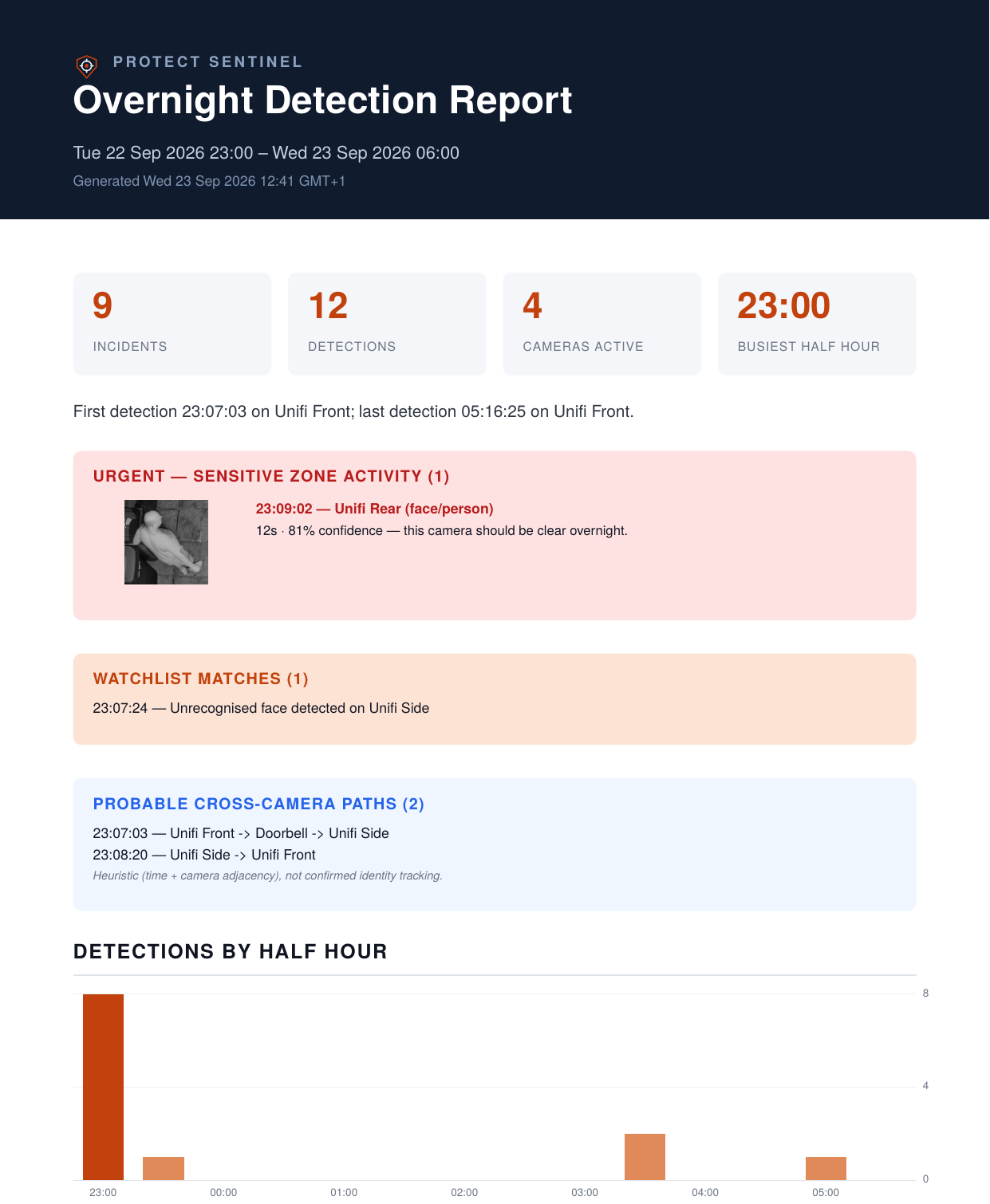
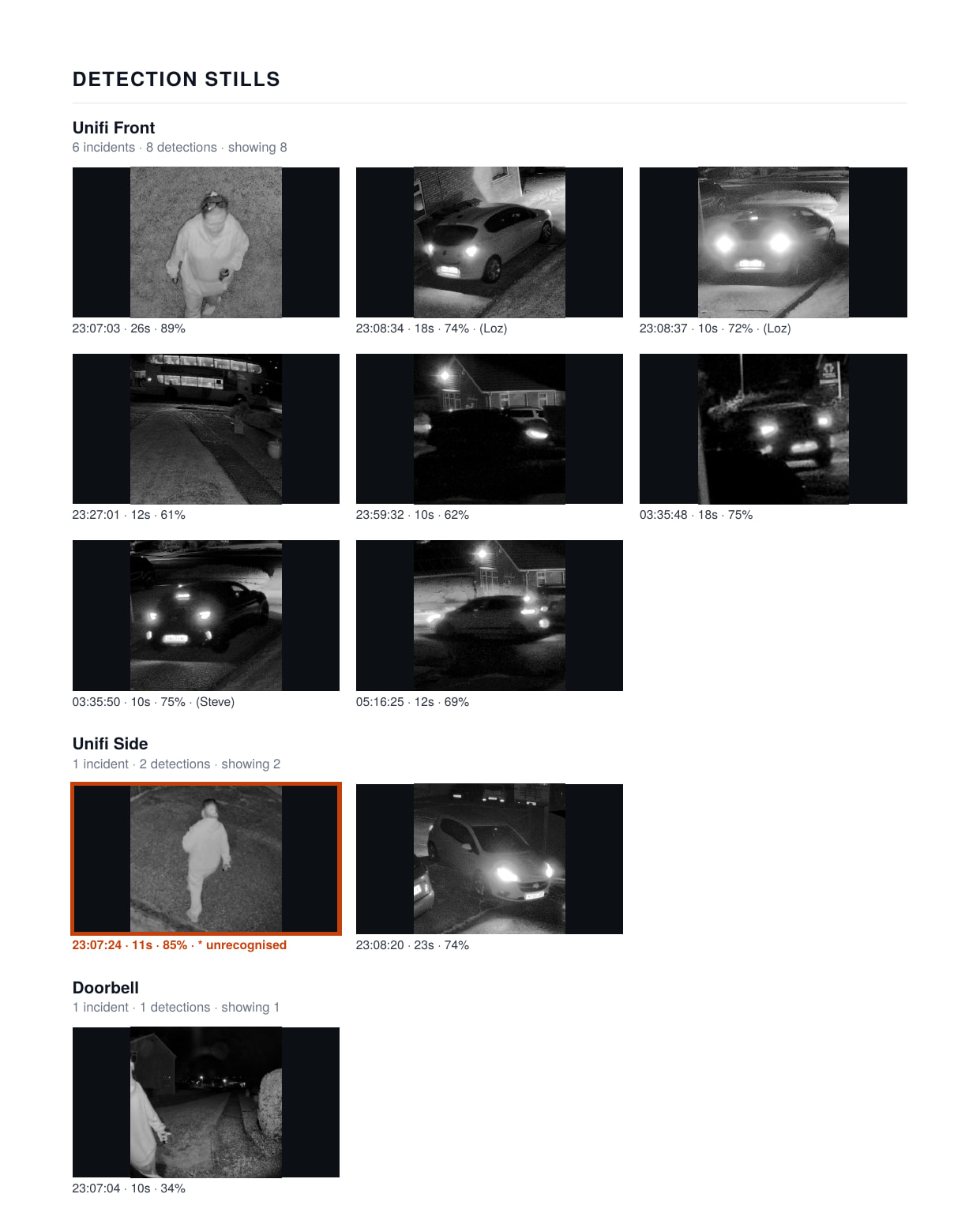
Every morning it pulls the night’s smart detections from your UniFi Protect controller and builds a PDF report. It can also email the report, send a short push notification, and publish the headline numbers to Home Assistant as MQTT sensors.
What it does
- Sensitive zones. Mark cameras that should see nothing overnight (back garden, shed, fuel store). Any detection there gets an urgent banner at the top of the PDF, takes over the push notification, and flips a dedicated MQTT binary sensor.
- Watchlists. Rules for named faces, plates, or specific cameras (
face:Dirk,plate:AB12CDE,camera:Front Door), plus optional flagging of unrecognised people. - Cross-camera trails. Shows a person or vehicle moving between cameras, in path order. This is a time and camera-adjacency heuristic, not identity tracking, and the report says so.
- Escalating push notifications. They go from “all quiet” through “worth a look” and “flagged” up to “URGENT”. Only the urgent tier shows real detail on the lock screen by default. Optionally, the urgent one can go out as a critical notification that breaks through silent mode and Do Not Disturb (iOS and Android, from one toggle).
- Sidebar panel. Browse past reports, run one on demand, and see last night’s status at a glance. Each report has a one-line summary so you can find a specific night.
- MQTT entities. Last run, incident and detection counts, watchlist match, sensitive-zone alert, and status, all via auto-discovery.
Install
- Settings → Apps → Install app → ⋮ → Repositories, then add
https://github.com/DirkFace/protect-sentinel(or use the button in the README). - Install Protect Sentinel from the store.
- Fill in the Configuration tab (see below), start it, and click Run report now in the sidebar panel to check it works.
Requirements
- A UniFi Protect controller reachable from Home Assistant, with a local account for the add-on to log in as. It needs View Only rights and must not have MFA, because the login API can’t complete a 2FA challenge.
- Core report: any camera with Smart Detections enabled. That’s most current cameras, G4 and up, not just the newer AI or G6 models. G3 cameras have no smart detection at all. Smart Detections also need to be switched on per camera in Protect.
- Named face and plate watchlist entries need Protect’s Face Recognition or License Plate Recognition specifically. That means an AI-series camera, a G5 Pro or G6, or an older camera with an AI Port or AI Key. Without that, everything else still works. You just won’t have named face or plate rules.
Ubiquiti’s compatibility details change fairly often, so check their own docs if you’re unsure about your hardware.
Example configuration (the interesting bits)
sensitive_cameras: "Rear Garden, Side Gate"
watch_list: |
  face:Dirk
  plate:AB12CDE
  camera:Front Door
notify_service: "mobile_app_your_phone"
push_critical_on_urgent: true
Everything is documented in the add-on’s Documentation tab, including every option.
Notes
- Push notifications go through Home Assistant’s own
notify.mobile_app_*service, so they work the same on iOS and Android. For critical alerts to actually bypass Do Not Disturb, you have to grant a one-time permission on the phone itself (iOS: Critical Alerts for the HA app; Android: allow thealarm_streamchannel to override DND). This is covered in the docs. - Reports download rather than open inline in the panel. That’s deliberate: iOS Safari only shows page 1 of a PDF inside an iframe.
Honest caveats
This is a community project that I’ve tested on my own setup only, so I can’t promise it behaves on every console type, camera mix or timezone. Bug reports and feedback are very welcome via GitHub Issues, and support is best-effort.
It’s an independent project and is not affiliated with or endorsed by Ubiquiti. It’s based on WispAyr’s original protect-night-watch (MIT), extended a long way.
Happy to answer questions, and I’d love to hear what works and what doesn’t for other setups.