Glad you like it!
Blacky 
Hi Blacky,
Big fan of your work — I use several of your blueprints. I wanted to propose an improvement to this one:
There’s a use case for “virtual doors,” where surrounding motion sensors act as a boundary for an area. These sensors help keep the light on until motion is detected on the motion sensors surrounding the area.
To support this, it would be helpful if the door-opening behavior were optional. That way, if there’s a real door, the light turns on when it opens. But if you’re using a virtual door, the light waits until the area’s motion sensor triggers.
Thanks again for the great work.
Glad you like my blueprints and I hope they have helped you.
Could you use a motion sensor in the surrounding area for the Door Sensor input? It will act as a door sensor. If you have multiple surrounding sensors, consider grouping them first and then selecting that group in the Door Sensor input.
Blacky
Hi Blacky, yes, that’s exactly my setup. It works well whether I use a single motion sensor or multiple sensors as a “virtual door.”
My proposal is that it would be helpful to have this behavior configurable at the blueprint level. For virtual doors, you want the light to wait until motion is detected inside the room. But for real doors, you want the light to turn on as soon as the door opens. What do you think? Is this a worthy addition? Thanks again for the great work!
Hey,
I’d like to use your blueprint. But I need to take control over it . Reason:
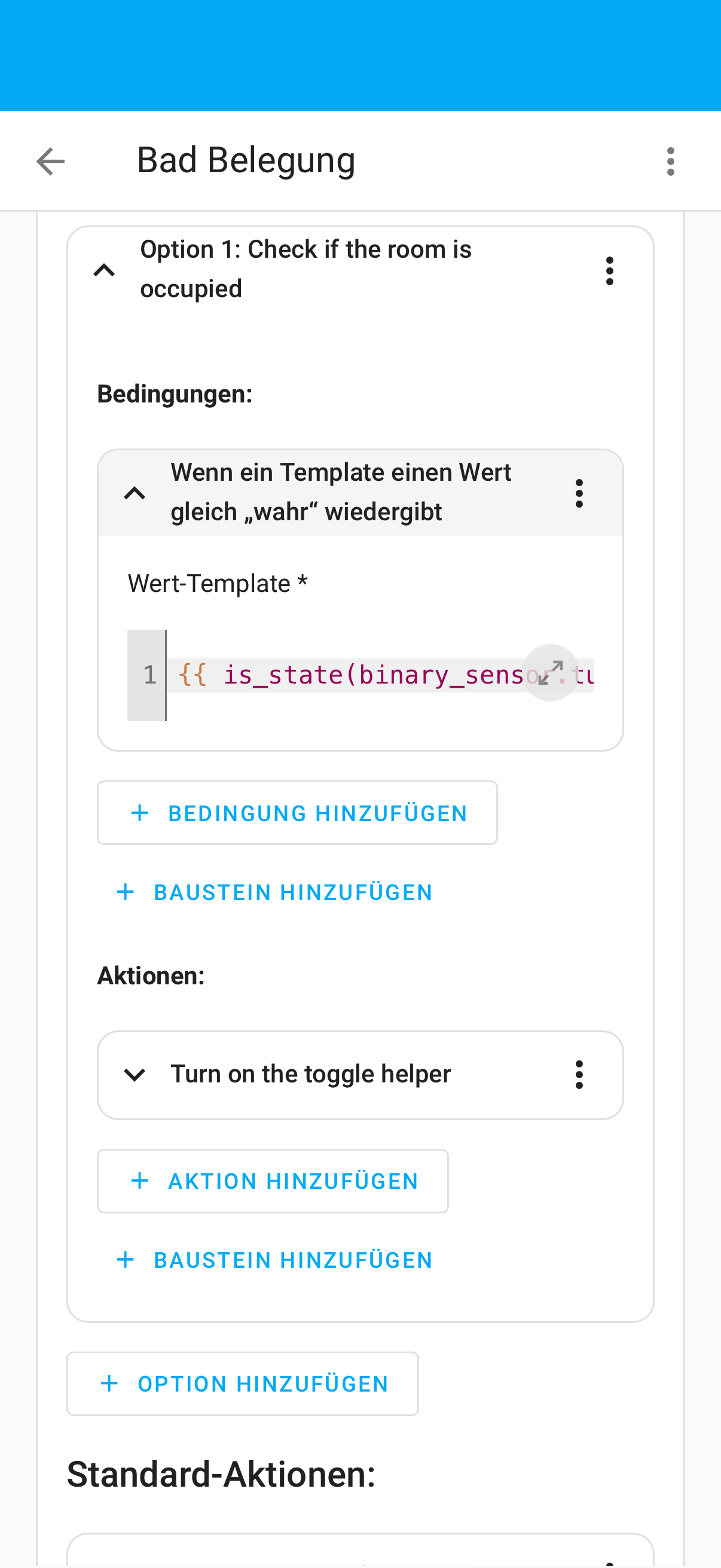
In the action are wrong variables.
Like door_sensor. It’s in the condition at the and. See screenshot. I had to add there my binary sensors, so the blueprint need to be updated

It works, could you please provide us your YAML of the automation? This YAML code are the settings you have selected in the automation so I can help. To do this go into your automation, top right 3 dots, Edit in YAML, copy all the code, come back to the forum and in your reply at the top tool bar click on “</>” and paste code in there.
Blacky
Hey blacky,
Just checked it  it’s correct there
But unfortunately it’s doesn’t really work correct. The bathroom stays most days as occcupied.
I’ve had to add another sensor for the toilet (if it’s busy .
I’ll Attach the yaml code later with the added sensor.
But even with not adding it hasn’t worked well 
Maybe iam to stupid for this things 
Il
type or paste code here
All good! It can be a bit confusing at first, but you don’t need to add any extra sensors, just the ones included in the blueprint.
You’ll need to set things up correctly, and I’d suggest increasing your Door Time Delay. Check out this FAQ for help: click here.
The key is to observe your motion sensor in Home Assistant to see when it detects motion and when it clears. Use a stopwatch:
If it takes 69 seconds, set your Door Time Delay to something like 79 seconds. Then test it again. The FAQ gives a full step-by-step if needed.
Blacky
Hey Blacky,
I’ve double checked the time for clearance of my presence sensor. And also tested a bit with the time. But it makes no difference:/
I wouldn’t need My extra sensor, but it’s maybe a good choice to implement 
You can imagine, the light should stay on , as the toilet is busy it’s a helper that’s triggered in another automation . As you sit on the toilet, you won’t move so much ( normally  )
)
alias: Bad Belegung
description: ""
triggers:
  - trigger: state
    id: t0
    entity_id: binary_sensor.prasenz_bad_presence
    to: "on"
  - trigger: state
    id: t1
    entity_id: binary_sensor.tur_bad_contact
    to: "on"
  - trigger: state
    id: t2
    entity_id:
      - binary_sensor.tur_bad_contact
    to: "off"
    for:
      hours: 0
      minutes: 0
      seconds: 15
  - trigger: state
    entity_id:
      - input_boolean.klo_besetzt
    from: "off"
    to: "on"
    id: t3
  - trigger: state
    entity_id:
      - input_boolean.klo_besetzt
    from: "on"
    to: "off"
    id: t3
conditions:
  - condition: or
    conditions:
      - condition: and
        conditions:
          - condition: trigger
            id: t0
          - condition: state
            entity_id: binary_sensor.tur_bad_contact
            state: "off"
          - condition: state
            entity_id: input_boolean.bad_belegung
            state: "off"
      - condition: and
        conditions:
          - condition: trigger
            id: t1
          - condition: state
            entity_id: input_boolean.bad_belegung
            state: "on"
      - condition: and
        conditions:
          - condition: trigger
            id: t2
          - condition: state
            entity_id: binary_sensor.prasenz_bad_presence
            state: "on"
      - condition: and
        conditions:
          - condition: trigger
            id:
              - t3
          - condition: state
            entity_id: input_boolean.klo_besetzt
            state: "on"
            enabled: false
actions:
  - choose:
      - alias: Check if the room is occupied
        conditions:
          - condition: template
            value_template: >-
              {{is_state('input_boolean.klo_besetzt', 'on') or
              is_state('binary_sensor.tur_bad_contact', 'off') and
              is_state('binary_sensor.prasenz_bad_presence', 'on') }}
        sequence:
          - alias: Turn on the toggle helper
            action: input_boolean.turn_on
            data:
              entity_id: input_boolean.bad_belegung
    default:
      - alias: Room is unoccupied
        action: input_boolean.turn_off
        data:
          entity_id: input_boolean.bad_belegung
mode: restart
max_exceeded: silent
variables:
  motion_sensor: binary_sensor.prasenz_bad_presence
  door_sensor: binary_sensor.tur_bad_contact
  door_time_delay: 69
  toggle_helper: input_boolean.bad_belegung
Hi @Blacky !
Regarding this blueprint, there must be something I’m doing wrong.
I use a binary sensor grouped with the motion sensor to trigger the smart lights, the binary sensor is controled by this blueprint.
I enter the room (motion detected), close the door (door sensor closed), then I sit still, the cooldown of the motion is 60s, so I set the door delay to 70s. After 60s, as there’s no motion, and i’m standing still the lights go out. This is the last test case you say and I understand, but under normal use, I sit in the dark in the toilet after those 60 seconds.
Can you help?
Thanks!
If the automation is triggered and you enter the room but sit still for 70 seconds with no motion detected, the lights will turn OFF. This is treated the same as if no one is in the room.
However, if you move around, the Bee In The Hive Sensor will detect you and recognize that someone is still present, so the lights will remain ON.
Hope this helps you.
Blacky
Hi Blacky, I think this is the reason I thought I can not set up Bee in the hive correctly. I’m trying to set up this Sensor for a few days now.
My Motion Sensor has an timeout of 30 seconds. In this time I’m already behind the shower curtain and no further motion is detected. So the sensor turns not detected but stays clear?
Do you have any suggestions to solve this, cause it does not work for the toilet, too.
Persons will come in, Motion is detected. Door is closed, Sensor stays free.
But then there is a gap of 30 seconds. If the person is sitting still before the 30 seconds ends the light will turn OFF…
Am I the only on with these problems…?
Thanks
Matthias
This can be a problem, you may need to work out another way. I not sure what automations you using for you lights and exhaust fan.
For the shower I use my Sensor Light blueprint with the Bathroom Humidity Exhaust Fan blueprint using the Automation Link with bypass options. Then when I am behind the glass were the motion sensor cant see it keeps my light ON.
In the toilet I don’t use a motion sensor but use the light switch (yes we manually turn ON a light in the toilet) this gives us the options we would like for the exhaust fan using my Toilet Exhaust Fan with time delay blueprint.
Blacky
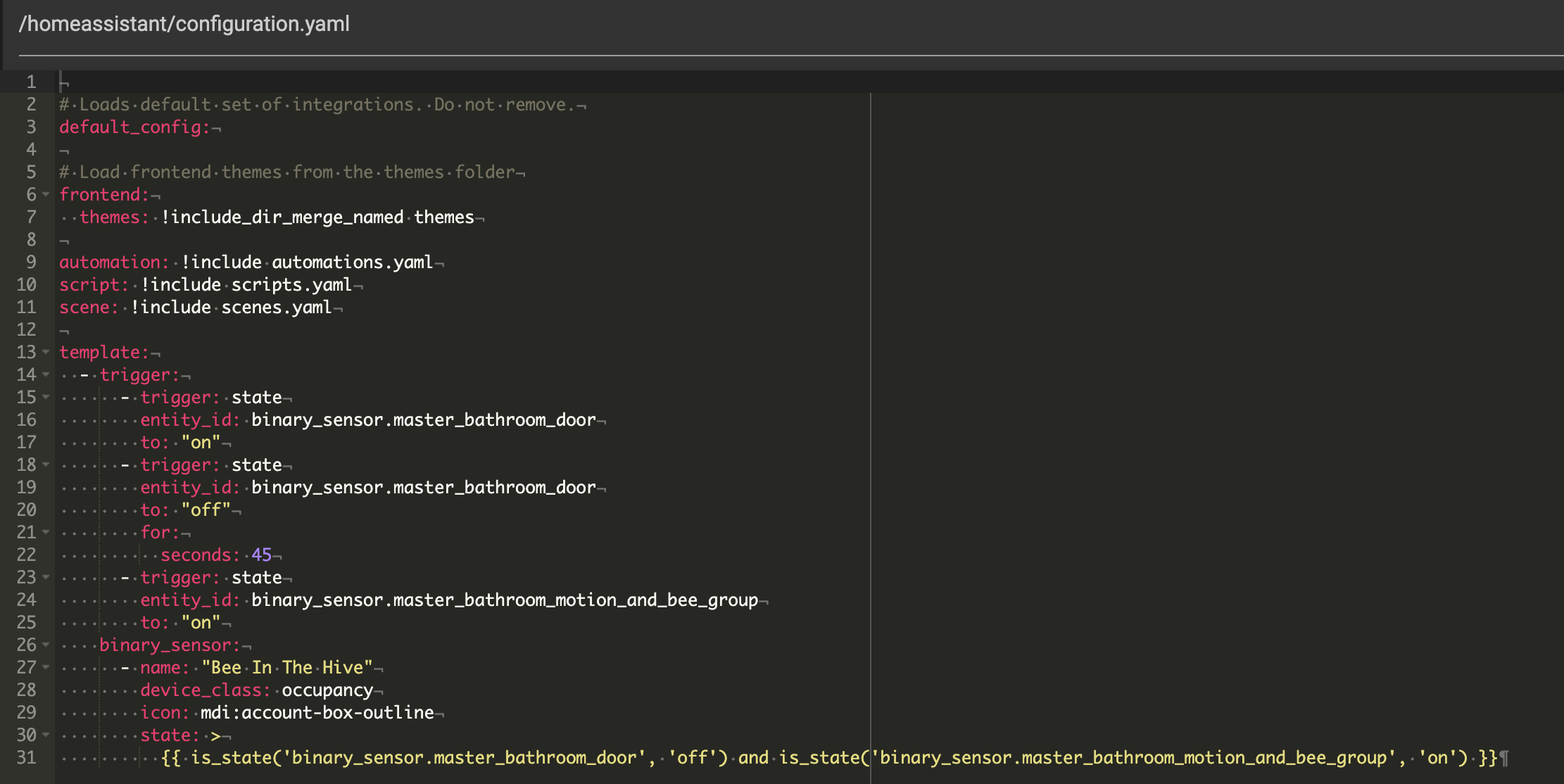
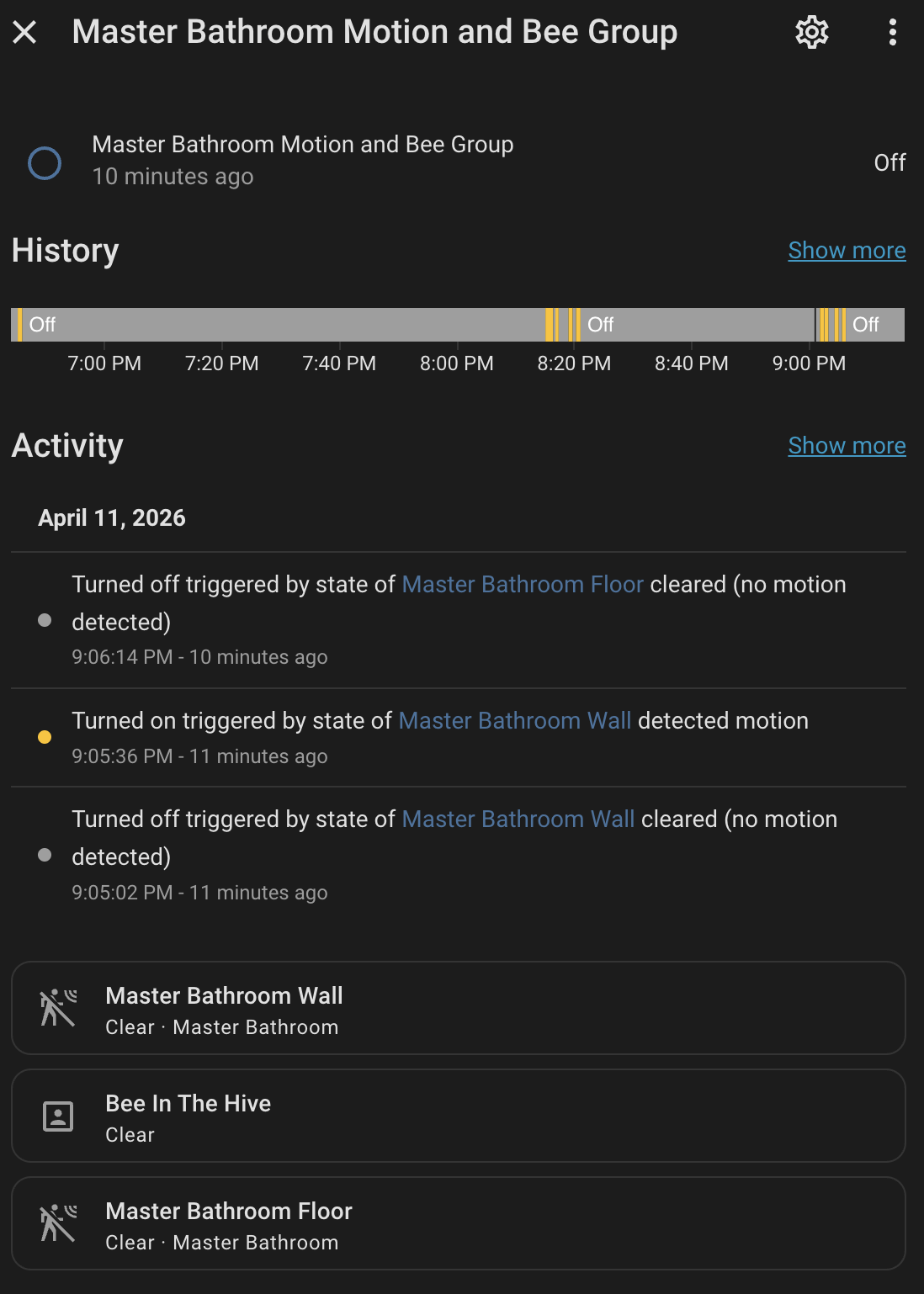
@Blacky I had Bee in the Hive working last year and then recently redid my setup from scratch and now I can’t figure out how to get Bee in the Hive to work. Can you take a look and let me know what I’m missing? The lights come on ok, but the BitH isn’t keeping them on when the door is closed.
Timeout for the door contact sensor and the motion sensors is 30 seconds
bathroom door is a contact sensor on the door
bathroom wall and bathroom floor are motion sensors
I’m tried several different things, and just can’t figure out what I’m doing wrong.
Thanks!
It all looks good. Remember if you edit the code then you have to
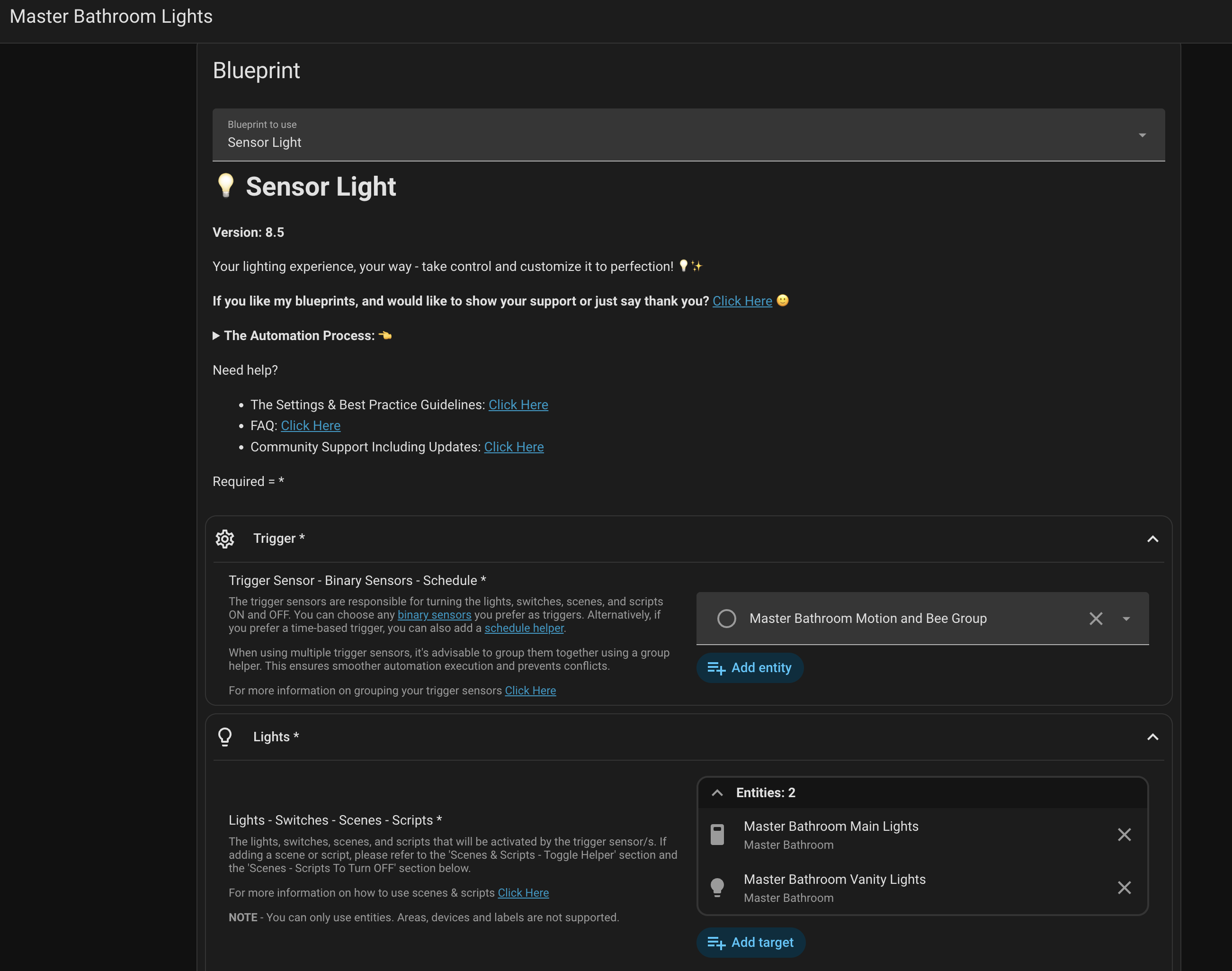
Developer Tools > YAML and click Template Entities.Also make sure that you have the correct bee in the hive in your group trigger.
You may have already resolve this as it's been a wile since I been on the forum.
Blacky