Hi all,
I’d like to share a custom integration that brings Blitzer.de traffic data into Home Assistant — speed controls and traffic hazards, with a dashboard card of its own.
It is a continuation of the original hass-blitzerde by @timniklas, whose GitHub account and repo are no longer available. A few of us were still relying on it, so I picked it up: github.com/somansch/blitzer
The card
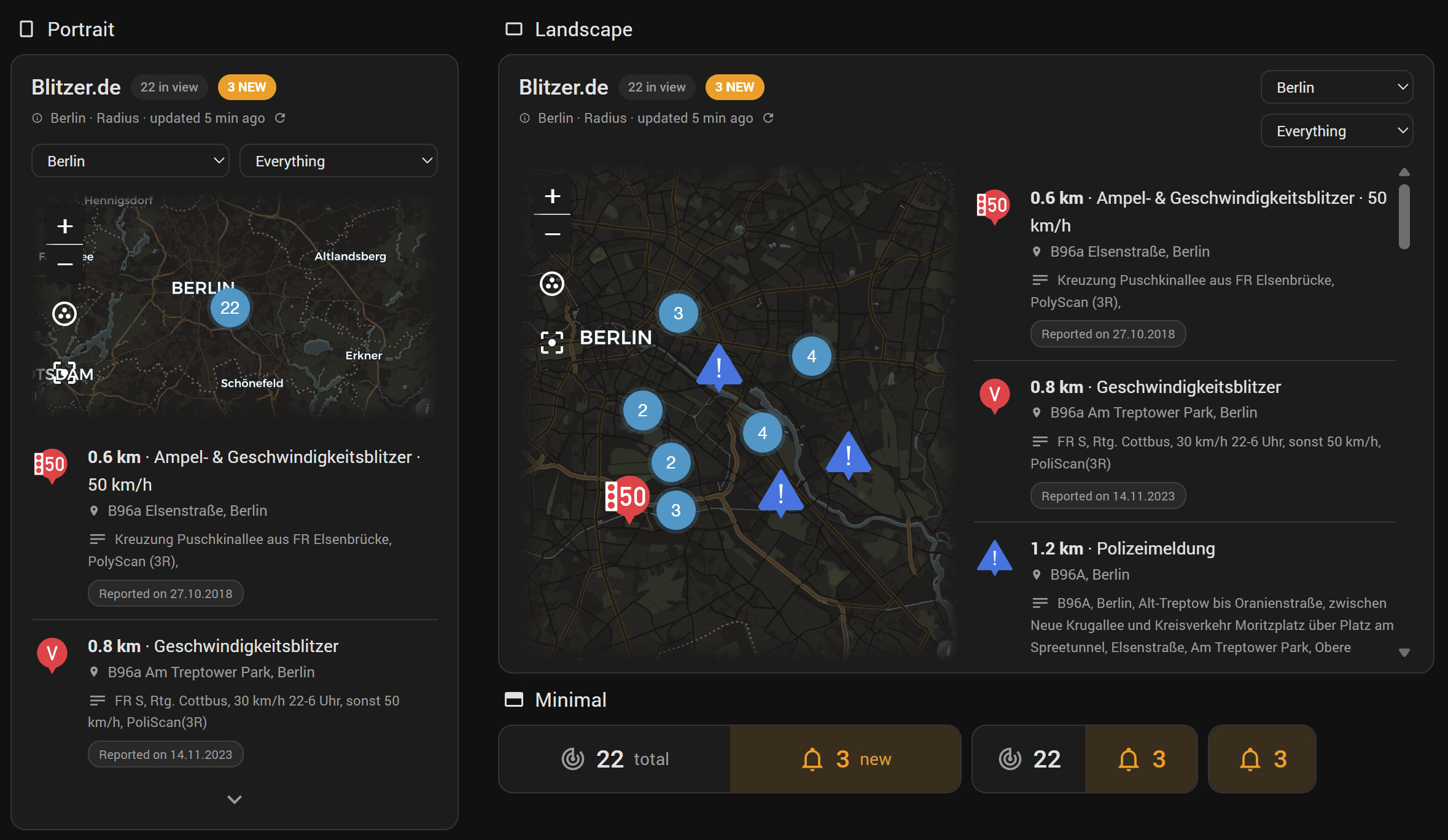
“What is on my way right now”: controls and hazards in one list, nearest first, with a map above them that either mirrors the list or drives it. Three formats — portrait (map over list), landscape (side by side), and minimal, a single line with two numbers and the reports behind it in a pop-up.
Pick the area on the card or pin it to one, switch between controls and hazards, sort by distance, newest or oldest, measure distances from a person or a zone instead of the area’s centre, fold a long list, refresh on demand.
It comes with the integration — nothing to download, no file in www, no resource to register.
Yours to style
Around 190 settings in the editor, each with an “i” explaining it: colour, typeface, size, background and symbol, element by element. No YAML, no card-mod, no CSS.

Same card, same data as above. For dressing a whole dashboard at once there are 132 CSS variables, one per layout setting, documented in the README.
What it reports
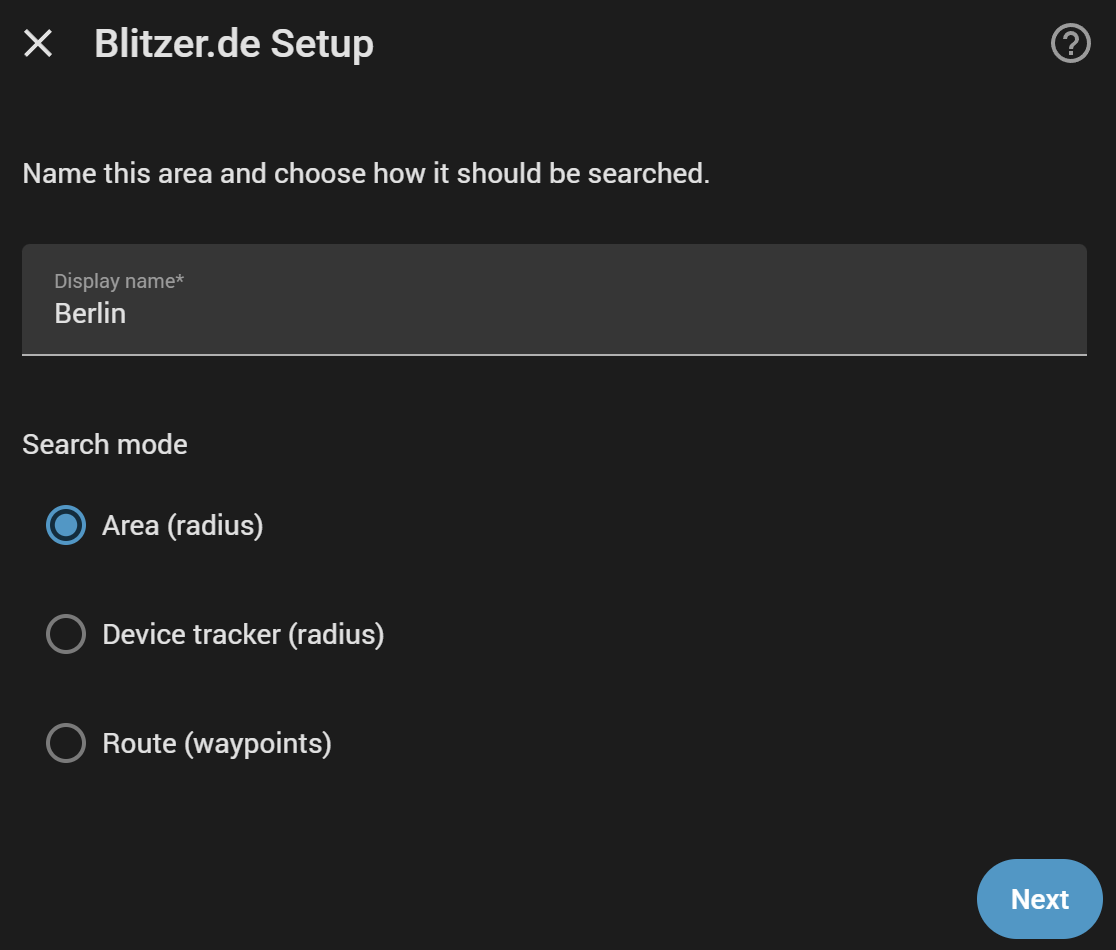
For any area or route you configure — a centre point + radius, or a hand-drawn route for your daily commute — everything Blitzer.de knows about that stretch arrives as geo_location entities:
- Controls / Kontrollen — not just speed cameras. Red light cameras, section controls, tunnel cameras, distance, weight, height and lane checks, entrance and access controls, overtaking bans, police checks and dummies. Seventeen kinds, each tickable on its own, plus Blitzer.de’s archived records (off by default, clearly labelled).
- Hazards / Gefahren — tailbacks with the length of the queue and the delay it costs, plus accidents, roadworks, obstacles, broken-down vehicles, road blocks and official police bulletins. Ten types, all off until you switch them on.
Features
 Config flow — add as many areas or routes as you like (“Munich”, “Berlin”, “Commute”), each with its own entities and its own device
 Route mode — draw a corridor along waypoints instead of a radius, no external routing engine needed, and edit the waypoints later without redrawing
 “Counts as new for” / “Als neu zählen für” — how long a report counts as new, per area and separately for each half, also as a number entity on the device page. One answer that the card, an automation and a template all read
 A ready-made
 summaryon every entity —Stauende · 2.3 km · 34 km/h · +3 min · A100, Berlin— so a card or a notification uses one field instead of six Controls and hazards poll independently, each with its own interval, count limit, city whitelist, ID blacklist and on-demand refresh action. A tailback is stale within a minute; a permanent roadwork is still there next week
blitzer_new_controlandblitzer_new_hazardevents — fired only for something genuinely new, never for one already known and never right after a restart Blueprint “Report Alerts” — live alerts for anything new plus a digest of everything currently reported. Push, notification bell, dashboard helper, text-to-speech, your own actions. No YAML, and it installs itself along with the integration
 German and English throughout — config flow, actions, card and count sensors follow your Home Assistant language
Installation
Available as a HACS default repository:
- Open HACS in Home Assistant
- Search for “Blitzer.de”
- Click the “Download” button
- Restart HA
That is everything: the card and the blueprint come along. Needs Home Assistant 2024.7 or newer. Manual installation instructions are in the README as well.
Also on the standard map card
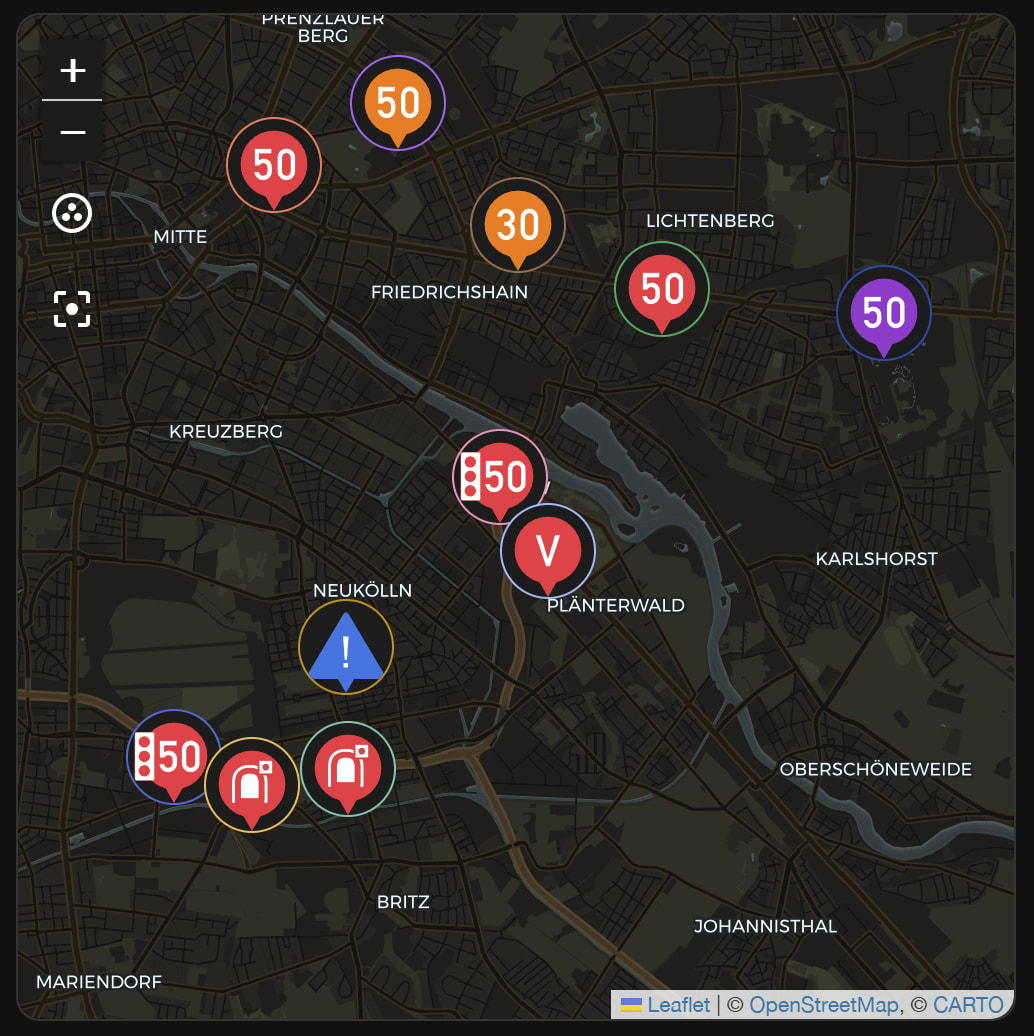
Every report is a plain geo_location entity, and each entry publishes two sources of its own — blitzer_<name>_controls and blitzer_<name>_hazards — so the built-in map card can show one area, one half, or any combination, with Blitzer.de’s own symbols rather than generic markers.
A note on the data source
There’s no official, documented Blitzer.de API — this integration queries the backend used internally by their map app, the same way several long-standing community projects (Home Assistant, ioBroker, FHEM) do. Blitzer.de’s terms of use don’t really cover this kind of use, so please be aware this sits in a legal gray area — use it at your own risk, same as the projects it’s based on.
Feedback, issues, and PRs are all welcome on GitHub. Hope it’s useful to some of you! I welcome a “star” at my repo, don’t need a coffee 


 Traffic hazards / Gefahren. Tailbacks, accidents, roadworks, obstacles, broken-down vehicles, road blocks and police bulletins — ten types, each tickable on its own, all off until you switch them on. They get their own map source, update interval and count sensor: a tailback is stale within a minute, a roadwork is still there next week.
 Seventeen control kinds instead of four categories that hid them. A tunnel camera, both halves of a section control, a weight check and a plain speed camera were all “fixed” — 98 of 127 in my test data. How a control is installed and what it measures are now two separate axes, so “only section controls” is something you can actually ask for.
 Breaking changes.
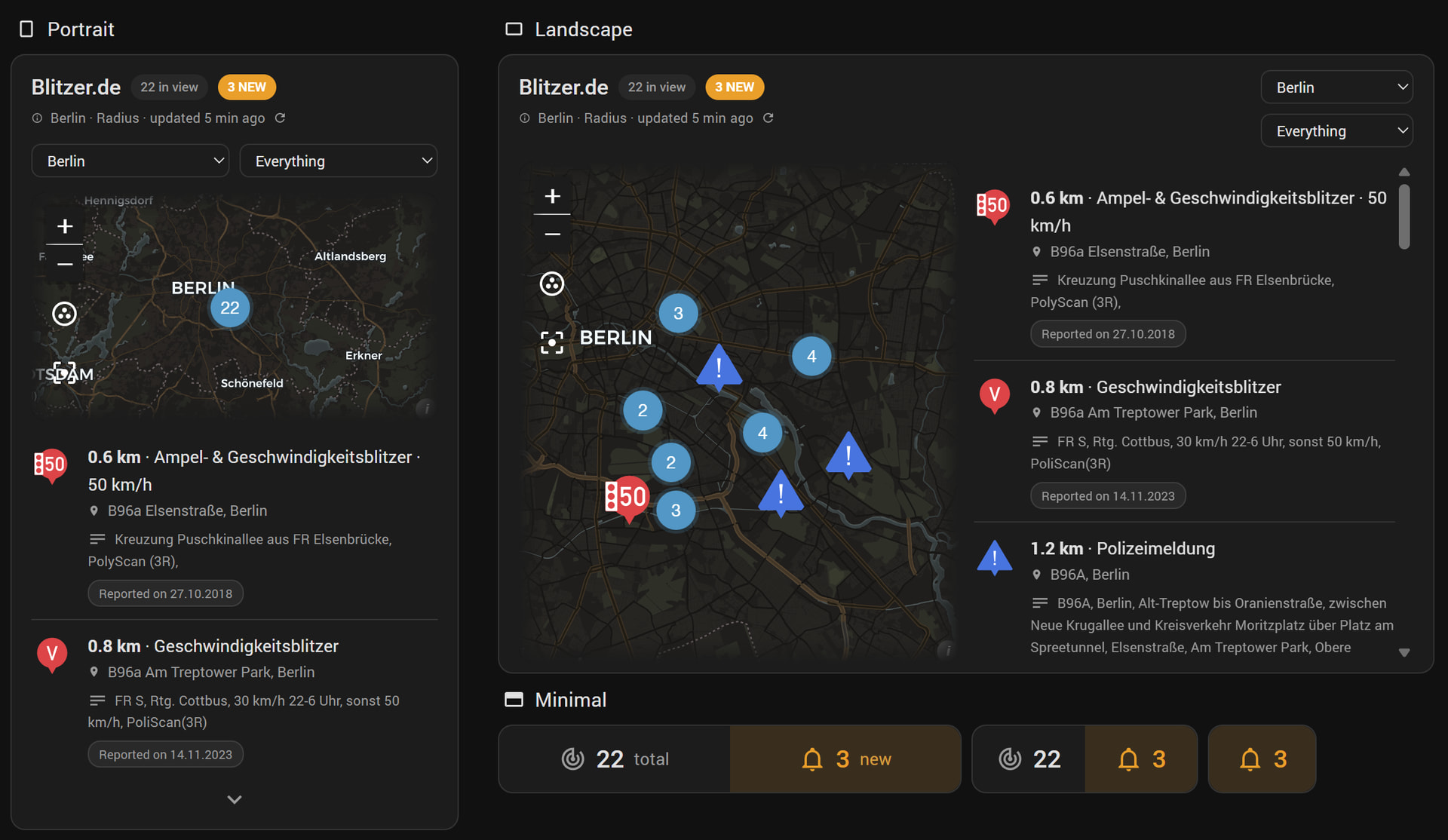
 A card, in three formats. Controls and hazards in one list, nearest first, with a map above them that either mirrors the list or drives it. Portrait stacks them, landscape puts them side by side, and minimal is a single line with two numbers and the reports behind it in a pop-up. Area picker, filter, sorting by distance/newest/oldest, a foldable list and a refresh button for areas set to poll manually.
 Card and blueprint come with the integration. No file to copy into
  Styled without a line of YAML. Around 190 settings in the editor, each with an “i” explaining it: colour, typeface, size, background and symbol, element by element. No card-mod, no CSS. For a whole dashboard at once there are 132 CSS variables, one per layout setting, all documented in the README.