Hi all,
I’d like to share a custom integration that brings TomTom’s traffic reports into Home Assistant: jams, closed roads and lanes, roadworks, accidents, broken-down vehicles and the weather on the road - and, for a commute, how long the way takes right now. Everything comes from TomTom’s own APIs, with one free key.
It is the successor to my Blitzer.de and Lufop Radar integrations, and both of them live on inside it as optional speed camera sources.
Unofficial: not affiliated with, endorsed by or supported by TomTom.
The card
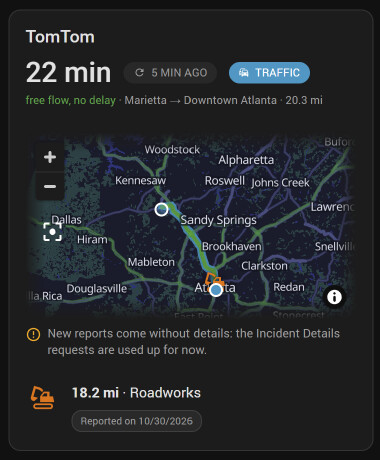
The integration serves its own card - nothing to download, nothing to register as a resource. One list per entry answering “what is on my way right now”, nearest first, with a map above it, or beside it, or folded into a single line with a pop-up.
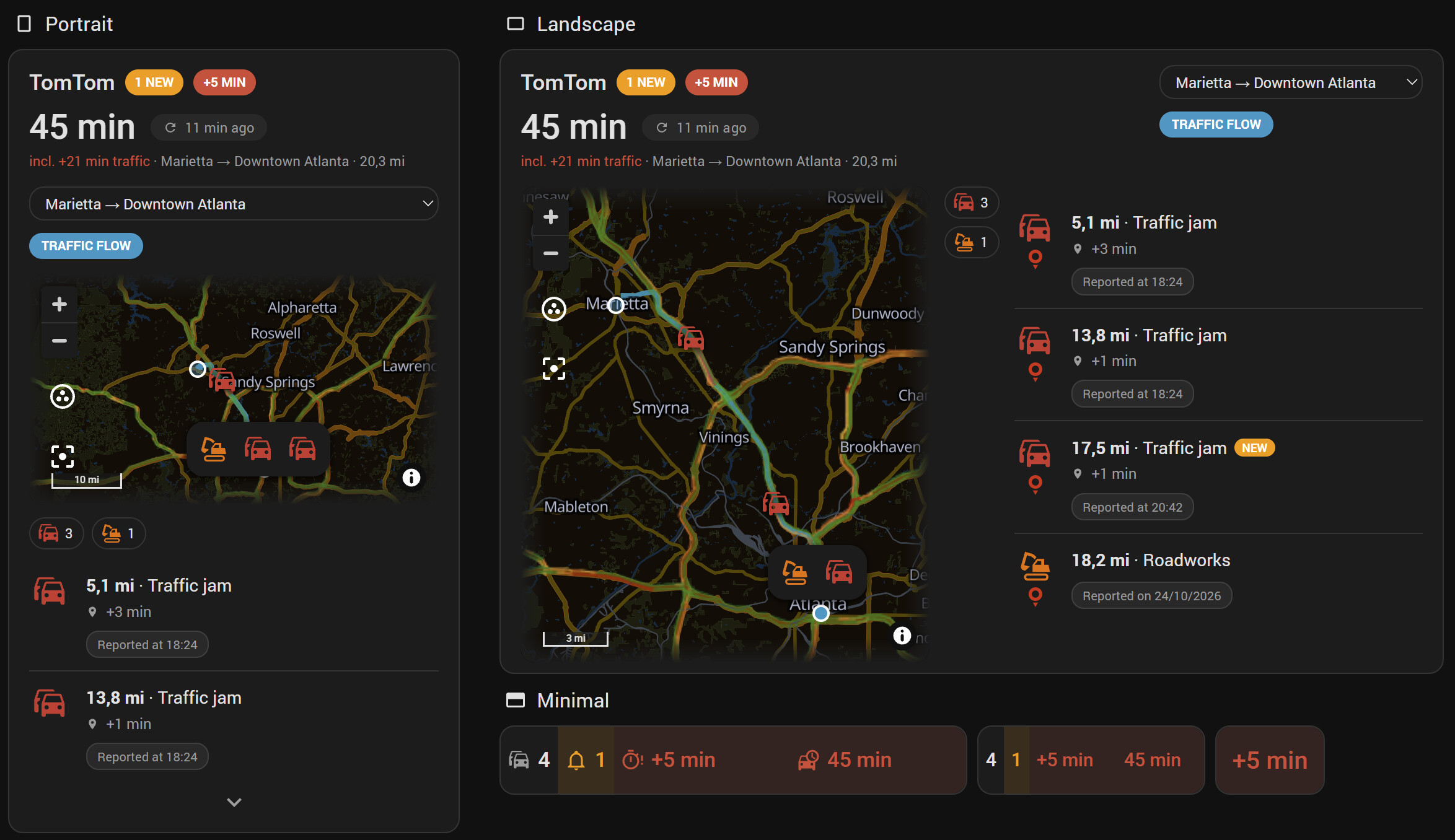
On a live route the travel time stands large under the title, and the line under it says how much of it is traffic - green, yellow or red by thresholds of your choosing. Each report’s stretch of road is drawn on the map under its symbol, and TomTom’s traffic flow colours the roads while the card is on screen. The tiles come through the integration, so your key never reaches the browser.
Yours to style
The editor is the one the Annuals card has, with the same freedom: what the card shows and how every element is drawn - colour, font, size, symbol, background - is set in the visual editor. No YAML, no card-mod. That goes for the reports too: every kind has a symbol and a colour of your own choosing, on the map, on the band along the road and in the list.

What it reports
You add an area (a centre and a radius), a circle that follows a device tracker, or a route from a start to a destination. Every report becomes a geo_location entity with its road, the stretch it covers, its delay, a link to its page and a ready-made one-line summary.
TomTom files every report under one of thirteen kinds - a jam, a lane or road closed, roadworks, an accident, a broken-down vehicle, fog, rain, ice, wind, flooding and more - and each is a switch on the entry. A jam can be held back until its delay is worth a detour.
Features
-
 Live routes. Worked out again on every poll with the traffic of the moment: the fastest way right now, its Travel time, Traffic delay and Route length as sensors, and the reports on exactly that way. The way back as a second entry, each with hours of its own, so a commute asks nothing at night.
-
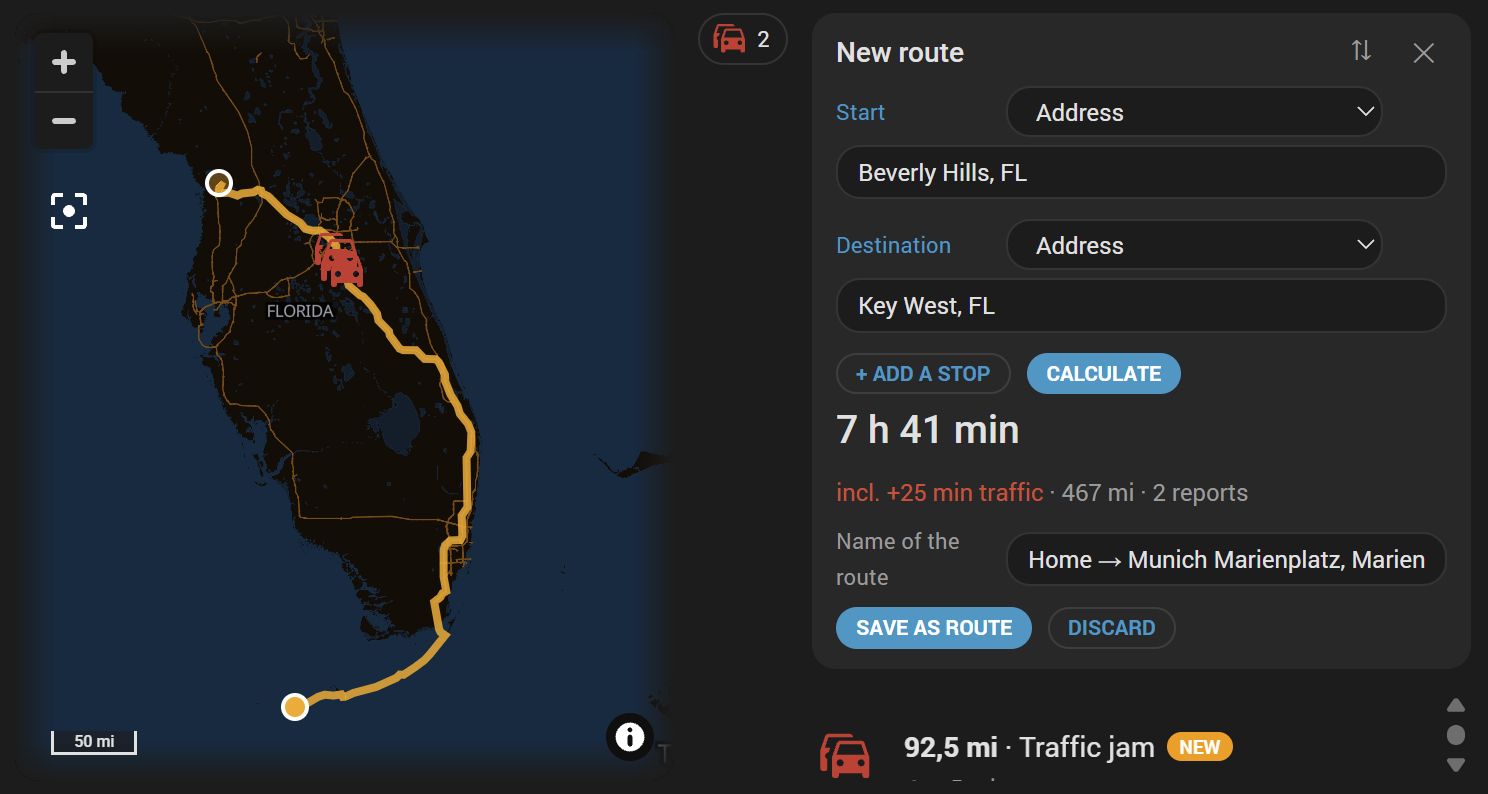
 Plan a route on the card. Start, as many stops as you like and a destination - an entity, a zone, the map’s centre or an address with suggestions while you type. Preview the route and its reports, then save it as an entry.
-
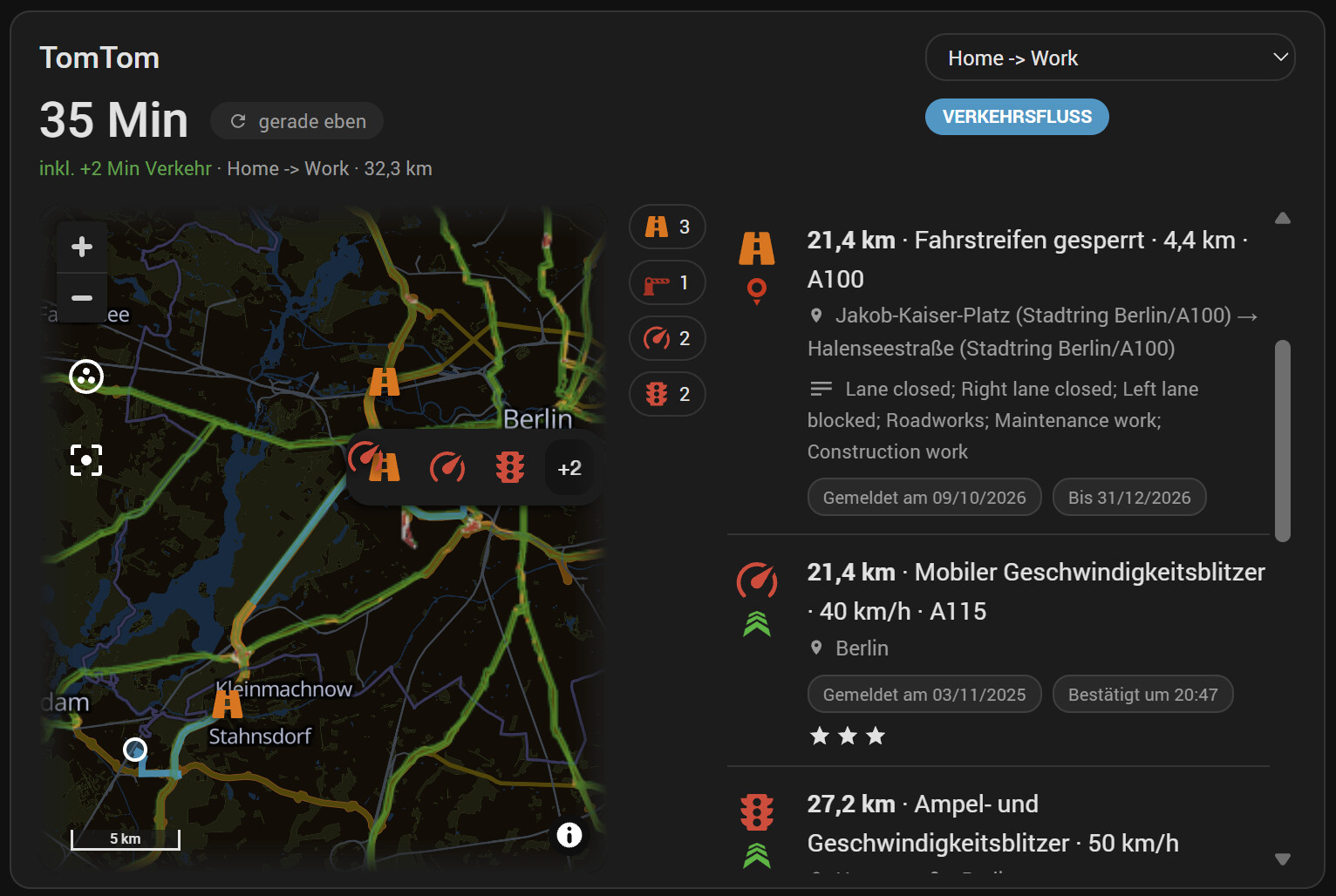
 A bar of the kinds on the map. Between map and list, one symbol per kind the map holds, with its count; a click hides that kind, a second brings it back. A click on a report’s symbol can open its page - blitzer.de’s map, or TomTom’s route planner zoomed to the stretch.
-
 Speed cameras from blitzer.de and Lufop. Optional further sources, off until you switch them on: mobile, fixed, red-light and section controls, each with the logo of who reported it - and two sensors per entry, All speed cameras and New speed cameras.
-
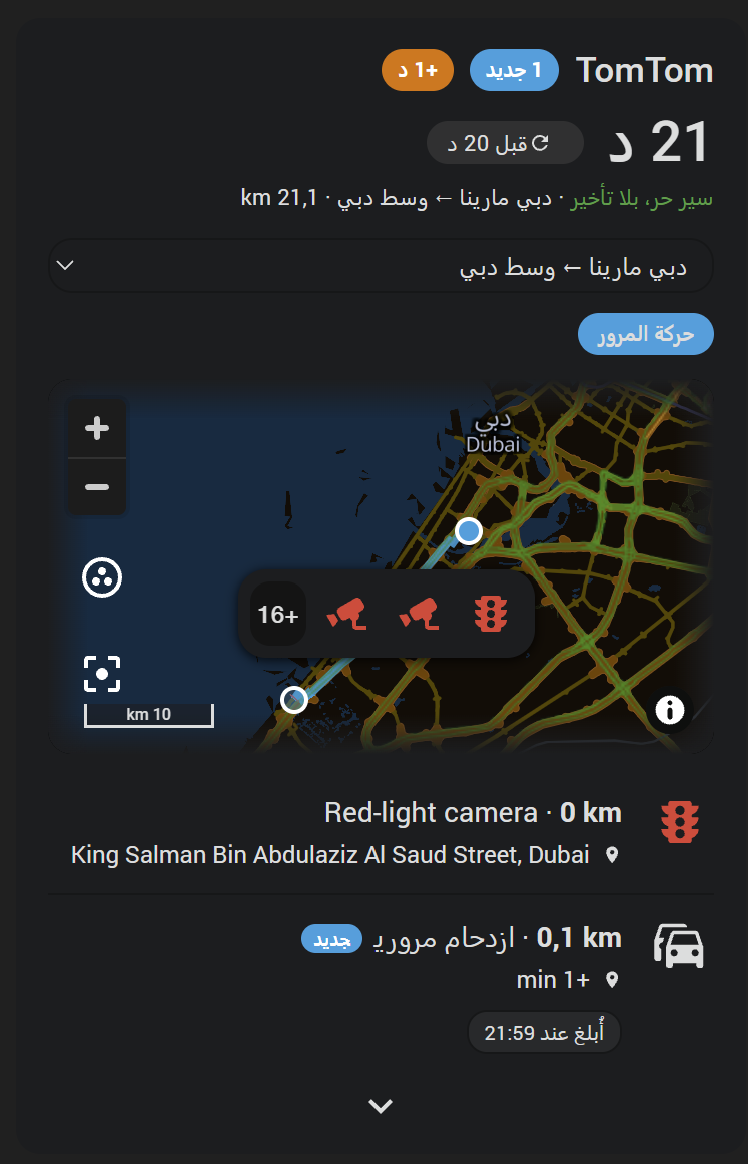
 More than 70 countries and 30 languages. TomTom covers most of Europe, the United States and Canada, much of Asia and the Middle East, Australia and more. Arabic and Hebrew read right to left, the card included. The map can stay light or dark whatever your dashboard’s theme.
-
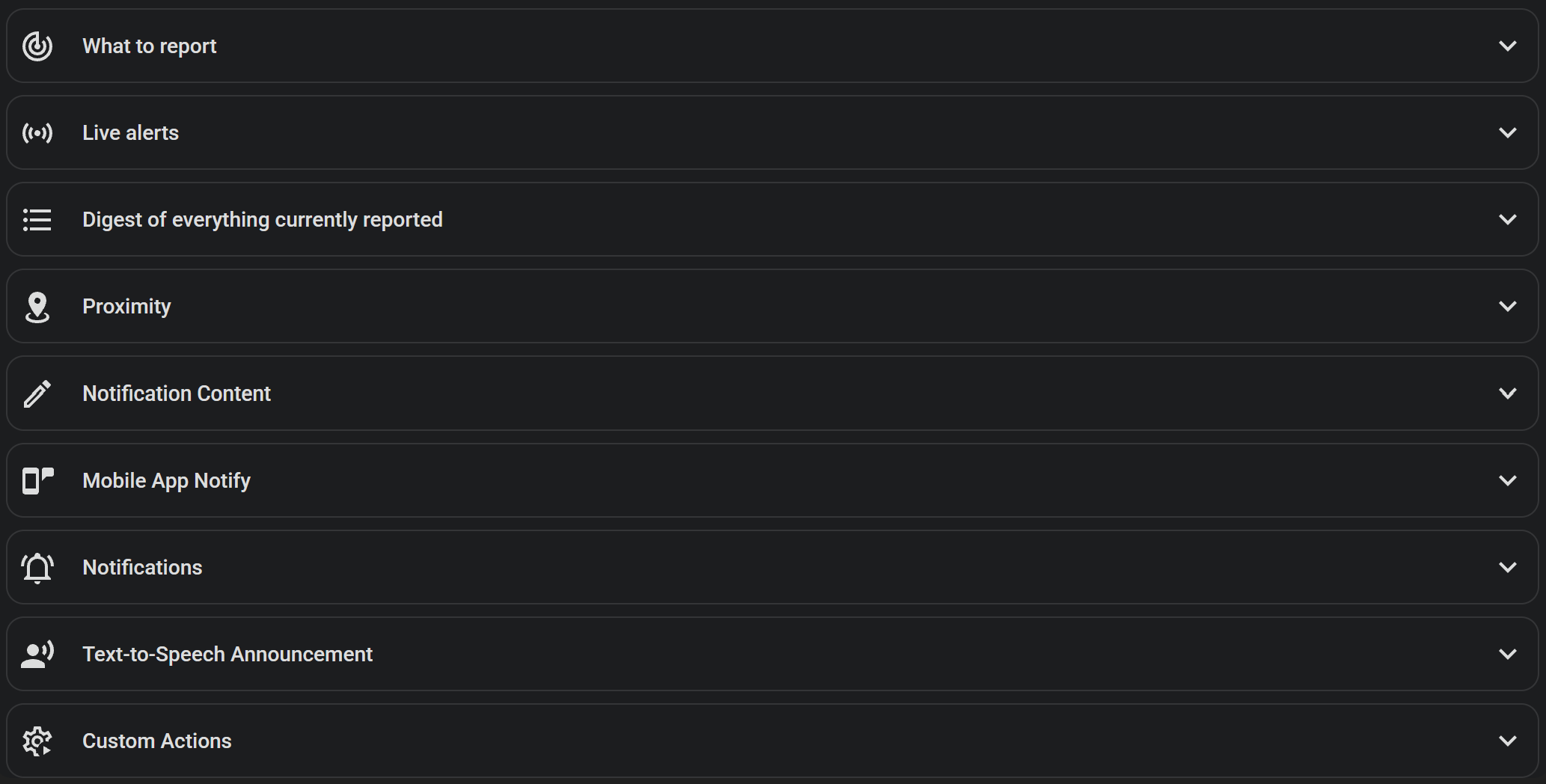
 Report Alerts blueprint, installed with the integration. A message for every new report, or a digest of everything standing - at a set time, when you leave home, or on demand - to your phone, the notification bell, a speaker or anything else. No YAML.
-
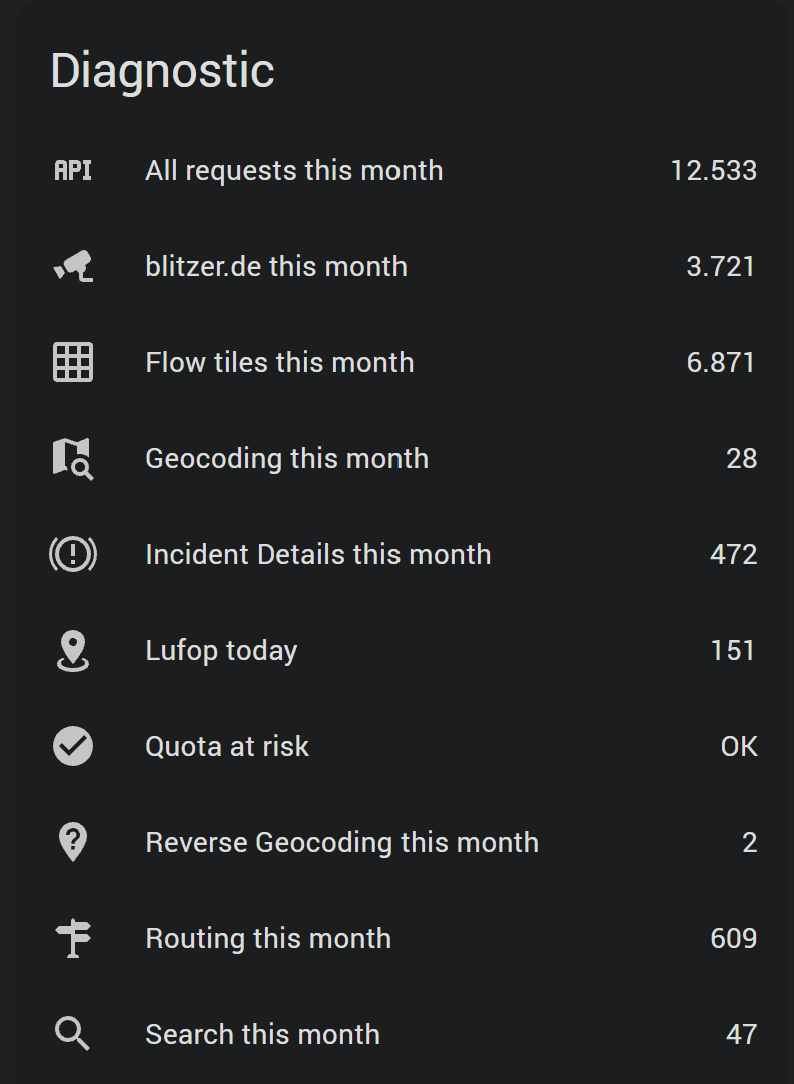
 The free tier in sight. A request counter per API, and before a month’s free requests run out, a repair and a Quota at risk sensor say so - in two stages, at a share of your choosing and again when the whole tier will be used. At the default hourly poll an area uses about 720 of the 2,500 free Incident Details requests a month.
Installation
- TomTom is in the HACS default list: in HACS, search for TomTom, download it and restart Home Assistant.
- Get a free key at developer.tomtom.com - it takes a minute, and no payment method is needed.
- Settings → Devices & Services → Add Integration → TomTom, paste the key and add your first area or route.
- Want blitzer.de or Lufop too? On the TomTom Settings entry, switch them on under Configure → Data sources.
Needs Home Assistant 2024.12 or newer.
 Your own symbol and colour per kind of report. Under Layout → General → Kinds of report the editor lists every kind TomTom and the sources you have switched on can report, each with a symbol and a colour. They apply on the map, on the band along the road, in the list and in the bar. Empty keeps everything as it was.
 A link to every report. Every entity carries a
 Map theme. Under Layout → Map: light or dark regardless of the dashboard - a light map on a dark dashboard, for instance. Automatic follows the HA theme as before.
 Quota warning in two stages, like Lufop’s: a first repair at the share you set (80 % on new installations), a second when the projection reaches the whole free tier.

 A Google Maps button on the map. Switch on Show the Google Maps button under Settings → Map and Google’s pin sits top right on the map, and on the minimal format’s pop-up. A click opens the entry in Google Maps in a new tab: a route with its start, stops and destination in the route planner, an area or a tracker at its centre. Off by default.

 The planner shows the traffic flow and the speed cameras. A calculated route is drawn the way the flow tiles colour the roads - green where traffic moves freely, yellow, orange or red where TomTom rates a delay, grey where it is closed - inside an orange edge. With

 A used-up quota no longer takes your entries down. TomTom counts its free requests per API. When one ran out, every entry went unavailable with “TomTom refused the API key” - routes and travel times included. Now the entries keep running on what they still get: an area or a tracker shows no TomTom reports for the time being, while the speed cameras from
 The card says what is missing. A line above the list, and above the pop-up’s, while reports or their details are missing, or while the last update failed.
 Detail lookups per route. Look up the reports’ details on a route’s form: switched off, the route costs no Incident Details request at all. Minutes between detail lookups lets the details follow in rounds - a new report shows at once, and several are looked up in one request. And a route now looks up only the reports it shows, not the kinds you switched off.
 Minimal format. The editor now offers what the pop-up draws - Traffic button, info line, refresh button - and hides the settings that format has no use for.
 Speed cameras are no longer reported as new after every restart, and keep their entity ids.
 A route’s hours past midnight belong to the day they began on.
 The card reads a report’s time in Home Assistant’s time zone, and “just now” and NEW age between polls.
