That’s amazing, thanks for the update and being so proactive with it all, really helpful 
 Updates July 2025
- Frigate Severity Selection:Select Alerts or Detections
- Clickaction Options Expanded
- MQTT before_zones Added to Zone Match Logic
- Temperature parameter removed to align with LLM Vision 1.5
Version: v0.42
Author: whag
Last Updated: 13 July 2025 (severity variable fix)
I just started setting this up. It seems pretty neat. It’s not working for me. I see it run, but I am not getting any notifications. Are zones a requirement, as I don’t have any setup.
edit: I’ve since gone through your troubleshooting. LLMVision works manually from Dev Tools. Downloader also downloads correctly. However, when this automation runs, downloads don’t happen.
Hi there, can you show us the trace which failed please.
Just to be sure can. You also redownload the blueprint as I made changes today for a recent update where I made an error with the severity parameter.
I redownloaded it too. No change.
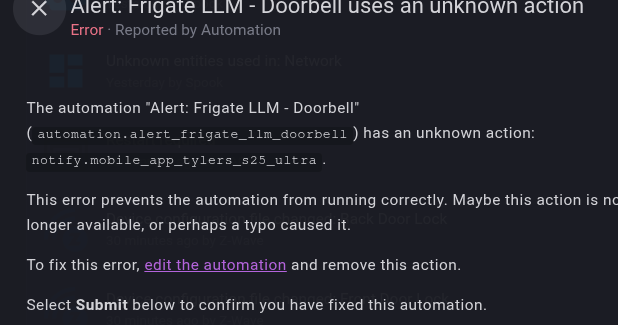
For some strange reason, this blueprint is malforming the notification entity name:
Executed: July 13, 2025 at 8:32:31 PM
Error: Action notify.mobile_app_tylers_s25_ultra not found
Result:
params:
  domain: notify
  service: mobile_app_tylers_s25_ultra
  service_data:
    title: Doorbell -  Alert Update
    message: >-
      A person is approaching the doorway. They appear to be looking around.
      They might be about to knock or ring the doorbell.
    data:
      video: /api/frigate/notifications/1752460289.491029-3ezc0x/review_preview.gif
      image: /api/frigate/notifications/1752460289.491029-3ezc0x/review_preview.gif
      entity_id: camera.doorbell_2
      url: /api/frigate/notifications/1752460289.369739-kiyfga/doorbell/clip.mp4
      clickAction: /api/frigate/notifications/1752460289.369739-kiyfga/doorbell/clip.mp4
      group: doorbell-frigate-notification
      tag: 1752460289.369739-kiyfga
      interruption-level: active
      ttl: 0
      priority: high
  target: {}
running_script: false
The issue:
notify.mobile_app_tylers_s25_ultra
What the actual entity_id is: mobile_app_tyler_s_s25_ultra
Hi there, Did you recently change the device name or modify it in HA
No, havent changed it since its been added (since the phone has been added to HASS). Other notifications are using the device for notifications. In the YAML, I see its linked to a device ID:
    in_notify_devices:
      - 27b9b6ee3abad101c551bbd2ecb3bd1b
    click_action1: "{{image}}"
    click_action2: "{{video}}"
Which is even weirder, making me think its something in HASS, but IDK.

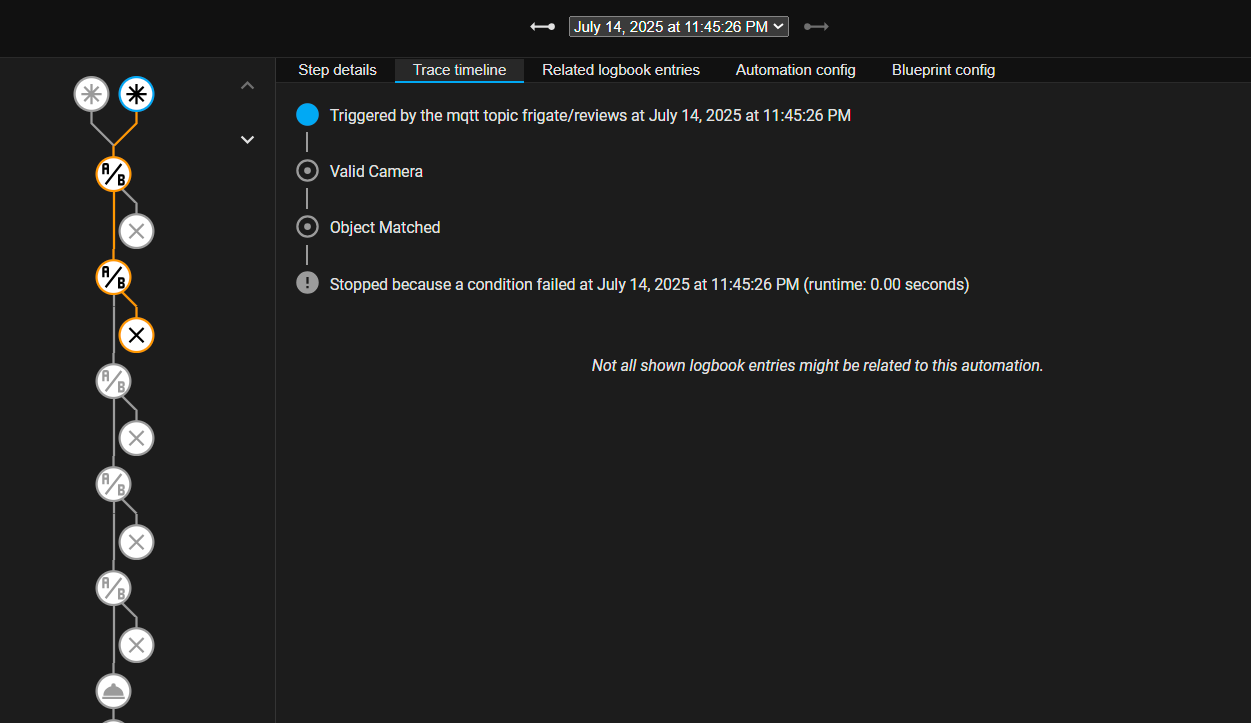
First, I just want to say Thank You for the incredible work. I am a big newb, just started tinkering with HA 2 weeks ago. I have been using Frigate for years but found the notifications a bit underwhelming and thought I would give LLM Vision and this blueprint a try. I have everything configured, it looks like everything is communicating, but I am missing something. I have 4 cameras with 4 automation, and none of them work. For 2 cameras, I am seeing the same result in the trace. For the other camera, it appears it makes it all the way through, but fails at the notification, or just before.
Here is my notification yaml and trace for my doorbell. The trace for another camera looks the same.
alias: Doorbell LLM Notification
description: “”
use_blueprint:
path: willhaggan/Latest.yaml
input:
in_camera: camera.doorbell
in_zones:
- bb161b379779c91efd0546d8ddb526f8
- 806c79a2b21cfdbf522b8170b1e5f405
- 344036f4033b179534991d267fdec418
in_objects:
- person
- cat
- dog
- bird
in_host: http://192.168.60.248:8123/
provider: 01K03FQCB92KFXRTZG4ZMGMEG5
in_notify_devices:
- c21cfcd5d281553ba631fc2b1e7229db
- cba17fb9601335155fe00eff872f2108
- 587c7d0cd02c14e7329673be49248113
click_action1: “{{video}}”
click_action2: “{{video}}”
delay_image: 10
delay_clip: 10
in_downloader_sub: doorbell
alias: Doorbell LLM Notification
description: “”
use_blueprint:
path: willhaggan/Latest.yaml
input:
in_camera: camera.doorbell
in_zones:
- bb161b379779c91efd0546d8ddb526f8
- 806c79a2b21cfdbf522b8170b1e5f405
- 344036f4033b179534991d267fdec418
in_objects:
- person
- cat
- dog
- bird
in_host: http: removed because of site restrictions
provider: 01K03FQCB92KFXRTZG4ZMGMEG5
in_notify_devices:
- c21cfcd5d281553ba631fc2b1e7229db
- cba17fb9601335155fe00eff872f2108
- 587c7d0cd02c14e7329673be49248113
click_action1: “{{video}}”
click_action2: “{{video}}”
delay_image: 10
delay_clip: 10
in_downloader_sub: doorbell
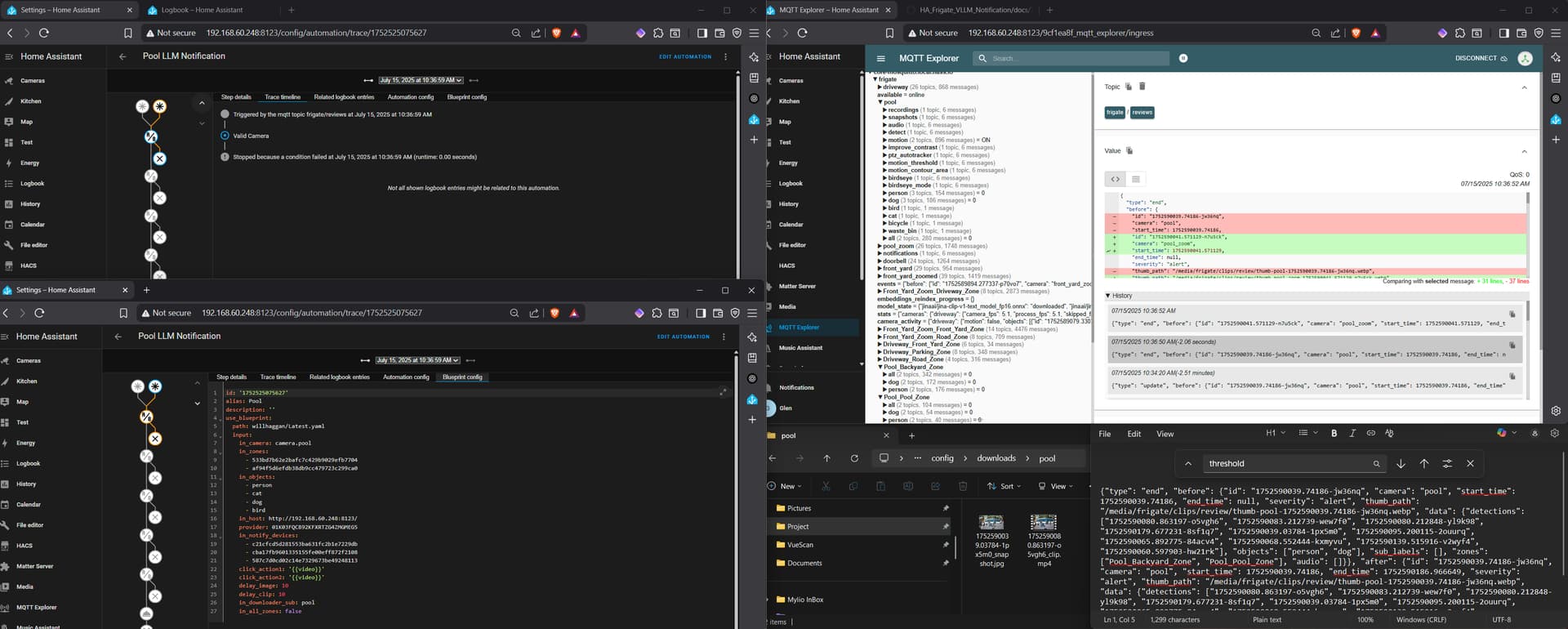
Here is my pool camera, this one makes it the furthest.
alias: Pool
description: “”
use_blueprint:
path: willhaggan/Latest.yaml
input:
in_camera: camera.pool
in_zones:
- 533bd7b62e2bafc7c429b9029efb7704
- af94f5d6efdb38db9cc479723c299ca0
in_objects:
- person
- cat
- dog
- bird
in_host: http: removed because of site restrictions
provider: 01K03FQCB92KFXRTZG4ZMGMEG5
in_notify_devices:
- c21cfcd5d281553ba631fc2b1e7229db
- cba17fb9601335155fe00eff872f2108
- 587c7d0cd02c14e7329673be49248113
click_action1: “{{video}}”
click_action2: “{{video}}”
delay_image: 10
delay_clip: 10
in_downloader_sub: pool
Downloader appears to be working. It created folders for the 3 cameras I tested and all 3 have a single jpeg and mp4 in them from the events above.
I am sure I am missing something simple. I just can’t find it. I have deleted everything and went through the steps multiple times. I appreciate any help you can give me. If you need something different that what I gave you, let me know. I will do my best to find it.
Thanks
Glen

Go to the downloader download file step in that trace and see what/if it saved anything
I tested the pool this morning. Images did download of when me and my dogs were outside. This even failed pretty early. Does “Stopped because a condition failed…” mean a zone issue maybe? Sorry, I am new at this. I also followed the steps to add debugging to my configuraton.yaml. So maybe that can tell us something? I obviously have something messed up in my config.
Sorry, I will delete this so I am not spamming the board. I just saw this in the log. Apparently one of the traces got further than the previous, although, it still failed. My other two cameras only get as far as my last post did. I hope that if I can resolve this camera that I can replicated the corrective actions to make those work. 
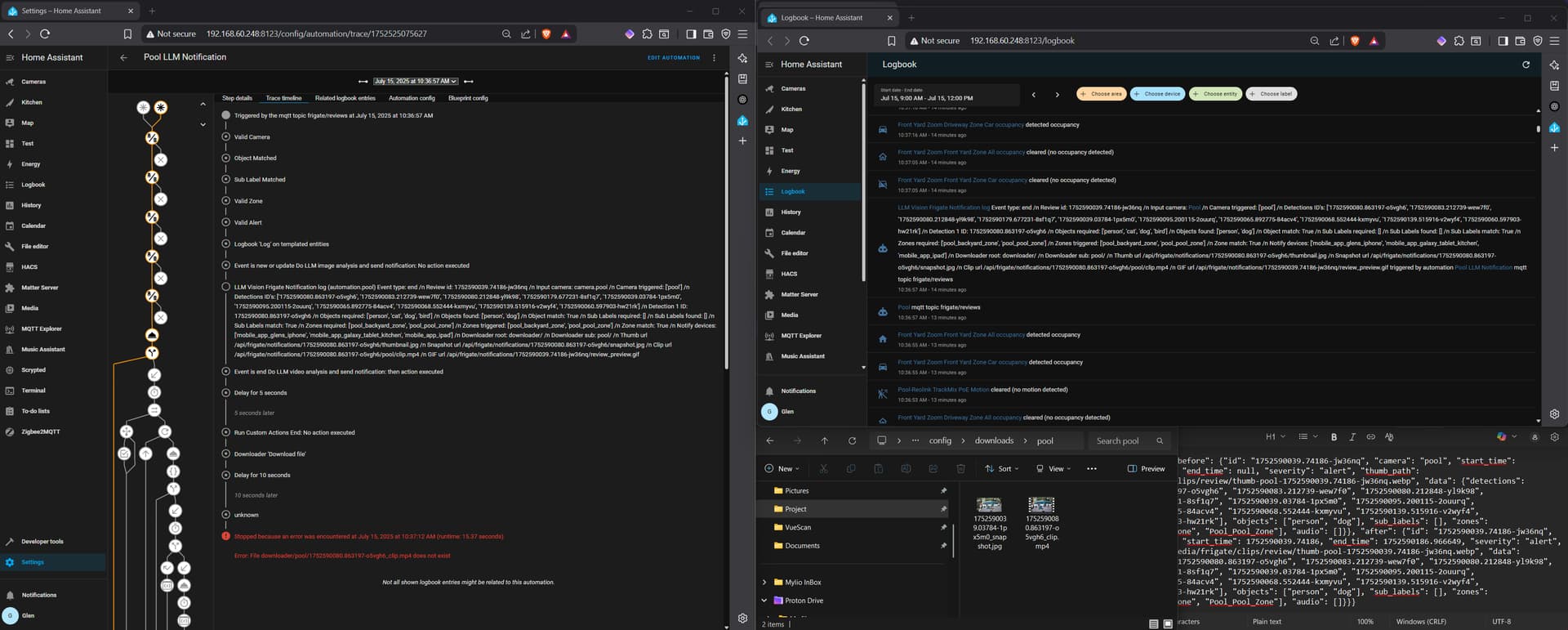
Hi, Can you confirm youir downloader root directory is “downloader”, if it is check the sub folders exist.
So in your instance you should have a folder called downloader in the root of the config directory, with a sub folder called pool.
I do. There are a handful of items in there. When I setup downloader, I just used downloads. Then for each camera I gave it a subfolder. Downloader then autogenerated (I assume it was downloader) these folders.
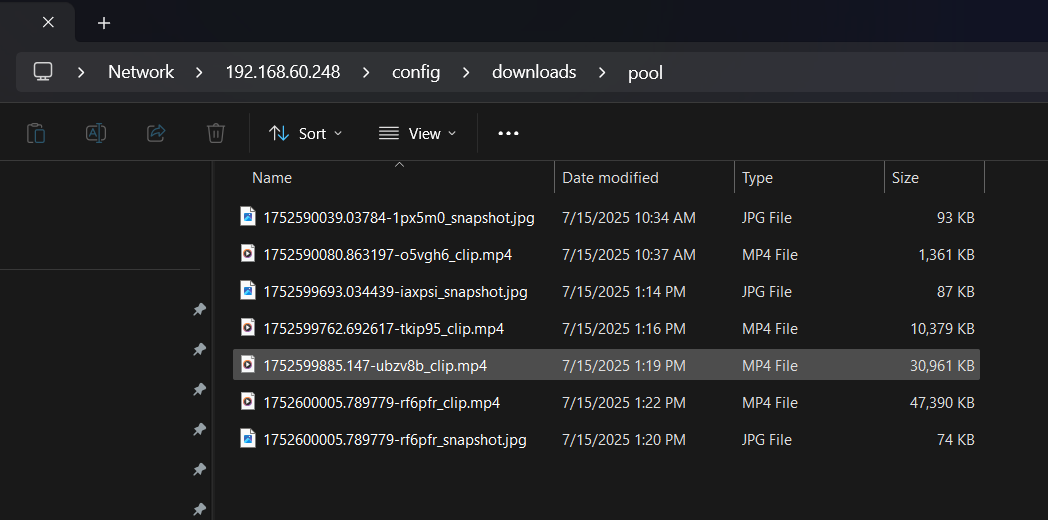
Okay no big issue just change the blueprint downloader root directory to downloads and give it a try and let us know. thanks

Sorry for the confusion but the name entered into this input is the folder that was used when setting up the Downloader integration, so in my instance i used the name downloader, you used downloads so thats all you should have to change for now.
Not sure how you got them files in there unless you manually put them in or used the downloader integration service call in dev tools!
Well, thanks for the help, going to create something that actually works though.