What do you mean by “outdated”? The only outdated thing could be an absense of ‘card_mod” keyword in some examples.
I was trying directly Your command, but it didn’t work as well.
––state-lawn_mower-docked-color: cyan
Then I played with modifying it to match lawnmower name.
Then see my 1st post related to this issue - this domain seems to be not themeable.
1 Like
Hi,
I need help customizing the badge icon size and font size for the temperature sensor values in Badges. Additionally, I’m also trying to change the font size of the temperature control bar in the “Climate” card or the Thermostat card.
Can anyone please help shed some lights on the above? Much appreciated.
Thanks
If you mean “view badges:
1st post - fantastic link - badges 2024.8
There are 2 methods available (mod-card, hacked card-mod), choose any.
Suggest to use posted examples as a starting point and TRY yourself, then post your attempts.
Thanks for your reply. I tried to change the state font size and it doesn’t change or enlarge the font size. Can you please shed some lights?
type: heading
heading: New section
heading_style: subtitle
badges:
  - type: entity
    entity: sensor.bedroom_rounded_temp
    card_mod:
      style:
          ha-state-label-badge:
            $:
              ha-label-badge:
                $: |
                  .badge-container .label-badge .value {
                    color: red;
                    font-size: 88px;
                  }

I would suggest reading up on using Chrome’s element inspector. There are multiple ways to attack mods.
Ildar’s guide is extremely robust and offers an enormous amount of information. It’s impossible to cover all aspects, so educating yourself is required.
type: heading
heading: New section
heading_style: subtitle
badges:
  - type: entity
    entity: sensor.bedroom_rounded_temp
card_mod:
      style: |
          ha-card {
              --secondary-text-color: blue !important;
              --ha-heading-card-subtitle-font-size: 40px !important;
              --ha-heading-card-subtitle-line-height: 41px !important;
                  }
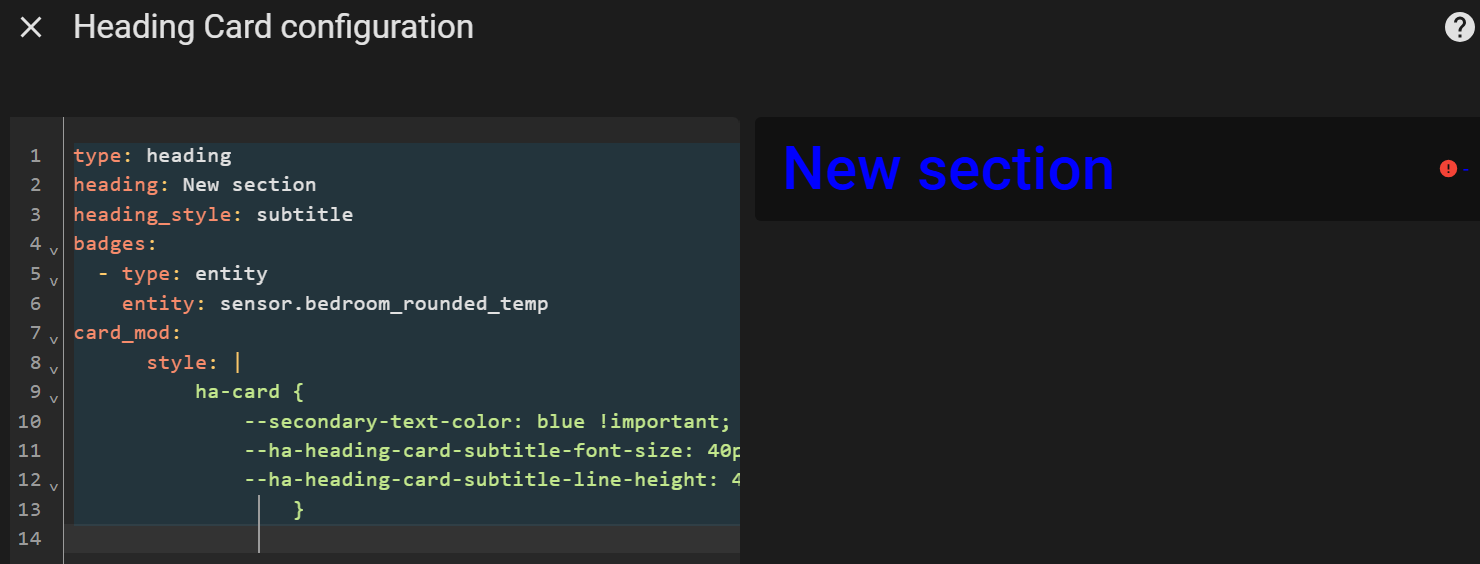
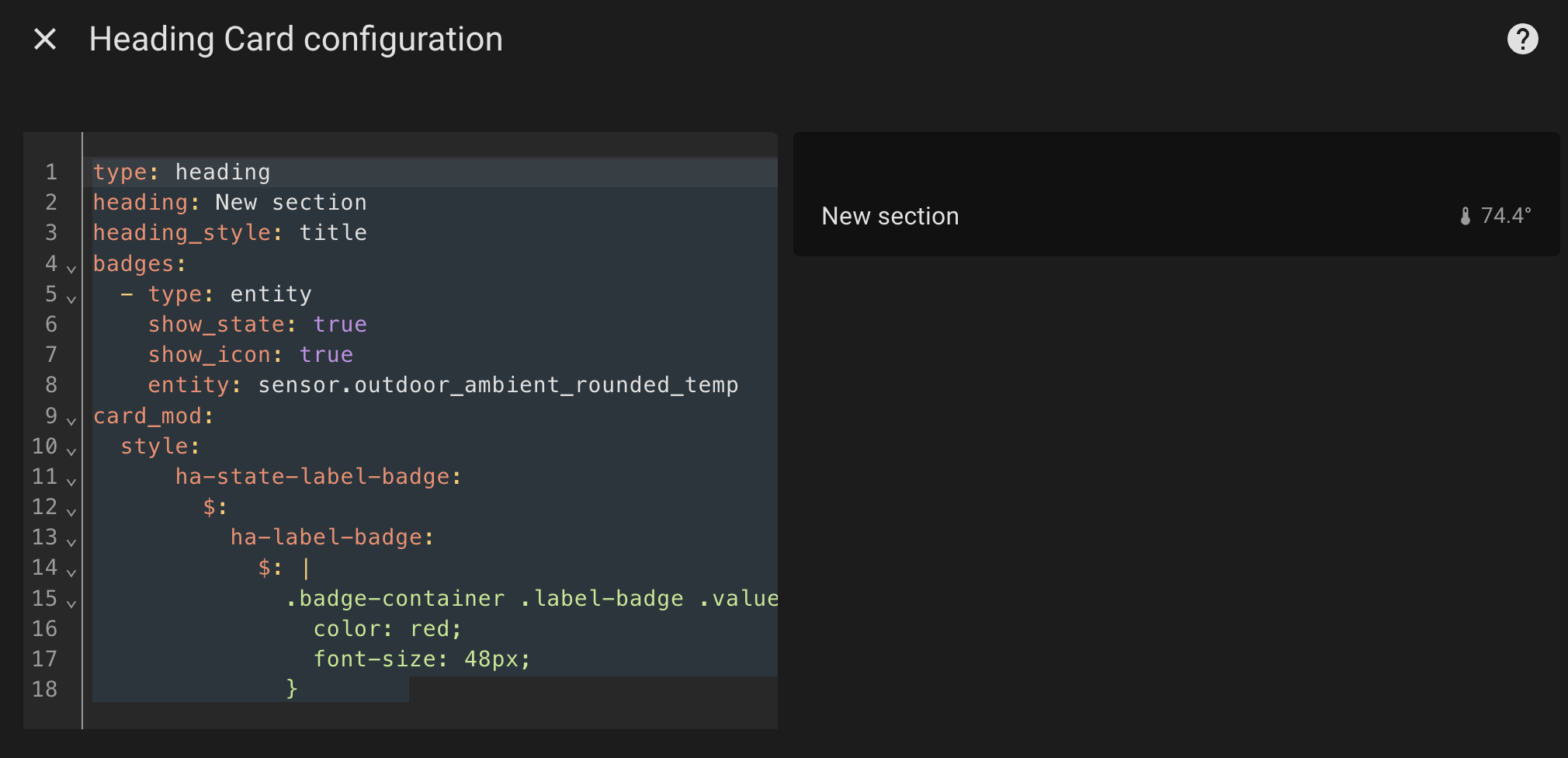
Thanks for the reply. What I wanted to change is the bedroom’s sensor temperature value reading, not the “New Section” heading. Take a look at my another attempt. The 74.4F didn’t change to red or font size didn’t change. Not sure which part of my code is experiencing problem. TIA.
For example:
type: heading
heading: New section
heading_style: title
badges:
 - type: entity
   show_state: true
   show_icon: true
   entity: sensor.outdoor_ambient_rounded_temp
card_mod:
 style:
     ha-state-label-badge:
       $:
         ha-label-badge:
           $: |
             .badge-container .label-badge .value {
               color: red;
               font-size: 48px;
             }
Never mind. I found this code is working:
type or paste code heretype: heading
heading: New section
heading_style: title
badges:
  - type: entity
    show_state: true
    show_icon: true
    entity: sensor.outdoor_ambient_rounded_temp
card_mod:
  style:
    .badges hui-entity-heading-badge $: |
      ha-state-icon {
        --mdc-icon-size: 20px;
      }
      state-display {
        font-size: 150%;
      }
    .: |
      .type-heading .container .content {
        font-size: 100%;
      } ```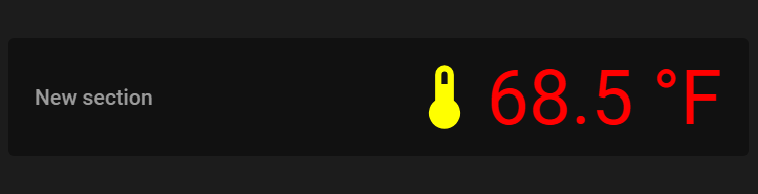
type: heading
heading: New section
heading_style: subtitle
badges:
  - type: entity
    entity: sensor.living_room_temperature
card_mod:
     style:
         hui-entity-heading-badge$:
          ha-heading-badge$: |
           .heading-badge {
            --icon-color: yellow !important;
            --mdc-icon-size: 50px !important;
            font-size: 50px  !important;
            color: red !important;
            }
2 Likes
Oh. Yours is even better! It’s exactly what I want to achieve. Thanks again for your help!!!
Correct your terminology: these are not “badges”, these is a Heading card.
1 Like
Got it! Didn’t know I had that mixed up. Thanks.
Now, I am looking into “Badges” (I hope it got it correctly this time). I was referring to 🔹 Card-mod - Add css styles to any lovelace card - #1310 by Ildar_Gabdullin. But none of the card_mod code works. Do I need to put some patch before using the card_mod code?
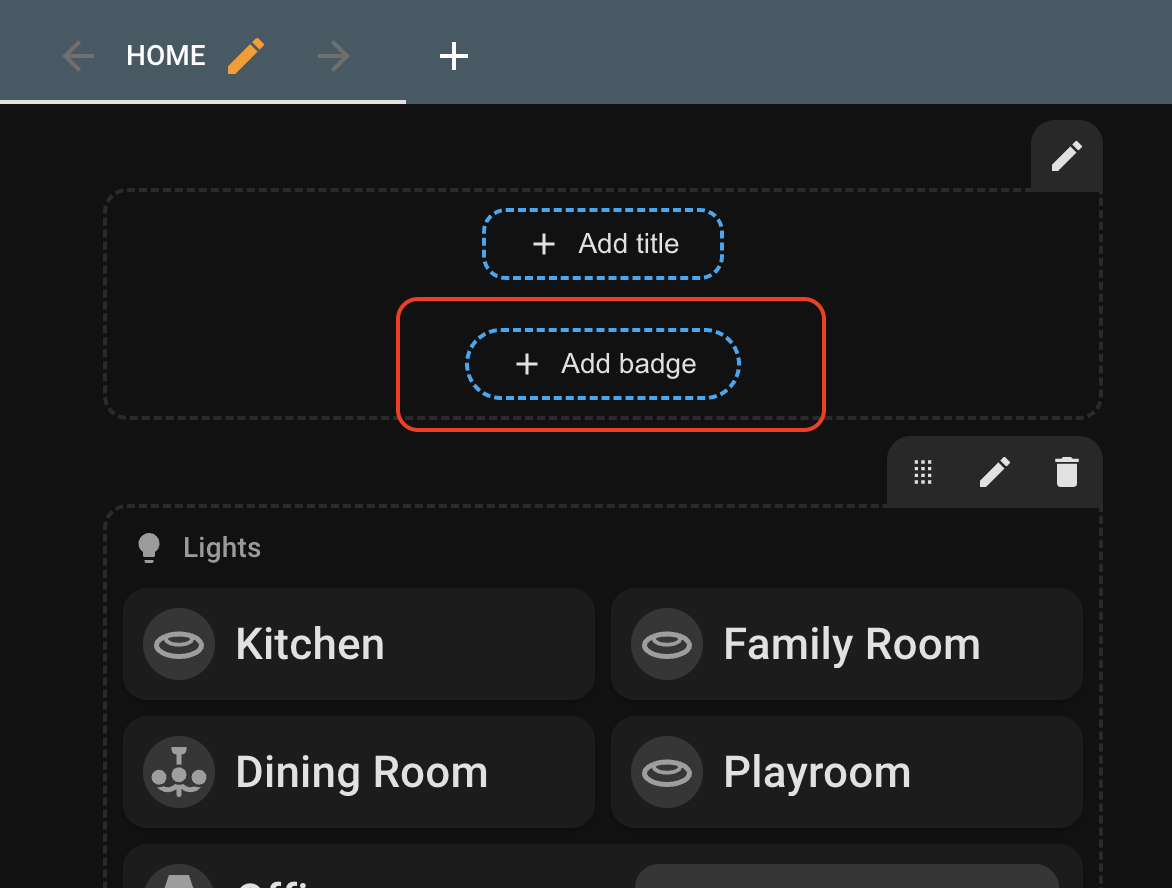
Depends on what badges you need.
pre 2024.8: that thread + a sibling thread about “how to style old badges after HA 2024.8”.
after 2024.8: already gave you a path to 2 possible methods
1 Like
Thanks for the suggestion. I attempted one of the workarounds, which involves replacing the strings in card-mod.js. Finally, it worked with all your code examples. However, it completely changed the style and appearance of the current native HA’s badge style and design, which I prefer. I was hoping to simply increase the font size while preserving the native badge design. Is it possible to use your workaround but not alter the native badge style and design?
Thanks
This “replacing string” method is purposed to make card-mod compatible with a specially added “type” line to “turn” new badges into old badges. This replacing does NOT affect new badges.
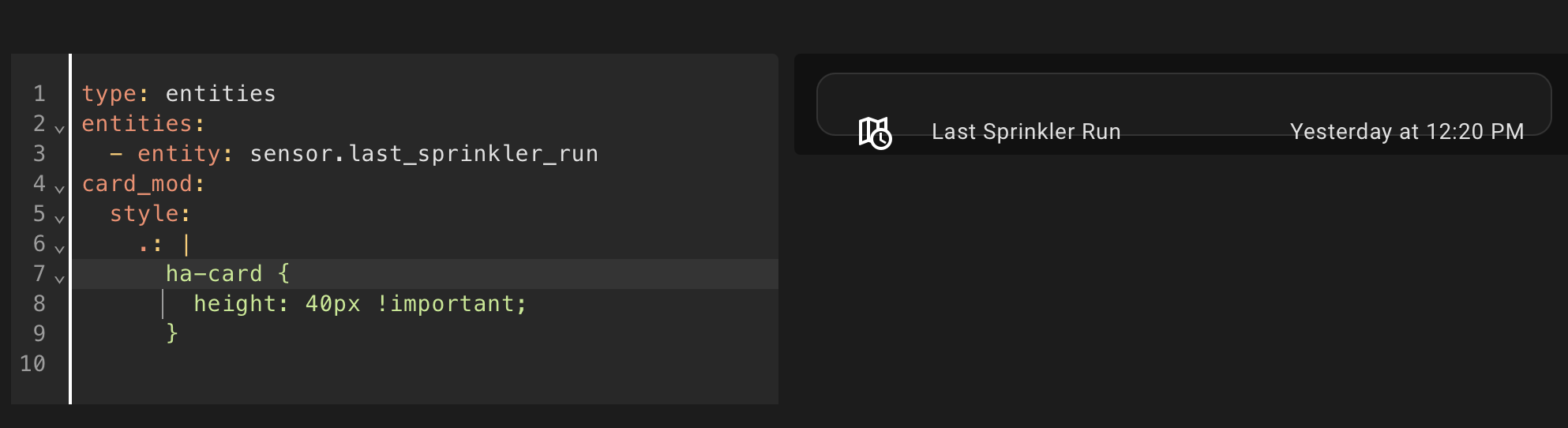
How can I fix that. Im decrease the hight but text is not aligned in relation to the box. I tried padding and margin, but the whole thing moves. THank you!
Set zero paddings for “.card-content”.
Thank you! I tried .content and was not working, .card-content did the trick. Appreciate!