Change letters to capital, either all letters of just the first in each word

I have made a platform in configuration.yaml to display month and day and time. It displays the day in lower case while the month begins with a capital letter. I would like it all to display in upper case if possible. It’s okay if only the first letter is uppercase (for example Thursday).

I have finally upgraded HA after using an old version for a few years. This is in my configuration.yaml:

sensor:
 - platform: template
   sensors:
      dayoftheweek:
        value_template: >
          {% set dag = states('sensor.date') %}
          {{ now().strftime("%A") | lower }}
    
      month:
        value_template: >
          {% set maanad = states('sensor.date') %}
          {{ now().strftime("%B") }}

      dateofthemonth:
       value_template: >
         {% set datum = states('sensor.date') %}
         {{ now().strftime('%-d') }}

Then i have used the raw configuration editor and have copied from my old HA system:

          - type: vertical-stack
            cards:
              - type: markdown
                content: ' '
                style:
                  ha-markdown:
                    $: |
                      h1 {
                        text-align: center;
                        font-variant:small-caps;
                        font-weight: 10;
                        font-size: 0.2em;
                        margin-bottom:0px;
                        margin-top: 0px;
                      }
              - type: markdown
                content: >
                  # <center> {{states("sensor.dayoftheweek")}},
                  {{states("sensor.month")}} {{states("sensor.dateofthemonth")}}
                  </center>
                style:
                  ha-markdown:
                    $: |
                      h1 {
                        text-align: center;
                        font-variant:small-caps;
                        font-weight: 350;
                        font-size: 4.2em;
                        margin-bottom:12px;
                        margin-top: 12px;
                      }

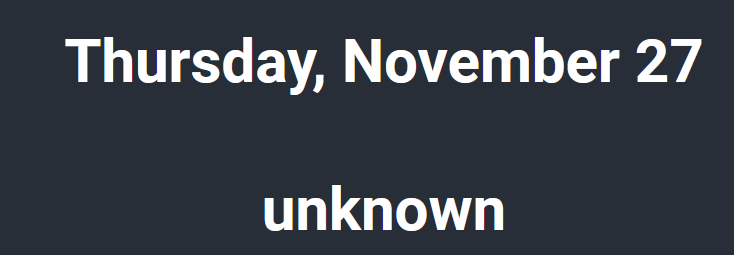
The result is this:

And I would like to change it to the first letter being Capital in both word or all in upper case. Thank you so much! Nice to be back.

{% set word=‘thursday’ %}
{% set word = word[0]|upper+word[1:] %}
{{ word }}

or in your case this should work

{{ states("sensor.dayoftheweek")[0]|upper -}}{{- states("sensor.dayoftheweek")[1:] }}

I might be missing something, but why do you translate the day in the template to lower case to begin with?
strftime(“%A”) applied to a datetime object will return the day starting with uppercase

{{ now().strftime("%A") | lower }}
=>
{{ now().strftime("%A") }}

or including the state of your sensor

{% set dag = states('sensor.date') |as_datetime %}
{{ dag.strftime("%A")  }}

You btw have sooner or later to work on your template, it’s using the “legacy” format and will throw deprecation warnings with the next release, see Deprecation of legacy template entities in 2025.12

And while on the subject of deprecation: it looks like you are using card-mod to style the markdown card.

If you update to any version > 3.4 (and you should - version 4 is out to keep up with the latest changes to the HA frontend), then you need to add the card_mod: key to all your styles.

Edit: jinja2 also has a capitalize function/filter if you ever need to do this in a template (as opposed to correcting the original sensor, which does seem like the more sensible solution).

Pick the filter you need:

{% set word = 'my test word' %}

{{ word }}
{{ word|capitalize }}
{{ word|title }}
{{ word|upper }}

Thank you so much for all the answers, now I have each word start in upper case.

I understand that I need to change the template. I looked at the provided link but don’t understand how to change it. This is what I have now:

sensor:
 - platform: template
   sensors:
      dayoftheweek:
        value_template: >
          {% set dag = states('sensor.date') %}
          {{ now().strftime("%A") }}
    
      month:
        value_template: >
          {% set maanad = states('sensor.date') %}
          {{ now().strftime("%B") }}

      dateofthemonth:
       value_template: >
         {% set datum = states('sensor.date') %}
         {{ now().strftime('%-d') }}

Sorry if I’m just not understanding, but I just installed this Home Assistant from scratch and haven’t added card mod js. I copied the code for the sensors into my new HA instance. How do i remove the references to card mod because I’m fine with the style i currently get?

Just to be clear, the advice about card-mod was In reference to your markdown cards on your dashboard - not related to your sensor configuration.

It should be enough to have your markdown configured like this, deleting everything under the style: key, which wouldn’t be doing anything without card-mod installed anyway.

             - type: markdown
                content: >
                  # <center> {{states("sensor.dayoftheweek")}},
                  {{states("sensor.month")}} {{states("sensor.dateofthemonth")}}
                  </center>

Thank you, I removed all instances of style so references to card mod should be gone. Now I just wonder about the template platform, how I should change it.

Not tested (!):
you might want to read Template - Home Assistant

template:
  - sensor:
      - name: "dayoftheweek"
        state: >
          {{ now().strftime("%A") }}
      - name: "month"
        state: >
          {{ now().strftime("%B") }}
      - name: "dayofthemonth"
        state: >
          {{ now().strftime('%-d') }}

As an alternative you can also create a helper template sensor in the UI

Thank you, I’ve applied your code and the editor complains about the indentation of template:

I tried changing the indent but it is probably wrong according to the rest of the code in configuration.yaml

Edit:fixed the indentation but the date number (today 27) and time stopped working and shows as unknown unknown.

Edit two: got the date to show, today is the 27. Now only the actual clock time dissapeard. This is the code in raw configuration:

              - type: markdown
                content: |
                  # <center> <font size='9px'> {{states("sensor.time")}} </center>

I have no reference to the time in configuration.yaml

You can use

{{ now().timestamp() | timestamp_custom("%H:%M")}}

Or add the time integration in devices and integrations under settings

I’m so new to all this I’m still on the far, lower left of the Dunning-Kruger curve. That being said, isn’t there a space missing in this line of OP’s configuration?
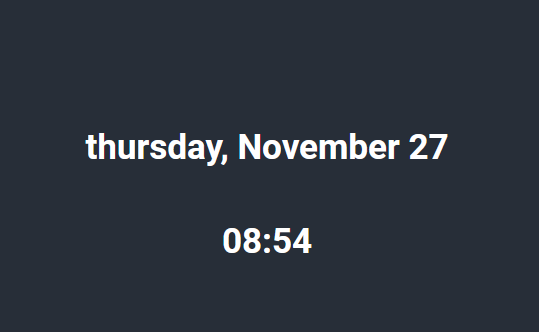
Thank you. Now everything works on the first page of the tablet.

Might be so, but I’ve removed card-mod now and am not using it so i removed all style formatting.

1 Like