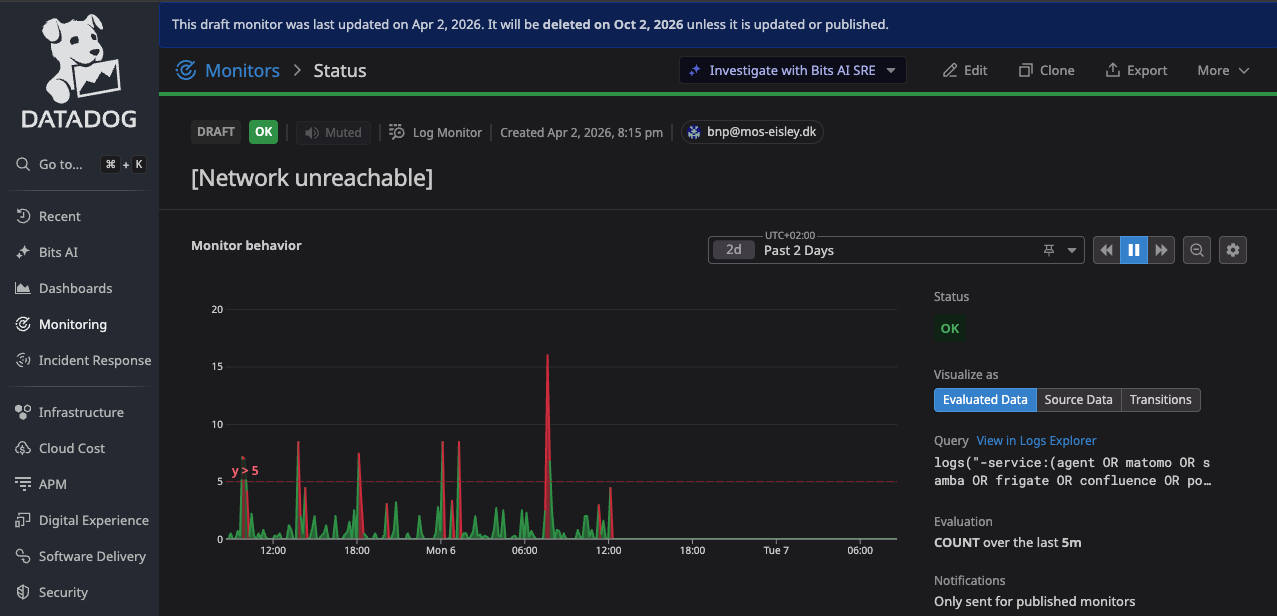
I run a simple network at home, just 10.0.0.x
DNS: 8.8.8.8 directly. All cabled.
A ubuntu server 24.04:
network:
  version: 2
  ethernets:
    enp4s0:
      dhcp4: no
      addresses: ["10.0.0.183/24"]
      gateway4: 10.0.0.1
      nameservers:
        search: ["mos-eisley.dk"]
        addresses:
          - "8.8.8.8"
          - "8.8.4.4"
With Home Assistant Core in a docker:
services:
  home-assistant:
    container_name: home-assistant
    restart: unless-stopped
    network_mode: host
    image: homeassistant/home-assistant:2026.2.2
    volumes:
      - /run/dbus:/run/dbus:ro
      - /etc/localtime:/etc/localtime:ro
      - /opt/homeassistant:/config
    devices:
      - /dev/ttyACM0:/dev/ttyACM0
    ports:
      - 8123:8123
    environment:
      - TZ=Europe/Copenhagen
    privileged: true
    dns:
      - 8.8.8.8
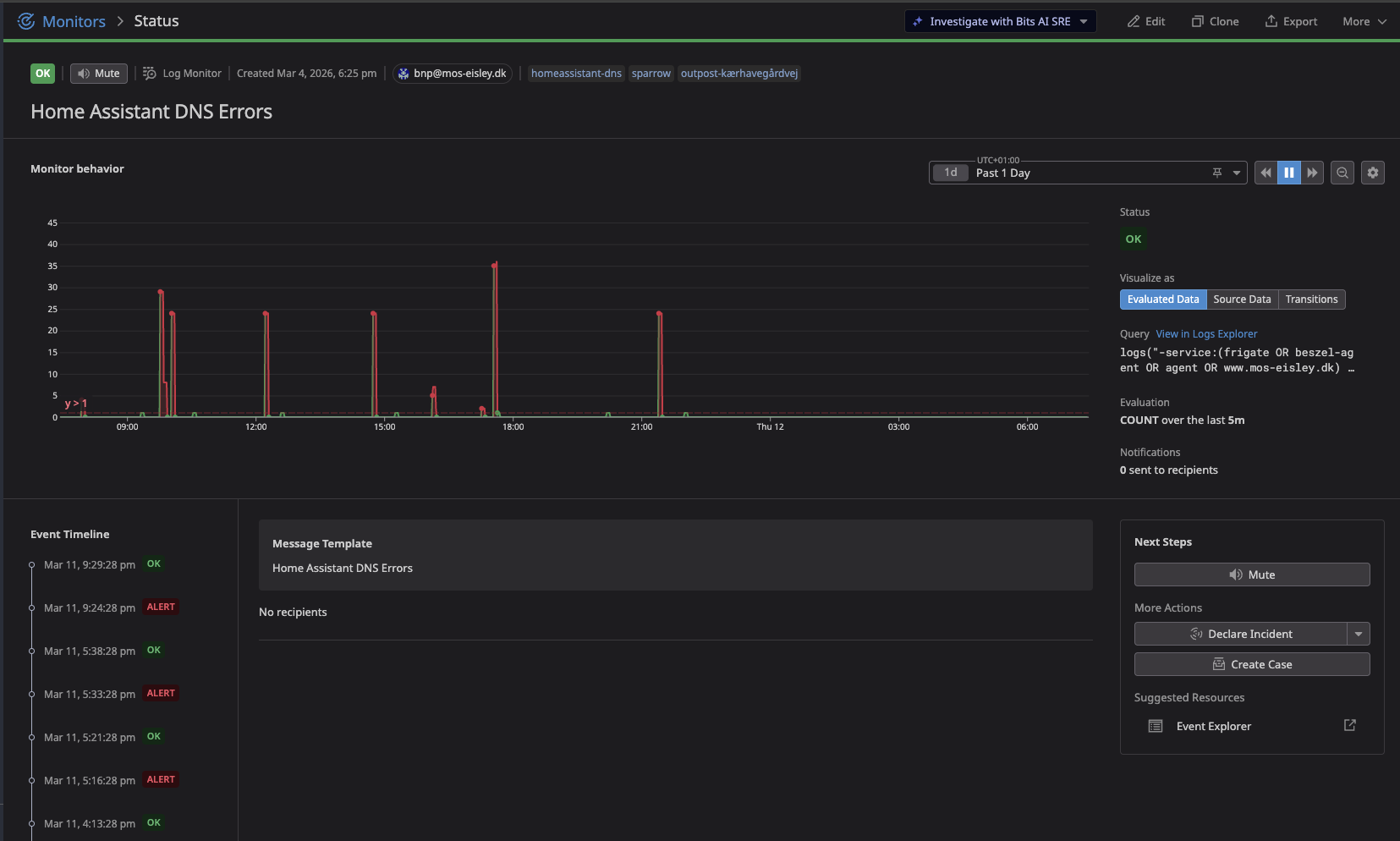
After updating integrations, I started seeing "Could not contact DNS servers " in the logs:
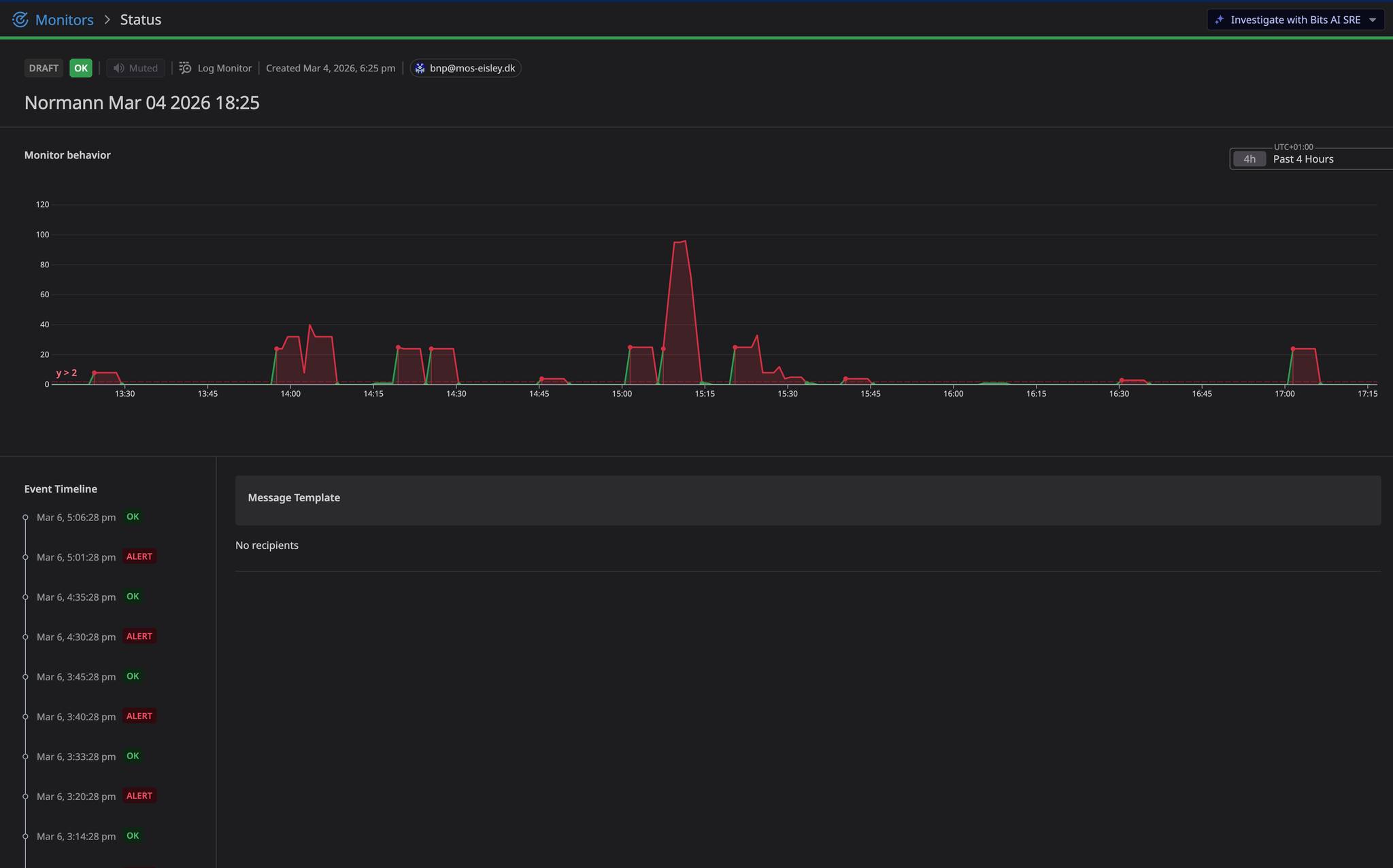
Then I upgraded 2 integrations:
oot@sparrow:/opt/homeassistant/custom_components# ls -lt | more
total 144
drwxr-xr-x 4 root root 4096 Mar 7 08:50 cardata
drwxr-xr-x 6 root root 4096 Mar 7 08:49 entity_manager
and restarted Home Assistant - through “Repair”
Then the messages disappeared complely until this morning after Integrations update:
drwxr-xr-x 8 root root 4096 Mar 11 07:30 energidataservice
drwxr-xr-x 4 root root 4096 Mar 11 07:29 ics_calendar
And they are back:
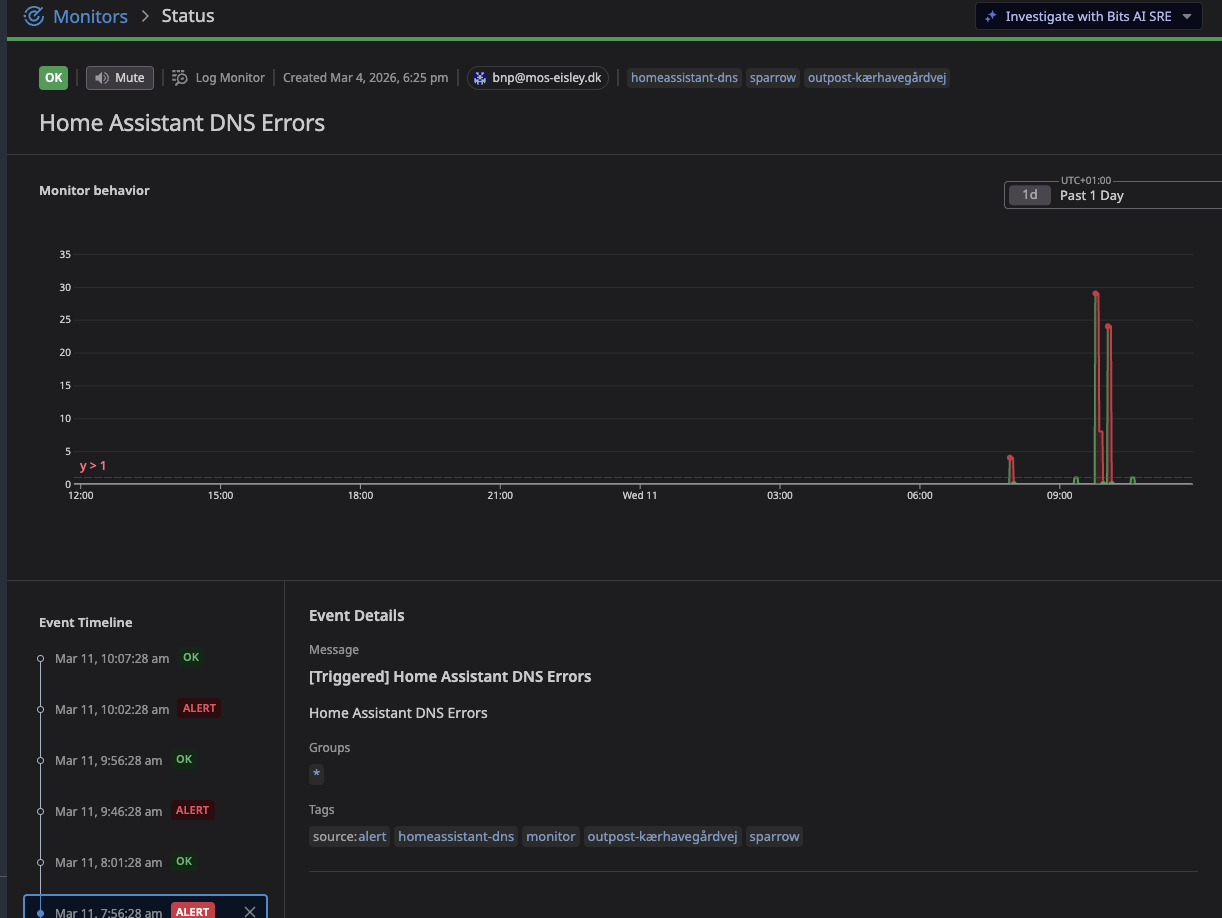
I have pretty much ruled out network and Ubuntu now, It for sure seems that restart of Home Assistent causes this go start - or disappear.
Heres a log sample:
2026-03-11 09:45:35.731 ERROR (MainThread) [homeassistant.components.google.coordinator] Error fetching [email protected] data: Error communicating with API: Error connecting to API: Cannot connect to host www.googleapis.com:443 ssl:default [Could not contact DNS servers]
2026-03-11 09:45:35.770 ERROR (MainThread) [homeassistant.components.spotify] Error requesting Normann P. Nielsen Devices data: Cannot connect to host api.spotify.com:443 ssl:default [Could not contact DNS servers]
2026-03-11 09:45:35.776 ERROR (MainThread) [homeassistant.components.spotify.coordinator] Error requesting spotify data: Cannot connect to host api.spotify.com:443 ssl:default [Could not contact DNS servers]
2026-03-11 09:45:35.867 ERROR (MainThread) [homeassistant.components.google.coordinator] Error fetching Normann (gmail) data: Error communicating with API: Error connecting to API: Cannot connect to host www.googleapis.com:443 ssl:default [Could not contact DNS servers]
2026-03-11 09:45:36.943 ERROR (MainThread) [homeassistant.components.google.coordinator] Error fetching Helligdage i danmark data: Error communicating with API: Error connecting to API: Cannot connect to host www.googleapis.com:443 ssl:default [Could not contact DNS servers]
aiodns.error.DNSError: (11, 'Could not contact DNS servers')
OSError: [Errno None] Could not contact DNS servers
    raise ClientConnectorDNSError(req.connection_key, exc) from exc
aiohttp.client_exceptions.ClientConnectorDNSError: Cannot connect to host api.ring.com:443 ssl:default [Could not contact DNS servers]
ring_doorbell.exceptions.RingError: aiohttp Client error during query of url https://api.ring.com/clients_api/dings/************/share/play: Cannot connect to host api.ring.com:443 ssl:default [Could not contact DNS servers]
aiodns.error.DNSError: (11, 'Could not contact DNS servers')
OSError: [Errno None] Could not contact DNS servers
    raise ClientConnectorDNSError(req.connection_key, exc) from exc
aiohttp.client_exceptions.ClientConnectorDNSError: Cannot connect to host api.ring.com:443 ssl:default [Could not contact DNS servers]
ring_doorbell.exceptions.RingError: aiohttp Client error during query of url https://api.ring.com/clients_api/dings/************/share/play: Cannot connect to host api.ring.com:443 ssl:default [Could not contact DNS servers]
aiodns.error.DNSError: (11, 'Could not contact DNS servers')
OSError: [Errno None] Could not contact DNS servers
    raise ClientConnectorDNSError(req.connection_key, exc) from exc
aiohttp.client_exceptions.ClientConnectorDNSError: Cannot connect to host api.connectedcars.io:443 ssl:default [Could not contact DNS servers]
aiodns.error.DNSError: (11, 'Could not contact DNS servers')
OSError: [Errno None] Could not contact DNS servers
    raise ClientConnectorDNSError(req.connection_key, exc) from exc
aiohttp.client_exceptions.ClientConnectorDNSError: Cannot connect to host api.connectedcars.io:443 ssl:default [Could not contact DNS servers]
aiodns.error.DNSError: (11, 'Could not contact DNS servers')
OSError: [Errno None] Could not contact DNS servers
    raise ClientConnectorDNSError(req.connection_key, exc) from exc
aiohttp.client_exceptions.ClientConnectorDNSError: Cannot connect to host api.connectedcars.io:443 ssl:default [Could not contact DNS servers]
aiodns.error.DNSError: (11, 'Could not contact DNS servers')
OSError: [Errno None] Could not contact DNS servers
    raise ClientConnectorDNSError(req.connection_key, exc) from exc
aiohttp.client_exceptions.ClientConnectorDNSError: Cannot connect to host api.connectedcars.io:443 ssl:default [Could not contact DNS servers]
aiodns.error.DNSError: (11, 'Could not contact DNS servers')
OSError: [Errno None] Could not contact DNS servers
    raise ClientConnectorDNSError(req.connection_key, exc) from exc
aiohttp.client_exceptions.ClientConnectorDNSError: Cannot connect to host api.connectedcars.io:443 ssl:default [Could not contact DNS servers]
aiodns.error.DNSError: (11, 'Could not contact DNS servers')
OSError: [Errno None] Could not contact DNS servers
    raise ClientConnectorDNSError(req.connection_key, exc) from exc
aiohttp.client_exceptions.ClientConnectorDNSError: Cannot connect to host api.connectedcars.io:443 ssl:default [Could not contact DNS servers]
aiodns.error.DNSError: (11, 'Could not contact DNS servers')
OSError: [Errno None] Could not contact DNS servers
    raise ClientConnectorDNSError(req.connection_key, exc) from exc
aiohttp.client_exceptions.ClientConnectorDNSError: Cannot connect to host api.connectedcars.io:443 ssl:default [Could not contact DNS servers]
aiodns.error.DNSError: (11, 'Could not contact DNS servers')
OSError: [Errno None] Could not contact DNS servers
    raise ClientConnectorDNSError(req.connection_key, exc) from exc
aiohttp.client_exceptions.ClientConnectorDNSError: Cannot connect to host api.connectedcars.io:443 ssl:default [Could not contact DNS servers]
2026-03-11 10:31:35.777 ERROR (MainThread) [homeassistant.components.spotify.coordinator] Error requesting spotify data: Cannot connect to host api.spotify.com:443 ssl:default [Could not contact DNS servers]
So its in “bulks” - the errors comes in…