Hi Fiedi,
Its a Git repository you can checkout an old Version every time. If you are using HACS, please read the documentation how to checkout a tag or commit.
You can find the list of releases here:
My VR200 works but I will check 0.9.4, again.
Hi Fiedi,
Its a Git repository you can checkout an old Version every time. If you are using HACS, please read the documentation how to checkout a tag or commit.
You can find the list of releases here:
My VR200 works but I will check 0.9.4, again.
Found the problem. Released 0.9.5.
Any way to integrate the newer robots like Kobold VR 7 into HA?
Hi there! I’ve created an integration for Home Assistant that works with the Vorwerk VR7 robot. It’s my first time working with Python and developing a Home Assistant integration, so it might have some bugs, but so far it’s been working great for me.
I hope you find it useful! Cheers.
Hello,
Since the latest HASS release (2025.1.0) the trunneml/homeassistant-vorwerk didn’t work anymore. @trunneml archived the custom_integration (thanks for his job).
@jmzg93 custom_integration doesn’t seems to support olders devices (I have a VR200)
Do you have any solution ?
Thanks
I’m in the exact same situation. Any help would be appreciated.
Hello,
I was able to make some progress and made some changes to the original component to work with 2025.1.x
You can check it at: GitHub - cobirnm/homeassistant-vorwerk: Home assistant integration to control Vorwerk VR Vacuum cleaners
Thx @Cobi! Your changes are working very well!
Hi Cobi,
Hi Community,
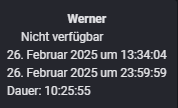
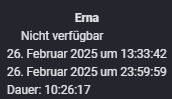
I don’t know if you’re able to help. I Have a problem since feb 26, 13:33.
The problem is that the devices of the integration switched to unavailable since that timestamp.
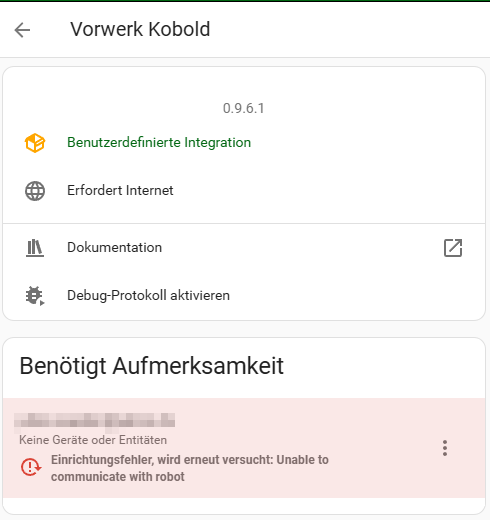
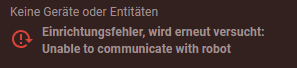
The error described is not very meaningful…
I own 2 VR200 and before that date they worked just fine.
The Robots are available through the Vorwerk App and work as intended.
I have tried both, the original integration of “trunneml” and the forked varian of “cobi”.
I cannot imagine any reason for that. Does anyone have an idea what I could try?
Is there a way to further narrow down where the error does come from?
Hello there,
I am mainly using Homekit with Homebridge. There is also a great plugin for the integration of the Vorwerk vacuum cleaners, which also supported zone cleaning.
However, since the above stated date the plugin stopped working. My research brought me to the conclusion that Vorwerk must changed something on their server authentication which makes the third party plugins unable to connect.
Well, just a suggestion and hopefully there are some smart people that can fix the issue.
Jan
Hello,
I think it’s linked to the SSL certificate issue reported in Bump pybotvac to 0.0.26 by benbridts · Pull Request #139330 · home-assistant/core · GitHub
I created an issue on pybotvac Like Neato remove certificate for Vorwerk · Issue #90 · stianaske/pybotvac · GitHub
Same for me. any news ? Thanks a lot!
I have also the same issue since February and happy to find you here. Some good hints are mentioned to start investigating the problem. I had a workaround to start cleaning via the Kobold Alexa Skin, but even that stopped working and Vorwerk don’t care about it.
Now they removed it from Skill Store. Nevertheless the MyKobold App is still working, so there must be a way to get it back to work again.
i saw now at Like Neato remove certificate for Vorwerk · Issue #90 · stianaske/pybotvac · GitHub solved it.
now waiting for @Cobi for they update 
info @all, with the change on manifest.json from “pybotvac==0.0.20” to “pybotvac==0.0.27” works again ! Cheers
Can someone help me set this up?
Add the Cubi repository GitHub - cobirnm/homeassistant-vorwerk: Home assistant integration to control Vorwerk VR Vacuum cleaners
Install the integration
Change the manifest.json from “pybotvac==0.0.20” to “pybotvac==0.0.27”
Restart Homeassistant
Login with two-factor authentication
Then I get the following error message:
thank you in advance
Edit: It resolved itself after a few hours. Now the integration is working again. Thank you for keeping this integration alive!
I can confirm that it works again. Thanks for sharing how to set it up
Better late than never.
I just merged your PR and everything is working right now. Thank you for your help
Perfect! It works Thanks a lot