[CUSTOM INTEGRATION] Maintenance Supporter — Sensor-Triggered, Adaptive Maintenance for Your Home
At some point, my smart home started outsmarting me. HVAC filters, pool pumps, 3D printer nozzles, water softener salt, washing machine cleaning cycles — every device on its own schedule, none of them talking to each other. I tried calendar reminders. I tried spreadsheets. I even tried a few HA integrations. But they all had the same problem: fixed intervals that ignored how I actually use my equipment. The pool pump that runs 12 hours a day in summer doesn’t need the same service interval as the one idling in winter.
The Problem
Most maintenance tracking comes down to “change the filter every 90 days.” But real maintenance doesn’t work like that. Your HVAC filter clogs faster when outdoor air quality drops. Your 3D printer nozzle wears out based on filament extruded, not calendar days. Your dehumidifier runtime varies by season. Fixed-interval reminders either fire too early (wasting parts and effort) or too late (risking equipment damage). And the existing HA integrations? They’re essentially calendar reminders with extra steps — no sensor awareness, no learning from history, no understanding of actual usage patterns.
What Is Maintenance Supporter?
Maintenance Supporter is a Home Assistant custom integration that tracks maintenance tasks based on how your equipment is actually used — not just how much time has passed. It connects directly to your HA sensors to trigger maintenance when thresholds are crossed, counters reached, or runtime accumulated. It learns from your completion history to suggest better intervals. And it provides a full-featured panel UI, Lovelace card, calendar integration, actionable notifications, QR codes for physical equipment, and multi-user task assignment — all with zero external Python dependencies.
Feature Tour
Dashboard Overview
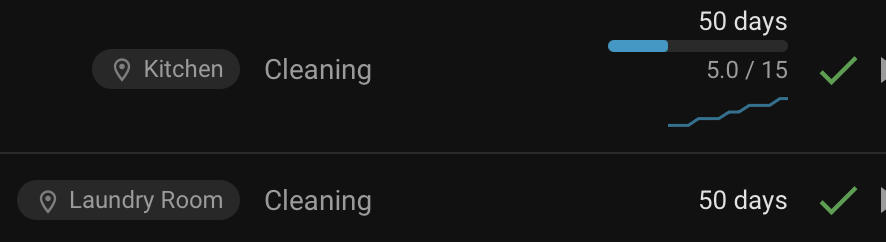
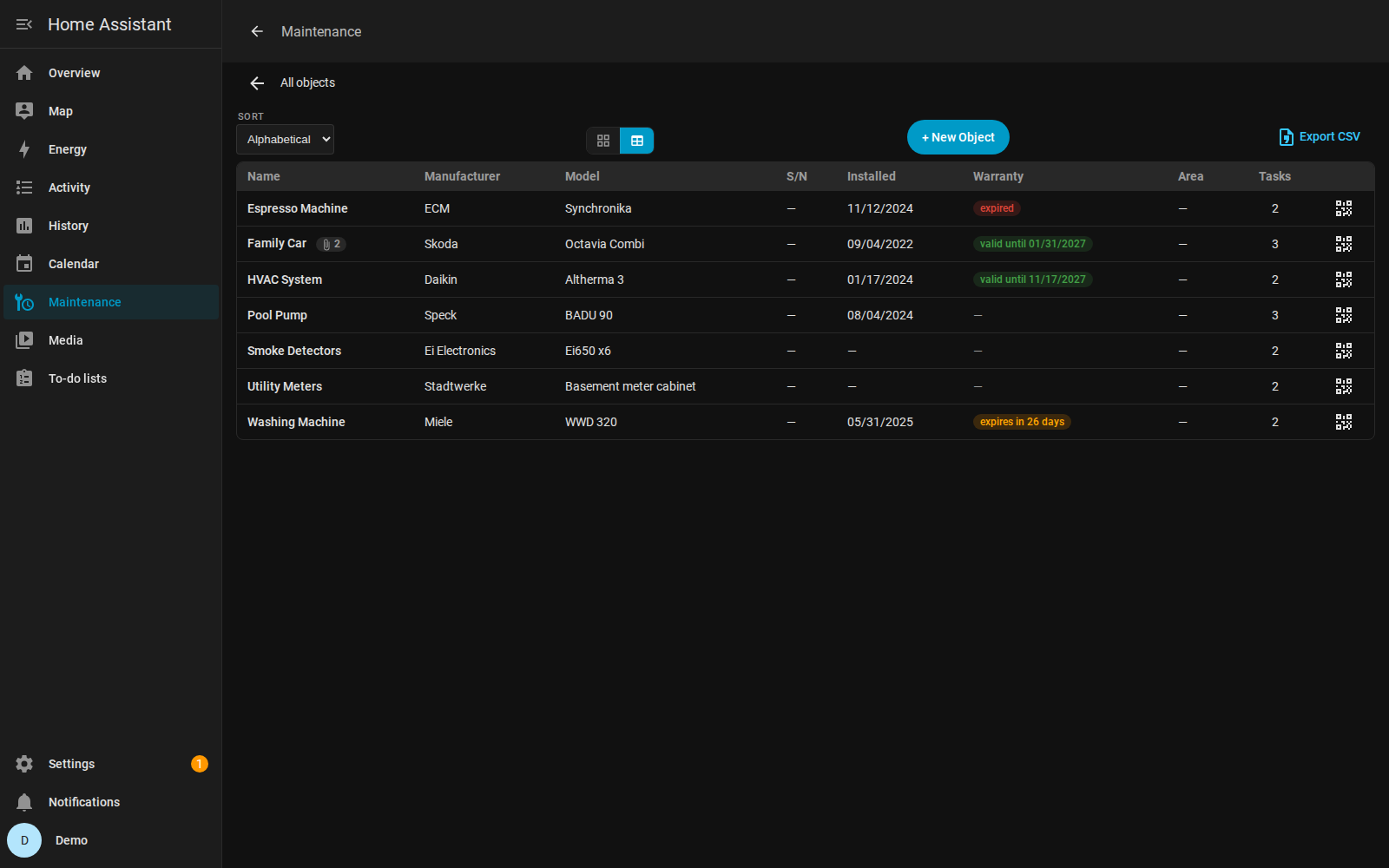
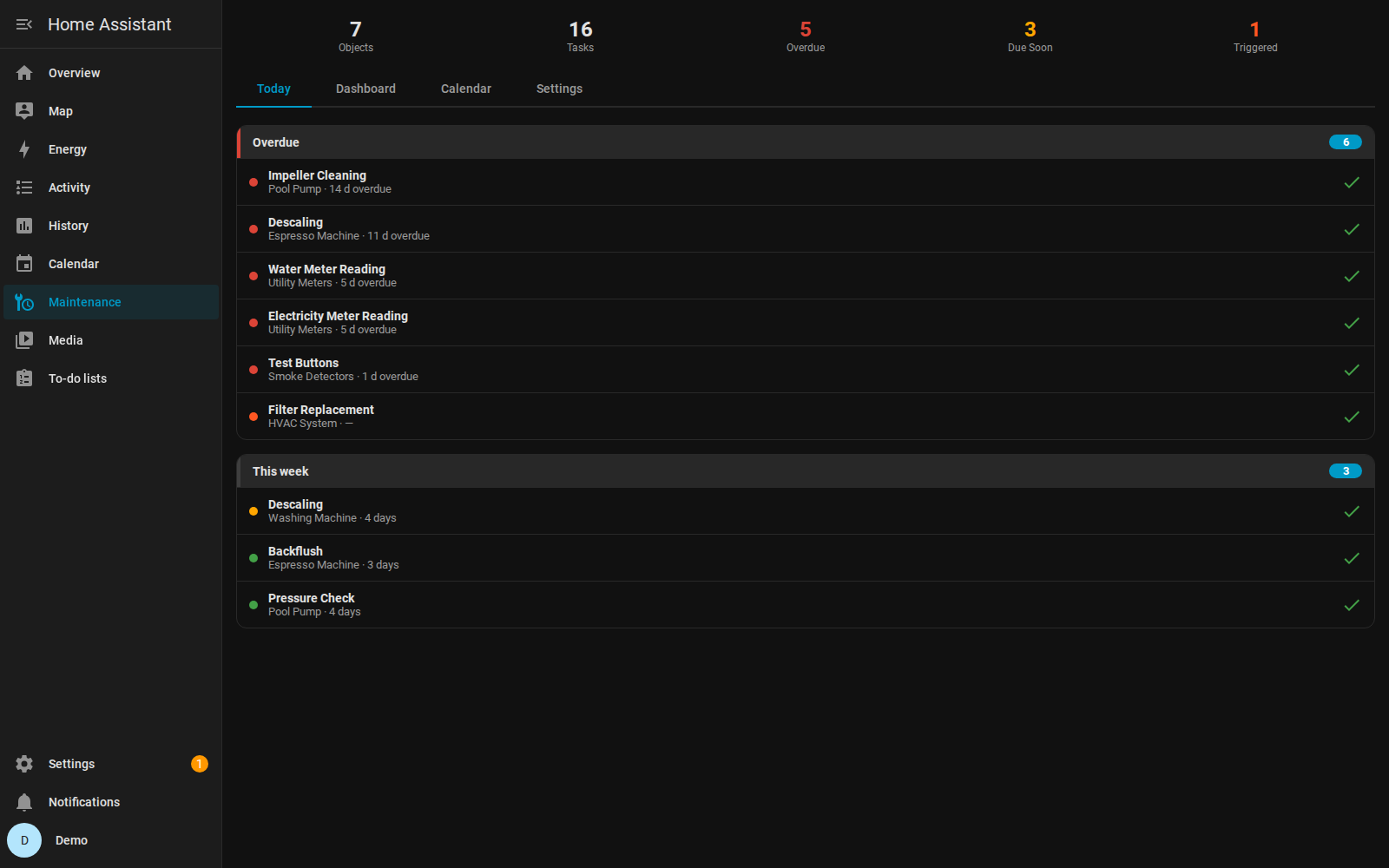
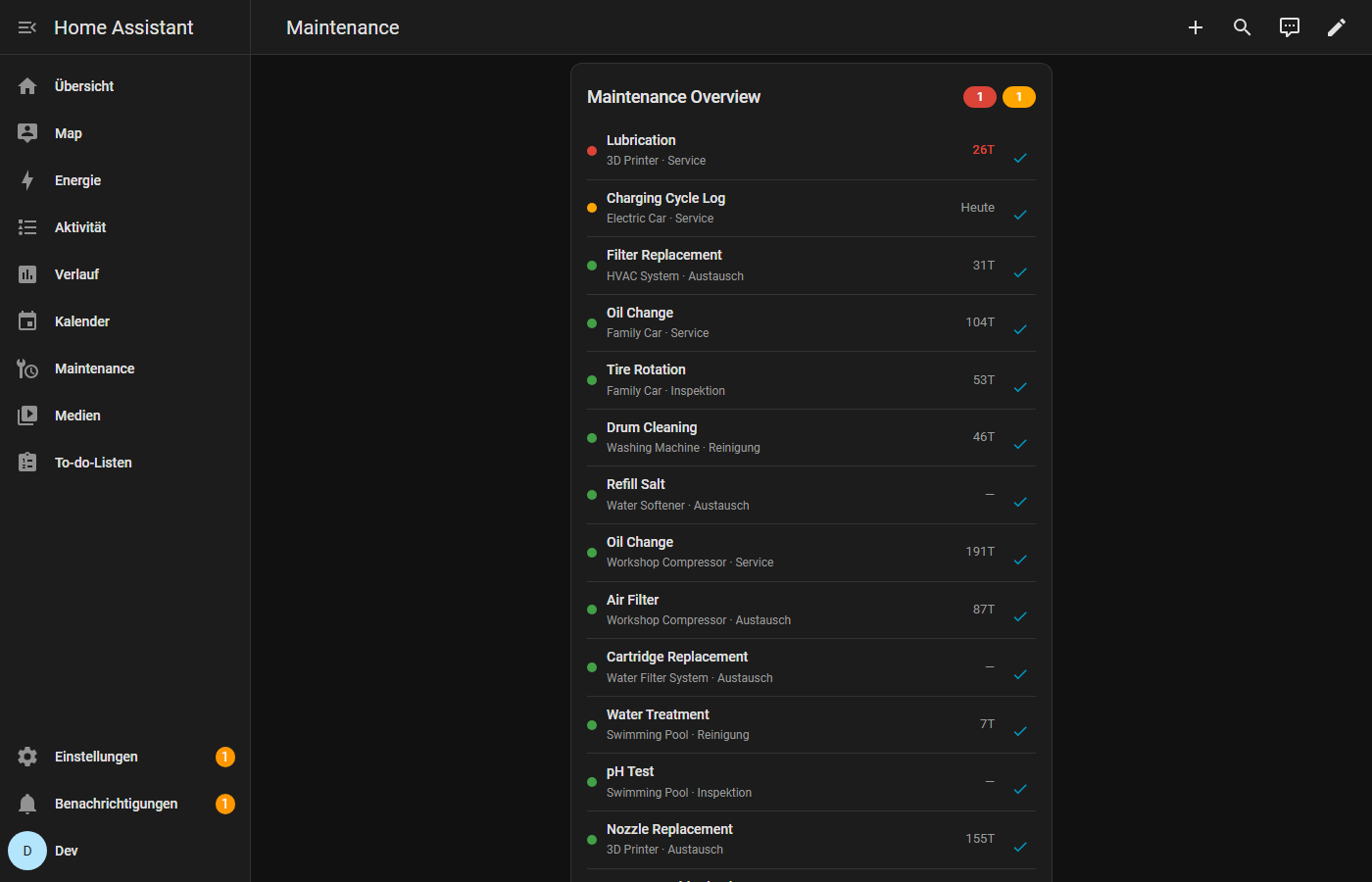
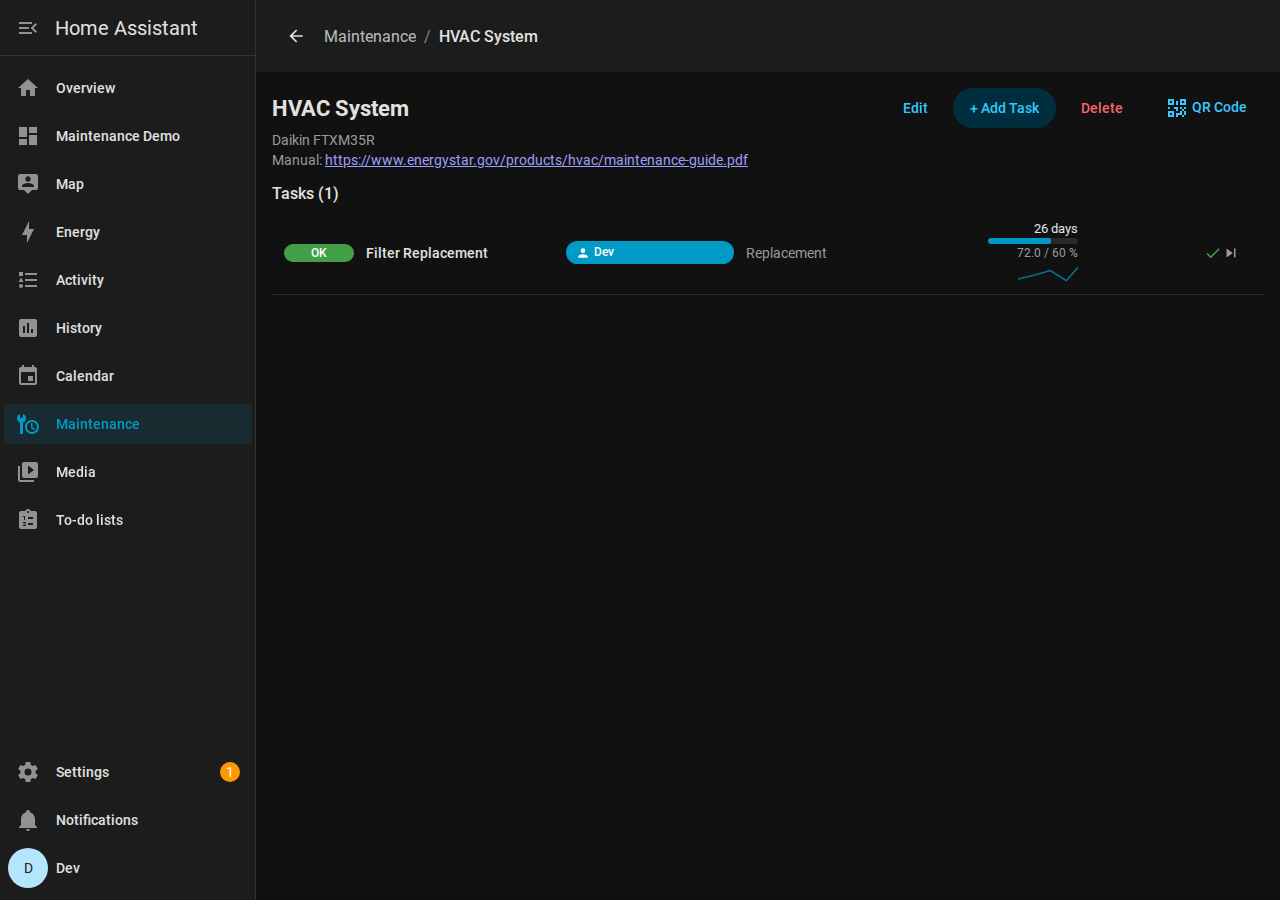
The sidebar panel gives you an at-a-glance view of everything: KPI stats across all your maintenance objects, color-coded status badges (OK / Due Soon / Overdue / Triggered), sparkline progress bars showing how close each task is to being due, and budget tracking bars if you’ve set spending limits.

Task Detail with Sensor Triggers
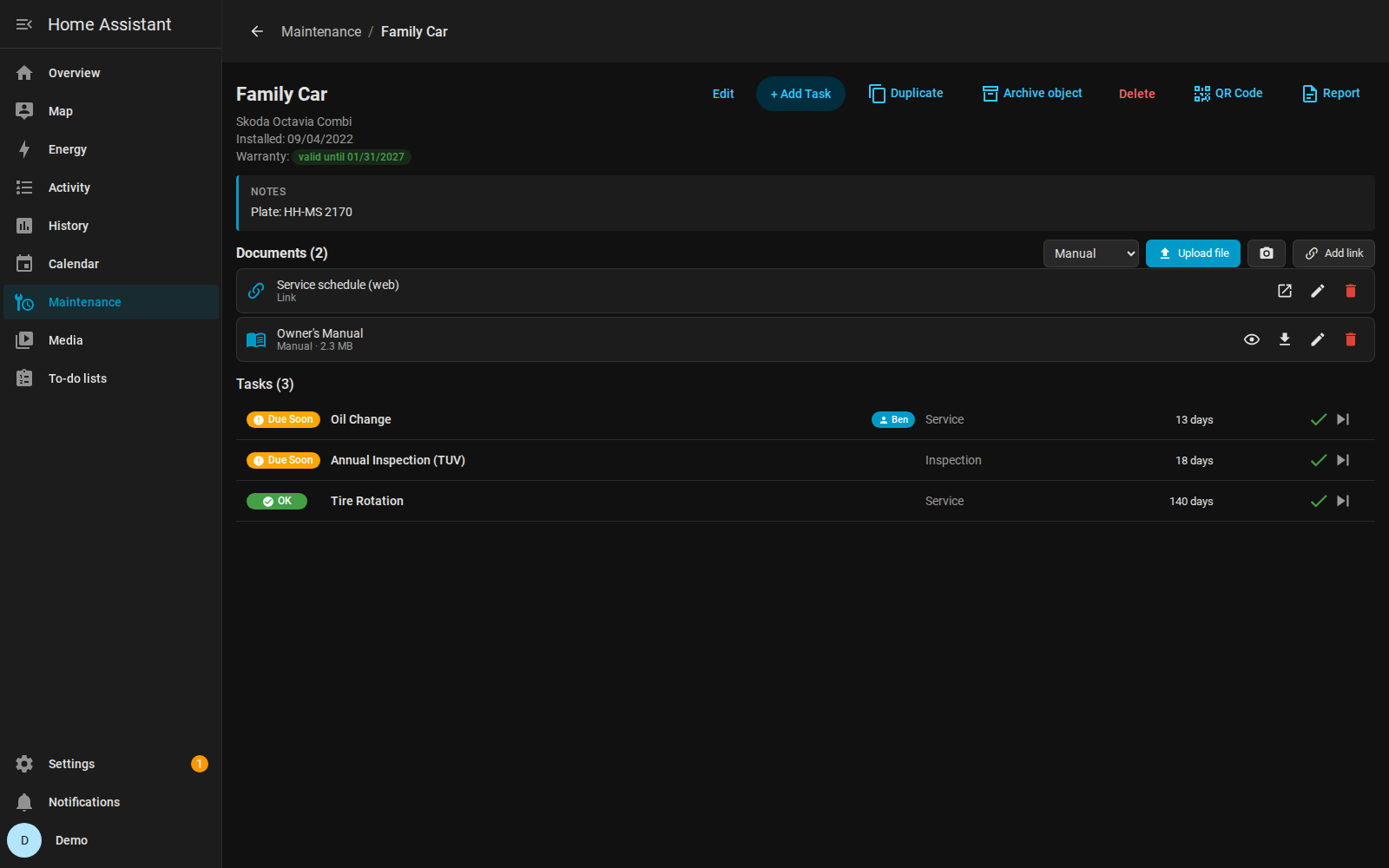
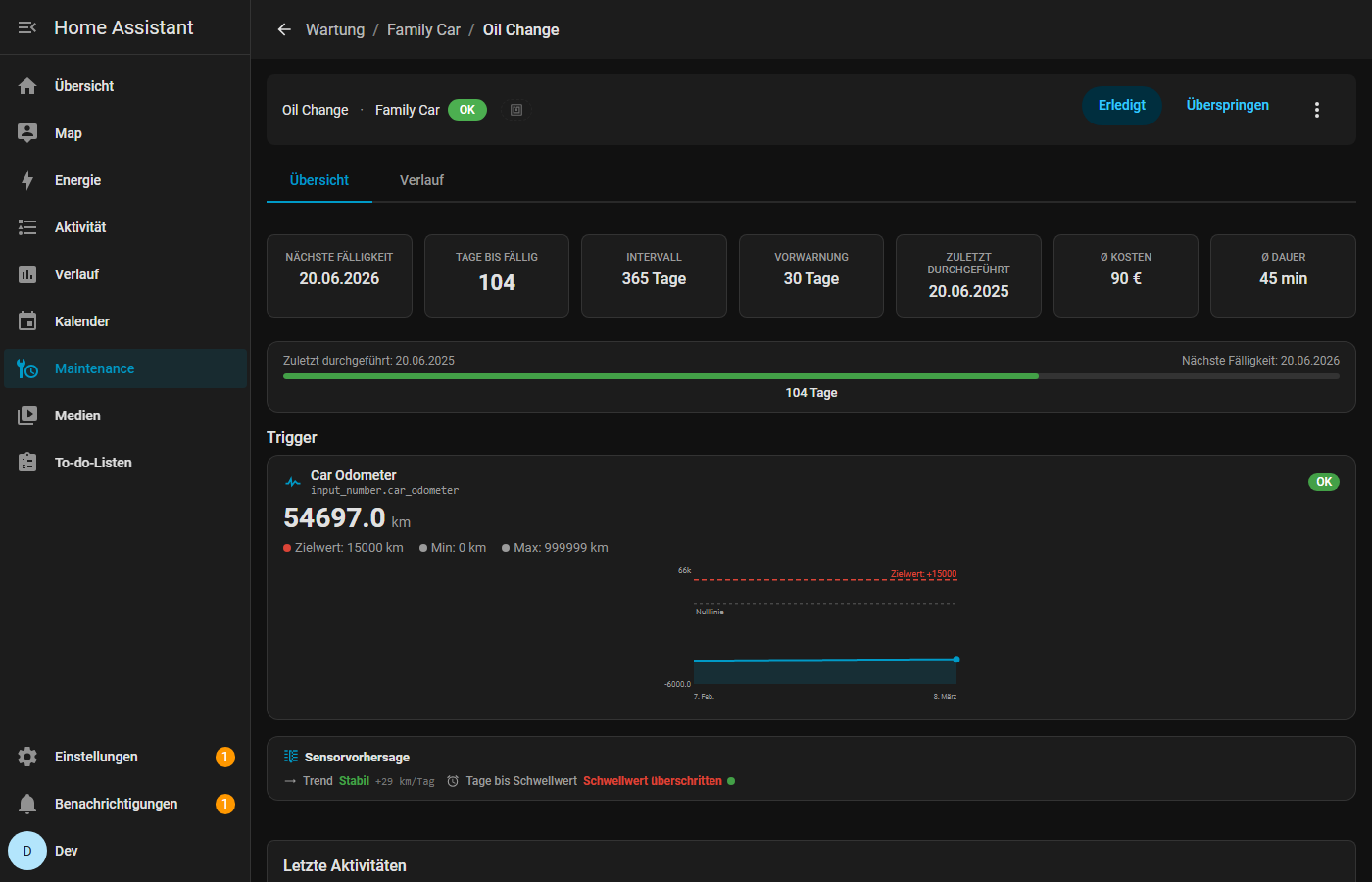
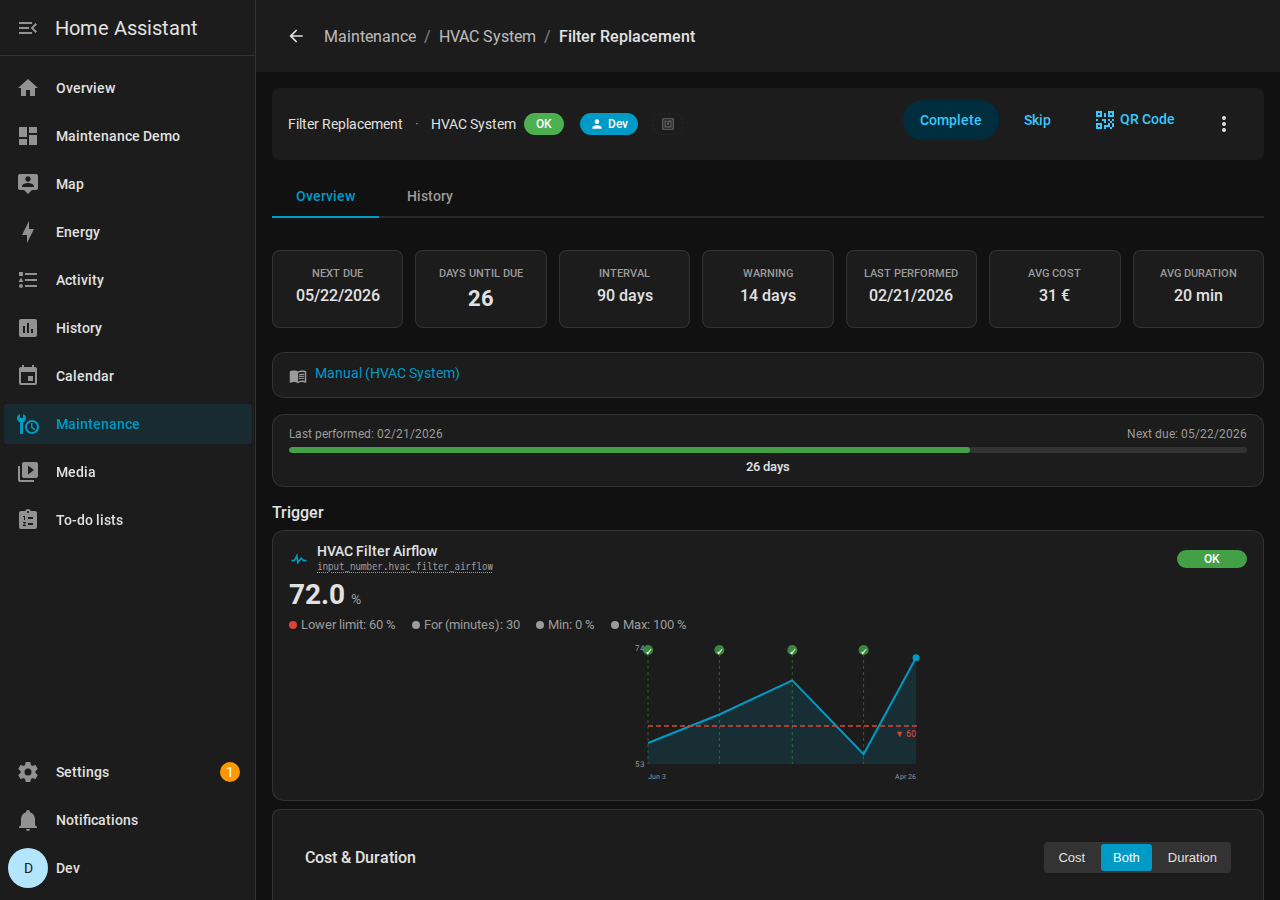
Each task has a detail view showing its full configuration, history, and — if sensor-triggered — a progress chart tracking the sensor value over time. Here’s a task triggered by a counter sensor. The chart shows the value accumulating since the last service, with a prediction line showing when the next service will be due based on usage patterns.
Compound Triggers
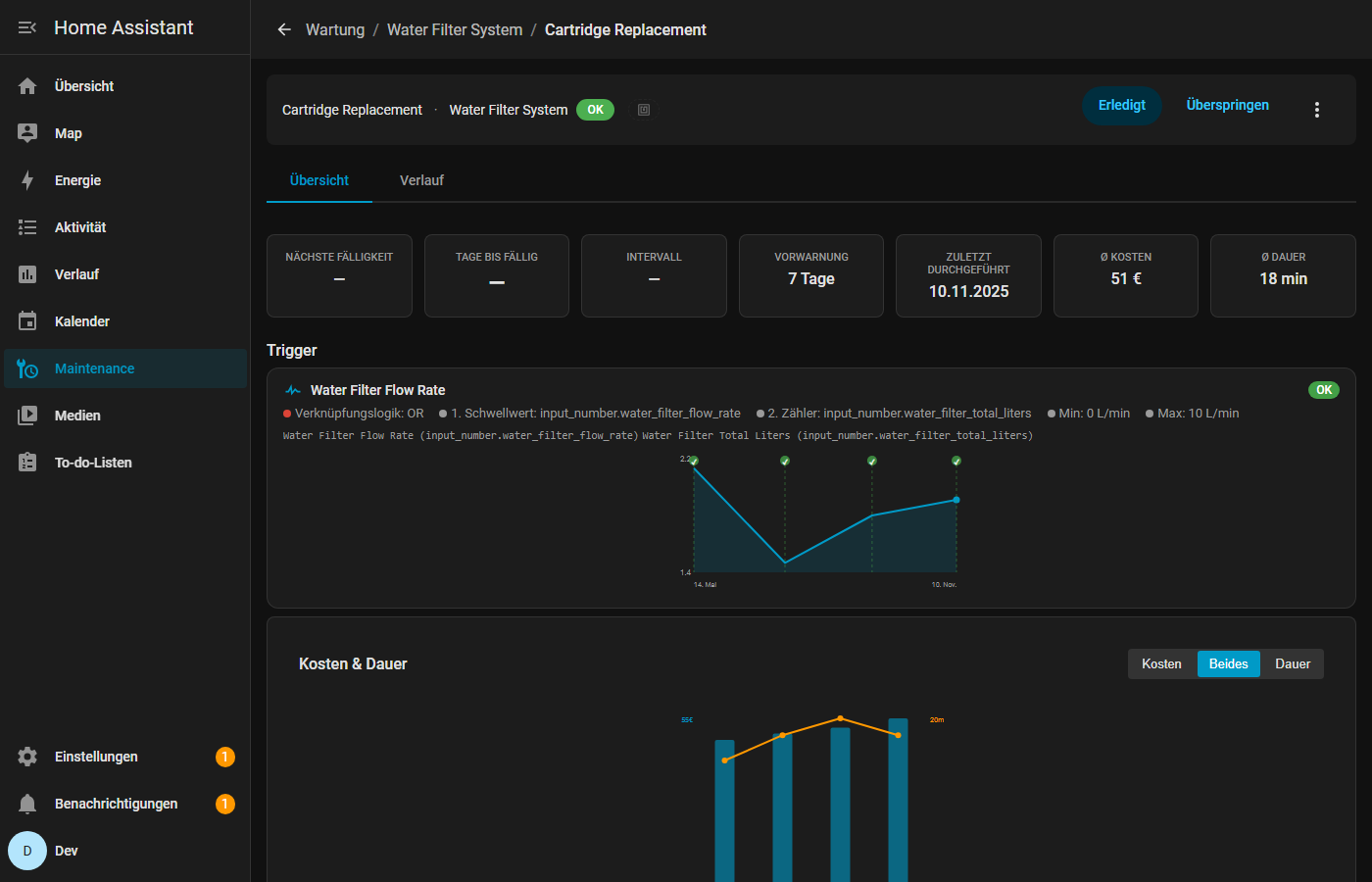
Sometimes one condition isn’t enough. Compound triggers let you combine multiple trigger types with AND/OR logic. For example: service the pool pump when either runtime exceeds 500 hours or the pressure sensor crosses a threshold — whichever comes first. The historical chart shows both conditions side by side.
Mobile Notifications with Actions
When a task becomes due or a sensor trigger fires, you get actionable push notifications. Complete, Skip, or Snooze directly from your lockscreen — no need to open the app. Notification timing is configurable with quiet hours, per-status intervals, daily limits, and automatic bundling when multiple tasks fire at once.
QR Codes for Physical Equipment
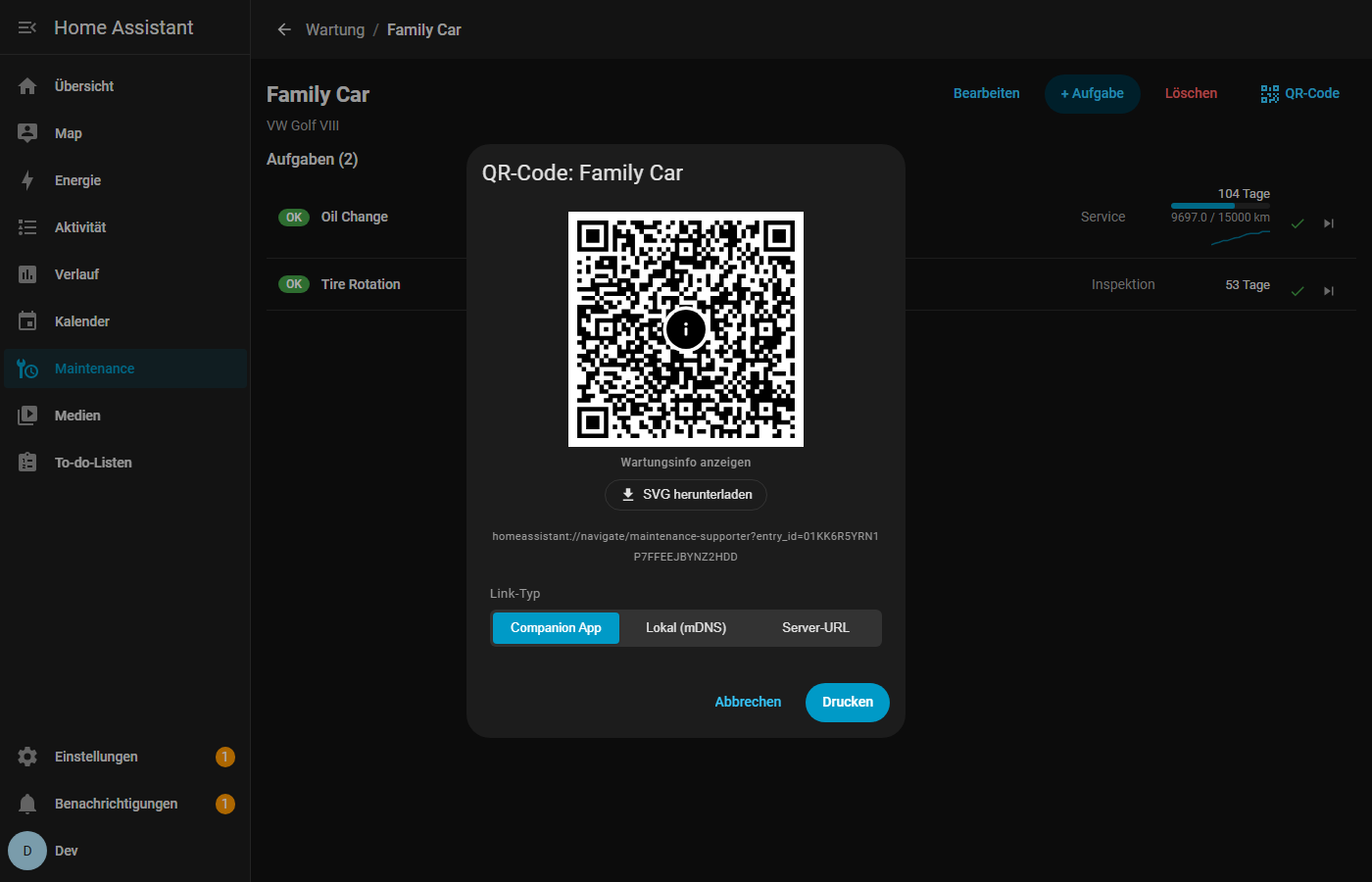
Generate QR codes for any task, print them, and stick them on the equipment. Scanning the code opens the task directly in HA — or auto-completes it, depending on your configuration. Great for shared households or maintenance teams where not everyone lives in the HA app.
Lovelace Card
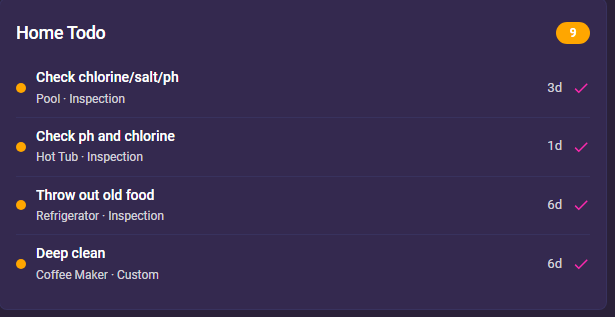
Don’t want the full panel? Embed a compact maintenance card in any Lovelace dashboard. It shows status dots, due dates, and quick-complete buttons for each task. Fully configurable — filter by object, group, or status.
Calendar Integration
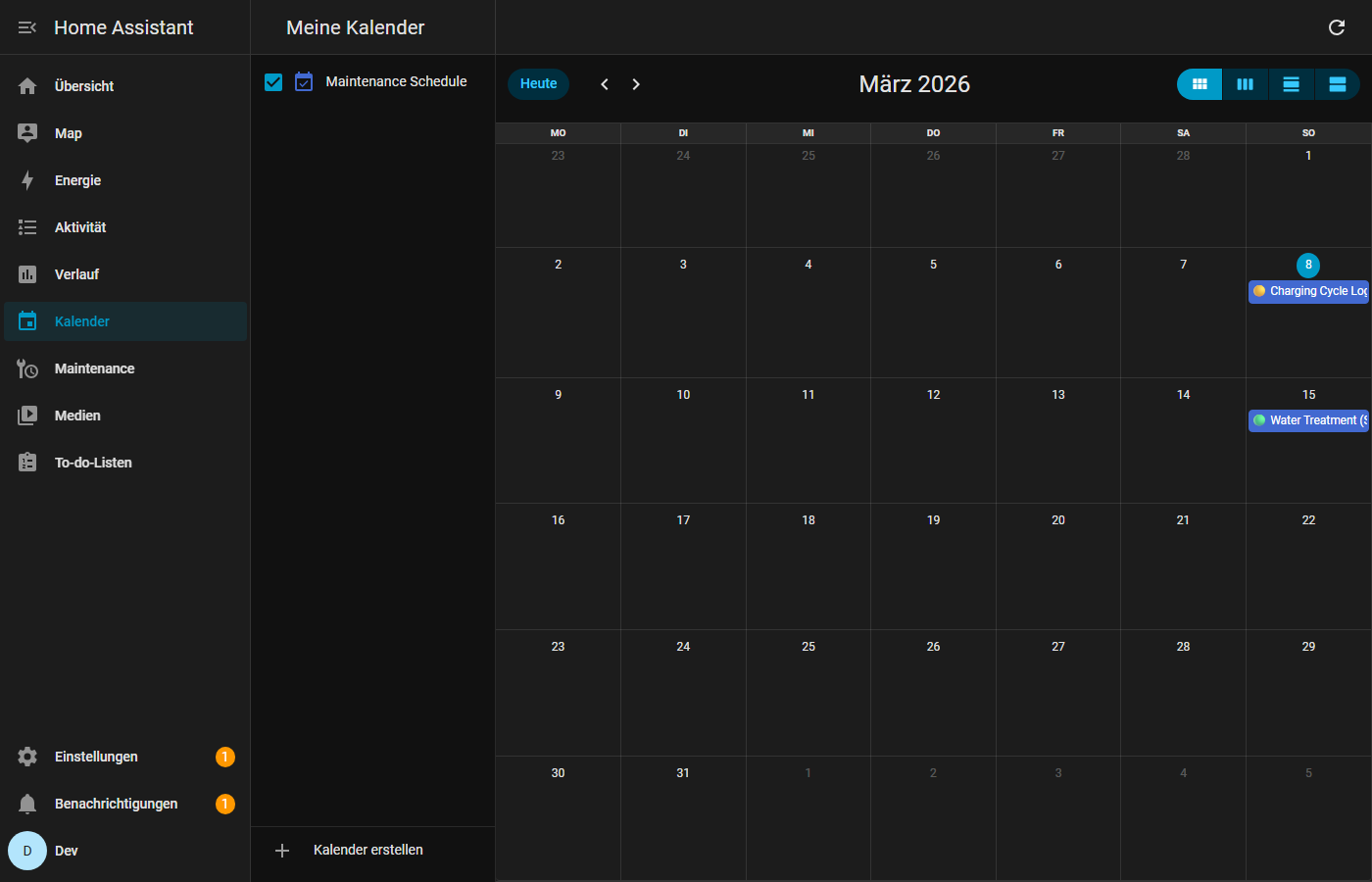
All upcoming maintenance events appear as a native HA calendar entity. View them in the built-in calendar view, sync to your phone, or use them in automations.
Mobile Responsive
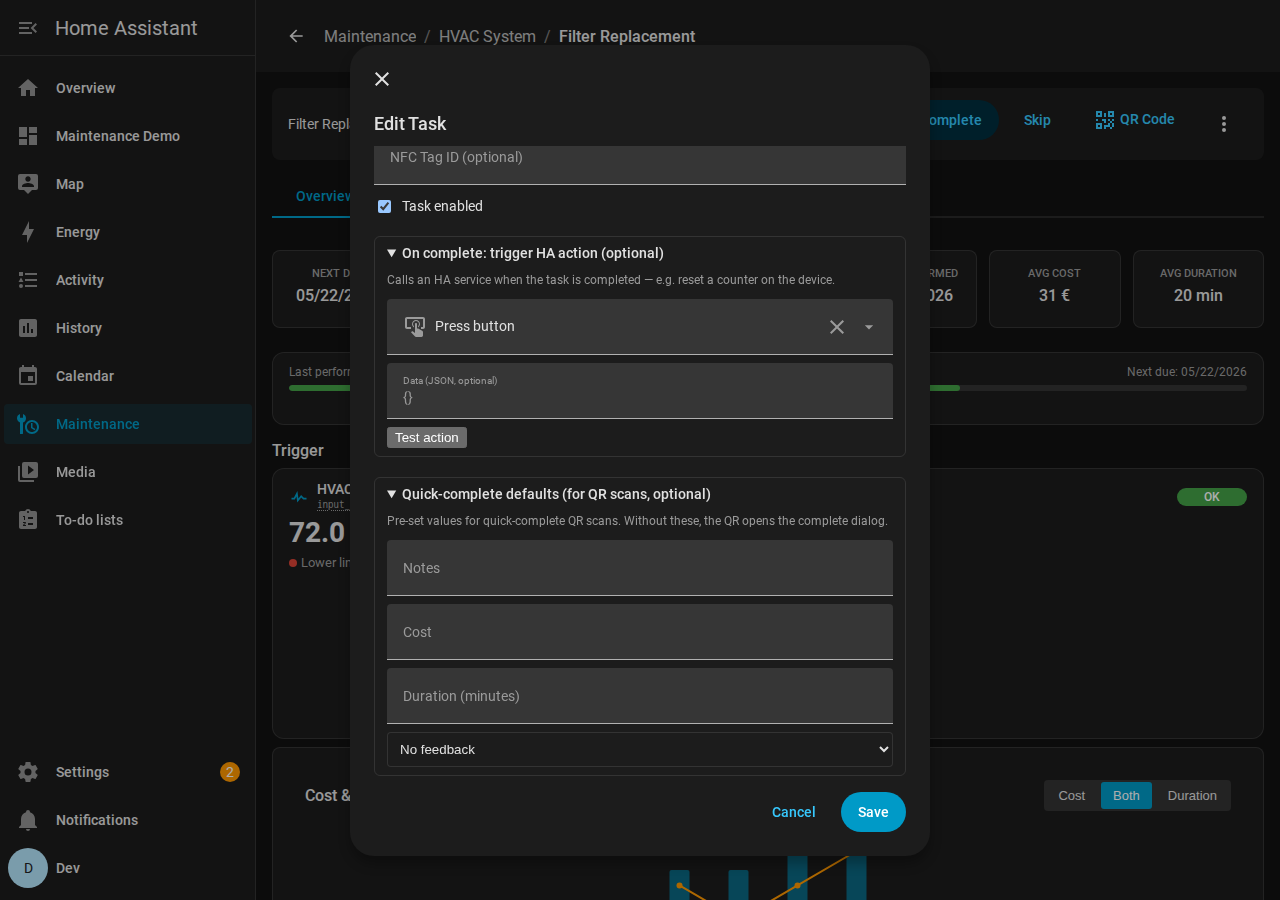
The full panel UI works on phones and tablets. All views — dashboard, object detail, task editing, history — adapt to smaller screens.
More Features
-
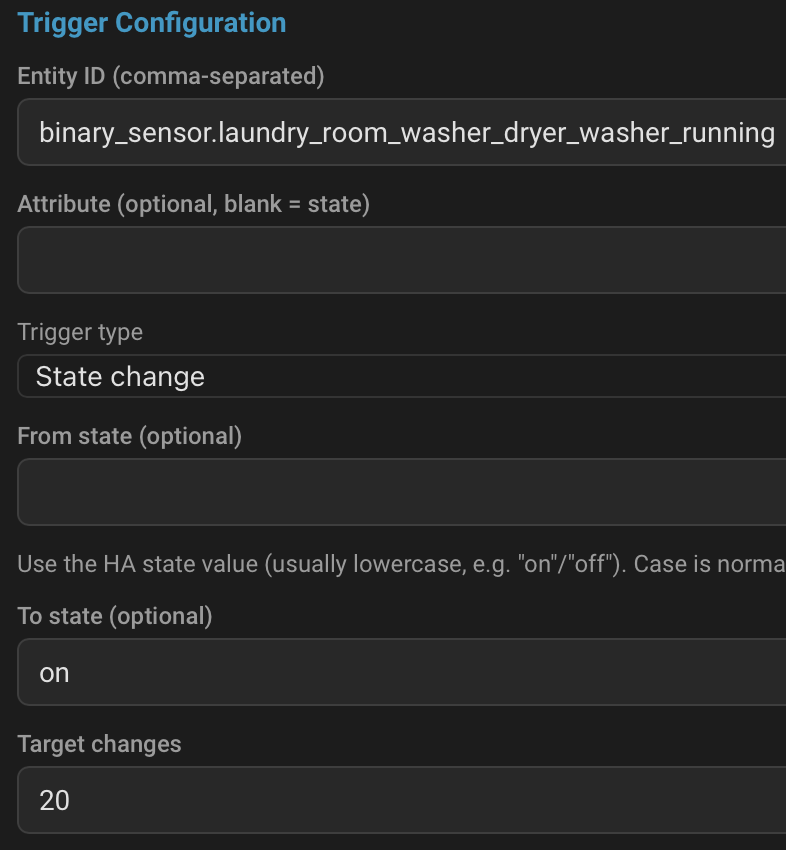
5 trigger types: threshold, counter, state-change, runtime, and compound (combine any of the above with AND/OR logic)
-
Adaptive scheduling: learns from your completion history using exponentially weighted averages + Weibull reliability modeling to suggest optimal intervals
-
Seasonal adjustment: automatically adjusts intervals by season (hemisphere-aware) based on historical patterns
-
Environmental correlation: links tasks to environmental sensors (temperature, humidity, AQI) and adjusts intervals when conditions change
-
Sensor prediction: tracks sensor degradation trends and predicts when a trigger threshold will be crossed
-
NFC tag linking: tap an NFC tag to view or complete a task — perfect for equipment rooms
-
Multi-user task assignment: assign tasks to specific HA users with per-user notifications
-
Budget tracking: set monthly/yearly budgets with cost tracking per task (supports 10 currencies: EUR, USD, GBP, JPY, CHF, CAD, AUD, CNY, INR, BRL)
-
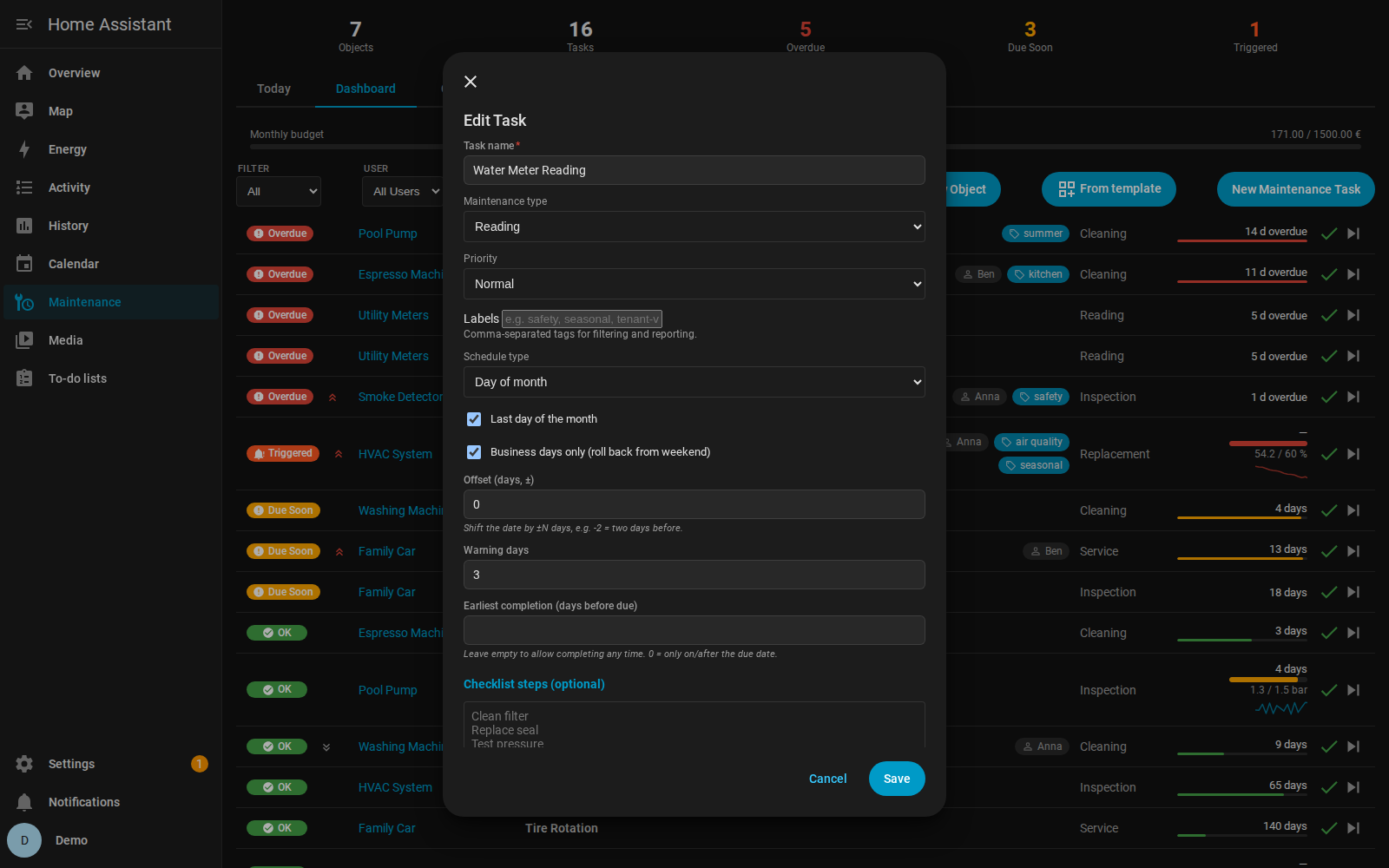
Task checklists: add step-by-step checklists to tasks
-
Task groups: organize tasks into logical groups
-
JSON & CSV export/import: full data export and import for backups, migration, or analysis
-
7 languages: English, Spanish, Portuguese, French, German, Italian, Dutch
-
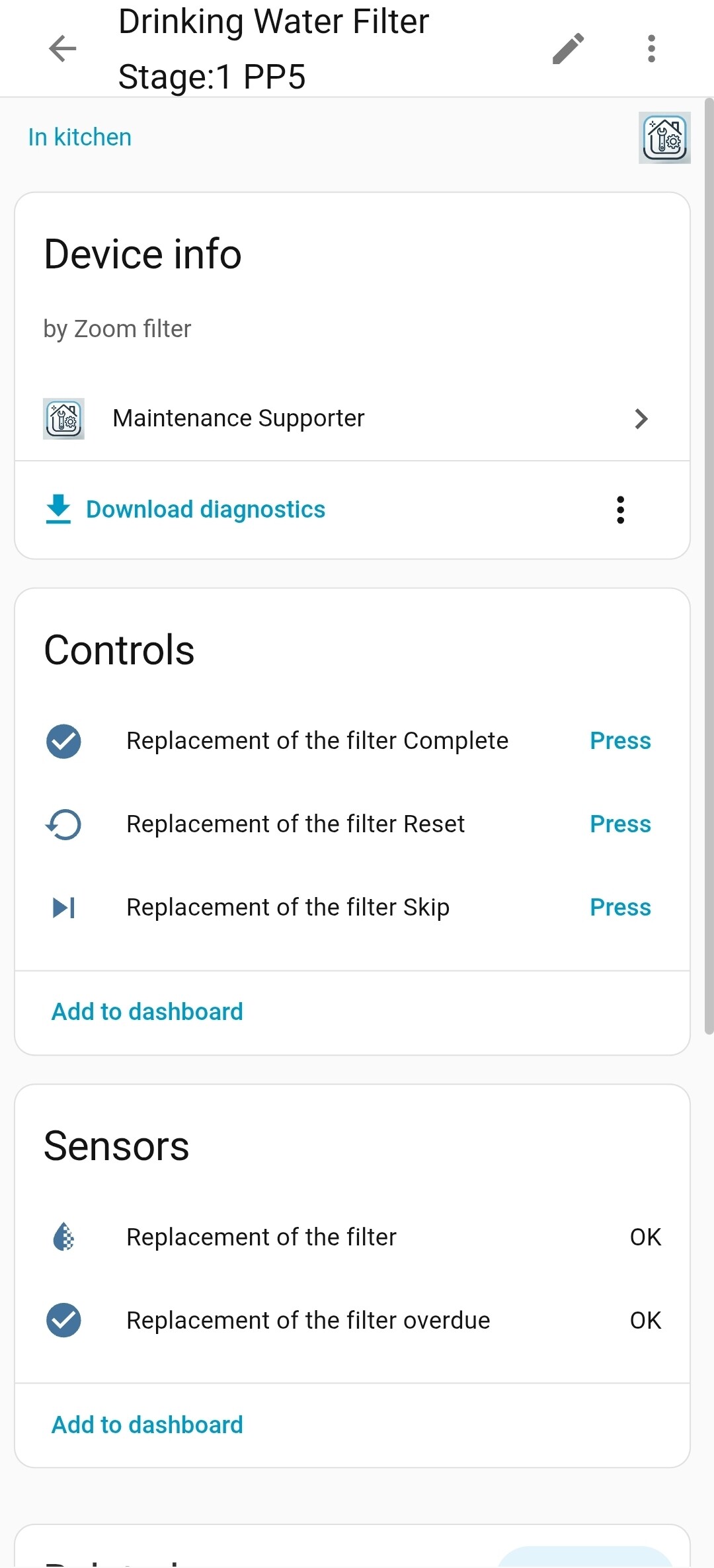
Sensor + binary sensor entities: every task exposes HA entities for use in automations
-
Calendar entity: native HA calendar integration
-
Completion feedback: mark whether maintenance was actually needed — feeds back into adaptive scheduling
-
SD card friendly: dynamic state is persisted to a dedicated store with 60-second write debouncing; sensor entities only write to recorder on actual status changes, not every update cycle — designed for Raspberry Pi / SD card setups
-
Zero external dependencies: pure Python, nothing to install beyond the integration itself
For Developers
If you want to contribute or run the integration locally for development, the repo includes a full Docker-based dev environment:
-
Docker Compose setup with a pre-configured Home Assistant instance (
ha-devcontainer) -
Custom components volume-mounted into
/config/custom_components/for live editing -
Faketime support: shift HA’s system clock to test due-date logic, overdue states, and seasonal scheduling without waiting — enable via
FAKETIME_ENABLED=trueand set the offset infaketime.txt -
.env-based configuration for HA tokens and settings
This makes it easy to test changes, reproduce bugs, and develop new features without touching your production HA instance.
Installation

-
Click the badge above — or open HACS > three-dot menu > Custom repositories and add
iluebbe/maintenance_supporter(category: Integration) -
Search for “Maintenance Supporter” in HACS and install
-
Restart Home Assistant
-
Go to Settings > Devices & Services > Add Integration and search for “Maintenance Supporter”
-
The sidebar panel and Lovelace card become available automatically
GitHub: github.com/iluebbe/maintenance_supporter
Get Involved
Maintenance Supporter is actively maintained — currently at v1.0.17 with 1,416 tests covering the backend. If you run into issues, have feature requests, or want to contribute:
-
Bug reports & feature requests: GitHub Issues
-
Contributions welcome — PRs, translations, documentation, or just feedback from using it
I’d love to hear how you use it, what maintenance scenarios you’re tracking, and what features would make it more useful for your setup. Thanks for reading!





 Maintenance Supporter is now in the HACS default store!