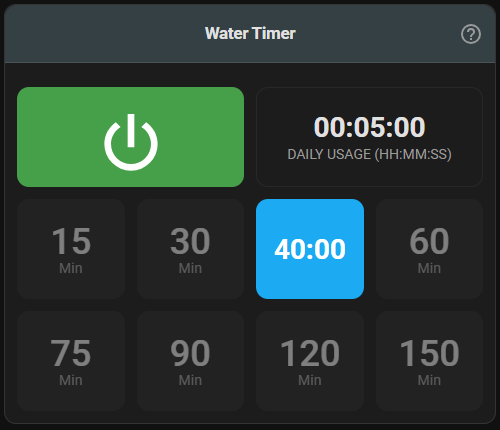
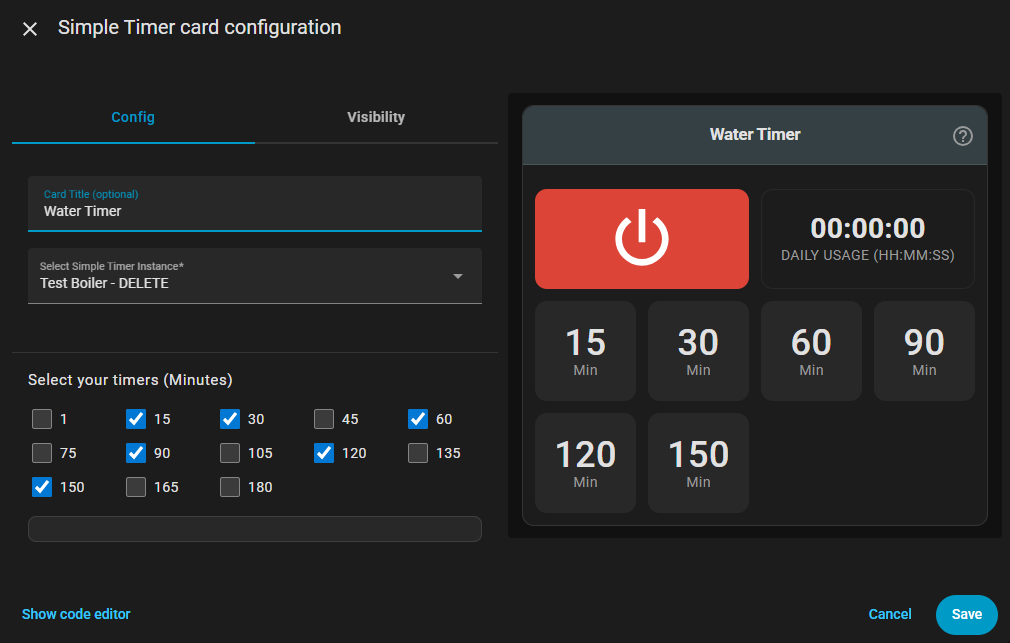
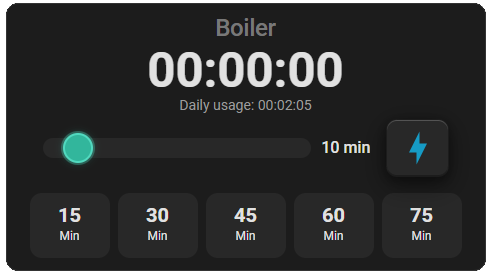
I’m excited to share my first Home Assistant integration with the community - Simple Timer!
What it does
A simple Home Assistant integration that turns entities on and off with a precise countdown timer and daily runtime tracking. Currently supported entity types: switch, fan, light and input Booleans.
Key Features
Out-of-the-box pre-packaged timer solution, eliminating manual creation of multiple Home Assistant entities, sensors, helpers and automations.
Countdown timers from 1-1000 minutes
Daily usage tracking in HH:MM format
Built-in timer card with customizable buttons
Optional notifications for timer events
Auto-cancel when device is turned off externally
Midnight reset for daily statistics
Installation
Available in HACS! The timer card installs automatically - no manual setup needed.
Great work. I like the integration & card.
Would be nice to have options to customize the look of the card (elements position and size, compact version, combine multiple timers in the same card, etc.) Uses a lot of screen estate if you have multiple timers.
Thanks for the feedback! I’m really glad you’re finding the integration useful.
Card size is definitely an issue that I will address in future version as I got similar feedback from other users.
This is really great and makes having timers really convenient. The card is really nice but options to remove the daily usage and make it more compact/modern would be nice.
Unfortunately, climate entities aren’t supported yet, but hopefully they will be soon. Someone told me that they use an input helper and an automation to control the device. While it’s not ideal, it is a useful workaround for now.
A really good timer card. The delayed start is great. A delayed start of a timer would also be brilliant. Example. 10 second delayed to start an irrigation timer (with existing configurable timer duration). Scenario: this would protect an irrigation solenoid if someone quickly presses the timer button on and off a few times. The delay would protect surging.
Climate is a bit trickier than a standard on/off entity.
Climate entities use modes like heat, cool, auto, etc. rather than a simple on/off, so we’d need to either let the user choose which mode “on” should map to by default or track and restore the climate entity’s most recent mode.
In the end, it’s all doable, but it takes more time and can add code complexity that I’m trying to avoid.
I am having an issue with simple timer. It works to control a device as expected, however, if I turn on the device directly (not using simple timer) it starts the timer for that device. Any idea why? I want to retain the option of turning on a device without using the timer.
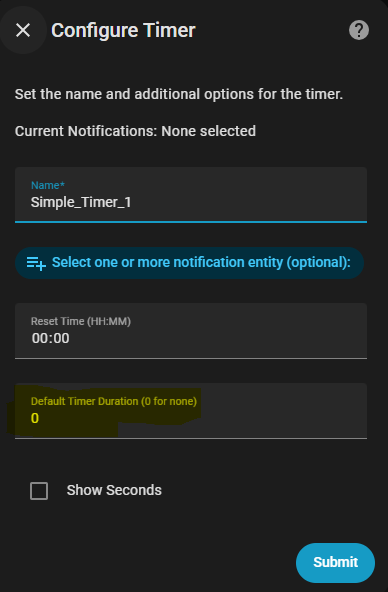
The default timer feature was introduced in the latest releases.
It is configured at the integration entry level and can be disabled by setting the default time to “0” (which is the default setting for new entries).
Great integration. Exactly what I was looking for.
The only change I would like to request is to change the current time format to HH:MM:SS instead of MM:SS or create a toggle for the current time format. Because when I use it for my exhaust which is on for more than 3 hours usually, I would rather see that I have 03:40:00 left than 220:00.
I don’t know how hard this is and if you have time for it. But thanks in advance
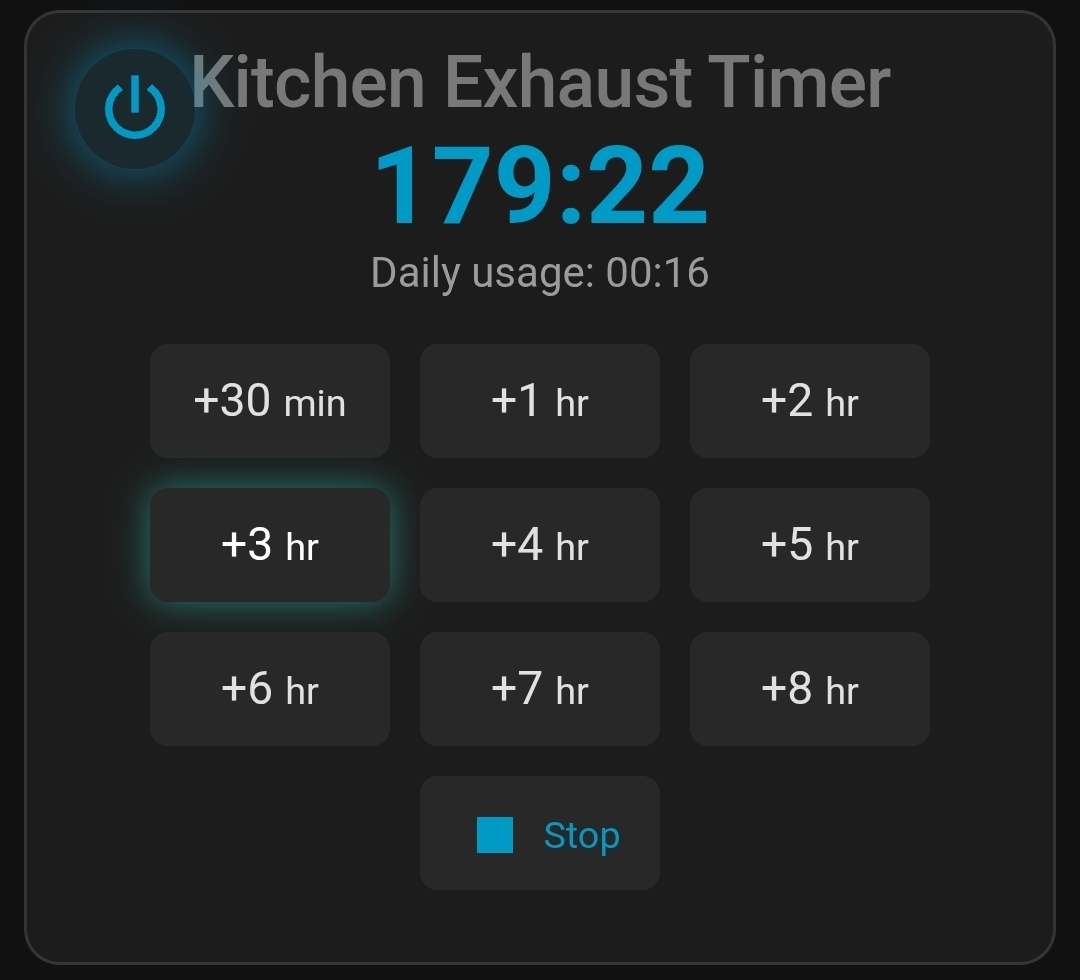
I’m sorry I think my explanation was a bit vague. It’s the time shown on the UI that I was talking about. The 179:22 in the picture below. I would like that to be 02:59:22 or 02:59.
I think the “show seconds” checkmark does nothing with this time.
Hello,
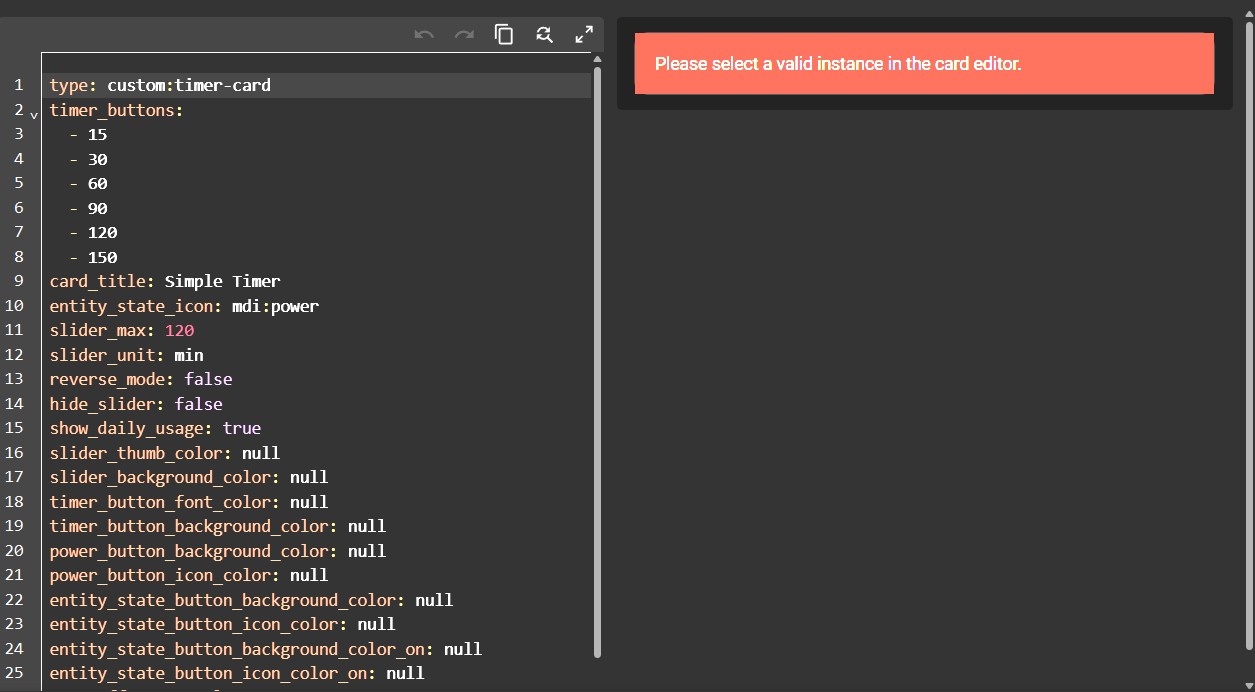
I apologize in advance if I am posting this in the wrong place. I am a totally new to HA but have been making my way. I have been able to add all my devices, switches, outlets. I’ve added my security cameras and have linked my Google Drive to HA for backups, setup Tailscale and Samba. While it hasn’t always been easy, I’ve been able find solutions online for the roadblocks I’ve encountered. Now, I am trying to do something I thought would be easy and it’s turned into an hours-long nightmare. All I wanted was a simple countdown timer for an outlet with a lamp plugged into it, like in the Smartlife app. So I’ve downloaded “Simple Timer”. I created a timer helper for the outlet before i started, I also added the integration and restarted HA. But when I add the card to my dashboard and the configuration comes up I get an error that says “Please select a valid instance in the card editor” I’m not totally sure what this means. There IS a dropdown menu in the config but it doesn’t show the timer helper entity, instead it shows the outlet I’m trying to control, but it doesn’t matter because I can’t select anything in the dropdown, I click it and get nothing. I’ve look all over for a solution. There’s obviously something I’m missing but I’m sorry to say I don’t know what that is. I’ve tried clearing my browser cache and restarting HA. I’ve uninstalled Simple Timer and deleted everything and tried starting over but no luck. I read a post that suggesting editing the YAML file for the SimpleTimer and replacing the timer entity with my timer entity, but there are no entities in this file to replace. Editing variables in a config file is in my wheelhouse but writing entire code is not. I tried adding info to the config file for the timer and entities but after I saved it, nothing was saved, most-likely because I don’t have a lot of experience with this and I did something wrong. Other factors include the fact that it took me a while to realize that a card named “Simple Timer” and “Simple Timer Card” are two entirely different things, and I was trying to follow instruction for a completely different card. Even the instructions on the HACS Simple Timer download page reference “Simple Timer Card” which only added to my confusion. Was really kicking myself when I realized they are two separate things. Also, some of the language has changed in recent releases of HA compared to some of info I’m finding, which sometimes adds to my troubles. But I have hit a wall on this and don’t know how to proceed. Part of me says forget it and just use Smartlife for the damned lamp timer, but the stubborn mule in me won’t let this go. I need to figure this out for my own peace of mind. Sorry for the length of my post but I wanted to be sure I included everything I’ve done so far. Also wanted to mention that I’m running HAOS on a VM running in ZIma OS, if that makes a difference. If anyone has any idea what I’m doing wrong I would really appreciate some guidance or a push in the right direction as to where i can find a solution. A big part of me wants to just throw in the towel and ditch this project all together for fear that I’m in over my head, but I realize that there is just a lot more to HA than I thought and it’s going to take me some time to try and get it figured out. Thanks for your understanding. I’ve included a screenshot of the YAML file associated with my Simple Timer, tho unsure if it will be any help.
Thanks, Jon
Welcome to Home Assistant! It definitely has a steep learning curve, so don’t be discouraged, you’ve actually already done the hard parts by getting HACS, Samba, and Tailscale running.
The good news is that you are actually overthinking this one, and the solution is much simpler than you expect. You are getting that error because you skipped a step in the setup. You do not need to create a Timer Helper manually, this integration is designed to do all of that heavy lifting for you automatically!
Here is how to fix it and get your lamp working:
Delete the Helper: Go ahead and delete the manual timer helper you created so it doesn’t confuse you later.
Create the Integration Instance: Go to Settings → Devices & Services in Home Assistant. Click “Add Integration” in the bottom right, and search for “Simple Timer”. Select your outlet/lamp from the list and give it a name. This creates the “instance” that the card needs.
Configure the Card: Go back to your dashboard and add the Simple Timer Card. Now, when you click the dropdown for the instance, you will see the timer instance you just created in step 2. Select it, and you’re good to go!
You don’t need to touch any YAML code. Hang in there, once you get the hang of how integrations and cards link together, HA becomes incredibly powerful!