DEFA Power EV Charger

I’ve been using this integration for a couple of weeks and it’s been working really well - thanks @Bebbssos!

I made a patch to set the charging current and submitted a pull request to the repository a couple of days ago. Very useful with electricity providers that charge for peak power consumption.

1 Like

Thank you for answering. The app says I am the owner, but I moved recently to this house and could it be that the previous owner is still owner too??? maybe I have to call DEFA and check.

Just released an update to the integration that allows you to change the charging current limit. Thanks to @mgustavss for the pull request!

Can you try sending a GET request to check if your charger appears in the response?

Use this URL:

https://prod.cloudcharge.se/services/user/chargers/private

With these headers (replace with the values from the Configure menu):

x-authorization: [Token]  
x-user: [UserID]  

How to send the request:

Windows (PowerShell):

Invoke-RestMethod -Uri "https://prod.cloudcharge.se/services/user/chargers/private" -Method Get -Headers @{"x-authorization"="[Token]"; "x-user"="[UserID]"}

Mac/Linux (Terminal - cURL):

curl -f -X GET "https://prod.cloudcharge.se/services/user/chargers/private" -H "x-authorization: [Token]" -H "x-user: [UserID]"

If your charger is included in the response, try enabling debug logging and reloading the integration:

Enable Debug Logging & Reload Integration:

  1. Go to SettingsDevices & ServicesDEFA Power in Home Assistant.
  2. Click Enable debug logging.
  3. Click Reload to restart the integration.
  4. Click Disable debug logging when the integration have reloaded and check if you see any errors or warnings for defa_power

I just get an error message,

Invoke-RestMethod : The remote server returned an error: (401) Unauthorized.
At line:1 char:1
+ Invoke-RestMethod -Uri "https://prod.cloudcharge.se/services/user/cha ...
+ ~~~~~~~~~~~~~~~~~~~~~~~~~~~~~~~~~~~~~~~~~~~~~~~~~~~~~~~~~~~~~~~~~~~~~
    + CategoryInfo          : InvalidOperation: (System.Net.HttpWebRequest:HttpWebRequest) [Invoke-RestMethod], WebExc
   eption
    + FullyQualifiedErrorId : WebCmdletWebResponseException,Microsoft.PowerShell.Commands.InvokeRestMethodCommand

This probably means that the Token or UserID is incorrect or has expired. Check that you entered them correctly. If they have expired you can click the 3 dots in home assistant and select reconfigure on the DEFA Power integration page.

I did the reconfigure thing but I don’t get anything back…

Thank you for your patience :slight_smile:

It seems like your charger does not show up in the chargers/private endpoint. Invoke-RestMethod automatically parses JSON and likely doesn’t return anything when it receives an empty array.

Since cURL is preinstalled in Windows 10/11, you can try using it instead to see the actual JSON response.

Can you try this endpoint instead? https://prod.cloudcharge.se/services/user/mychargers

curl -f -X GET "https://prod.cloudcharge.se/services/user/mychargers" -H "x-authorization: [Token]" -H "x-user: [UserID]"

For me, this returns an empty array for both receivingAccess and givingAccess:

{
    "timestamp": 1739265290813,
    "receivingAccess": [],
    "givingAccess": []
}

Let me know what you get!

@Bebbssos Great work!

This solved my issue of Eco mode charging not activating automatically after adding a second user to Defa Power. A second user forces access control to be enabled and charging to be always manually activated. With a single user just plugging in charger activated the Eco mode charging.

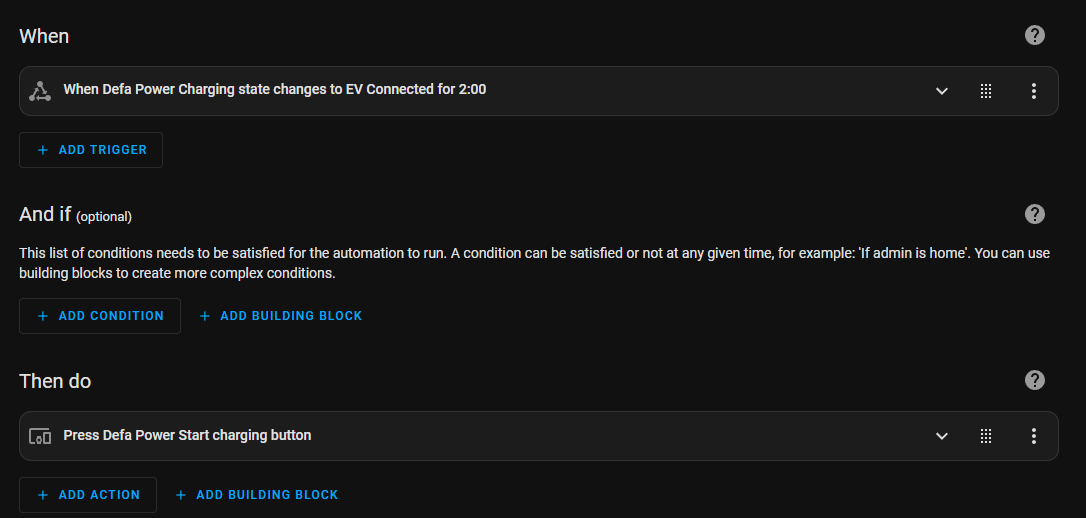
With your integration I just added a simple automation which waits two minutes for the “EV Connected” state and then activates the Eco mode charging (single button press).

One final optimisation would be able to change the Eco mode charge hours. Since Iknow also have car’s SoC info from VW Connect integration I could change the charge hours to match the missing SoC. But I guess that is something non-standard from the point of view of OCPP and only available through the proprietary Defa Power app. Hopefully car SoC will eventually be available to AC charging too so the chargers will be able to optimise charging properly.

Did you get it to work with your iq range charger?

I have eRange IQ charger and I have the same problem as Aie has. Integration loads but doesn’t show any chargers. Above endpoint shows my charger correctly:

{
    "timestamp": 1744523361053,
    "receivingAccess": [
        {
            "chargePoint": {
                "id": "00.21.12.1234.FULL-ID-REMOVED",
                "group": "mychargers",
                "lastHB": 1744519390778,
                "hbTimeout": false,
                "locationDescription": "CHARGER-NICKNAME-REMOVED",
                "location": "REMOVED",
                "zipcode": "REMOVED",
                "postalArea": "",
                "phoneNumber": "",
                "contactPerson": null,
                "owner": null,
                "availableHours": null,
                "information": null,
                "displayName": "",
                "nickname": null,
                "currencyCode": "EUR",
                "lastSuccesfulChargingRate": -1.0,
                "installerName": null,
                "installerCompany": null,
                "installerPhone": null,
                "reservationStartHr": -1,
                "reservationStartMin": -1,
                "reservationStopHr": -1,
                "reservationStopMin": -1,
                "timeZone": "Europe/Helsinki",
                "reservedDays": [],
                "latitude": REMOVED,
                "longitude": REMOVED,
                "transactionCounter": REMOVED,
                "aliasMap": {
                    "00.21.12.1234": {
                        "id": "UUID-REMOVED",
                        "connector": 1,
                        "smsAlias": "00.21.12.1234",
                        "displayName": null,
                        "nickname": null,
                        "power": 11.0,
                        "maxProfileCurrent": null,
                        "meterValue": REMOVED,
                        "info": null,
                        "connectorType": "TYPE2_CABLE",
                        "tariff": {
                            "type": "LinearTariff",
                            "fixedCost": 0.0,
                            "pricePerKwh": 0.0,
                            "pricePerHour": 0.0,
                            "hourDivisor": 2.0
                        },
                        "status": "FINISHING",
                        "errorCode": "NoError",
                        "errorInfo": "B1",
                        "statusUpdated": 1744487902000,
                        "availability": "OPERATIVE",
                        "accessControlEnabled": false,
                        "customerId": null,
                        "isFavorite": false,
                        "ecoMode": false,
                        "ecoModeOverride": null,
                        "ecoModeSavingsPercentage": 0,
                        "ecoModeAutomaticStopDate": null,
                        "automaticStopActive": false,
                        "automaticStopDays": null,
                        "vendor": "DEFA",
                        "model": "homeCLU",
                        "serialNumber": "00.21.12.1234.FULL-ID-REMOVED",
                        "firmwareVersion": "v3.5.1",
                        "capabilities": {
                            "ecoMode": true,
                            "solar": false,
                            "accessControl": true,
                            "loadBalancing": false,
                            "bluetoothNetworkSetup": false
                        }
                    }
                },
                "isFavorite": false,
                "isConnectorFavorite": false,
                "isReservedForYou": false,
                "biddingArea": "FI",
                "loadBalancingActive": false,
                "isFacility": false
            },
            "token": {
                "status": "ACTIVE_PERMANENT",
                "accessId": "UUID-REMOVED",
                "chargePointId": "00.21.12.1234.FULL-ID-REMOVED",
                "connectorId": null,
                "endTime": null,
                "startTime": null,
                "role": "OWNER",
                "givingAccess": null,
                "receivingAccess": "UUID-REMOVED",
                "metaString": "Laturi"
            }
        }
    ],
    "givingAccess": []
}

Thanks for the info. I’ll update it to include chargers from that endpoint too when i have time.

@bcg @Fosselius @Aie

I just released a beta version that also includes receivingAccess chargers from /mychargers endpoint.

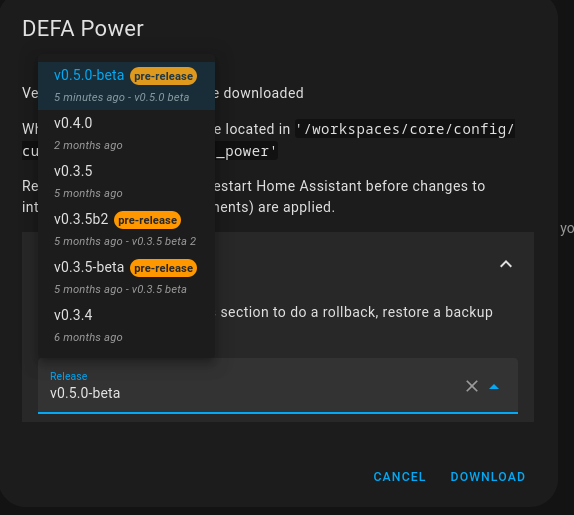
It can be installed via hasc by going to the DEFA Power integration → 3 dots → Redownload → Need a different version? → v0.5.0-beta

Please let me know if it works.

1 Like

Thanks, I can now see my charger. I’ll let you know how it really works next time I charge my car.

Hi, same here, I can see the charger. It actually shows as two devices. One as Model: homeCLU, the other one Model: unknown.
homeCLU shows 12 entities, the other one none. Will try to test tomorrow but for now it looks good! thank you!

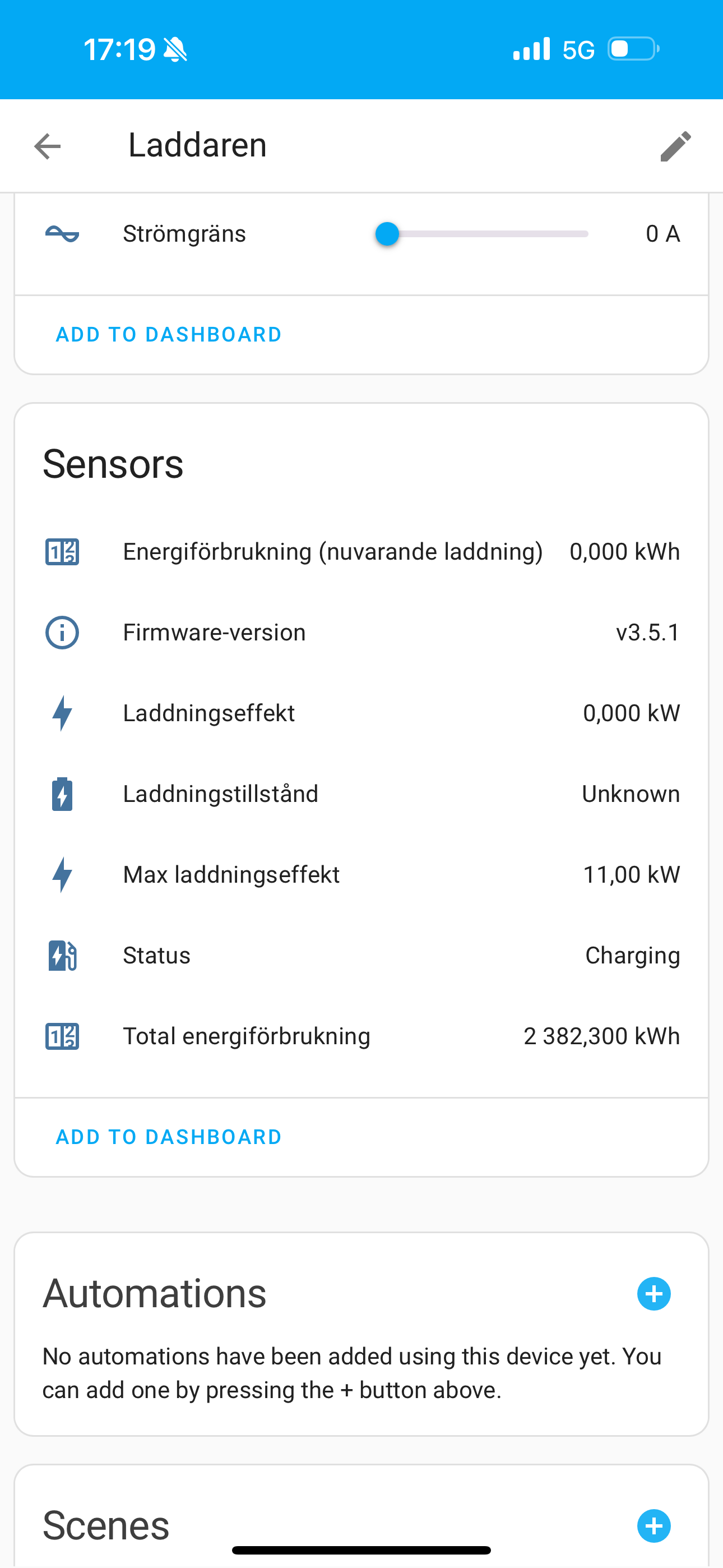
Same here. However it seems like none of the entities besides ”Status” are being updated for me @Bebbssos

It is normal that it shows as 2 devices, one is the chargepoint or charger and the other is the connector (with 12 entities).

Most of the sensor entites should update every minute when not charging or every 10 seconds while charging and rest (firmware version, max charging power) should update every 15 minutes.

Do they still don’t update?
What value do they have?
Are there any errors in the logs?

@Bebbssos I’m afraid nothing more than the status sensor

No errors from what I see

DEFA eRange IQ chargers might not give the same data in the api as DEFA Power chargers do. maxProfileCurrent is null and some other are completely missing in @bcg response.

Do you see the information that is missing somewhere in the DEFA Power or CloudCharge app? You should see the values for Laddningseffekt and Energiförbrukning (nuvarande ladding) by going to settings → status.