Just upgraded HA to 2025.3.2 and the temperature readings are back .
The warning logged in HA log file is now:
(<class ‘homeassistant.components.mqtt.sensor.MqttSensor’>) is using native unit of measurement ‘C’ which is not a valid unit for the device class (‘temperature’) it is using; expected one of [‘°C’, ‘K’, ‘°F’]
There was a problem starting the addon.
New installation of Home Assistant and addon. They have not been tested before.
Home Assistant Supervised
Core 2025.5.3
Supervisor 2025.05.3
The addon does not start. The logs contain the following
Traceback (most recent call last):
  File "<frozen runpy>", line 198, in _run_module_as_main
  File "<frozen runpy>", line 88, in _run_code
  File "/usr/lib/python3.11/http/server.py", line 1309, in <module>
    test(
  File "/usr/lib/python3.11/http/server.py", line 1256, in test
    with ServerClass(addr, HandlerClass) as httpd:
         ^^^^^^^^^^^^^^^^^^^^^^^^^^^^^^^
  File "/usr/lib/python3.11/socketserver.py", line 452, in __init__
    self.socket = socket.socket(self.address_family,
                  ^^^^^^^^^^^^^^^^^^^^^^^^^^^^^^^^^^
  File "/usr/lib/python3.11/socket.py", line 232, in __init__
    _socket.socket.__init__(self, family, type, proto, fileno)
PermissionError: [Errno 13] Permission denied
Does anyone have any ideas what might be the cause?
The reason for the posted above errors was related to “entrypoint.sh”, namely to the line “exec python3 -m http.server 8000”.
After deleting the line the errors disappeared, but the addon was still not starting.
The problem was solved by adding the empty configuration file (devi_config.json) to the config folder (/var/lib/homeassistant/addon_configs/23700ff6_devismart-mqtt).
To configure thermostat's access. Download / open Devi application.
Go to settings -> Share Home -> OTP code will be generated. Enter this code, when requested.
For some reasons, first OTP code usually fails. Click back in mobile app and enter new code.
Try entering OTP few times.
Enter username (press Enter to use default [ha-user]):
Exception in thread "main" java.lang.NullPointerException: Cannot invoke "java.nio.channels.AsynchronousSocketChannel.close()" because "ch" is null
        at io.github.sonic_amiga.opensdg.java.Connection.safeClose(Connection.java:150)
        at io.github.sonic_amiga.opensdg.java.Connection.closeOnlySocket(Connection.java:144)
        at io.github.sonic_amiga.opensdg.java.GridConnection.connect(GridConnection.java:187)
        at io.homeassistant.binding.danfoss.internal.GridConnectionKeeper.getConnection(GridConnectionKeeper.java:38)
        at io.homeassistant.devi.mqtt.service.DiscoveryService.Discover(DiscoveryService.java:93)
        at io.homeassistant.devi.mqtt.service.DiscoveryService.main(DiscoveryService.java:41)
I have reloaded the thermostats into MQTT, however the temperature displayed in MQTT is the floor temperature and not the air. However, in the Devismart MQTT add-on it is visible that the temperature is being loaded, but I do not see it in MQTT.
Thank you for you addon!
Works greate for me!
No code - just instal Mosquito Broker, add user, then your addon - then all steps from github - and all five my devismart become availible!
am i understand correct, than addon runs only ones - and then all jobs done by mosquito broker addon?
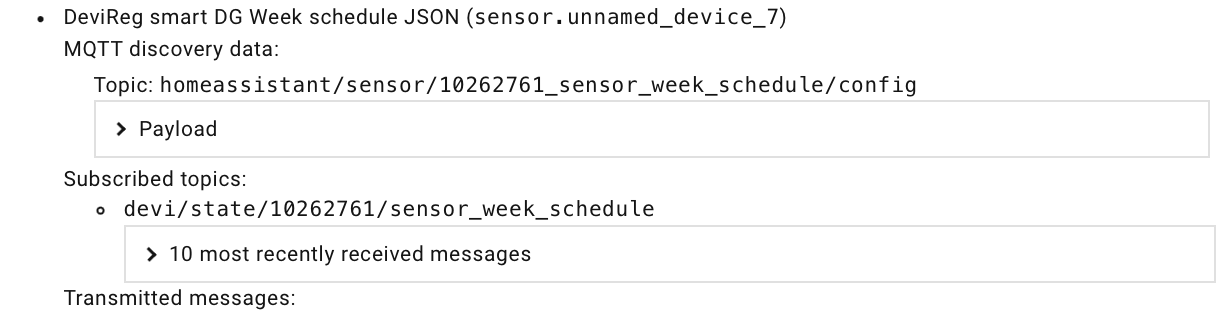
I installed the ha-weekly-schedule-card card. Thank you for the work, Igor. I can see the presently set schedule. But I am unable to change the schedule via HA. I feel it must depend on the commandTopic parameter. I believe I tried every possible variation, but to no avail. Among these I tested: devi/command/10262761/sensor_week_schedule
This is the information I have
 .
.