Yup, getting the same error here as well.
1 Like
To anyone not following the issue tracker: If you run into the “500 Internal Server Error” mentioned above, it can be “fixed” by removing the matplotlib line in manifest.json and restarting HA.
(See Integration setup failed · Issue #45 · antondaubert/dreame-mower · GitHub)
1 Like
(Some how missed the messages on the Error here - thanks @RickDangerous for helping out!)
Check out v0.1.8 which now uses native map plotting functionality.
For folks that haven’t migrated to the modern implementation yet: you would need to re-created your device in HA.
2 Likes
Hello, first of all thanks a lot for the work on /antondaubert/dreame-mower.
I have mova 600 kit, I installed latest version 0.1.8 (I tried also some older versions but still not working), but I have the issue that “Configuration is not succeeded, check the registers”.
Inside system registers are reported the following errors:
MQTT client connection failed. error: module ‘paho.mqtt.client’ has no attribute ‘CallbackAPIVersion’
Failed to connect to device -111016949
Error setting up entry MOVAhome Account for dreame_mower
Do you have idea about what could be wrong ?
Thanks a lot.
(Raspberry with HAOS 7.6, HA Core 2024.9.2)
Could you updated to a newer version of HA, e.g. something from this year?
Alternatively try out v0.2.2
Thanks.
I installed v0.2.2 (latest) but Now I get the error “500 Internal Server Error Server got itself in trouble” when trying to add integration.
I see there is no more the entry matplotlib line in manifest.json.
Do you know if there is still something else that could introduce this error ?
Thanks a lot,
Federico
@federicoimg2 could you open an issue here with some logs from HA for more context?
others: I messed up a bit with the repo settings and failed to handle it gracefully - so you need to rm -rf config/custom_components/dreame_mower manually, restart HA and download it via HACS again.
Opened it thanks.
I made some different tried, seems the issue is related to paho-mqtt…maybe I’ve done something wrong ?
Thanks a lot for support on it.
Federico
Hello there, im using this pluging with Dreame A1.
Thank for the good work, it now give visibility on the mower.
However, I noticed the A1 battery is discharging very quickly during the day. I m using the custom charging period to charge the mower during the night when energy cost is lower. I think it was not happening before to use the pluging.
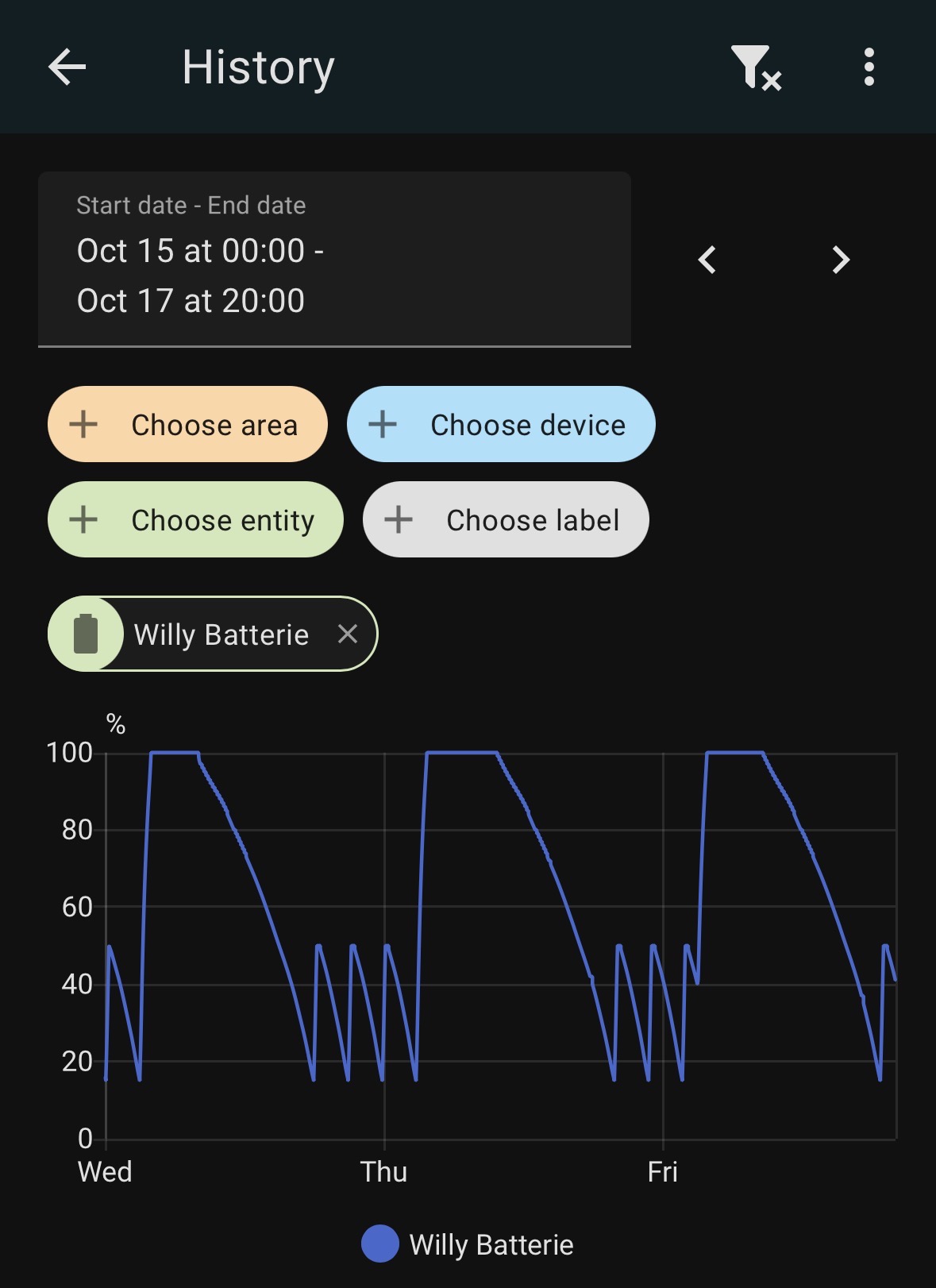
I will uninstall it to confirm but is anybody see the same?
Edit: My bad, the same behaviors happen without the plugin. I tried to restart the mower, but I still see the same issue. I will contact Dreame support.
Could you expand a bit on the need to remove the directory et.c.? I got a update first to 0.2.4 and then to 0.3 (w/o removing anything). However my mower is stowed away for the winter season so haven’t had it connected since 0.2.2…
I have the exact same situation, I hope my mower would work from the start next year…
In order to get the next updates you would need to delete the folder, otherwise HA would complain that the repository has changed / can’t find.
2 Likes
I’m observing the same pattern when using the custom charging period (in my case 11:00-18:00 for testing)
When the custom charging is turned off, it keeps the charging at 100% by looping between charging and not charging.
The integration isn’t doing regular active polling, instead relies on updates from the server, with that it should be neutral to the battery consumption.

Hello,
just for info, I updated HA to one of the latest version and the integration is working now.
Thanks a lot for your integration and support!
1 Like
 Can you help me?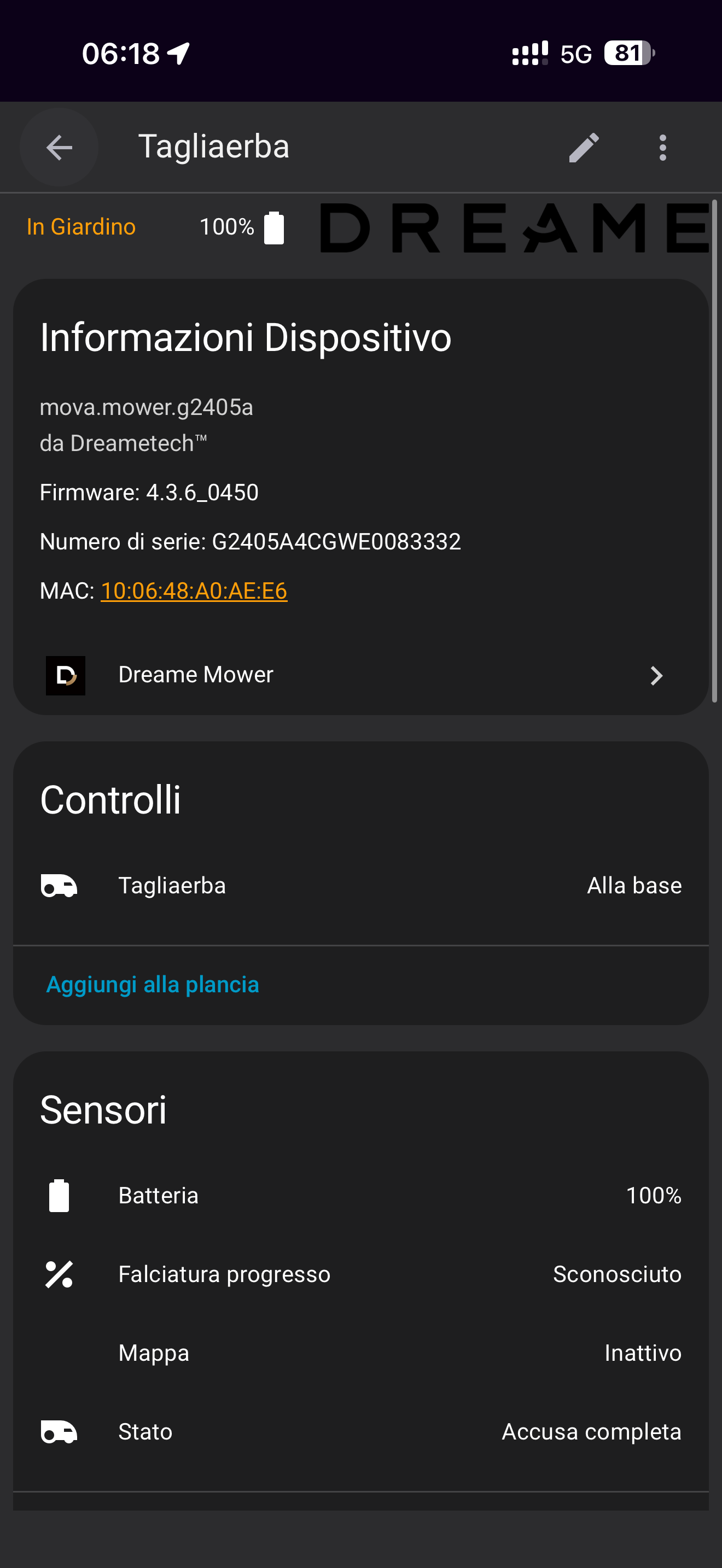
Glad to hear that it is working for you 
The map should be visible during and after the first completed mowing process.
As a follow up, I had back and forward emails with Dreame Support about this behavior.
This is the answer from technical department: “When the machine is on standby, the drive wheel motor locks the wheels to prevent the device from sliding, which leads to power consumption. It is estimated that it will be completely consumed in 12 hours. We suggest that you can keep the base station power plugged in or turn off the device”.
Shocking… It seems unrealistic to keep the mower continuously charging when it’s only used once or twice a week during the mowing season.
This represents a clear waste of both energy and money.
I really hope future updates will include an option to disable wheel motor lock 
2 Likes
Wow, that’s unexpected - thanks for digging into that and sharing your insights with us!
Hello, anyone did manage to integrate the ViAX series ? I have the ViAX 300 that was released in January of 2026.
I’m so excited to be able to integrate it.
Hi daxh64, I have the ViAX 250 - it works! Give it a try and install it.