Dynamic buttons based on template sensor

I’m trying to create a dashboard that shows a list of all the radio stations I’ve added to my library in Music Assistant, and plays that radio station on a smart speaker when clicked.

I have this template sensor, which is working great:

template:
  - trigger:
        - platform: time_pattern
          minutes: /5
    action:
        - service: music_assistant.get_library
          data:
            config_entry_id: 01K0N61N3PB0HD4FPXX7CGNN40
            media_type: radio
          response_variable: radio_stations_var
    sensor:
        - name: radio_stations
          unique_id: radio_stations
          state: "{{ radio_stations_var['items'] | count() }}"
          attributes:
            value: "{{ radio_stations_var['items'] | to_json }}"

I can iterate over the list of radio stations with a template like this:

{% for station in state_attr('sensor.radio_stations', 'value') -%}
--
Station: {{ station.name }}
URL: {{ station.uri }}
Image: {{ station.image }}
--
{%- endfor %}

Output:

--
Station: 90s on 9
URL: library://radio/1
Image: http://pri.art.prod.streaming.siriusxm.com/images/chan/85/2ba3f9-e84a-8c7f-c2c8-2c0f701894c3.png
----
Station: Euro Nation
URL: library://radio/3
Image: https://euronation.ca/wp-content/uploads/2025/07/logo-test-1.png
----
Station: triple j
URL: library://radio/2
Image: http://cdn-radiotime-logos.tunein.com/s25508q.png
--

What I’m trying to work out is how to build the dashboard. I want to show a button per station, with the station’s icon image. I can’t figure it out. The examples I’ve seen around dynamic dashboards has been based off entities, not off an array in one entity’s state.

Could someone please help me with this?

Thanks!
Perhaps flex table card can do it.

Interesting, thanks for the recommendation. I think I could tweak that enough to make it look the way I want.

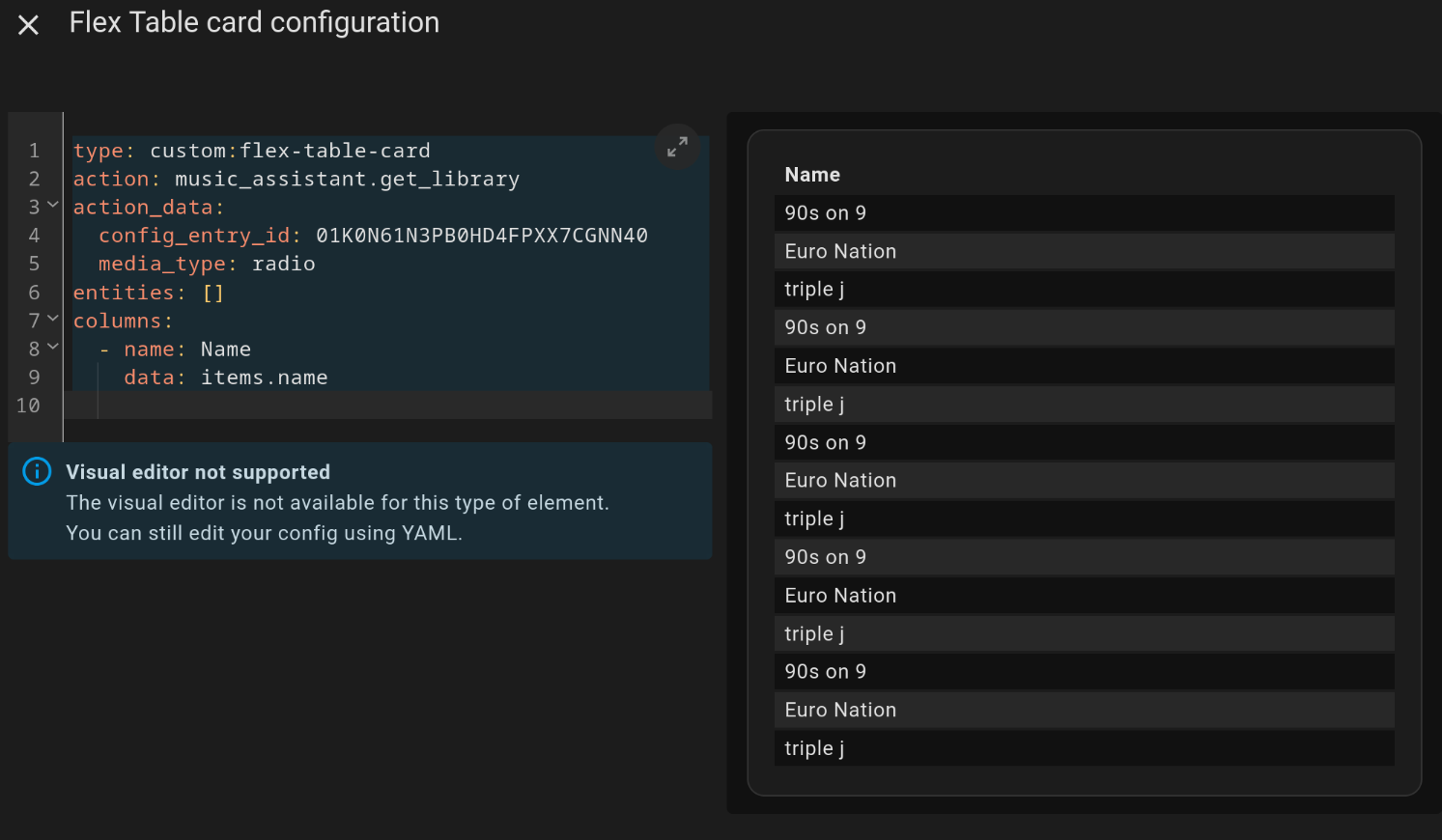
I’m trying it out, but it’s producing duplicate rows for some reason:

type: custom:flex-table-card
action: music_assistant.get_library
action_data:
  config_entry_id: 01K0N61N3PB0HD4FPXX7CGNN40
  media_type: radio
entities: []
columns:
  - name: Name
    data: items.name

Depends on a structure of your source data. Suggest to check a huge existing thread.

Thanks. It was because there were other fields in the response, so it was iterating over both those fields and the items. I made a script to just return the items:

sequence:
  - action: music_assistant.get_library
    metadata: {}
    data:
      limit: 500
      config_entry_id: 01K0N61N3PB0HD4FPXX7CGNN40
      media_type: radio
    response_variable: radio_stations_response
  - variables:
      radio_stations:
        items: "{{ radio_stations_response['items'] | to_json }}"
  - stop: null
    response_variable: radio_stations
alias: Get radio stations
description: ""

Which the Flex Table Card handles well, and doesn’t show duplicates.

Here’s my working proof-of-concept! Ugly at the moment, but I’ll clean it up with CSS.

type: custom:flex-table-card
action: script.get_radio_stations
entities: []
columns:
  - name: Name
    data: items.name
  - name: Play
    data: items.name
    modify: "\"<button class='button'>Play</button>\""
    tap_action:
      action: perform-action
      perform_action: music_assistant.play_media
      data:
        media_id: col[2]
      target:
        device_id: 6d9179267c3a03607a56c1caaf3dffa6
  - name: Media ID
    data: items.uri
    hidden: true