Still green in understanding Matter/Thread and this setup, so please correct me if I am wrong on anything.
I am trying to setup Matter and limit it to Thread with the SMLight SLZB-MR4U and not use WiFi, is that possible? Or does the OpenThread router need access to the WiFi/ethernet network (besides being able to reach the iPhone so it can act as a commissioner).
I went into the WebGUI for the SMLIGHT SLZB-MR4U and re-flashed here:
OpenThread Border Router
So far it seems it may have solved the errors, don’t see any errors so far in the logs.
Matter Server
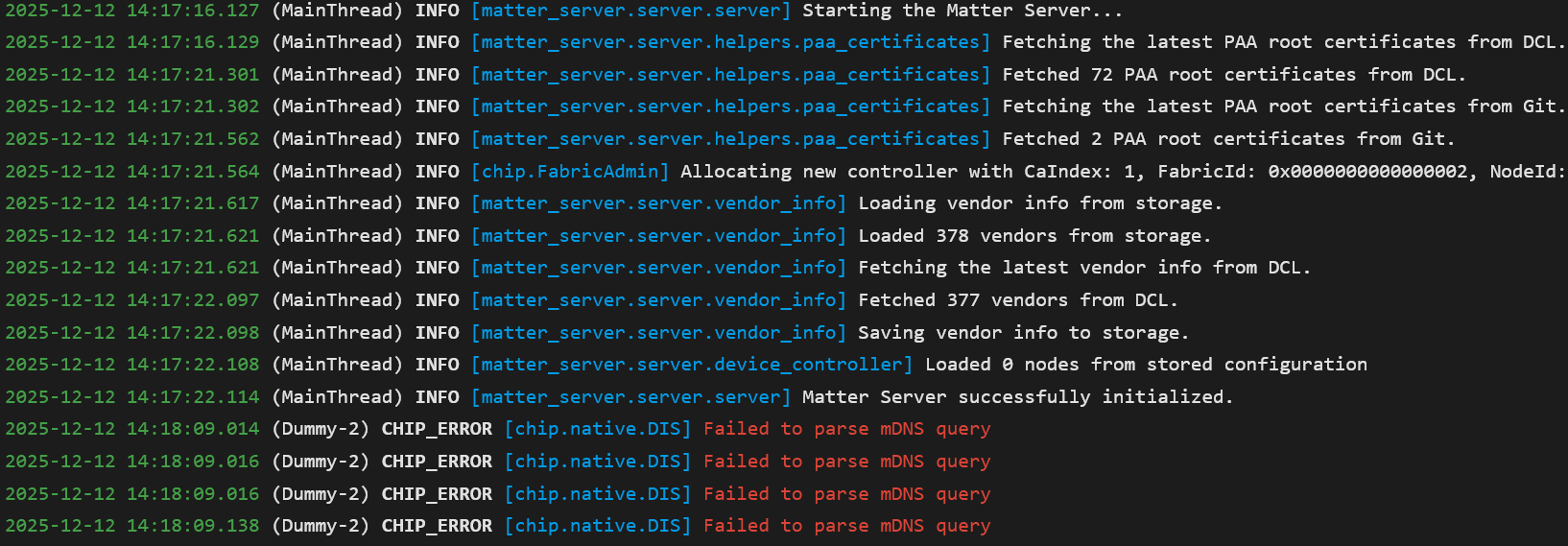
Still getting these (Dummy-2) CHIP_ERROR [chip.native.DIS] Failed to parse mDNS query errors:
Matter Server commission
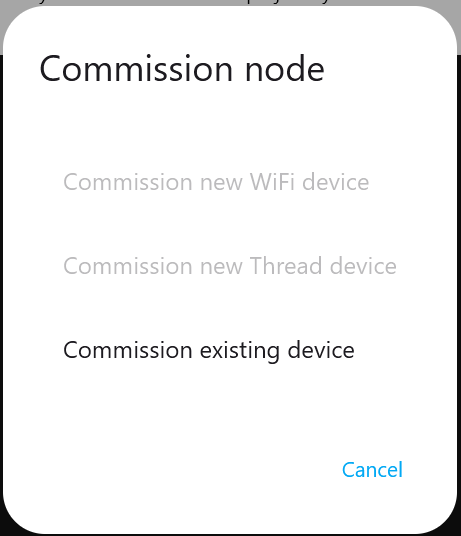
Furthermore, in Matter Server, when I click Commission Node, both Commission new WiFi device and Commission new Thread device are greyed out. Since I only plan to use Matter-over-Thread with the SMLIGHT SLZB-MR4U I don’t nee the Commission new WiFi device. Not sure if that’s possible but hoping it is.
That web page is a bit of a “everything else has failed” technique which is for the Matter Server AddOn to do the actually commissioning and requires a bluetooth adapter and some various configs to get it to work.
Generally one would use the iOS or Android HA Companion App on a mobile device to commission a Matter Device (either WiFi or Thread) and thus ignore that particular web page.
Generally one would use the iOS or Android HA Companion App on a mobile device to commission a Matter Device (either WiFi or Thread) and thus ignore that particular web page.
Ah! Thank you for explaining that. So to commission a Matter-over-Thread device, I would simply do this:
Open Home Assistant iOS app.
Go to Settings then tap Devices and Services.
Tap Matter integration.
Tap Add device.
Is that correct?
I am still waiting for my first Matter-over-Thread device to be delivered, I order the Onvis smart plug.
Here is where things get a bit tricky for Matter over Thread … you’ll need to get the Thread credentials from HA onto your iOS device. The docs should explain how to do it. Then do the instructions as you just listed.
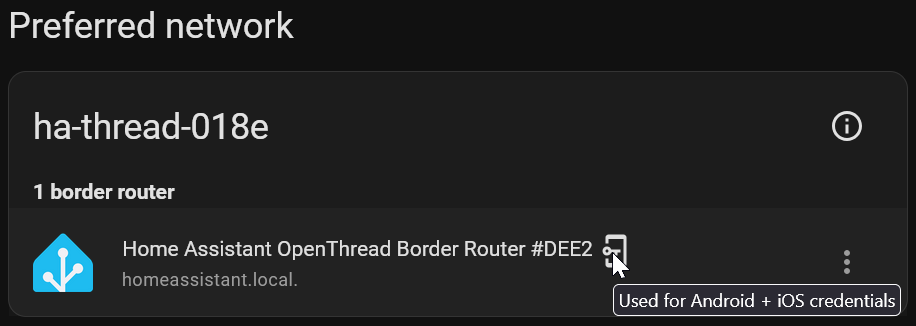
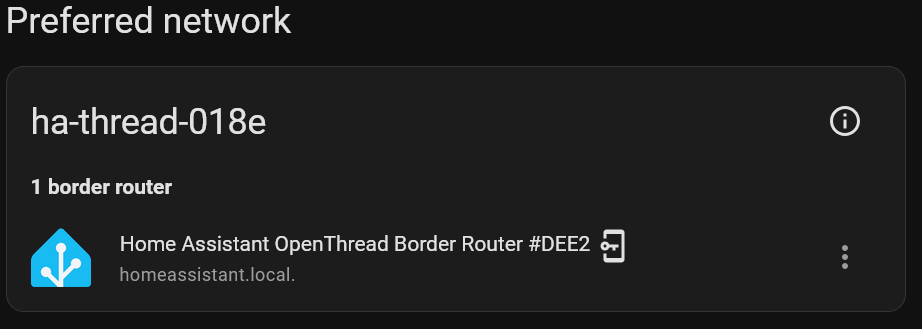
The “key in the phone” icon means this particular Thread network will be the one whose Thread credentials are used for sending to the phone.
If you have an iOS device you can go to the HA Companion App ->Settings->Companion App->Debugging->Thread and see if there are credentials there in Apple keychain.
If you have an iOS device you can go to the HA Companion App ->Settings->Companion App->Debugging->Thread and see if there are credentials there in Apple keychain.
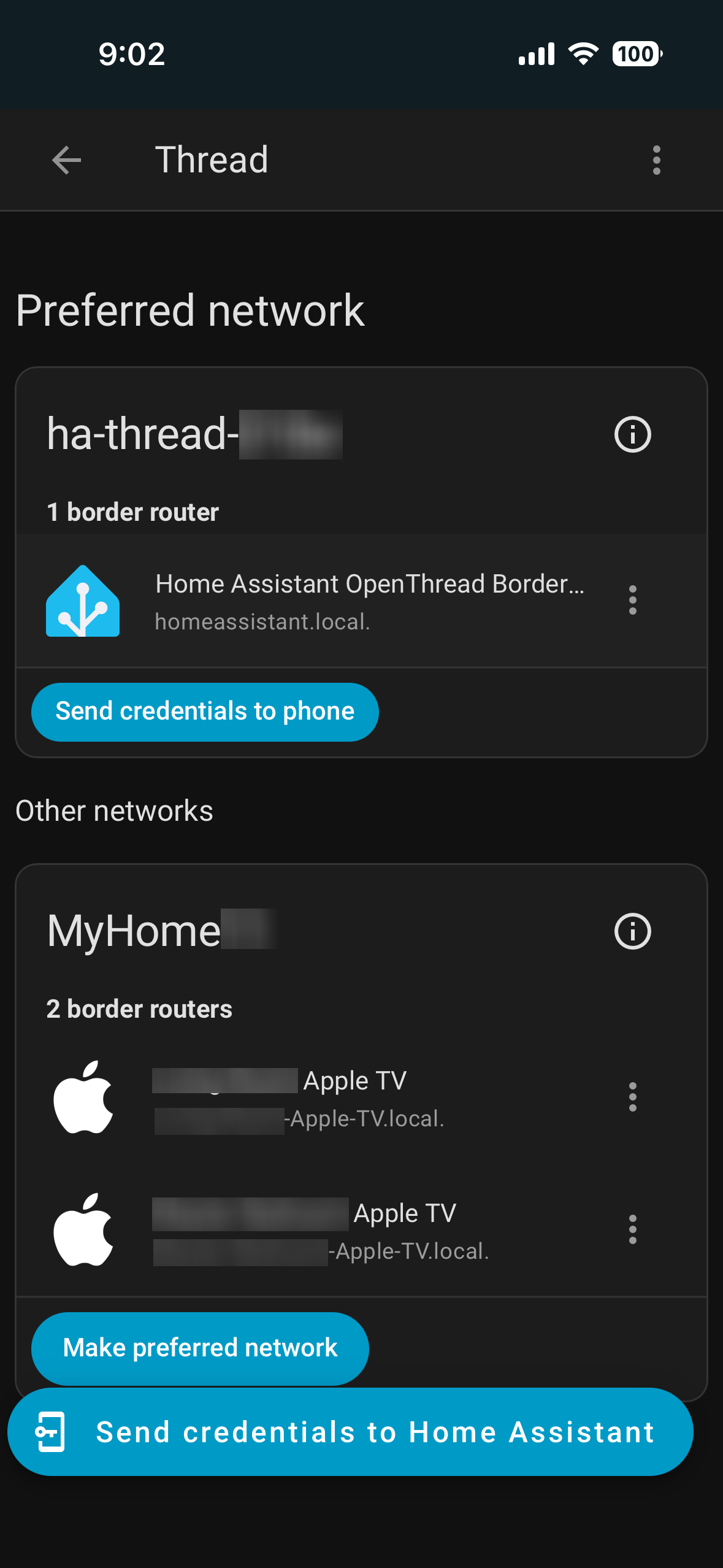
I see credentials but it seems to be the Thread network created by the Apple TV 4Ks.
My guess is that your iOS device has the Thread credentials of the Apple TV devices and has given it to HA as one can see that the MyHomexxx has an (i) designation.
You actually have some choices at this point:
add Matter/Thread devices to your Apple TV using the Apple TV Thread network (easiest) and then share the device to HA Matter. The HA OTBR would not be used.
Make your Apple TV Thread network “preferred” which will make the HA OTBR join the Apple TV Network,
Same here on a SLZB -MR3U. MOT would not work on the EFR32MG24 chip so configured that for Zigbee and the CC2674P10 chip to MOT and both work in Home Assistant (no idea why, just glad!)
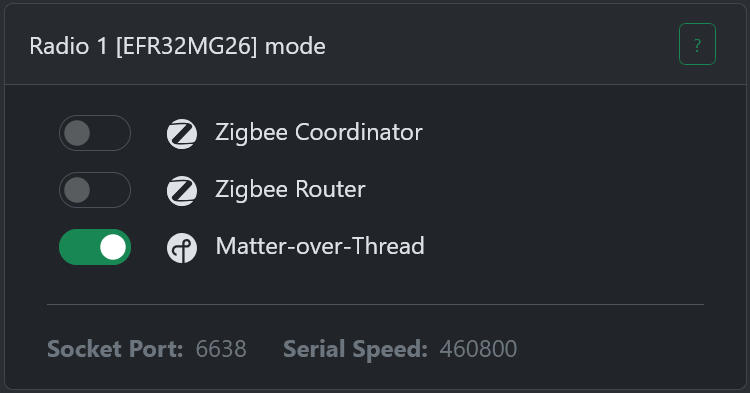
 Reflash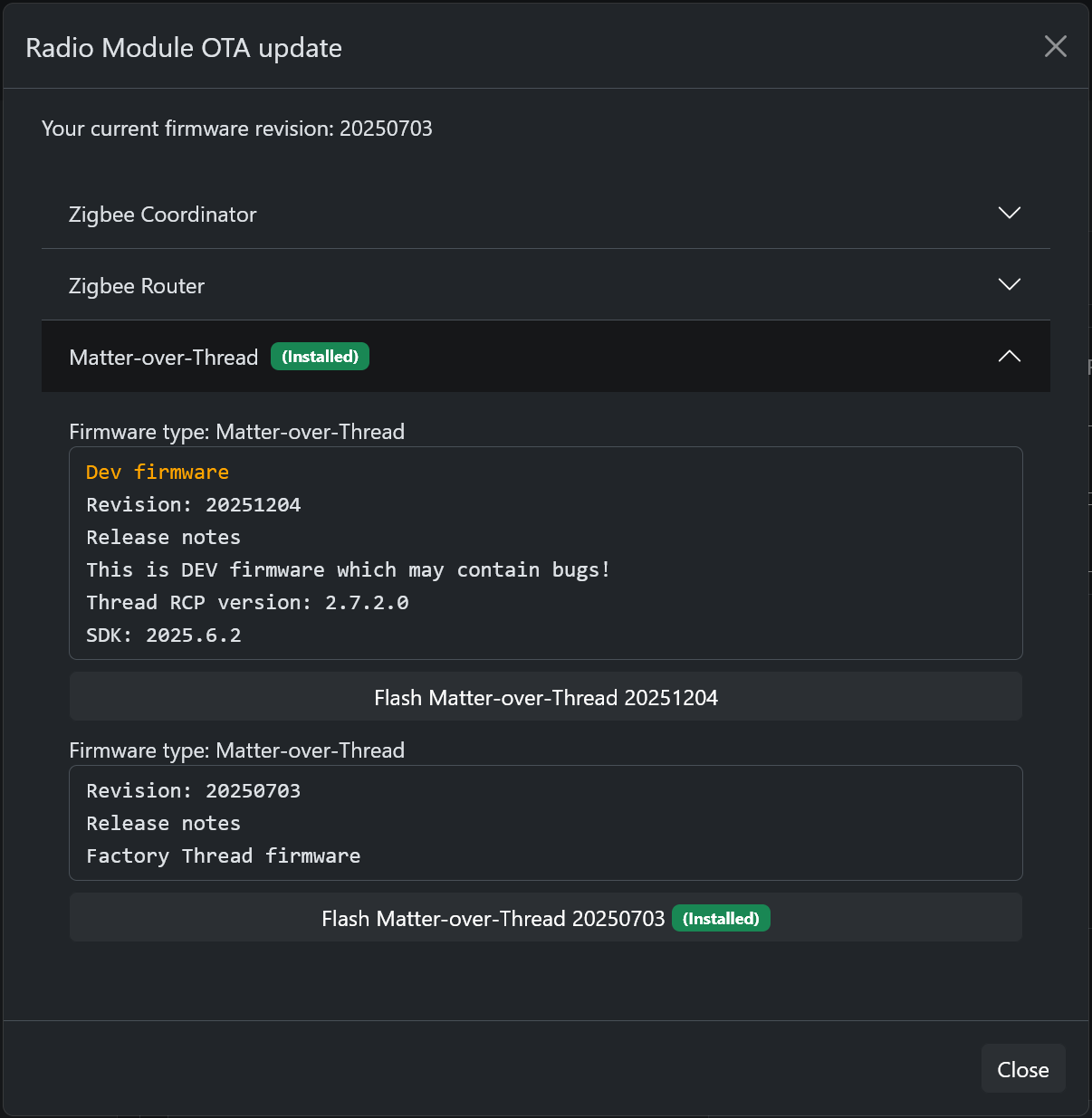
 Matter Server