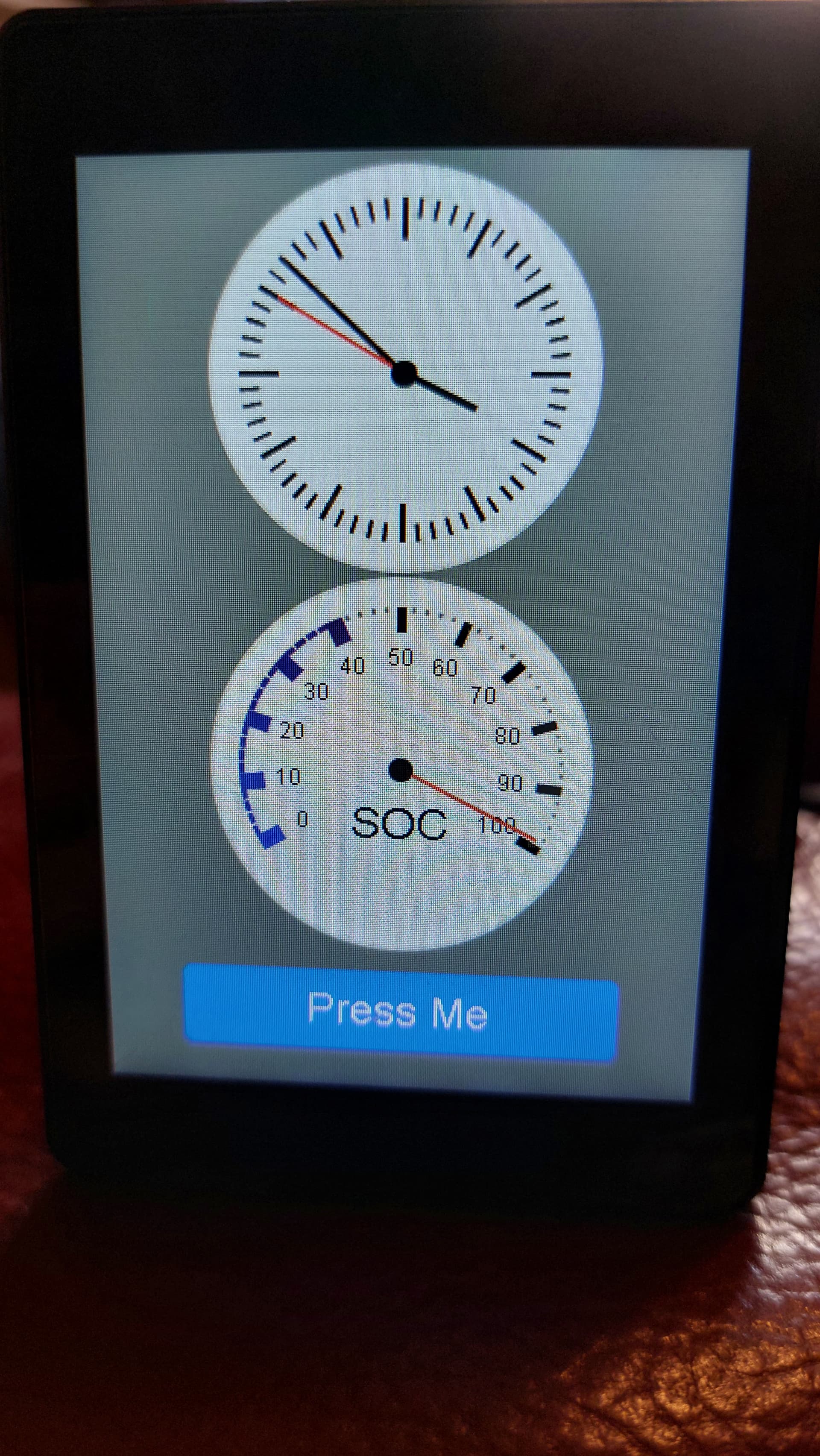
ESP32-S3 3.5-inch capacitive touch IPS module 320 * 480

a new update, looks like it’s a driver error.

when running this code, it displays right, but the update is not on the right place.

substitutions:
  name: esphome-web-220778
  friendly_name: WEKKER

color:
  - id: White
    red: 100%
    green: 100%
    blue: 100%
  - id: Black
    red: 0%
    green: 0%
    blue: 0%
  - id: Red
    red: 100%
    green: 0%
    blue: 0%

esphome:
  name: ${name}
  friendly_name: ${friendly_name}
  min_version: 2024.6.0
  name_add_mac_suffix: false
  platformio_options:
    build_flags: "-DBOARD_HAS_PSRAM"
    board_build.arduino.memory_type: qio_opi

  project:
    name: esphome.web
    version: dev


psram:
  mode: octal
  speed: 120MHz

esp32:
  board: esp32s3box
  variant: ESP32S3
  flash_size: 16MB
  framework:
    type: esp-idf
    sdkconfig_options:
      COMPILER_OPTIMIZATION_SIZE: y
      CONFIG_ESP32S3_DEFAULT_CPU_FREQ_240: "y"
      CONFIG_ESP32S3_DATA_CACHE_64KB: "y"

external_components:
  - source: github://ageurtse/esphome-components
    components: [ axs15231 ]

# Enable logging
logger:
  logs:
    component: NONE
# Enable Home Assistant API
api:

# Allow Over-The-Air updates
ota:
- platform: esphome

# Allow provisioning Wi-Fi via serial
improv_serial:

wifi:
  # Set up a wifi access point
  ap: {}

# In combination with the `ap` this allows the user
# to provision wifi credentials to the device via WiFi AP.
captive_portal:

# To have a "next url" for improv serial
web_server:

spi:
  - id: display_qspi
    type: quad
    clk_pin: 47
    data_pins:
      - 21
      - 48
      - 40
      - 39

i2c:
  sda: 4
  scl: 8
  id: touchscreen_bus

# switch:
#   - platform: output
#     name: "LCD LED"
#     output: lcdbacklight
#     id: switch_lcdbacklight
#     restore_mode: ALWAYS_ON

# output:
#   - platform: gpio
#     pin:
#       number: GPIO01
#       # allow_other_uses: true  
#     id: lcdbacklight

display:
  - platform: axs15231
    id: main_display
    spi_id: display_qspi
    backlight_pin: GPIO01
    dimensions:
      height: 480
      width: 320
    cs_pin: 45
    reset_pin: 16
    transform:
      swap_xy: false
    rotation: 90
    auto_clear_enabled: false
    lambda: |-
      // Print time in HH:MM format
      it.strftime(0, 60, id(roboto24), TextAlign::BASELINE_LEFT, "%H:%M:%S", id(homeassistant_time).now());


touchscreen:
  - platform: axs15231
    id: main_touch
    display: main_display
    i2c_id: touchscreen_bus
    transform:
      swap_xy: false
    on_touch:
      - lambda: |-
            ESP_LOGI("cal", "x=%d, y=%d, x_raw=%d, y_raw=%0d",
                touch.x,
                touch.y,
                touch.x_raw,
                touch.y_raw
                );
time:
  - platform: homeassistant
    id: homeassistant_time
 
text_sensor:
  - platform: version
    id: esphome_version
    name: "ESPHome Version"
  - platform: template
    name: 'Last Restart'
    id: device_last_restart
    icon: mdi:clock
    entity_category: diagnostic

binary_sensor:
  - platform: status
    name: "Status"
    entity_category: diagnostic  

font:
  - file: "gfonts://Roboto"
    id: roboto24
    size: 72
 

I’m a bit further, from within the driver in the display it checks if somthing is changed and it gives back the window which is alterd.

  // we will only update the changed rows to the display
  size_t const w = this->x_high_ - this->x_low_ + 1;
  size_t const h = this->y_high_ - this->y_low_ + 1;
  size_t const x_pad = this->get_width_internal() - w - this->x_low_;

  ESP_LOGI(TAG,
         "Start display(xlow:%d, ylow:%d, xhigh:%d, yhigh:%d, width:%d, height:%zu, x_pad=%d)",
         this->x_low_, this->y_low_, this->x_high_, this->y_high_, w, h, x_pad);

when reading the log, it gives always high coordinates.
trying to find out why and how to solve it.

what if you try

lvgl:
  buffer_size: 25%

Yes, I did see that in the ‘esp_lcd_axs15231b.c’ file but don’t know enough to fix :smirk:
Might need help from buglloc :crossed_fingers:

already tried, thanks.

did it help or do anything, no?

Didn’t try, but the problem is also there if using the “normal” way without lvgl.

So it’s a driver problem, it looks like it doesn’t get the right coordinats of the changed area.

Hi Arnold,
The device has been fine for me with standard graphics. I did note, however, that the display went crazy if any activity went outside the display area. So, in my code I use the ‘clip’ function for the visible area then it behaved correctly. That should really be something that driver handles.

So, the lamda would look like this…

          it.start_clipping(0,  0, 479, 319);
          it.rectangle(0,  0, it.get_width(), it.get_height(), id(my_blue));
          it.end_clipping();
  

Hope that helps.

Thanks for the reply and sorry it’s taken a while to respond, we’re in between hurricanes in Florida and it’s taking all my concentration at the moment. I’m having the same issues with LVGL on this and jumped over to one of the 4x4 screens that is comparatively a joy to use. I think I’ll order one of those larger ones too to have a try with it. Not giving up on these 320x240 ones though, as it’s perfect for a particular decade of mine; just needed a break before I flung it across the yard :grimacing:

Terry

OK, I’ve got a work around…
So,

  1. download the buglloc drivers so they are local to HA
  2. change the pointer to them
external_components:
  # - source: github://buglloc/esphome-components
  #   components: [ axs15231 ]
  - source:
      type: local
      path: /config/esphome/components
    components: [ axs15231 ]
  1. navigate to the ‘axs15231_display.cpp’ file. At line 253 you will find the function ‘AXS15231Display::display_’
  2. modify the 4 lines (commented with #######) as follows…
void AXS15231Display::display_() {
  if ((this->x_high_ < this->x_low_) || (this->y_high_ < this->y_low_)) {
    return;
  }

  // we will only update the changed rows to the display
  // ########### force the next 2 lines to full width and height
  size_t const w = this->width_; //this->x_high_ - this->x_low_ + 1;
  size_t const h = this->height_; //this->y_high_ - this->y_low_ + 1;
  size_t const x_pad = this->get_width_internal() - w - this->x_low_;
  // ########### force the window to full screen
  this->set_addr_window_(1, 1, this->width_, this->height_);
  // this->set_addr_window_(this->x_low_, this->y_low_, this->x_high_, this->y_high_);

  this->enable();

  // ########### force the next line to always draw the full screen
  if (true) { //(this->x_low_ == 0 && this->y_low_ == 0 && x_pad == 0) {
      this->write_cmd_addr_data(8, 0x32, 24, 0x2C00, this->buffer_, w * h * 2, 4);
  } else {
    this->write_cmd_addr_data(8, 0x32, 24, 0x2C00, nullptr, 0, 4);
    size_t stride = this->x_low_ + w + x_pad;
    for (int y = 0; y != h; y++) {
      size_t offset = ((y + this->y_low_) * stride + this->x_low_);
      this->write_cmd_addr_data(0, 0, 0, 0, this->buffer_ + offset * 2, w * 2, 4);
    }
  }

  this->disable();

  this->invalidate_();
}
  1. save and recompile.

This prevents the quick screen updates and forces a complete redraw so it wont be quicker. :grinning: but at least the display should work until we get a better fix.
I’ve tested with the standard graphics and still ok.
Any issues, let me know.
Derham

I hope you and your family are weathering the storms safely Terry.

Result…

Once it was working I did have to calibrate the touchscreen so that it knew where the button was. :roll_eyes:

It works here also, now trying to see if whe can only update the part that is altered.
i will try to look at it in the weekend, little less in time at the moment.

This is a working LVGL config that does some partial updates, using the existing qspi_amoled driver. The display driver chip appears to only write data from 0,0 so proper partial updates don’t work. I’ve added some code to the LVGL component to partially work around this.

All the usual LVGL stuff should work with this.

Some notes:

The display can be rotated 180 or mirrored using mirror_x and mirror_y, but swap_xy does not work.

Software rotation using rotation: 90 works (also for 270) but requires full screen redraws so is slow. The display itself is quite fast so it’s still usable though.

I have not looked at the touchscreen yet.

esphome:
  name: jc3248w535
  platformio_options:
    build_unflags: -Werror=all
    board_build.flash_mode: dio


esp32:
  board: esp32-s3-devkitc-1
  framework:
    type: esp-idf
    sdkconfig_options:
      CONFIG_ESP32S3_DEFAULT_CPU_FREQ_240: "y"
      CONFIG_ESP32S3_DATA_CACHE_64KB: "y"
      CONFIG_SPIRAM_FETCH_INSTRUCTIONS: y
      CONFIG_SPIRAM_RODATA: y

external_components:
  - source: github://clydebarrow/esphome@lvgl-rounding
    components: [lvgl]

logger:

wifi: !include wifi.yaml

ota:
  platform: esphome
  password: !secret ota_password

psram:
  mode: octal
  speed: 80MHz

spi:
  id: display_qspi
  type: quad
  clk_pin: 47
  data_pins: [21,48,40,39]

power_supply:
  id: backlight_id
  pin: 1
  enable_on_boot: true

display:
  - platform: qspi_amoled
    model: RM67162
    data_rate: 40MHz
    dimensions:
      height: 480
      width: 320
    cs_pin:
      number: 45
      ignore_strapping_warning: true
    auto_clear_enabled: false
    update_interval: never

lvgl:
  draw_from_origin: true
  draw_rounding: 8

i2c:
  sda: 4
  scl: 8
  id: touchscreen_bus

Hi Clyde,
Thanks for looking at this. The yaml compiles and works fine although it does give an error in esphome…
[draw_from_origin] is an invalid option for [lvgl].
Displays the button, checkbox and rotating arc nicely though.

Did you include the external_components as per my example?

i can confirm it works with the external components loaded

All good this morning, I think it was an editor hiccup :grin:

Below my working code with touch screen control.
I think, this is a nice work a round.

I’m pretty happy with this solution, now we can build further on top off this.

substitutions:
  name: esphome-web-220778
  friendly_name: WEKKER

esphome:
  name: ${name}
  friendly_name: ${friendly_name}
  min_version: 2024.6.0
  name_add_mac_suffix: false
  platformio_options:
    build_flags: "-DBOARD_HAS_PSRAM"
    board_build.arduino.memory_type: qio_opi

  project:
    name: esphome.web
    version: dev

psram:
  mode: octal
  speed: 120MHz

esp32:
  board: esp32-s3-devkitc-1
  framework:
    type: esp-idf
    sdkconfig_options:
      CONFIG_ESP32S3_DEFAULT_CPU_FREQ_240: "y"
      CONFIG_ESP32S3_DATA_CACHE_64KB: "y"
      CONFIG_SPIRAM_FETCH_INSTRUCTIONS: y
      CONFIG_SPIRAM_RODATA: y

# Enable logging
logger:
  logs:
    component: DEBUG
# Enable Home Assistant API
api:

# Allow Over-The-Air updates
ota:
- platform: esphome

# Allow provisioning Wi-Fi via serial
improv_serial:

wifi:
  # Set up a wifi access point
  ap: {}

# In combination with the `ap` this allows the user
# to provision wifi credentials to the device via WiFi AP.
captive_portal:

# To have a "next url" for improv serial
web_server:


external_components:
  - source: github://clydebarrow/esphome@lvgl-rounding
    components: [lvgl]
  - source: github://ageurtse/esphome-components
    components: [ axs15231 ]

spi:
  id: display_qspi
  type: quad
  clk_pin: 47
  data_pins: [21,48,40,39]

power_supply:
  id: backlight_id
  pin: 1
  enable_on_boot: true

sensor:
  - platform: homeassistant
    id: light_brightness
    entity_id: light.your_dimmer
    attribute: brightness
    on_value:
      - lvgl.slider.update:
          id: dimmer_slider
          value: !lambda return x;
i2c:
  sda: 4
  scl: 8
  id: touchscreen_bus

display:
  - platform: qspi_amoled
    id: main_display
    model: RM67162
    data_rate: 40MHz
    dimensions:
      height: 480
      width: 320
    cs_pin:
      number: 45
      ignore_strapping_warning: true
    auto_clear_enabled: false
    update_interval: never

touchscreen:
  - platform: axs15231
    id: main_touch
    display: main_display
    i2c_id: touchscreen_bus

lvgl:
  draw_from_origin: true
  draw_rounding: 8
  widgets:
    - slider:
        id: dimmer_slider
        x: 20
        y: 50
        width: 30
        height: 220
        pad_all: 8
        min_value: 0
        max_value: 255
        on_release:
          - homeassistant.action:
              action: light.turn_on
              data:
                entity_id: light.your_dimmer
                brightness: !lambda return int(x);