Hello @pkscout and all,
Thank you very much for this post, as it’s the only one where I’ve found useful information about the Waveshare ESP32 display.
I personally have a Waveshare ESP32-S3 5-inch 1024x600 display (Link).
I tried toggling the backlighting on and off using only the CH422G, but without complete success. In other words, I can turn the backlighting off and on (without the ability to adjust it), but when I turn it back on, unfortunately, a ring appears around the display near the edges. This disappears after a few hours, but it becomes more pronounced and persists longer the longer the backlighting is off. I contacted support, but they said this is normal because the CH422G not only turns off the backlighting, but also removes the RGB signal, and the ringing when I turn it back on is due to that.
I’ve analyzed the datasheets and would like your opinion to see if my reasoning is correct.
Physically, I need to connect the PWM solder point to the RS485-A pin (I’m attaching two images, one of the actual board and one of the logic).
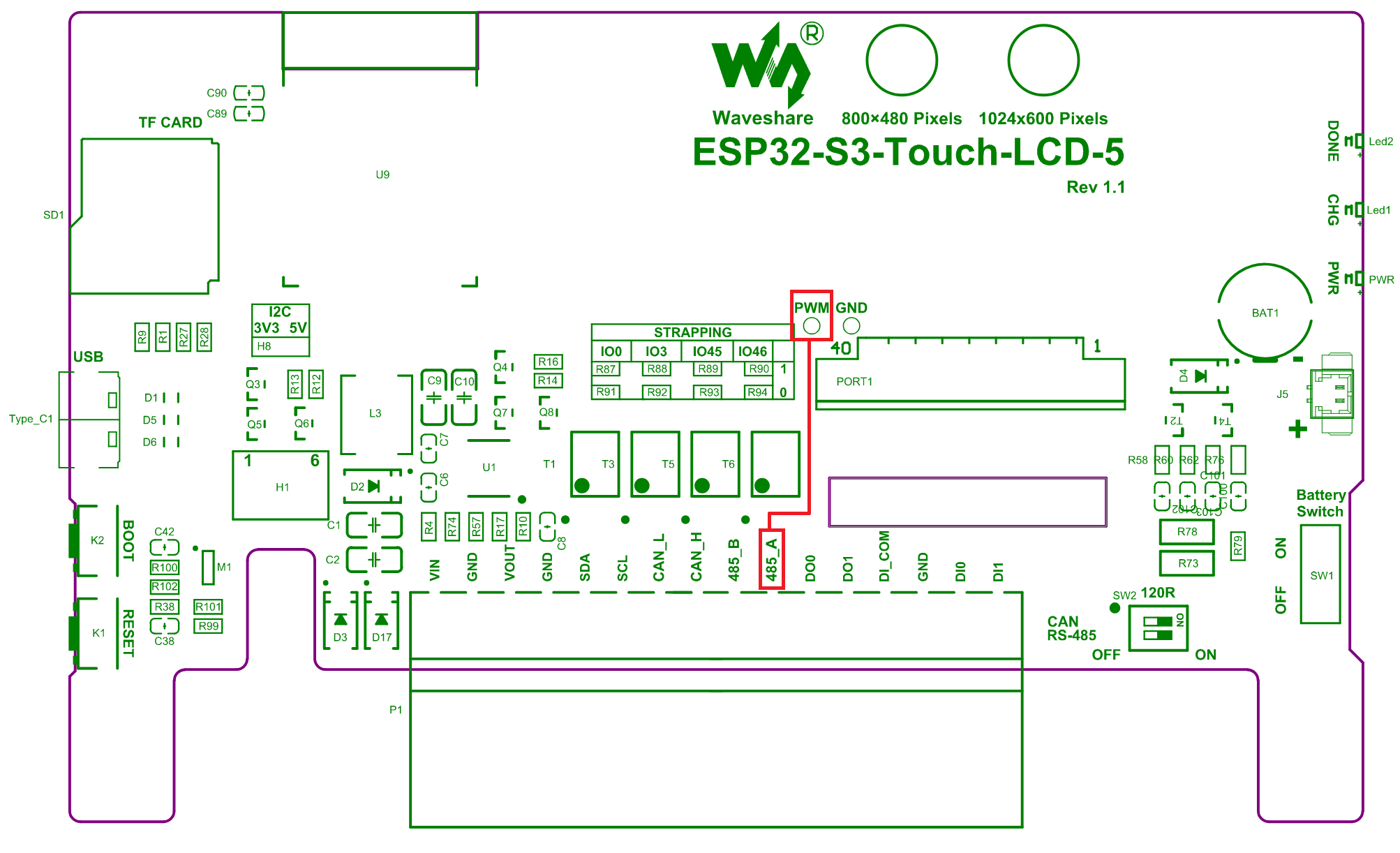
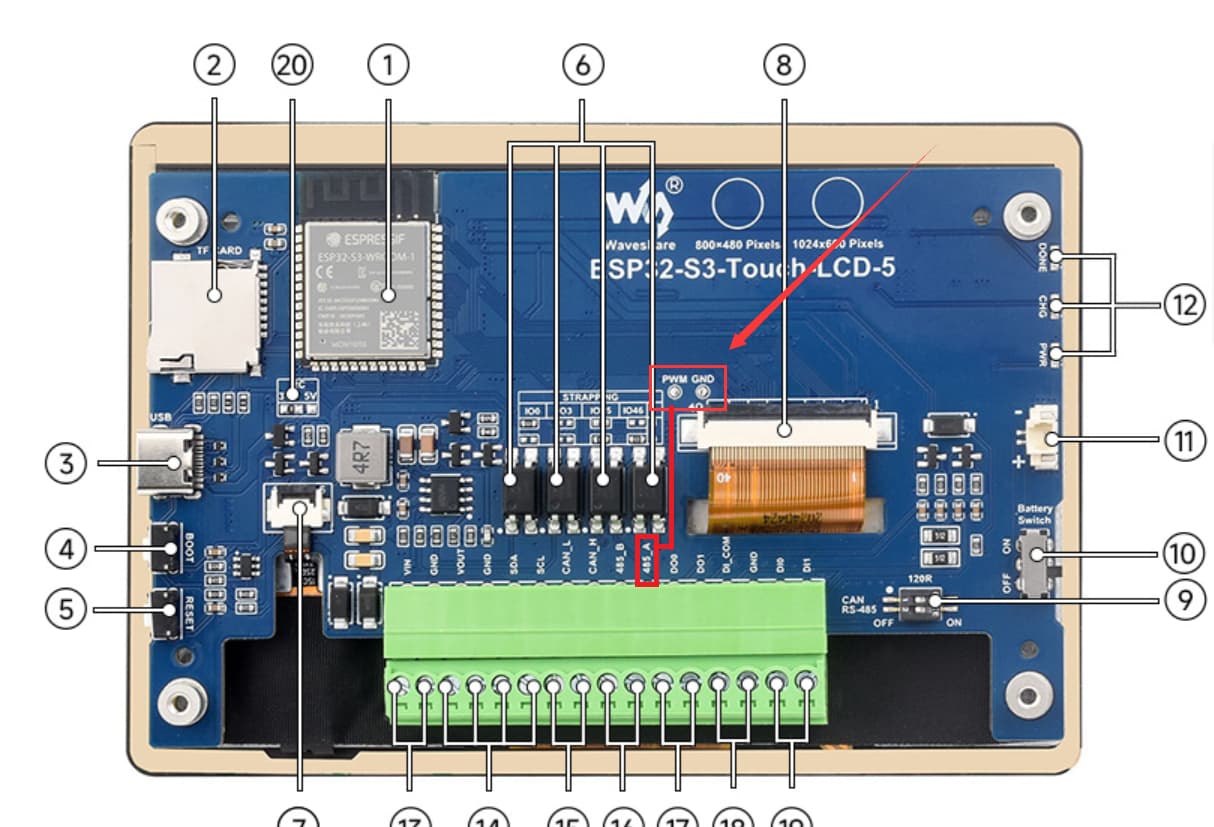
Logically, I need to use a code very similar to yours, except that the GPIO must be 43 (not 16). This is based on the attached diagram, where GPIO 43 corresponds to RS485 RXD (aka “A”). I checked, and on your display (7" 480x800, it corresponds to GPIO16).
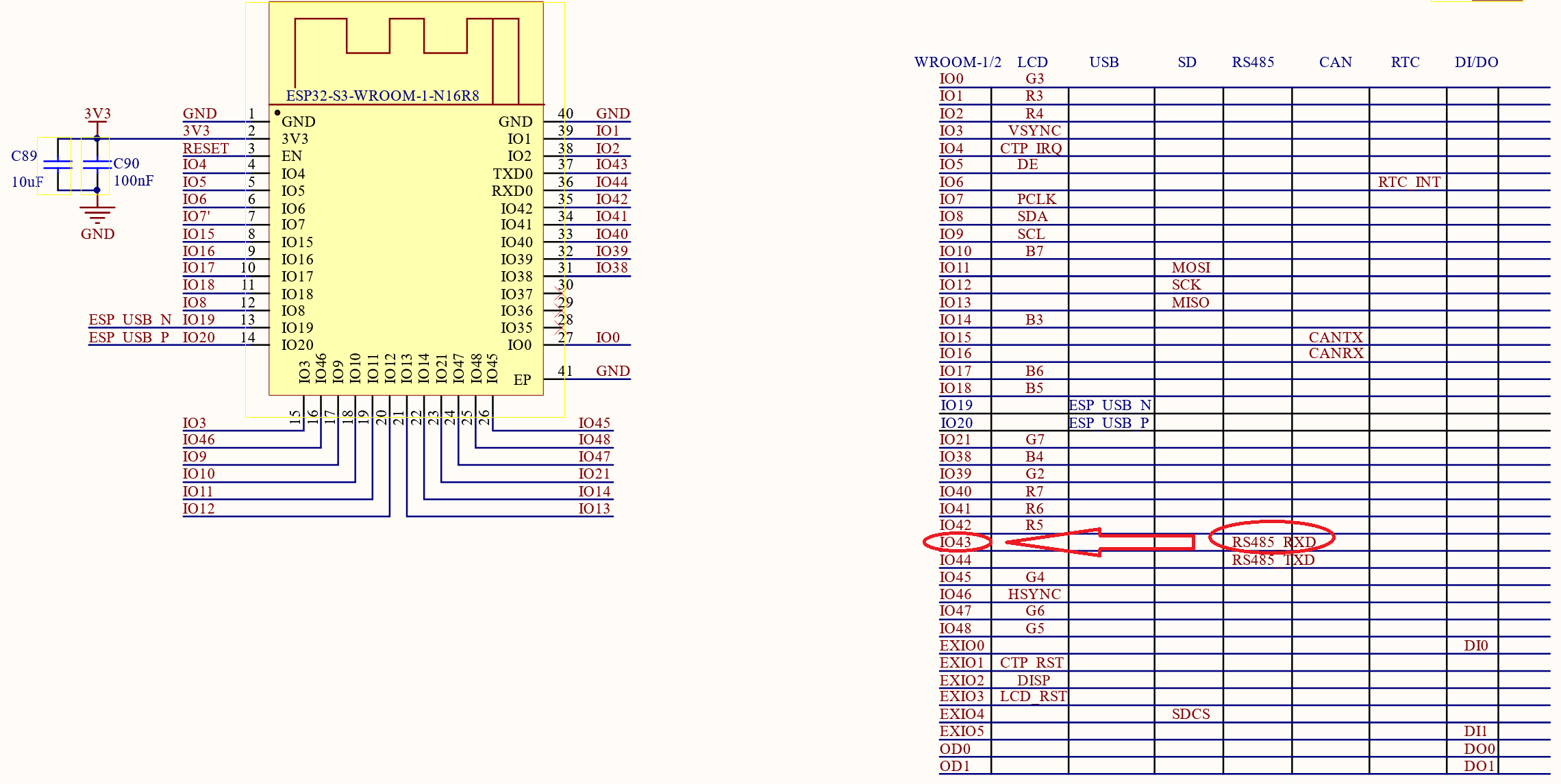
So, the code should be as follows:
# Backlight
output:
  - platform: ledc
    pin: GPIO43
    id: backlight

light:
  - platform: monochromatic
    output: backlight
    name: backlight
    restore_mode: ALWAYS_ON

switch:
  - platform: template
    name: antiburn
    icon: mdi:television-shimmer
    optimistic: true
    entity_category: "config"
    turn_on_action:
      - logger.log: "Starting Antiburn"
      - if:
          condition: lvgl.is_paused
          then:
            - lvgl.resume:
            - lvgl.widget.redraw:
      - lvgl.pause:
          show_snow: true
    turn_off_action:
      - logger.log: "Stopping Antiburn"
      - if:
          condition: lvgl.is_paused
          then:
            - lvgl.resume:
            - lvgl.widget.redraw:

  - platform: gpio
    name: backlight switch
    pin:
      ch422g: io_ex
      number: 2
    restore_mode: ALWAYS_ON
    internal: true
Could you please support me and confirm if what I wrote is correct?
I look forward to your kind feedback before proceeding with the physical and logical operations.
Just one last question: to disable the backlight, if I can implement the above configuration, you set the brightness value of the monochrome light to zero, right?
Thank you very much in advance.
Best regards,
Matteo