I’ve been working with ESPHome + LVGL for a while, and honestly, I got pretty frustrated with how long it takes to recompile and reupload firmware just to see tiny UI changes.
I tried a few other tools along the way, but most of them either required local setup on my own computer or didn’t really help me visualize the design so well.
So… I ended up building another tool to try and solve that problem.
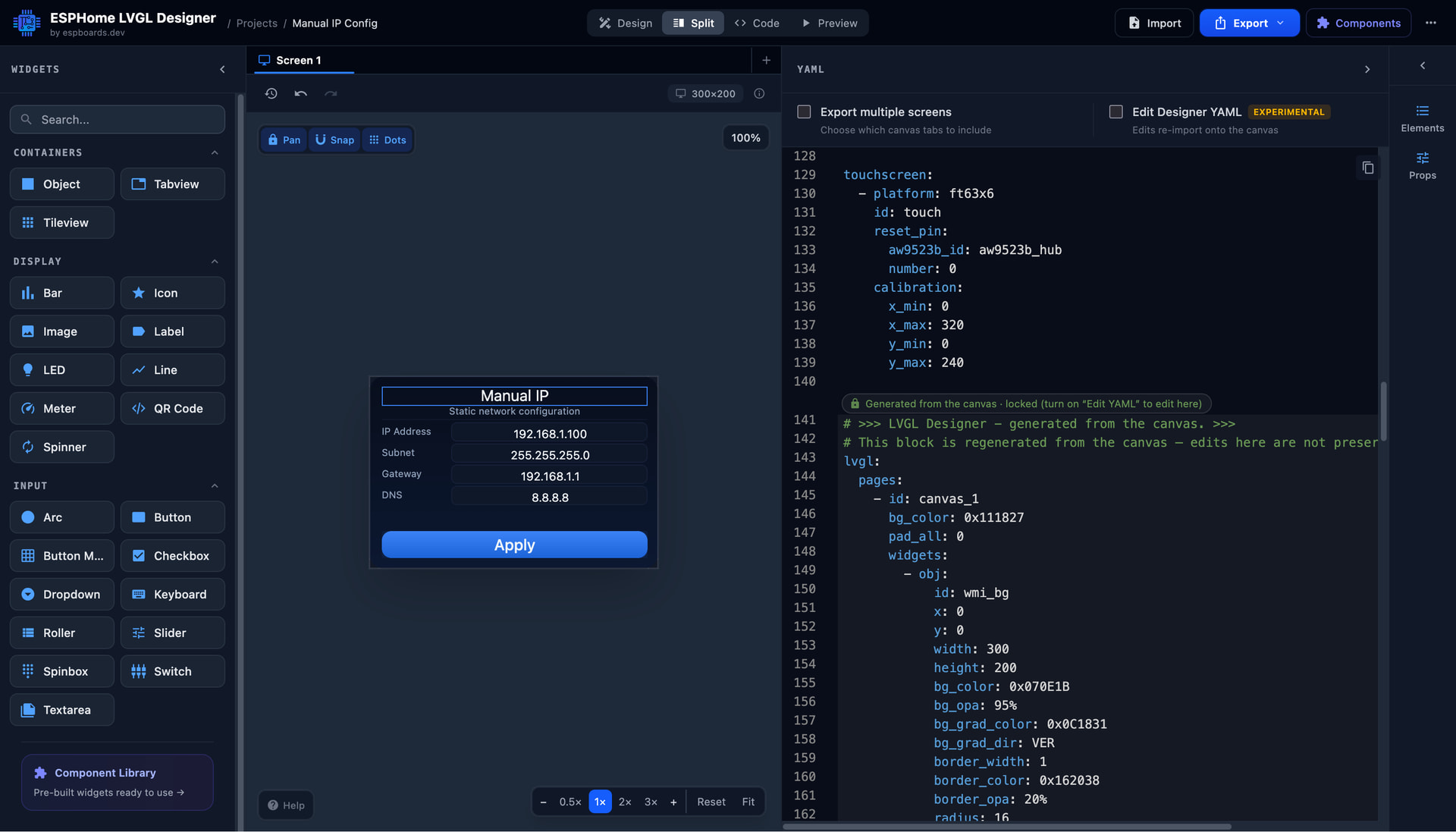
It’s a browser-based LVGL UI editor for ESPHome that lets you visually design your screens and see changes in real time, without constantly flashing your device.
It runs directly in the browser and helps you quickly prototype and layout your UI visually.
Just a heads up: this is still a very early-stage project, so there will definitely be some issues. Any feedback is really appreciated - and if anyone runs into issues or wants to share their YAML so I can test the import feature, that would be great.
Thanks for making this, Might make learning this stuff a bit easier
One thing that I cant see on labels is how to set the ID so the generated code has the ID names I want to call it, rather than a generic : “id: lv_label_4”
Be really handy if that was added, that way it matches with the sensor stuff
I love your project, so much stuff that we could share between our two projects. Don’t you want to open-source your project so we could share code? cheers
I am planning to opensource it, but i want to make the tool a little bit more stable first, and most importantly the code base really needs a cleanup first.
I love how your editor cuts out the mind-numbing cycle of tiny tweaks and reuploads. I’ve had similar headaches on past UI projects, and tools like yours feel like a breath of fresh air. On a side note, I once worked with Tacoma web design for a small dashboard site, and that quick visual feedback loop you’re building into this feels just as smooth. Looking forward to seeing how your tool grows.
Have been gone for a while, but I am back with good news!
The tool now has much improved canvas with more precision and control. Especially the new snapping module feels really great!
Also, apart from regular bug fixes, recently added way more widget properties - so you can now style it with gradients, shaddows, etc., which allows making actually modern dashboards.
I also decided to move the tool to a new url - hope it will be easier to remember when you want to visit it next time https://lvgl.espboards.dev
@Lajos, added the support for bigger resolutions - now you can set resolutions up to 2000x2000px
@mematyi, yes I am planning to add screen “flows”. For now made it possible to work in multiple projects - that’s the first step…
@f18m, the layouts would be great but they are a bit of a mess to implement… I added grid layout to try it out, but honestly still fells a bit rough.
Overall, thank you everyone for the kind words and feedback! It has been really helpful for improving the tool.
added also a issue on github, but like to place it here.
When adding 2 same components icon button for instant, and generating the yaml file.
not all id's are unique. for instant the led id on both button's become the same id and esphome is not happy with that.
Also in the online editor, when changing things, it changes because of the same id it changes on both buttons.
mybe you could use the object id in the underlaying id's so they become unique
like to have some kind of on_... events in the editor.
now i have to put them manualy in esphome, when altering the project, all stuff enterd in ESPhome is lost so one have to code it again.
it would very helpful if one could import the LVGL code and build on that, now when importing the custom code is lost.
Not a integrated solution, but Beyond Compare is a great application for these types of tasks. You open or paste the text in both panels and it tries to align the common text, and any differences have arrows to add them to either side. It's great for finding differences too. https://www.scootersoftware.com/
I like the idea of the templates for sale to support your effort, but if they're locked behind a blurry symbol there's no way I'm paying for them without at least a clear image of what I'll get.
Hi @Mechotronic, fair point. Personally I thought the previews were still readable, but you and someone else both said the same thing, so I cleaned them up a bit anyway. There's a free pack too if you ever want to get a feel of what's inside. Appreciate the honest feedback.


 . I’ll definitaly be using this for some updates!