Probably a good time to start my own thread to share my 2 projects for the Mitsubishi Ecodan heatpumps
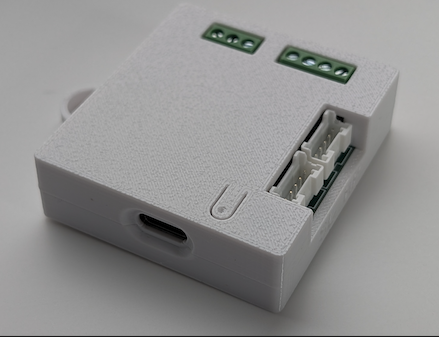
This projects allows you to monitor and control the Ecodan heatpump over the cn105 port. It uses an esp32 and no soldering required if you are using the recommended hardware
Features
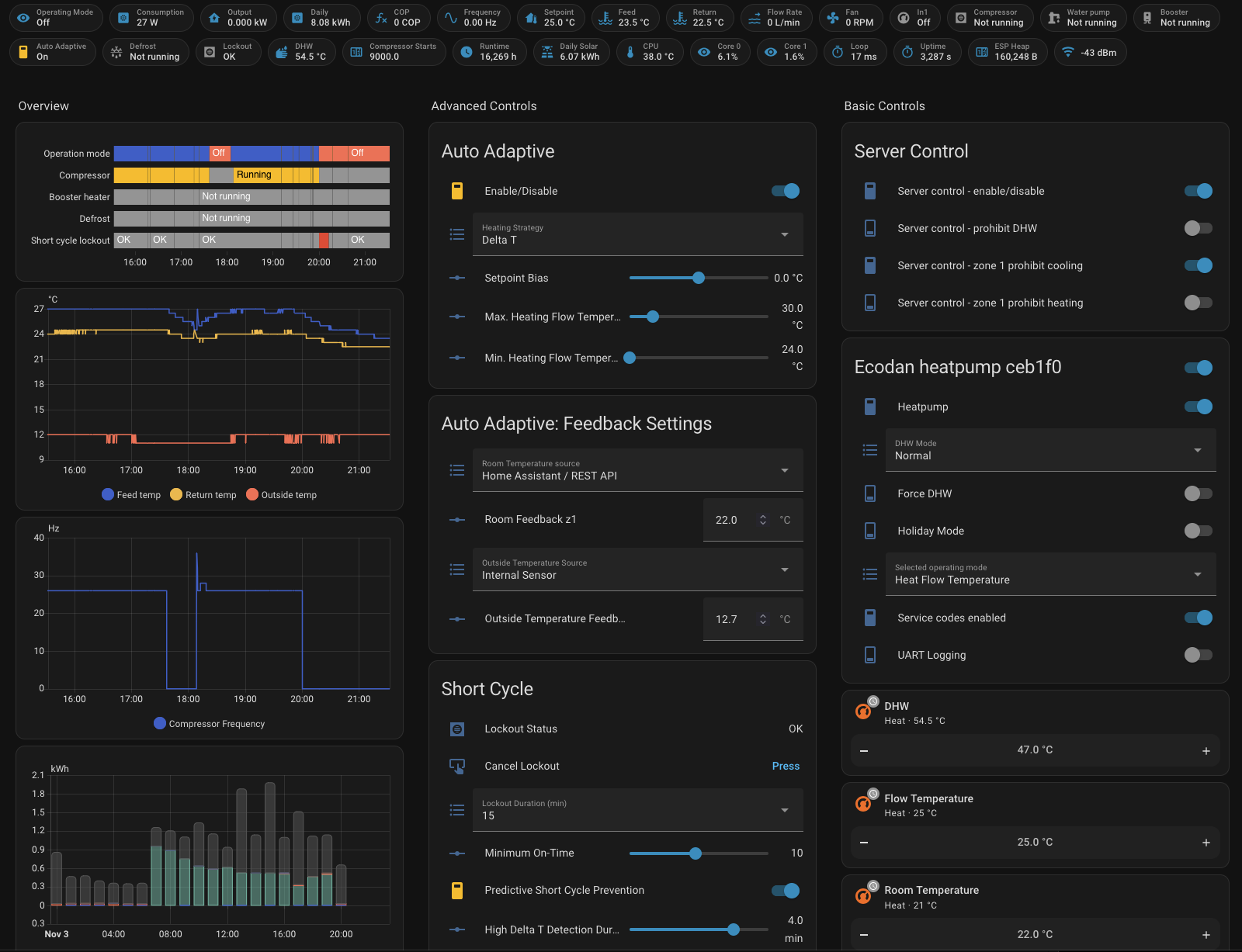
Monitor flow, frequency, temperatures and more
Control (setting temperatures, on/off, vacation, …) your Ecodan via the integration.
Server control mode: allows you to enable/disable DHW/Heating/Cooling
Multi lingual (contributions welcome!)
Proxy support (optional), you can run this seamlessly with the official melcloud wifi adapter or melcobems
Realtime metrics ( Power output, Consumption, Production, COP (no external meter required, FTC6+)
Additional sensors that are not available in melcloud ( Fan speed, Compressor starts, Outdoor unit thermistors)
Virtual Thermostats
High resolution temp sensors
Its opensource and free to use. Prebuilt binaries are available for m5stack atom s3 lite which makes installing easy. Updates are also offered via OTA.
The second projects allows you to use an arbitrary temperature sensor as remote thermostat. This then can be used with the Auto Adaptive mode. It uses the same hardware and prebuilt binaries are available as well. It’s recommended to use the Asgard virtual thermostat instead of CNRF. It allows higher temp resolution and transparent behavior.
Hello! @gekkekoe
Does it work only with the external unit Air-to-water heat pump MITSUBISHI ELECTRIC Ecodan PUZ-WM112VAA!? Or I need also the internal unit Ecodan FTC6 Flow Temperature Controller PAC-IF073B-E? And to this internal unit comes the link GitHub - gekkekoe/esphome-ecodan-hp: ESPHome Ecodan heatpump?
Thank you very much.
yes it’s the same project. You need a cn105 port, for the Mitsubishi monoblock you still need some inside unit, that inside unit has a cn105. How are you running it currently without a FTC?
Does this support Air to Air ? The Internal unit is MSZ-LN50VG2W. Can the original dongle also be connected (so we have both melcloud and control via HA)?
If all of the above is “YES” - let me know where to purchase if there is a ready-made unit.
unfortunately air to air uses a different protocol. The hardware is the same. There are some eaphome impl for air to air but they haven’t implemented proxy.
Only query static info once (reduce duplicate queries to heatpump)
Allow 0c as min DHW target temp. This enables us to ‘disable’ DHW by setting it to a low value. The display will still show 40c, but internally the heatpump uses the actual value
Revert refrigerant code (did not work on some units)
Enable switch to enable logging during runtime, so no need to recompile
Revert “Allow 0c as min DHW target temp. This enables us to ‘disable’ DHW by setting it to a low value. The display will still show 40c, but internally the heatpump uses the actual value”
it reports it daily ? But those numbers aren’t super accurate, but okay. For exact numbers, get something like Order the kWh Meter 3-phase MID in our store - HomeWizard (for 3 phase, there are plenty of cheaper options available)
Yeah. For DHW for instance, there is a DHW consummed and DHW delivered, both in kwh. But watchin the icons, it seems to be reversed. Do you know which one is the grid electrical consumption?
consumed is the consumtion. You can match it against the daily usage counter (Reported Total Daily Energy Consumption) - consumed cooling - consumed heating = consumed dhw (more or less, since we also have idle usage).
Hmm indeed the icons are reversed, never noticed it but the numbers are correct though.
It’s fixed, recompile for source or wait for next OTA.

 only the internal unit has both cnfr and cn105
 but the numbers are correct though.