Thanks for you answers again. Top-notch work you have done.
Well no, the icons are not reversed. I misinterpreted them. Consumed is importing from the grid. Hence, the arrow comes from the electrical tower to whatever. Maybe delivered is not accurate. I guess it is the amount of energy delivered to the house (by warming water or whatever). In this case, the electrical tower could be change to something else.
Agreed, when I have some spare time, I will try to find better icons
tagged new release
- upgraded to esphome Release 2025.7.3 · esphome/esphome · GitHub
- re-enabled munual upload of ota binaries via web browser
- leave
wifi:blank for OTA binaries, the ssid and password seem to take priority over the configured ones (improv/wifi portal) - handle breaking change in esphome 2025.7.x ([binary_sensor] Add action to invalidate state and pass to HA by clydebarrow · Pull Request #8961 · esphome/esphome · GitHub)
1 Like
remote thermostat project is now able to accept REST api calls to supply it with temperatures instead of HA.
Short-Cycle Mitigation
The short-cycle mitigation feature protects your heat pump from excessive on/off cycling, which can reduce efficiency and stress the compressor.
When the compressor runtime is shorter than a predefined minimum on-time, the system automatically enters a lockout phase for a configurable duration. During this lockout phase:
- Heating and cooling outputs are temporarily disabled via server control.
- Domestic hot water (DHW) operation is not affected.
After the lockout duration expires, normal operation is automatically resumed, and the system restores its previous state.
I’ve have added this feature in a pre-release and currently needing some users to test it. It’s part of a larger feature that’s is going to be implemented (auto adaptive for heating and cooling)
Pre-release build available with Auto Adaptive control.
The Auto-Adaptive Control feature transforms your Ecodan heat pump into a smart, self-learning system. It intelligently adjusts the heat pump’s operation to match the unique thermal properties of your home, maximizing both comfort and energy efficiency.
When enabled, this feature continuously monitors the room temperature and compares it to the setpoint. It then fine-tunes the heat pump’s flow temperature to correct any persistent errors, ensuring your home is always perfectly comfortable using the minimum amount of energy.
binaries: Release Major release (Auto adaptive, short cycle protection, additional languages) · gekkekoe/esphome-ecodan-hp · GitHub
documentation: esphome-ecodan-hp/docs/auto-adaptive.md at 3635eb530e966e6a109a0693d26a153a2ca2bf8a · gekkekoe/esphome-ecodan-hp · GitHub
I’ve added setpoint bias handling in the latest pre-releases. It’s a generic way to anticipate future events.
A “bias” is a temporary, externally controlled adjustment to the primary setpoint. By applying a positive or negative bias, an external system (like Home Assistant) can instruct the controller to pre-heat or pre-cool the house in response to upcoming events.
This transforms your controller from a reactive system into a predictive one, enabling strategies like:
- Load Shifting: Pre-heating the house with a positive bias (e.g.,
+1.0°C) during off-peak electricity hours and then applying a negative bias (e.g.,-1.5°C) during expensive peak hours. The thermal mass of your home acts as a battery. - Solar Gain Compensation: Applying a negative bias (e.g.,
-0.7°C) on a cold but sunny morning to prevent the system from overheating the house, letting the “free” energy from the sun do the work instead.
I updated the docs with a getting started section.
Release is ready. Changelog
- Add auto adaptive temperature control in cool_flow and heat_flow mode. See documentation and quick start esphome-ecodan-hp/docs/auto-adaptive.md at main · gekkekoe/esphome-ecodan-hp · GitHub
- Adds short cycle detection and mitigation documentation: esphome-ecodan-hp/docs/short-cycle-mitigation.md at main · gekkekoe/esphome-ecodan-hp · GitHub
- Include logging for proxy port
- adjust wifi percentage formula
- Add switch to allow enable/disable service codes during runtime. Disable service codes when requesting them manually at the main display
- Adds Norwegian, Swedish, Danish and Polish translations
- Set esp32s3 to 240mhz
- Renamed climates to flow and room variants to avoid confusion. Please check and update your automatons in HA.
- Fixed an issue where the flow climate was incorrectly impersonating a room climate (when in heat/cool room target)
- Introduced total increasing energy counters (consumed/delivered) ready to be used in the HA energy dashboard
*Note that the short cycling and auto adaptive features are disabled by default and can be enabled (switch for auto adaptive, lockout duration for short cycle protection)
1 Like
Hi,
I’m quiet new at HASS. I just installed all possible stuff on Ecodan heat pump but I have a few issues with uderstanding how it works:
- esphome-ecodan-remote-thermostat - honestly I don’t know how to link Remote thermostat with “climate” from YAML? And how to create a new thermostat for ecodan? Because I have 6 zones which I would like to link with “Simple thermostate card”.
- ESPHome Ecodan heatpump - Server control - what is actually do when you enable this function? On FCT screen apears a “globe”, so something happens.
- For Auto Adaptive Control, Short cycle detection & mitigation etc. Where can I fing YAML code to edit in HASS? I checked all folders with “File explorer add-on” but couldn’t find anything. How to enable Auto Adaptive control
- Proxy setup - I accuierd a adapter from fonkse, but after installing “proxy” version on ESP and connecting to FCT5 and Melcloud I can not do anything. HASS does recognize proxy setup, but all data are blank or unavailable.
Thanks in advance.
- you can link them via esphome-ecodan-remote-thermostat/docs/update-from-rest.md at 07f11c798e3942b1d1f9fb98c513515310847db6 · gekkekoe/esphome-ecodan-remote-thermostat · GitHub or esphome-ecodan-remote-thermostat/docs/update-from-ha.md at 07f11c798e3942b1d1f9fb98c513515310847db6 · gekkekoe/esphome-ecodan-remote-thermostat · GitHub. Do you have 6 thermostats ? The ecodan only handles 2 zones (each zone can have a number of thermostats/zones). You can compile and enable more thermostats but you still need to set a ‘master’ for zone1 and zone2 (if configured).
- Server control disables the schedules and allows you to disable heating, cooling, dhw on demand. You can use it to do “stop heating now, and don’t heat until I allow it”.
- If you have the lastest firmware it should have a short cycle duration selection box. Select a value > 0 to enable it. esphome-ecodan-hp/docs/short-cycle-mitigation.md at d3626d6ebcd22c42e79f1776f6e0ec96f4d7bb85 · gekkekoe/esphome-ecodan-hp · GitHub You don’t need to edit yaml, just flash/upgrade to latest firmware (if you already have my firmware, it will offer an update automatically, else download the ota and flash via http://esp_ip (bottom of the page)
- Did you have the correct software installed? in HA, settings > devices > esphome, click op the ecodan heatpump. What version does it show?
you can use my template dashboard in my repo for easier auto adaptive and short cycle control. See Dashboard - how to add to HA · gekkekoe/esphome-ecodan-hp · Discussion #185 · GitHub for adding it
Hi,
thanks for great reply. I think now it’s more clear to me.
I will try to answer point by point.
- In all rooms I have temperature sensor and on the “pipe distributor hub” I have heating heads which open and close valves for each room, depends on the conditions. I generate “simple thermostat” which are connected to those valves. My goal is to link those room thermostats to Ecodan Thermostats.
- OK, now it’s clear. Here maybe another questions. Sometimes when I want to change the temperature (depends on the settings - comp. curve, flow temperature or target temperature) it does not respond. Example: room temp is set to 22 on ecodan display. I want to change this temp to 23 by HASS. It shows the set temp, but after few minutes it goes back to 22 (to what is set on Ecodan display). Server control was Enabled. Basically nothing works, except the Heatpump slider (On/off).
- Clear
- Yes, I installed the proxy firmware, but all data were unavailable. I will try to recreate this and make you a screenshot.
-
ecodan only has 2 zones max. But each zone can have as many thermostats as you want. There’s only 1 demand signal per zone that can be sent to the ecodan
-
I thought no data was available? (4) so there was no connection to the heatpump, you probably need to fix step 4. For settings to be reverted, it seems that something is setting the values. You mentioned using proxy, so probably melcloud is doing something ?
you could try to run without melcloud adapter and see what it does. (power down unit first before removing melcloud adapter) -
Sounds like you are using a broken esphome or wrong firmware file if installed from my binaries. Which one did you use?
But I don’t really understand, if you can activate a “globe” then you clearly have a connection and should be able to see the data.
If I have ESP connected directly to Ecodan it works pretty well, except for this missbehave when I can not adjust anything. If I try to enable/disable server control, globe apear (enable) and dissapear (disable) on the display. I don’t know why temperature and “operation mode” does not do anything. But this I didn’t figure out yet, why one day is working fine, the next day it’s not. Maybe it has something to do with powercycling the unit (needed to clean the filters).
Data not avaliable happens only if I have both things connected (Melcloud and esp proxy).
I will try again in couple of days (hopefully earlier) and I will get back to you with a report. Maybe it has something to do with electronic type? I have FCT5.
Sounds like melcloud adapter is not working properly. did you just use my binaries? I’m guessing you compiled it yourself?
Does the melcloud adapter works if you connect it without the esp ? When we are in proxy, the esp acts passively, it expect the slave to initiate the connect, might be that your melcloud is not working correctly, please verify if it works stand alone
Don’t enable server control when melcloud is connected, does everything works normally then? Probably melcloud cannot handle server control.
If you compiled from source yourself, Try one of these
In my project you can run proxy + server control and outdoor sensors in parallel because MELCloud is slave to ESP.
Commands are forwarded on demand if MELCloud requests a write operation.
It is MQTT based rather than ESPHome which has pro’s & con’s.
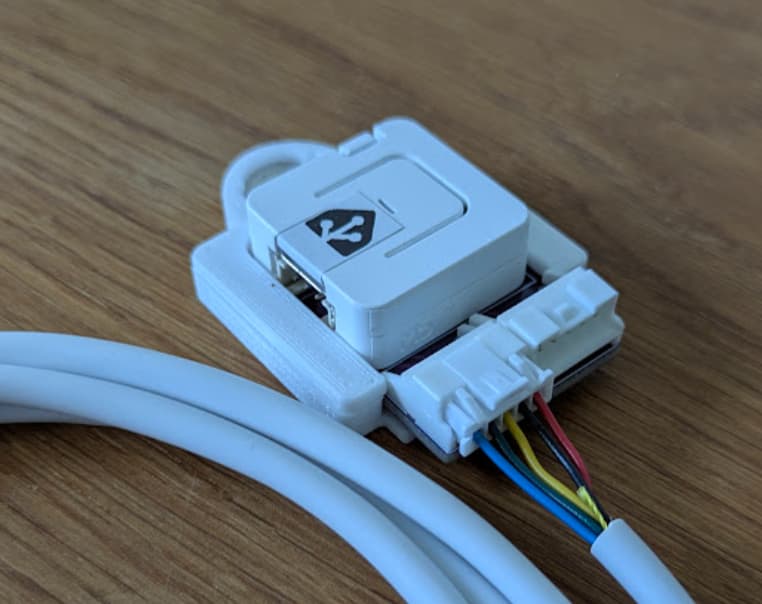
You can flash .merged.bin to likes of Atom S3 M5Stack if you are using the proxy board or same mapped pins:
1 Like
Hi,
I used binaries for all (ESP - Ecodan, ESP Thermostat and ESP Proxy).
If I connect like proxy, Melcloud connects to the internet (at least Melcloud app detects it), EPS connects to HASS but doesnt show anything. Mellcloud adapter was in use until I decided to integrate everything into HASS.
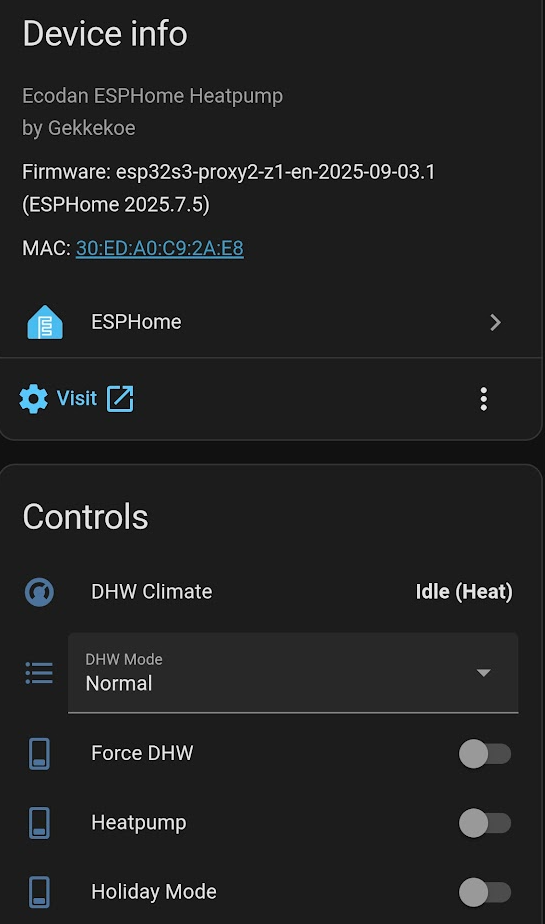
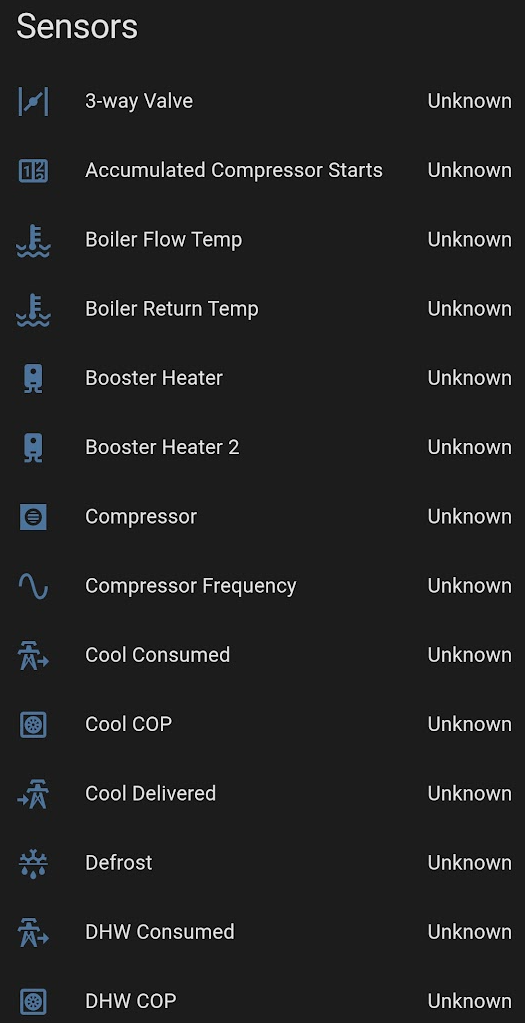
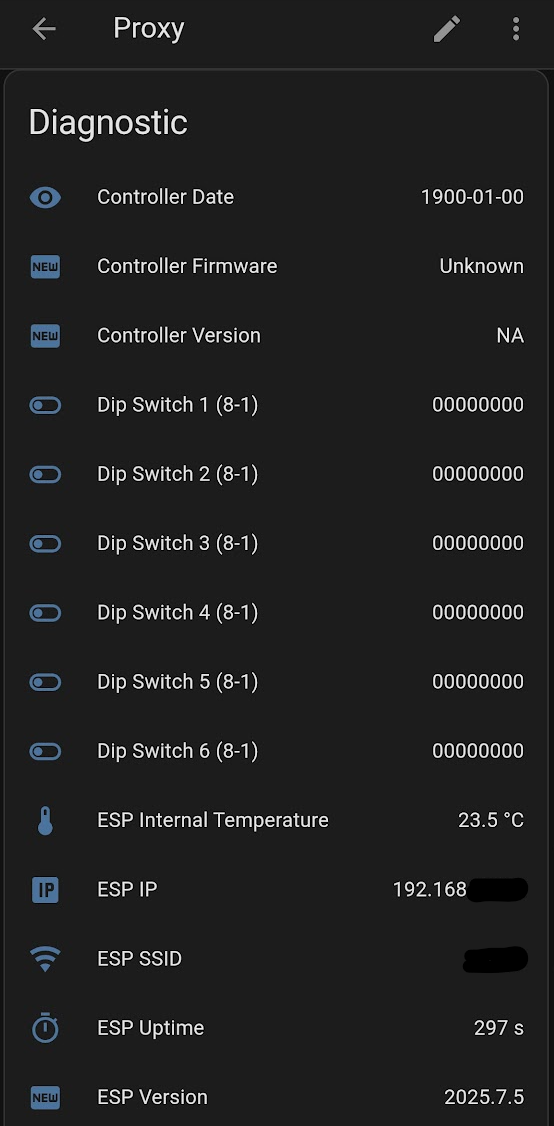
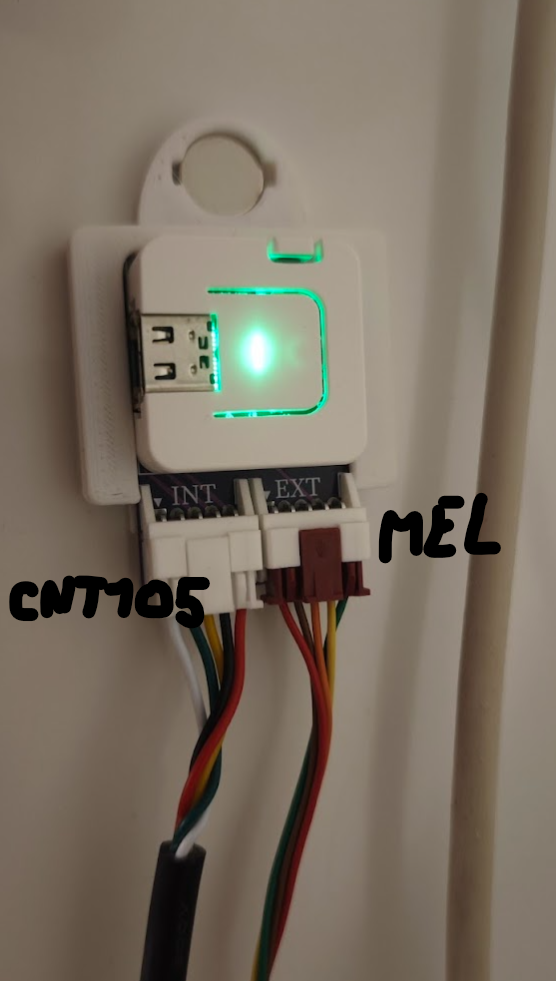
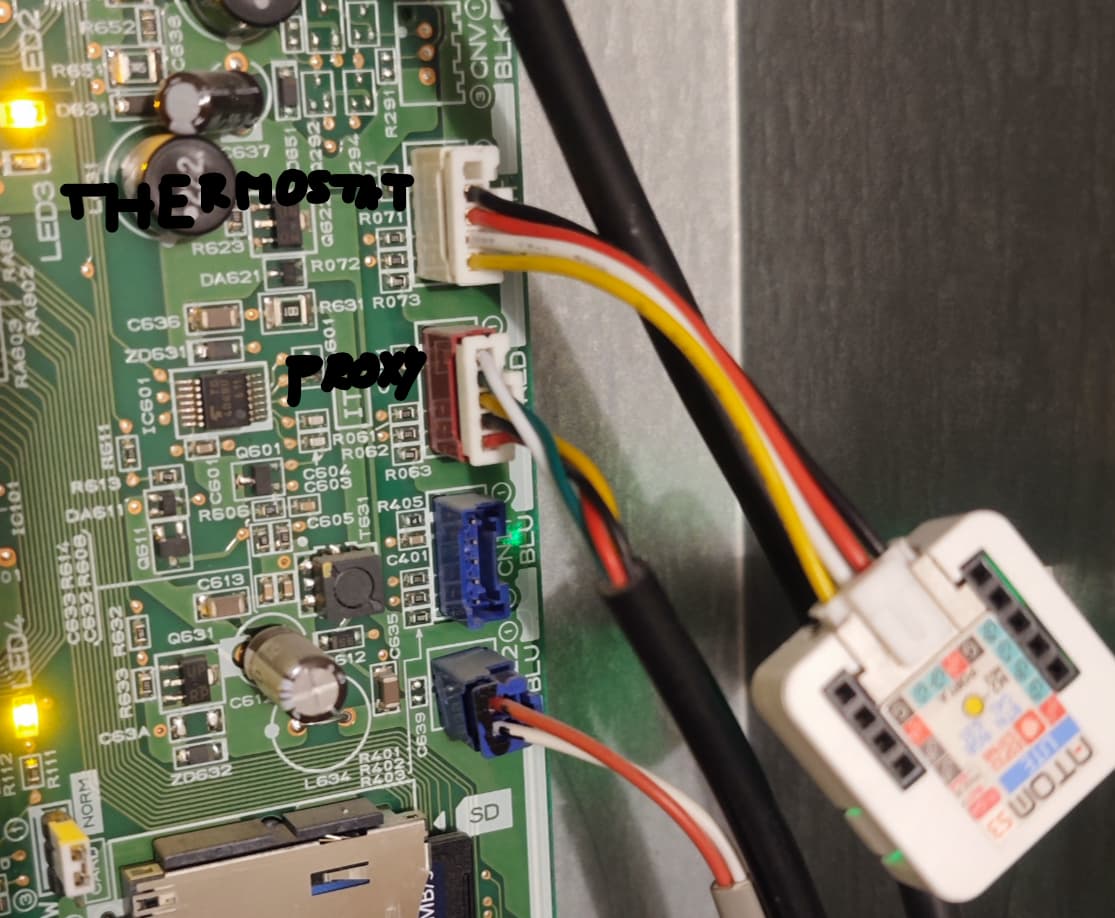
All the upper photos are before enabled “server control”. I will try also with server control enabled today.
Maybe another question. Short cycle lockout cycle → I’ve got “problem”. How can I know where the issue is.
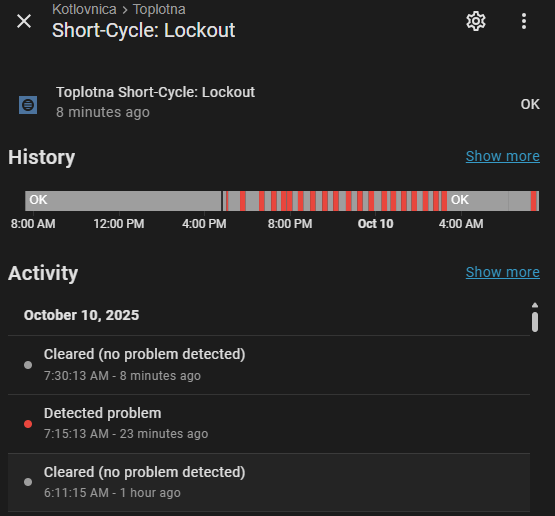
Thanks
It detected short cycles, But that is weird since it does not seem to connect. You can disable it by setting short cycle lockout duration to 0 for now.
please flash this https://github.com/gekkekoe/esphome-ecodan-hp/releases/download/2025-10-05.6/esp32s3-proxy2-z1-en-2025-10-05.6.ota.bin
It fixes an incorrect short cycle detection, that’s what you are seeing (unknown states)
can you enable uart logging on the cn105 esp and paste a part ? I think it does not do connection.
btw, what melcloud adapter type do you have? One of the first very old model does not work properly. Is it a PAC-WF010-E ?
OK, I will perform OTA and report.
UART Logging do you mean for proxy or for “regular”. Because the screenshot I gave you are from Firmware: esp32s3-z1-en-2025-10-05.6 (ESPHome 2025.7.5).
You’re right. It’s PAC-WF010-E.