Nope, it’s a bug in the device. It does not properly idle the test notification.
I was looking to purchase one of these, but seeing the “bug in the device” comment gave me some concerns. Is this something in the firmware provided by First Alert or the rather the device config in zwave-js? I don’t think I’ve ever seen First Alert offer firmware updates for their other devices, so if it’s something on First Alert’s end that means we’re likely stuck with this behavior for the 10 years…
Are there any automation workarounds that could be applied to manually trigger the noted idle without explicit user intervention?
OK, this may be user error. I haven’t added a z-wave device to HA in some time. Perhaps I missed a memo.
So I bought two SMCO410’s, scanned the DSK, entered it into the provision tab, clicked “Activate”, and rotated the alarm in the base until it chirped.
Both alarms are now recognized, and have a node ID assigned. I can see the device, and add the CO/Smoke detectors as individual items on the dashboard. So far, so good.
Neither device shows up in the Z-Wave JS UI control panel. Both are visible in the Smart Start Provisioning tab. I can click on the link in that tab, and bring up the z-wave control dialog. But they refuse to show in the main control panel. Tried restarting Z-Wave, tried restarting home assistant-- no luck.
What am I missing?
When you test the alarm, after it sends the test notification it will follow up with the corresponding idle notification (aka turn off the test alarm) but with the wrong data. Since the data is not correct Z-Wave JS will not reset the corresponding sensor value, meaning it stays on permanently until reset manually. The previous model (ZCOMBO-G, I have 3) reports the correct data so don’t have this problem.
You could write an automation to automatically press the “sensor idle” button, which is a good idea but should not be necessary at all. So at most the problem is just a minor annoyance.
I mentioned the issue to the Z-Wave JS developer and he said he’d bring it up with the Z-Wave Alliance. Don’t know if that will get anywhere, but this kind of problem should have never passed the Z-Wave certification tests, which is what bothers me the most (what good is the certification tax if it isn’t doing its job). I don’t know if Z-Wave JS will consider any workarounds (they shouldn’t have to), and I haven’t yet submitted a formal issue.
Thanks for the detailed explanation! Definitely much less of an issue than I had originally thought, but also agree that the certification should be more stringent given the amount of money paid for the license, etc.
So…if I made the mistake of trying to pair it before I added to the base…do I have to somehow remove the device from HA? I am getting the dreaded “provisioned but is not included in the network” error message. This stuff is beyond my ability to be able to just Google and fix. The forums say to add a SMCO410.json file into the config file (wherever that is). I have the contents of this file, but NO idea where to add it into HA. Should I just give up and throw the First Alert in the garbage?
Driver version: 15.15.0
Server version: 3.4.0
I’ve made progress thanks to the posts on this thread, but I need a little more help to get things fully configured.
- Z-Wave (from Home Assistant integration): “Add device” → “Search for device”
- First Alert SMCO410: Install mounting ring, then press and hold Test/Silence button for ~ 15 seconds, After you hear two chirps and see the green LED flash, release the button.
- back on Home Assistant: entry DSK code… pairing seems to start working, but never completes.
- Open a new Home Assistant window to view pairing status. NOTE: Node status Asleep
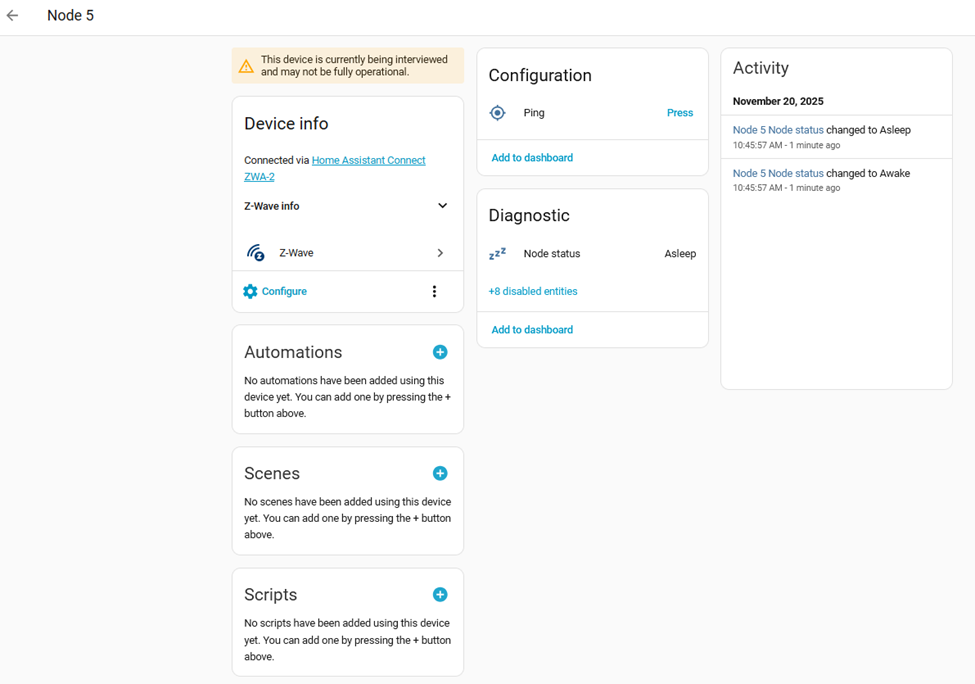
-
First Alert SMCO410: Install mounting ring, then press and hold Test/Silence (8 seconds?) to start a test, Node wakes up and completes pairing:
-
BUT… the most important Configuration entities are DISABLED. All of the buttons to idle various alarm status settings are inoperative.
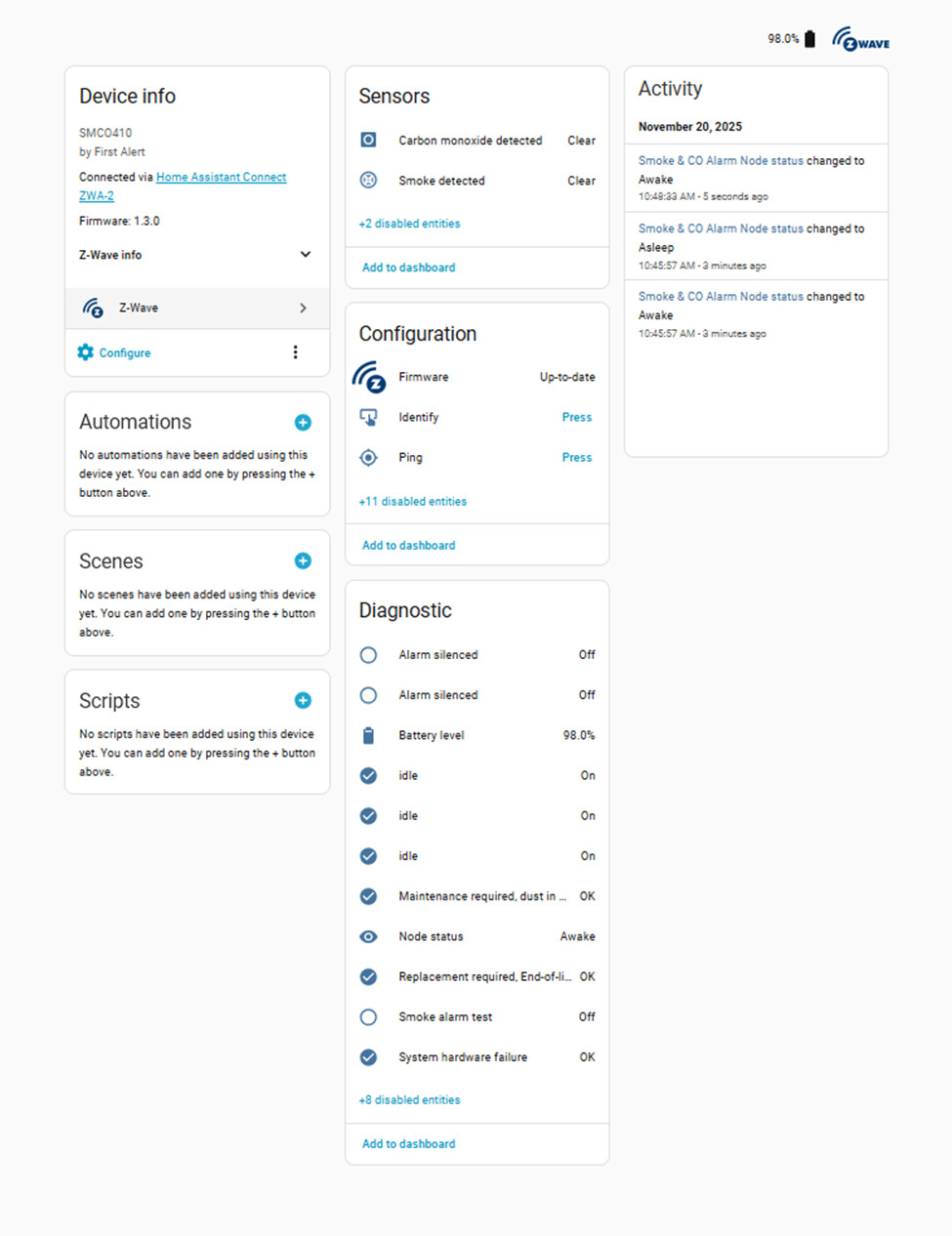
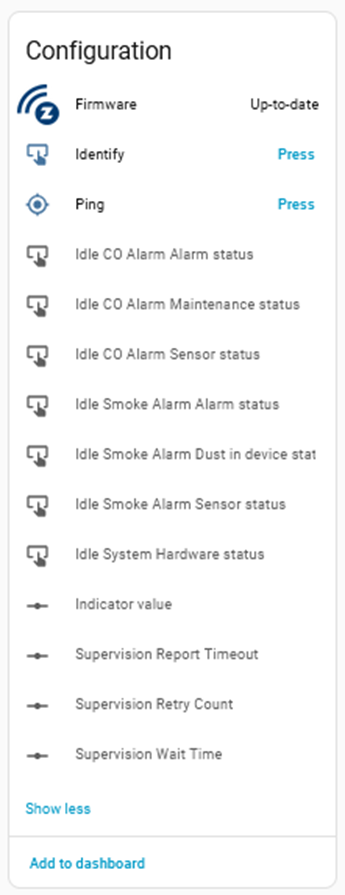
I have two SMCO410s operating without all of the configuration options. Suggestions on how to correct this would be much appreciated.
Or, use SmartStart inclusion from the start:
- Scan QR code, customize name and location
- Install detector on mounting ring
That’s it, no holding down the button which wakes or factory resets it and interrupts the inclusion process.
All Z-Wave device configuration entities and idle buttons are disabled by default. There’s no reason to enable the config entities for this device, if needed you can access them from the config sub-menu. I enable the “Idle Smoke Alarm Alarm status” so I can automate clearing the test alert.

Click on the entity → Settings → Enabled → Update
Is this the config sub-menu you are referring to?
Yes. You probably don’t need to change any of those without a good reason. There’s definitely no reason to automate changes through entities (keep disabled).
Perfect. Thank you!
I don’t plan to automate any changes. However (and I hope this is possible), if I have a false alarm (as determined by an appropriate investigation) I can silence the alarm without getting a ladder.
I found this thread: Need help with understanding entities from a First Alert Z-wave smoke/CO detecctor
I now realize that “idling” any of these status indicators does not silence an active alarm.
Is there a software button-press capability to silence an alarm?? or initialing a “test”?
No, you cannot silence the audible alarm remotely. 1) AFAIK that’s against fire code in the US without following some very strict requirements and 2) the device doesn’t listen for commands (by default).
What you’ve said makes sense. I get that remote “silence” or remote “test” doesn’t function on the SMCO410 with a direct Z-wave connection, but if X-sense worked with Home Assistant without the X-sense hub, it would be my preferred solution: RC01 Pro Remote Controller +
ha-xsense-component_test/readme/README_en.md at edba1ac16898d13186798e6611f9beb6b3314f54 · Jarnsen/ha-xsense-component_test · GitHub
Nevertheless, the two SMCO410s I have will work just fine.
I’m entering the decade by which at the end of the 10 year life span of the SMCO410 detectors, I’ll be able to send my grandson up the ladder to replace it. 
I’m thinking of getting one of these but is it true you can’t silence the alarm temporarily through HA?
I just installed my second and last SMCO410. As a final step, I pressed to TEST button to ensure all was well. Everything seemed to work AOK, unfortunately I had to enable both Idle CO Alarm Alarm status and Idle Smoke Alarm Alarm status to get Smoke alarm test set to Off and all the proper idle status set to On.

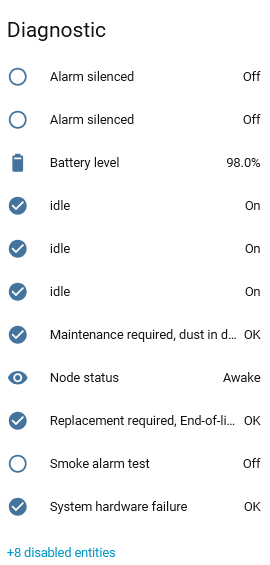
I just use a simple automation to press the idle buttons after 20 seconds of the test sensor being on.
@freshcoast Thanks for the advice as to how to enable the alarm status configuration button presses.
Here’s my automation for resetting the “idle notification (aka turn off the test alarm)” for each of my 2 SMCO410s.
alias: "Maintenance: Idle Smoke Alarm TEST status"
description: ""
triggers:
  - trigger: state
    entity_id:
      - binary_sensor.smoke_co_alarm_smoke_alarm_test_2
    to:
      - "on"
    id: GarageSMTest
  - trigger: state
    entity_id:
      - binary_sensor.smoke_co_alarm_smoke_alarm_test
    to:
      - "on"
    id: TVSMTest
  - trigger: state
    entity_id: []
conditions: []
actions:
  - choose:
      - conditions:
          - condition: trigger
            id:
              - GarageSMTest
        sequence:
          - delay:
              hours: 0
              minutes: 0
              seconds: 20
              milliseconds: 0
          - action: button.press
            metadata: {}
            data: {}
            target:
              entity_id:
                - button.smoke_co_alarm_idle_co_alarm_alarm_status_2
                - button.smoke_co_alarm_idle_smoke_alarm_alarm_status_2
      - conditions:
          - condition: trigger
            id:
              - TVSMTest
        sequence:
          - delay:
              hours: 0
              minutes: 0
              seconds: 20
              milliseconds: 0
          - action: button.press
            metadata: {}
            data: {}
            target:
              entity_id:
                - button.smoke_co_alarm_idle_co_alarm_alarm_status
                - button.smoke_co_alarm_idle_smoke_alarm_alarm_status
mode: single
Hey guys... how are these working for you? Wanted to see the SMC0410 are working well before I buy two of them to replace my End Of Life ZCOMBO units.
and, do you still need to use the Idle reset automation?
thx for the info!
I just added two of these successfully. Let me summarize the process to save anyone else from reading the whole thread.
If you were patient and read this before activating the alarm by spinning it onto its base, the easiest way to add it is to go to add device in HA and scan the QR on the alarm, then spin it onto the base while HA is searching. HA will find the device without pressing any buttons on the alarm.
If you weren't patient (like me with the first of the two alarms  ) and already activated the alarm, don't worry. Do not bother with the QR code. If you tried adding by QR code after the alarm was activated and it didn't add properly, delete all traces of the device from HA (mine had two, one was the provisioned QR code and one was the actual device that showed up but missing attributes). Then fully reset the alarm by holding down the button until it does 3 beeps, this can take 30 seconds. Next, enter traditional pairing mode in HA (no QR code). Hold the button down until it does 2 beeps (this is also exclusion mode if you need to exclude it for whatever reason). HA should find it and ask you for the 5 digit pin on the back.
The chatter above about manually idling the test state, this is the device diagnostic "Smoke alarm test" which is only turned "on" when you physically test the alarm by holding the button down until it beeps once. Then it gets stuck on. I don't believe this interferes with the actual alarm state as seen by HA because they are different entities, but I don't know for sure. To clear it, under configuration, enable the entity "Idle Smoke Alarm Alarm status". This gives you a button to clear the test state, you just have to remember to press it each time after you test the alarm. Or if you want to automate that, scroll up!
FWIW, the two alarms I added had firmware 1.3.0.
These have been rock solid for me. I have about 7 or 8 of them. No issues. Battery life seems to be consistent with what is promised (10 years).