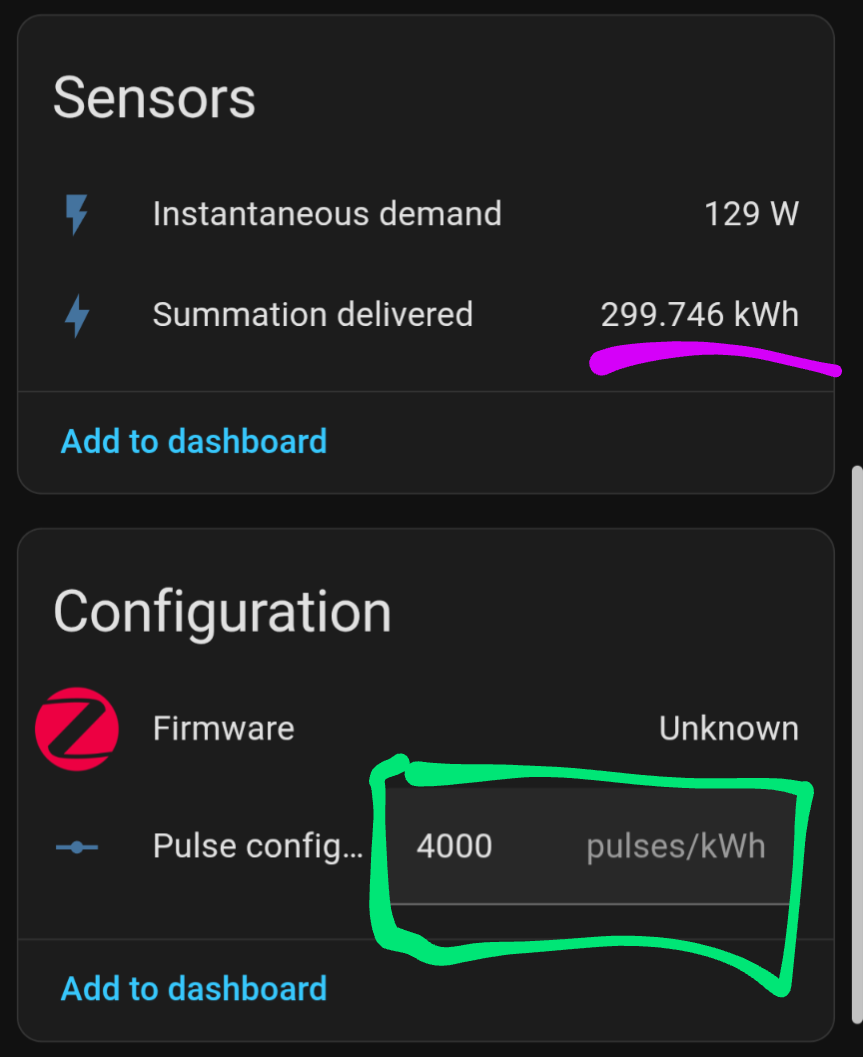
Thanks to @TheJulianJES that implemented it on 2025.11.0
Anyone have an idea on how to reset the “Summation Delivered” every month?
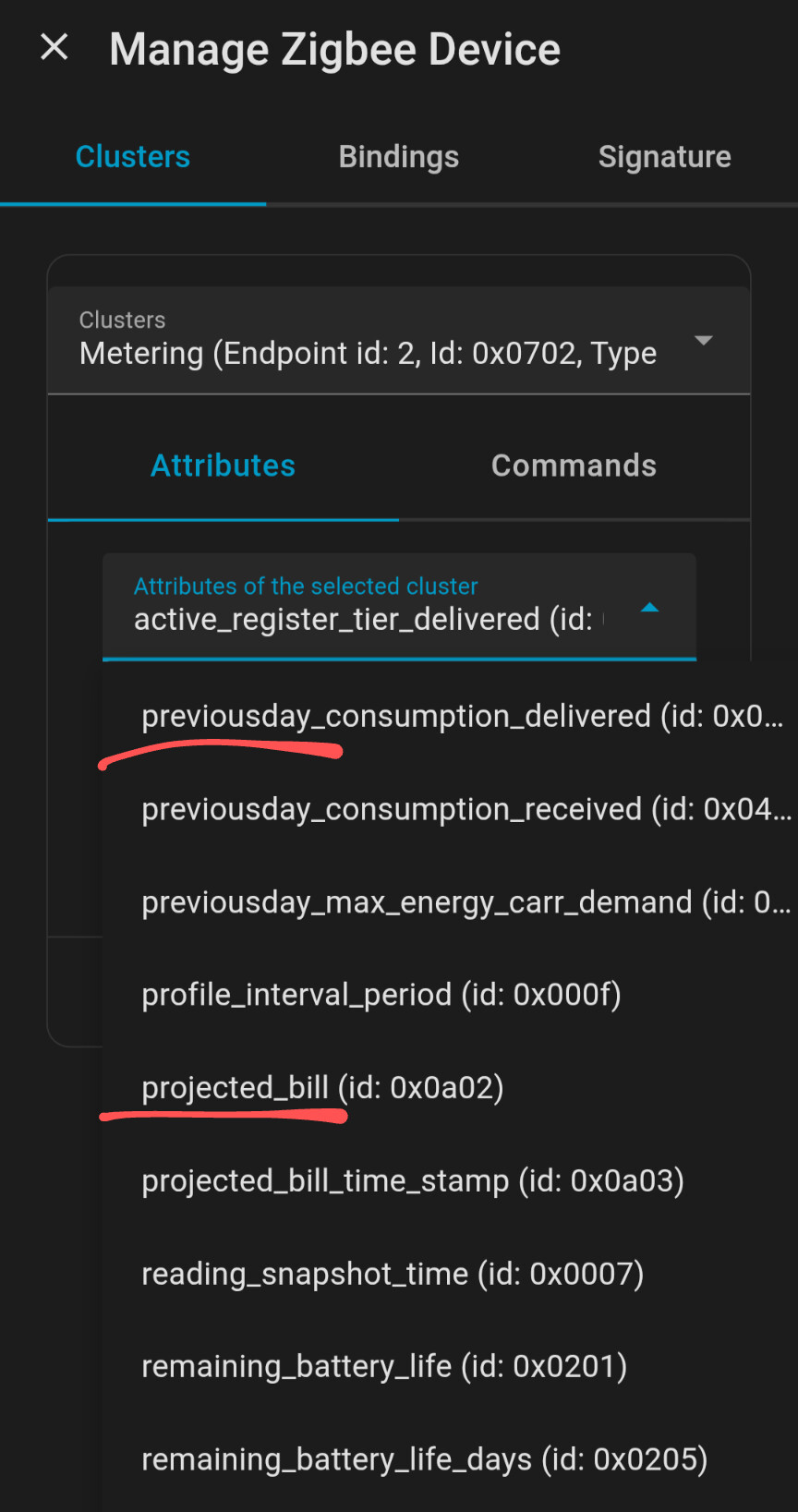
There are more interesting attributes available, like the projected bill, current_day and previous_day consumption, but seems it’s not implemented yet.
My idea is once the kWh price is set, the dashboard will display the costs for the current day, the previous day, and the entire month.
There are more interesting attributes available, like the projected bill, current_day and previous_day consumption, but seems it’s not implemented yet.
Those are standard ZCL attributes. If return None when reading, they’re not supported by the device. Otherwise, I’ll take a look at that soon as well.
I’m not sure how far the device itself would actually contribute to this.
Creating sensors for the electricity costs is something you should already be able to do easily within HA by using sensors/helpers for tracking costs.
For resetting the consumption via a button entity, I’ve put an issue to track this for myself. Then, you could automatically “press” that button once per month in an automation, for example:
Most users would not want to reset their consumption for tracking purposes though, since this is not expected for that ZCL attribute, so it can negatively impact HA’s long term statistics.
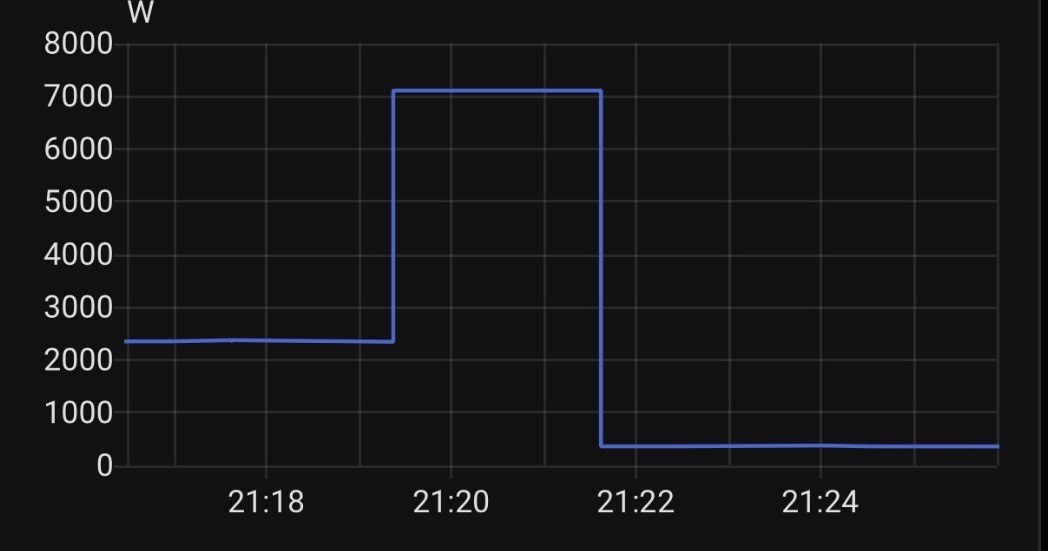
Does this also happen to you who every now and then reads values that are totally out of the ordinary?
It happens to me about 1 time a month that it also reads absorptions of over 7000w for about two minutes (my contract is for 5Kw but it can go up to 6.5Kw then turns off). So 7Kw is an impossible value without turning off everything.
It therefore doesn’t happen often but having associated automations with the exceeding of certain thresholds this is very inconvenient for me sometimes…
it’s centered… I like things done well.
If it were poorly centered the error signals would be more frequent but it happens once every month (in the recent two months). In the end I solved it by mentioning the condition “if less than 6.5kw” in this way all readings above 6.5 are not taken into consideration. I think it could be due to many factors… such as interference (even if the device is only a little more than a meter away… but it is still close to a high electrical flow)
@malywut Nice! FYI, I believe to show the proof-of-concept use case even better you can go ahead and open the follow-up PR for Home Assistant’s core right away with link to upstream PR as depency and just set that core PR into a ”draft” to let other people/developers know it is still a work-in-progress and is dependent on upstream PR to first be merged + zha package updated in Home Assistant’s core to get it.
Got tired of waiting for the Intelligent Keypad to work as you would want it, so I wrote a custom quirk for it paired with an automation blueprint that makes it work seamlessly with Alarmo.
@Hman did you make a pull request for a new custom ZHA device handler or submit a device support request to the zha-device-handlers repository to mke ZHA developers aware of it?