Guide to Add 214C to Home Assistant via ZHA (with Converter Tool)

  1. Enable ZHA (Zigbee Home Automation) integration in Home Assistant and confirm that the device has joined HA through the Zigbee gateway

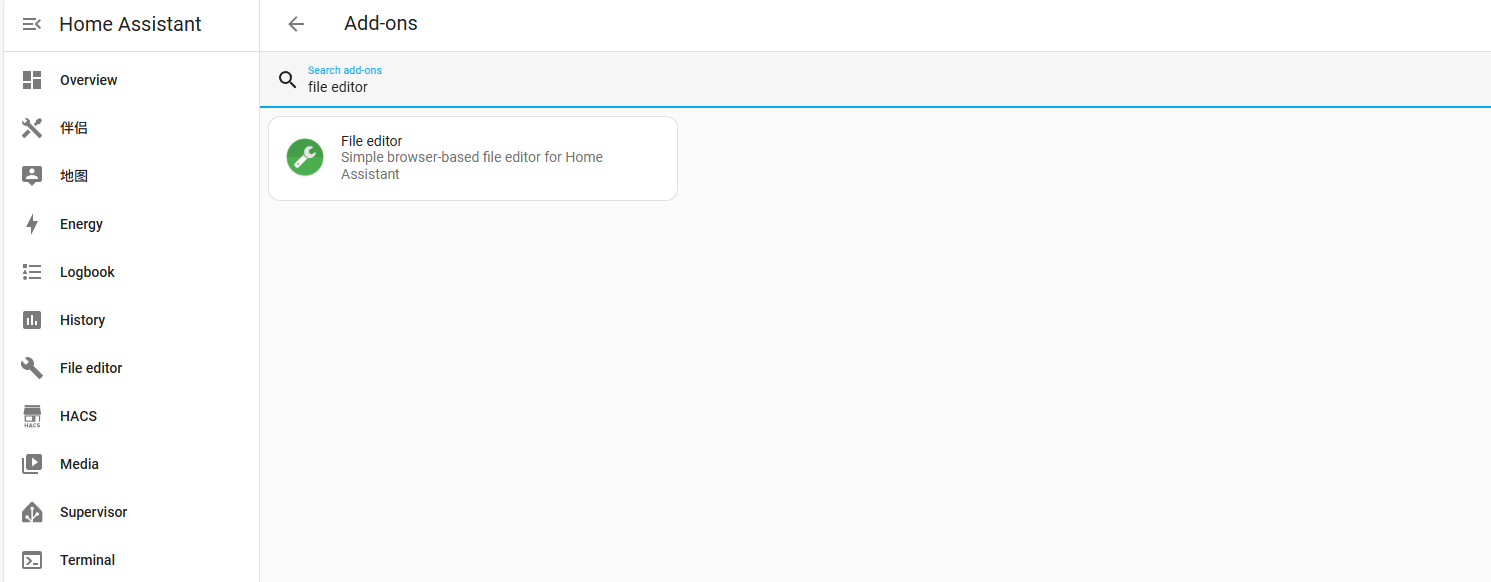
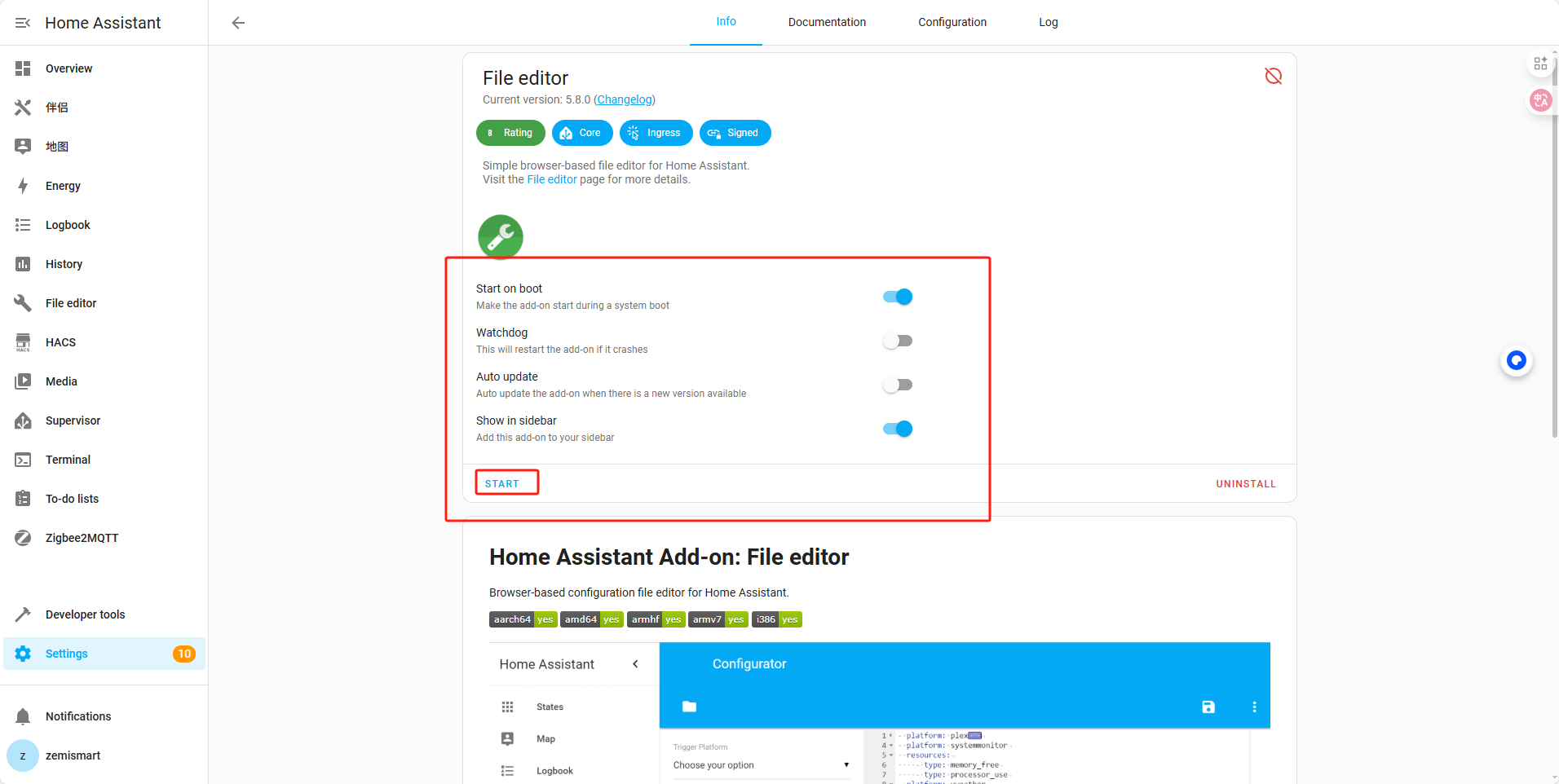
  2. Install the file editor plugin


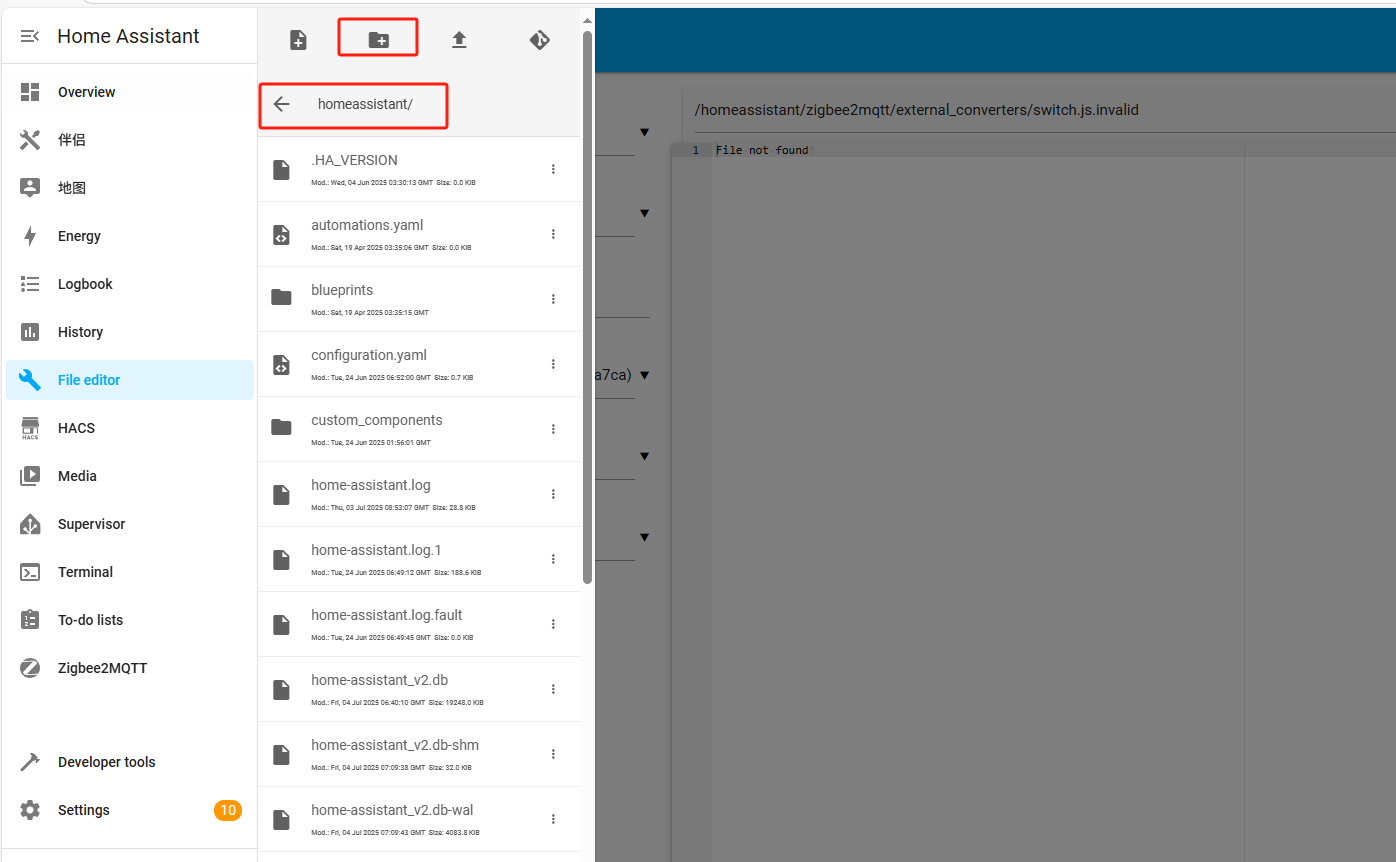
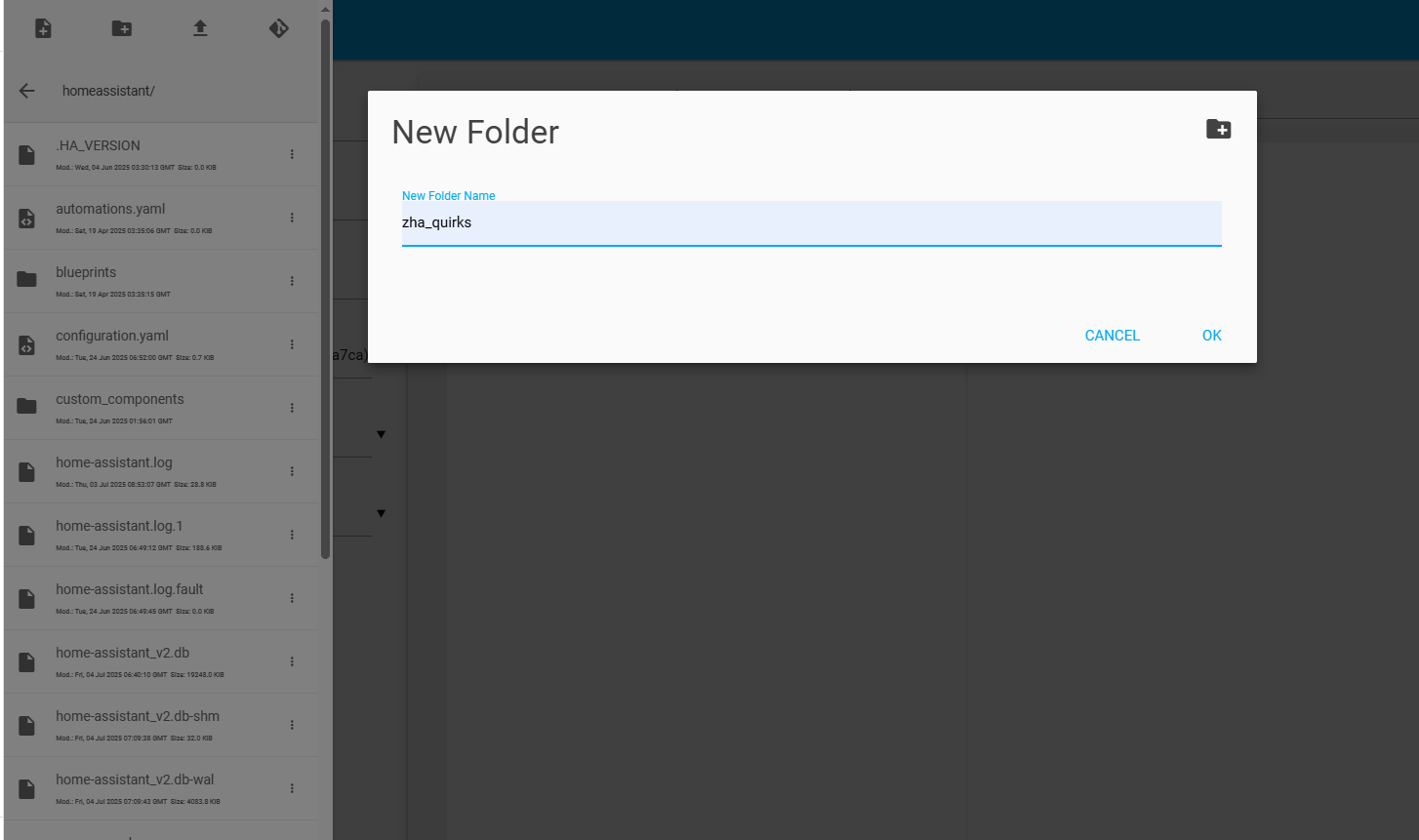
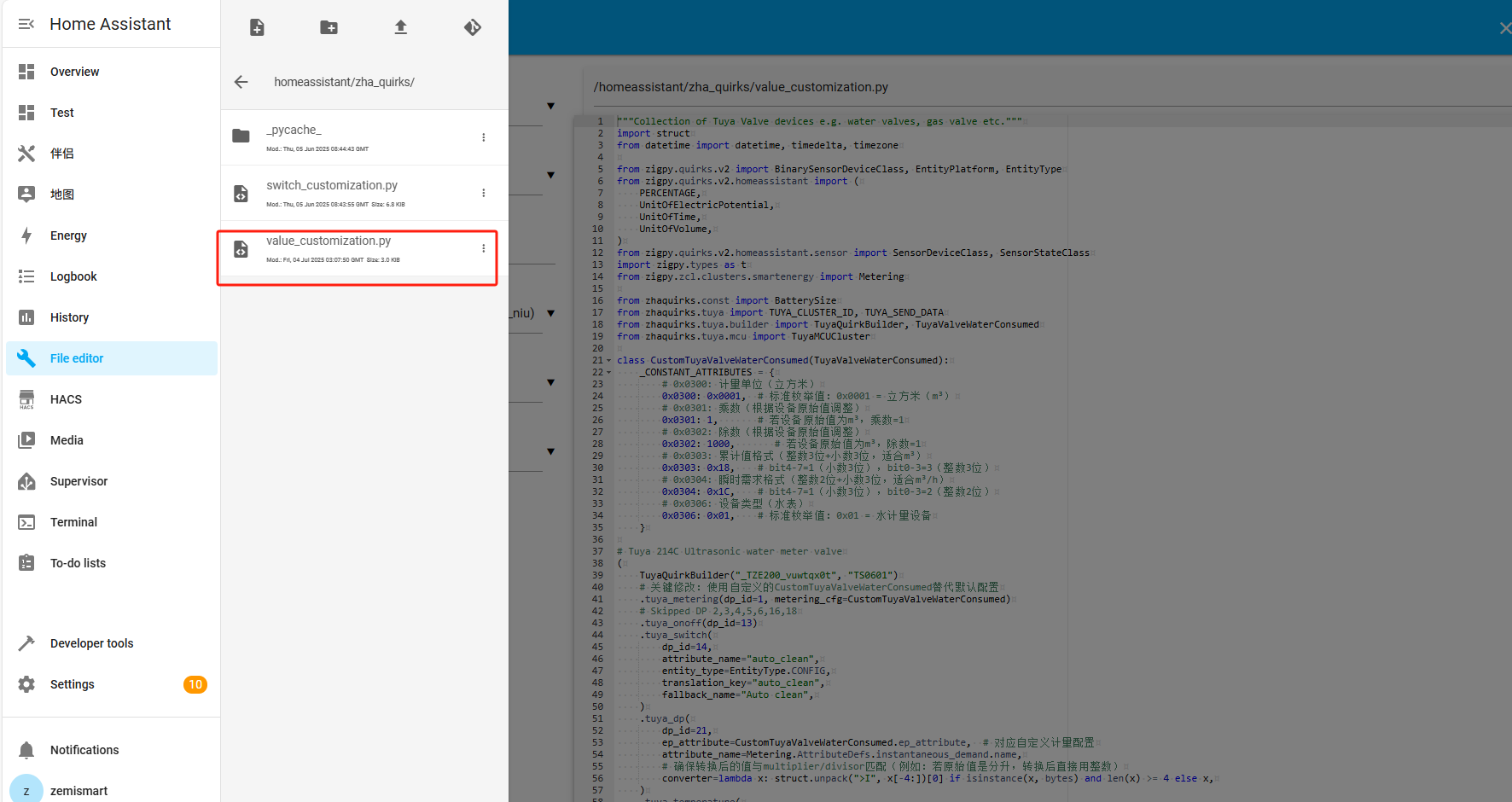
  3. Open the File editor, create a new folder named ‘zha_quirks’, and then upload the file’ add-on for 214C . py’ to the zha_quirks directory.


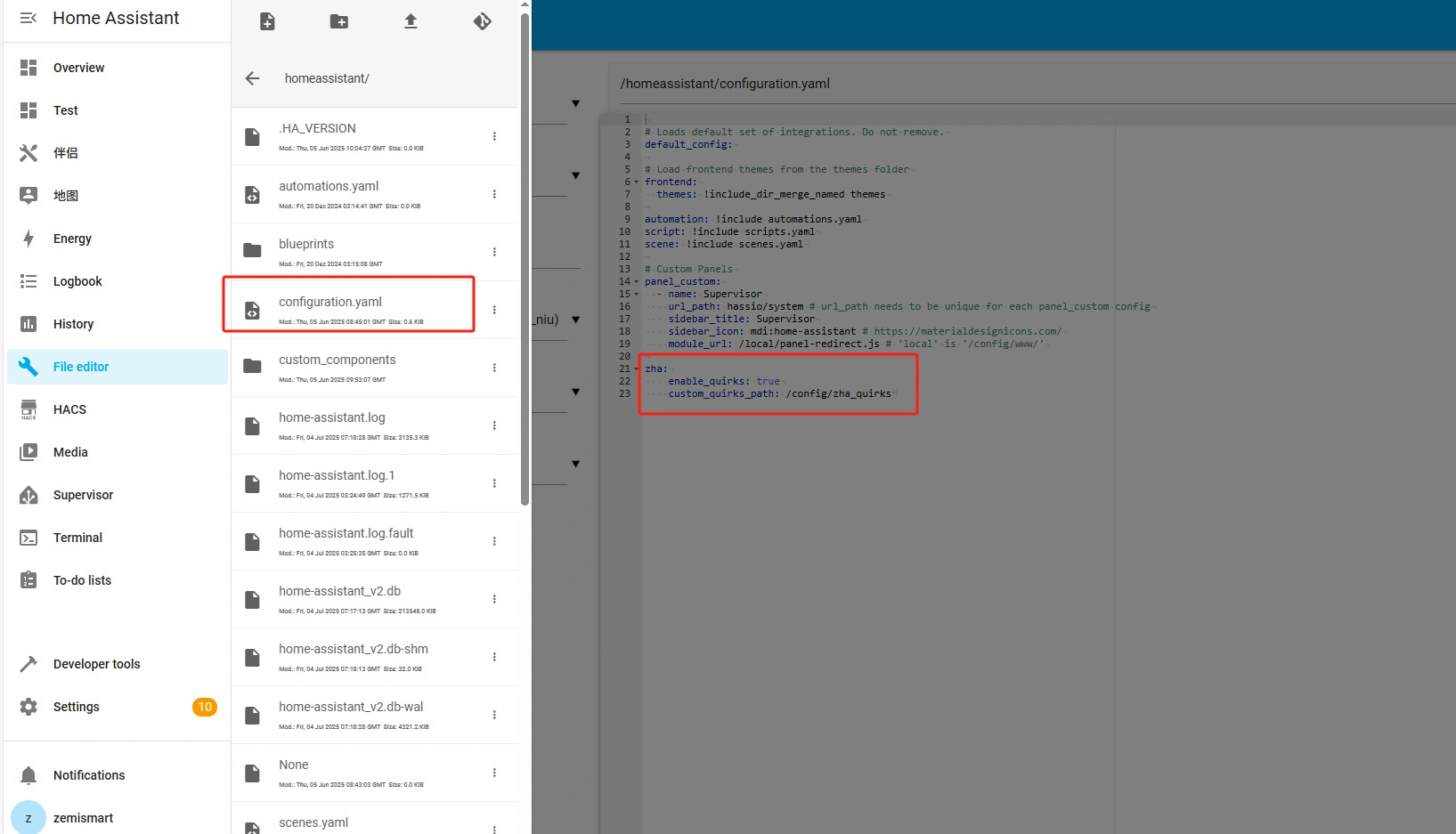
  4. After uploading, add a new configuration in the ‘configuration. yaml’ file
    zha:
    enable_quirks: true
    custom_quirks_path: /config/zha_quirks

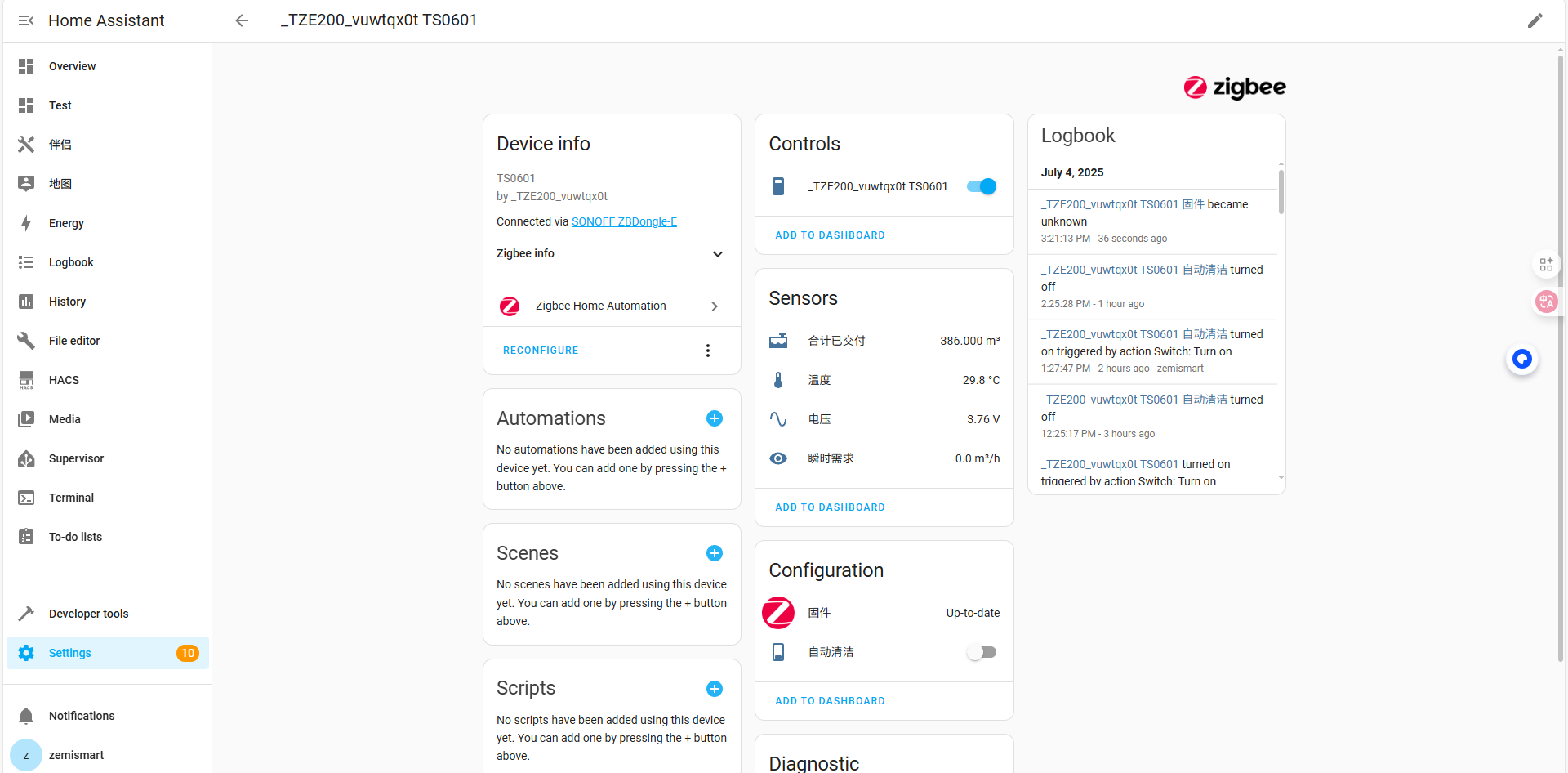
  5. After completing the configuration file, restart Home Assistant and rejoin the device. At this point, the water valve can be controlled

Link to get the add-on:https://drive.google.com/file/d/1_9IBtiqwYuOhr9sbrFjN82Ir1eucJZKO/view?usp=drive_link

Link to get the water meter device:Zemismart Tuya Zigbee Smart Valve Ultrasonic Water Meter IP68 with LCD Display Water Quantity Flow Consumption Measurement Smart Life App

I cannot get access to the google drive to download the file to add to zha_quirks. could you post this in another way?

I am looking for a water flow Zigbee monitor, so definitely interested to hear how people get on with this.

Are you planning to add a PR to zigpy_quirks to support it without a custom quirk?

I can’t access the file. Could you please fix it so that I can access the file so that I can download it? Thank you.

Hello, any update with this please. Or is there a better model that people would recommend?

Thank you

I have purchased the DN20 214c version.
I’m really struggling to put it into Zigbee pairing mode, can you assist?

I’m happy to share on here if I get it all working as I know there are a lot of people looking for a water meter they can easily integrate into HA.

Ok, finally got it into pairing mode, not easy as instructions are quite poor.

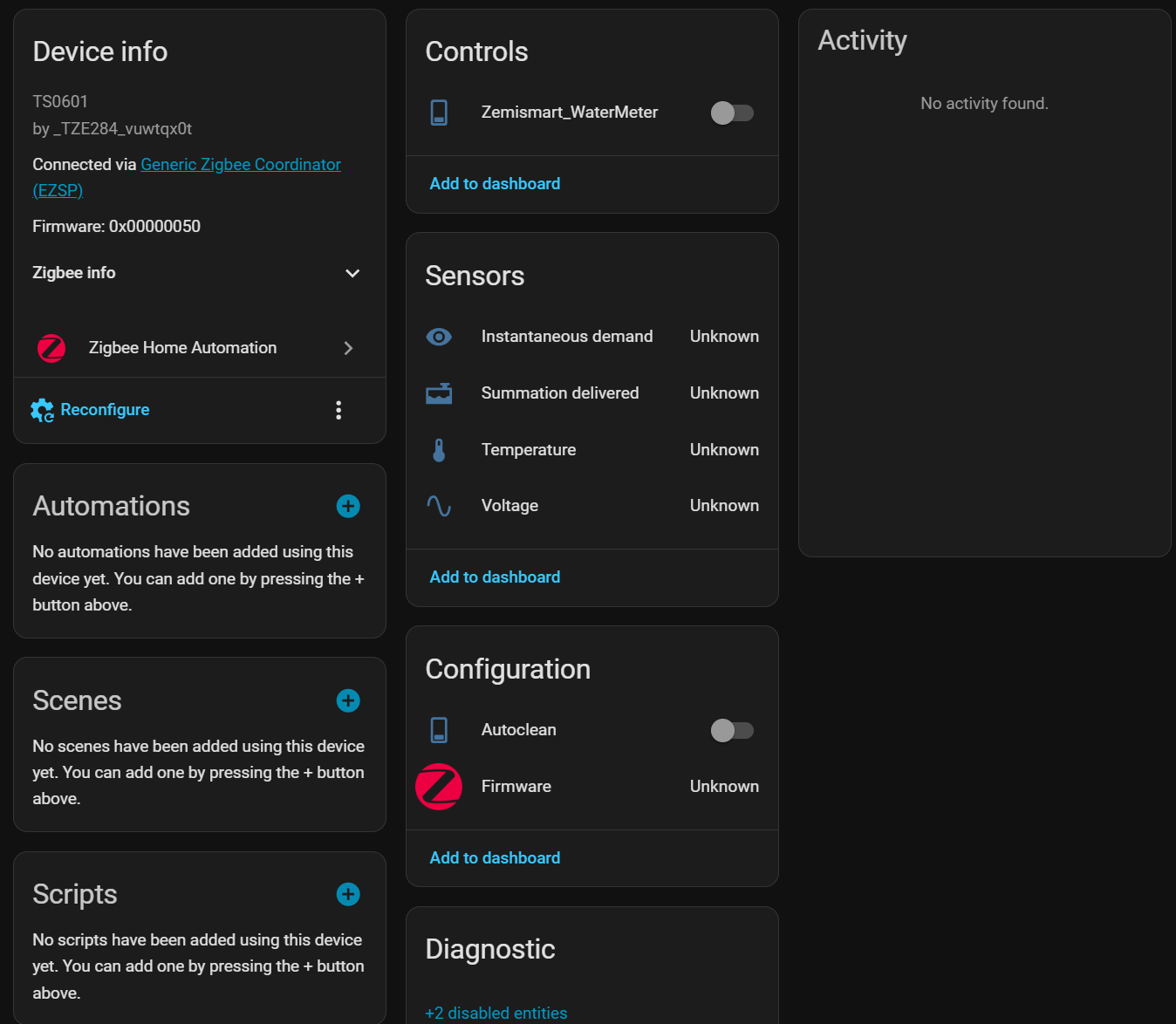
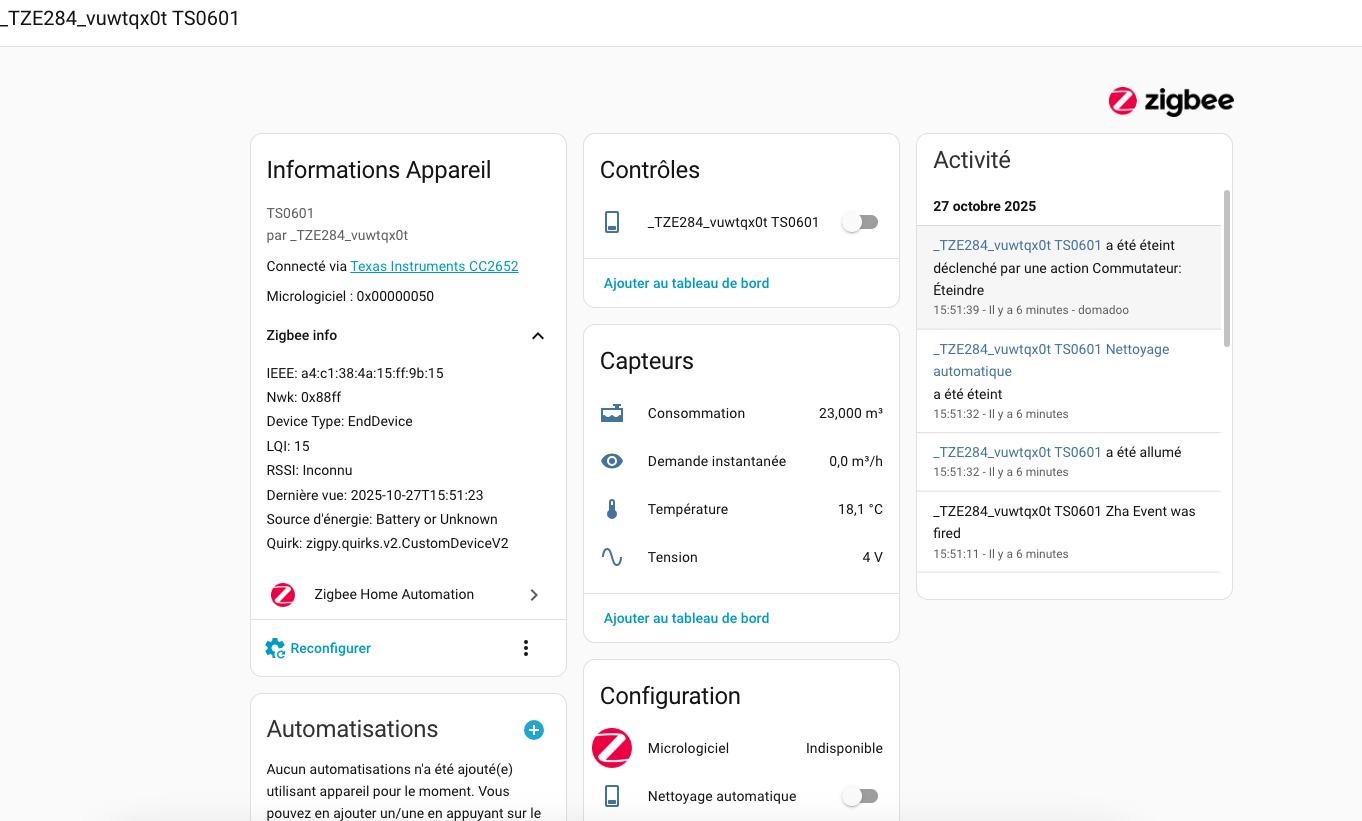
It was discovered as a TZE284_vuwtqx0t Tuya TS0601, after following the instructions Instructions and downloading the 214c.py file 214c.py

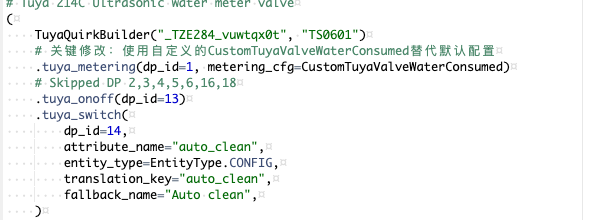
I added the quirk, but had to edit the name in the file, changing
TuyaQuirkBuilder(“_TZE200_vuwtqx0t”, “TS0601”) to TuyaQuirkBuilder(“_TZE284_vuwtqx0t”, “TS0601”) which matches what it was discovered as in HA ZHA.

Restarted HA and got this:-

I doubt its going to be installed for a while as the whole borehole water supply will need de-pressurising. It may wait until the system is serviced in December.

It looks hopeful though, if I activate or de-activate the switch in HA, the valve opens and closes :slight_smile:.

I primarily want it so I can monitor water consumption and plan better maintenance of the filters, the shutoff valve is a bonus.

Thtas a bummer,i edited the file to match the id on ZHA,and its still shows as empty

Is it worth deleting the device in ZHA, doing a restart of HA, and then searching and pairing it again? then wait for a little while for them to communicate.

it worked!

1 Like

great news :slight_smile:

Have you installed it yet, does it record ok?

hi, perfect guide, but how i can add it to the energy dashboard, couse is not showing up
thanks in advance

Very nice, but I might need some help: created the folder, copied the script (and also tried renaming it to value_customization.py as it says in the screen shots), removed device restarted HA, readded. All several times, always with the original result, always comes up with Firmware as the only entity. Also tried renaming in the file to :TZE284 as mentioned above. It is just not working. Always detected but with the firmware as the only entity. What am I overlooking? I notice in the screen shots that there are two more files in the zha_quirks folder, where do these come from? I am using the HA ZBT-1 connector, is it that maybe, it is working flawlessly with everything else.

Hi,

the instructions also did not work for me. I needed to change the code in configuration.yaml to this: custom_quirks_path: /zha_quirks (so without the “config” subfolder).

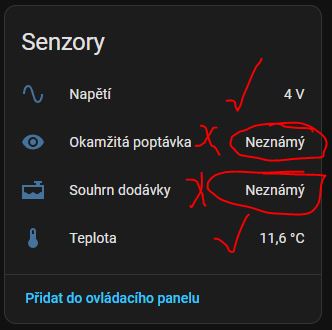
Unfortunately I have a different problem, that only voltage and temperature is showing. No water consumption data. Does anyone have similar troubles? Thank you for any hint.
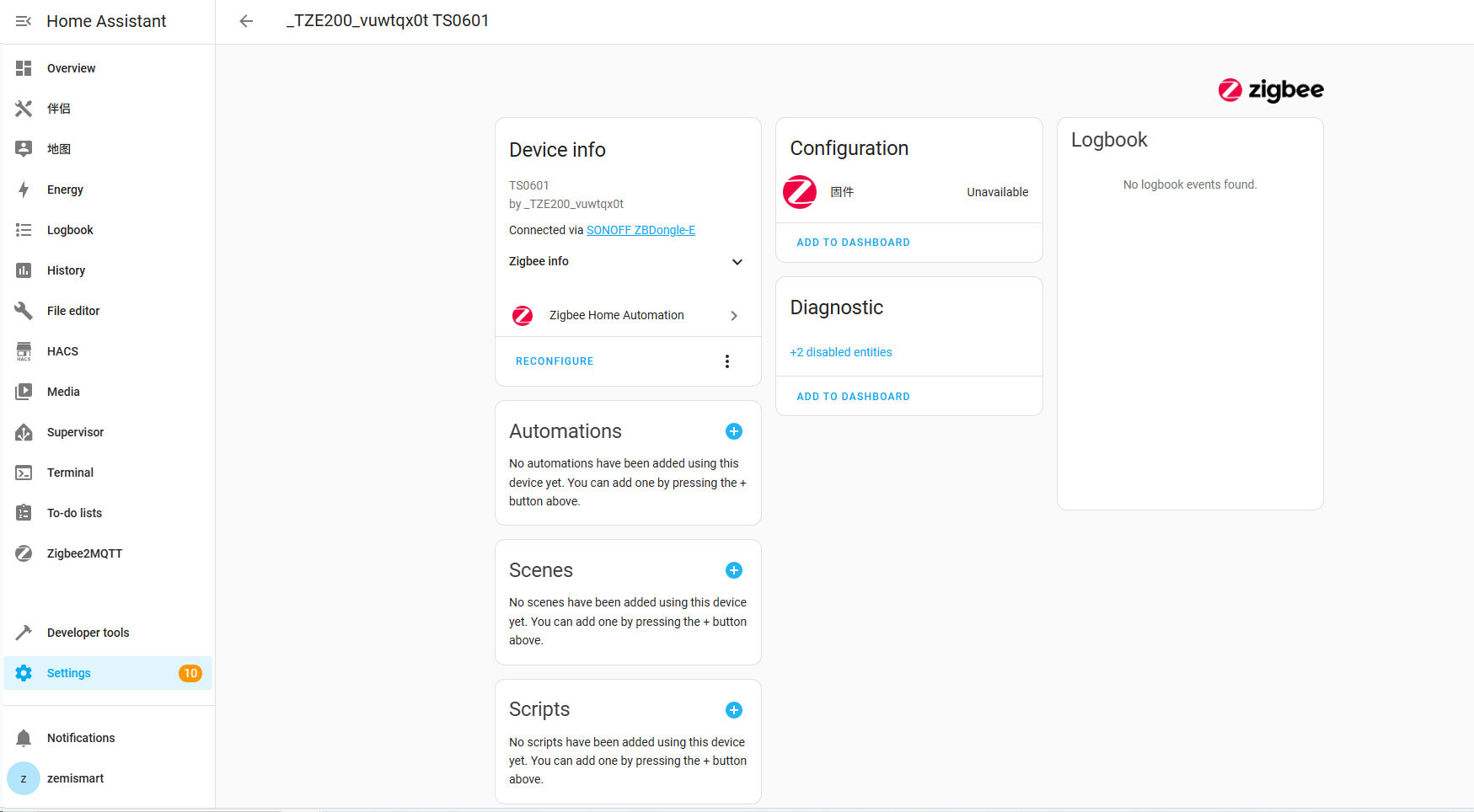
gosh, found it: it was as simple as incorrect indentation in the configuration file…
simply copy and paste was not good enough.

1 Like